
Submitted:
17 January 2025
Posted:
17 January 2025
You are already at the latest version
Abstract
The Sky Runner project is a Java-based game aimed at providing users with an exciting and realistic driving experience in futuristic Dubai in the year 2077. This game amalgamates the concepts of object-oriented programming, intuitive UI, media handling, and innovative game mechanics. This endless runner game involves the player controlling a flying car through obstacles and collecting points, which translate into coins that can be utilized in-game. It is a game similar to Google Chrome's Dinosaur Game, but its simplicity and relaxation factor make Sky Runner stand out. The report describes the project's structure: data flow, OOP principles used, user interaction elements, and the technological architecture powering this futuristic gaming experience.
Keywords:
Dubai
; Google Chrome’s
; Dinosaur
; Game
1. Introduction
The Sky Runner project is a unique endless runner game in Java, having futuristic themes that are easily accessible and offer interactive player experience. Situated in the year 2077, the project proposes a game in Dubai where flying cars can move around in a dynamic sky-high environment of the city. This report describes the overview of the Sky Runner game, focusing on the structural parts, mechanisms of data flow, and how OOP principles have been implemented to realize seamless functionality. The gameplay is designed around the controlling of a flying car, by which the player must avoid obstacles and collect points. These points translate into in-game coins, which can be used to buy new vehicles from a virtual shop. In contrast to most games that would have a clearly defined hero or villain, Sky Runner emphasizes relaxed and easy gameplay. This is intentionally so, to give players an enjoyable, stress-free activity. Sky Runner takes its inspiration from existing endless runner games, one of the most famous being Google Chrome's Dinosaur Game, with increased graphics, futuristic themes, and background music fitting for 2077 Dubai. The UI design for the game should be intuitive and easy to use. It also utilizes Java's strengths in handling game logic, media resources, and data interactions. Sky Runner intends to entertain first and foremost, with some added attractions like the shop feature for car upgrades, but not to overload the player with much to do or keep track of. This is the culmination of advanced OOP concepts, creative designing, and a strategic plan that knits it all into a coherent gaming experience. This report closely studies the architecture and design of Sky Runner, which is aimed at bringing forth the novelty in the project and the contribution it will have to the endless runner game genre.
The endless runners comprise a broader class of game development which generally uses a set of simple mechanics to keep the players on their toe by pushing the players' reflexes and stamina [1,2]. Such games characteristically make use of simple input mechanisms and are designed in accordance with gradually increasing difficulties that challenge the engagement of players [3]. Classic examples, such as the Google Chrome Dinosaur Game, bring to light how minimalistic design can result in widespread appeal while modern takes on it allow for more immersive environments, updated graphics, and elaborate mechanics [4]
The OOP principles of encapsulation, inheritance, and polymorphism are vital to the process of game development since they establish modularity and reusability [5]. For example, games like Sky Runner with complicated mechanics effectuate encapsulation of game logic into distinct classes and packages. This modular structure enables the developers to keep distinct concerns, such as game state control, user interface, and gameplay logic (Robertson, 2020). The use of inheritance also allows the implementation of new features or game entities while encapsulation prescribes better control on the data flow and system integrity [6].
The UI/UX design is an effective enhancer of gaming experiences through, among other things, ease of control and a beautiful interface [7]. Endless runner games allow simplicity so that the player focuses on the game aspect- which is very common that they should be straight cut from user navigation and interaction. Recent titles such as Sky Runner employ futuristic themes and sound UI elements. Intuitive designs allow quick transitions between menus in the game and in-game activities [8,9].
One of the important factors that established a player-experience and engagement is the audio and visual experience of a game. The general sound decorum of the game is extensively acknowledged as a sound base for creating ambience [9]. In settings such as Sky Runner, with active effects regarding diverse cityscapes and sound customization, it actually creates the feeling of being high-tech, sending players into the theme of 2077 Dubai [10].
In a real-time application like a game, one of the most important points is the data flow management (associated with real-time applications). Techniques involving storage such as binary files for configurations, scores, and ongoing data help preserve a persistent experience for users even across different playing times [11]. Games like Sky Runner use binary data files for saving state, enabling features like car ownership, customizable settings, and scorekeeping to work seamlessly. This can be a retention tool for players as the game gets continued from a point where the player left [12,13]. Endless runner games face challenges in maintaining player engagement over extended periods of time. Strategies like dynamic adjustment of difficult, different options of characters or vehicles, and varied environments help add some interest [14,15,16] The Sky Runner project addresses these issues with progressive difficulty, car selection, and features such as account systems, day-night modes, and further phases. The Sky Runner game employs a well-defined methodology using OOP in combination with intuitive designs. The dataset is composed chiefly of binary files for the settings, scores, and car ownership [17]. These files are manipulated using Java's DataInputStream and DataOutputStream to read and write data, thereby ensuring that the players' experiences endure over time. Testing will encompass button functionality, file creation, and the flow of the game while ensuring robustness and reliability principles of the game's core mechanics. This literature review thus provides clear context on the way Sky Runner envisages the design of a modern endless runner game revolve around innovation, technical rigor, and player-centered design[18,19,20]. Recent advancements in AI have underscored the importance of developing systems that are not only functional but also transparent and interpretable, fostering a better user experience in interactive game environments [26]. The application of data analytics has proven valuable in refining game mechanics, offering ways to assess and enhance player performance through data-driven insights [27]. The evolution of machine learning techniques is enhancing the integrity of digital assets, allowing for improved content authenticity and protection within virtual gaming worlds [28]. Security frameworks are increasingly crucial in game design to safeguard players’ data and interactions, ensuring a secure and seamless gaming experience [29]. The use of deep learning in analyzing player behavior and game dynamics enables more adaptive and responsive gameplay, enhancing player immersion and engagement [30]. Understanding diverse user needs helps in designing more inclusive games that cater to various demographics, improving accessibility and player satisfaction [31]. Privacy protection mechanisms have become an essential part of game design, ensuring players’ personal information remains secure while interacting in digital spaces [32]. The integration of machine learning into game design can enhance predictive features, such as anticipating player actions and adapting challenges in real-time [33]. Transfer learning is increasingly applied in gaming to refine character and environment recognition, improving the overall realism and responsiveness of game AI [34]. Hybrid models in game design are used to enhance performance by processing complex data more efficiently, improving both gameplay and system optimization [35]. Sustainable energy models are becoming more relevant in the development of portable gaming devices, ensuring that they remain efficient and long-lasting in resource-constrained environments [36]. As gaming platforms become more interconnected, addressing cybersecurity threats is vital to protect against potential exploits and ensure safe online experiences for players [37].
2.1. Dataset Description
The Sky Runner game is designed in a structured manner, methodically combining object-oriented principles with intuitive design. The dataset deals with binary files mainly for settings, scores, and car ownership. While manipulating such files, one uses DataInputStream and DataOutputStream of Java, reads and writes data, thus offering a persisting user experience. Amongst the testing methodologies, there is a button test, file creation test, and game flow test that ensure the core mechanics of this game are sound and reliable.
2. Proposed Methodology
The Sky Runner game was approached in a methodical manner concerning the development process along several key steps. It has been written in Java using the principles of object-oriented programming, aiming for a clean, maintainable codebase. For separation of concern, packages had been planned in a way to modularize, providing smoother development. Resource management had been one very important issue; hence images, sound effects, and background music should have been pre-loaded during the time of initialization. The MediaPlayer class was used to implement looped music and sound effects, enriching the game's aural experience. Core gameplay mechanics included flying car controls to avoid obstacles and collect coins. Difficulty progression was introduced, whereby increasing scores by the player would raise the level of difficulty, thus making the game even more interesting. Binary files for persistence-like.dat files-stored player settings, high scores, and details about car ownership. DataInputStream and DataOutputStream ensured that the files were efficiently handled.
This was further polished by extensive testing and debugging of the game. Key test cases included UI buttons for "Start Game," "Pause," and "Try Again," creating a file, storing data, colliding with obstacles, scoring mechanics, and the car shop. Iterative development refined this game even more. Results from the testing phases were used to enhance gameplay mechanics, user interface design, and the overall user experience to make the final product polished and engaging.
3. Results and Discussion
4.1. Results
Core Gameplay
The Sky Runner game perfectly merges an endless runner mechanic with smooth controls and responsive input handling into one fluid and pleasant player experience. Dynamic difficulty scaling, meaning the challenge level will change based on the score achieved by the player, adds a lot of replayability to keep the gameplay interesting. Persistent data storage ensures seamless saving of player progress and preferences, including settings and scores, between sessions. Intuitive game menus and navigation make for a frictionless user experience, while features such as pause/resume and game over screens work just as one would expect. Binary file handling in the data management is efficient: settings, scores, car ownership data are all loaded and saved appropriately. In-game shop and car select functionality allows players to purchase and select cars depending on earned coins; logical affordability and selection systems work just as well. The tests confirmed that the button interactions, flow of gameplay, and file handling were robust; all test cases passed without major issues. Also, it was observed that difficulty adjustments and car maneuverability did have the intended effect on the player's experience.
3.1.1. Project Structure
The Sky Runner project is organized in a modular structure, containing several packages and classes, each with its role, which together contribute to the maintainability and scalability of the project. Package-based organization has been used in the project to stick to OOP principles for ease of development and debugging. The package com.example.skyrunner.screens is the core, which has in it the main Game class that is responsible for the game loop, rendering processes, and user interactions. This package has several screens, such as the main menu, pause menu, and gameplay screens for seamless user interface and navigation. In addition to that, the database package com.example.skyrunner.database will take care of all persistent data management: saving and retrieving scores, data of players, and settings of the game. It applies binary file handling to keep the data safe and accessible. The models package, com.example.skyrunner.models, defines the core game entities, such as PlayerCar and TrafficCar. These entities have been designed with OOP principles like inheritance for easy future extension and modification. The view factory package, com.example.skyrunner.viewfactory, is responsible for managing the user interface, including layout and dynamic UI updates in game, to provide a friendly and visually cohesive experience. The utility package, com.example.skyrunner.util, encapsulates utility functionalities, which include reusable helper methods and classes for managing car status, performing background processing, and more. Finally, the managers package, com.example.skyrunner.managers, manages game settings, car ownership, and scoring. It ensures consistency in game states through efficient data loading, saving, and updating.
Package Organization
The project is organized into several packages, each responsible for different aspects of the application:
Figure 1.
screens Package.
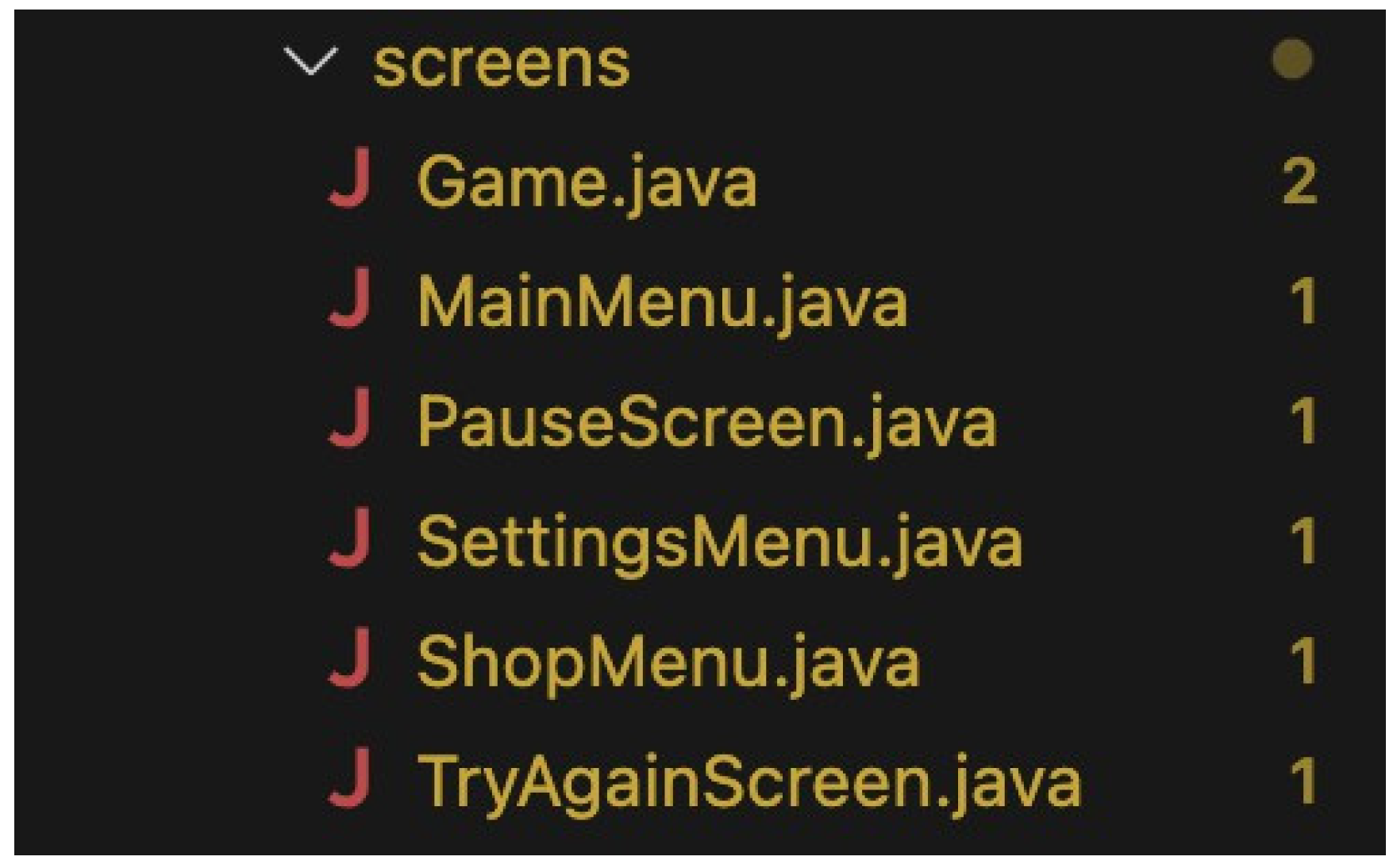
com.example.skyrunner.screens: Contains the Game class that manages the main game loop, ren dering, and user interactions, and all game Screens.
Figure 2.
Database Package.

com.example.skyrunner.database: Manages database operations (e.g., saving scores, retrieving player data).
Figure 3.
models Package.

com.example.skyrunner.models: Includes data models like PlayerCar and TrafficCar, representing game entities.
Figure 4.
viewfactory Package.

com.example.skyrunner.viewfactory: Provides UI management functionalities, such as UIManager, which handles UI components and layout.
Figure 5.
util Package.

com.example.skyrunner.util: Contains helper classes and methods used throughout the application. This package includes tools for managing car status and other common tasks, making the code easier to manage and reuse.
Figure 6.
Managers Package.
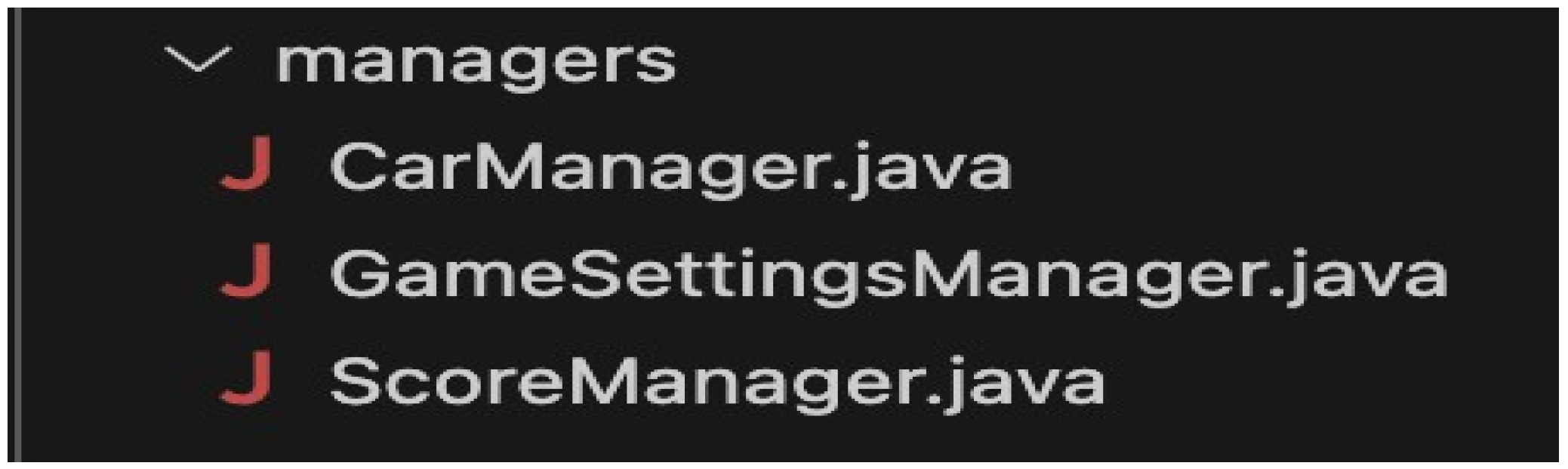
com.example.skyrunner.managers: Manages various aspects of the game state and configuration, including car ownership and selection, game settings, and player scores. This package handles loading, saving, updating, and resetting relevant data to ensure consistent game experiences.
4.2. Data Flow
In the Project, a more appropriate data flow is implemented concerning the processing of game-playing operations. The pre-initialization process initializes all resources comprising images and sound; configuration of UI-related components by way of UIManager was instantiated together with the game entities of PlayerCar and TrafficCar.
The most central operation cycle is a game loop that updates the game states, renders visuals, and detects collisions. It uses an AnimationTimer that provides real-time updates, making the player's experience quite smooth and engaging. Dynamic processing of user inputs-including flying car control and menu navigation-ensures state changes, such as pause and resumption of the game, or events like collisions with obstacles. Last but not least, the management of game state for transitions and persistence has been implemented: pausing and resuming gameplay, saving and loading of the game state, and transitioning between screens using binary file storage. This will make sure that player preferences and progress are preserved over multiple sessions of gameplay, increasing the overall user experience and replay value.
Loading Resources: The Game class loads images and sounds from resources.
Figure 7.
The loadImages() method loads all the game images.

Figure 8.
The initializeCrashSound() method initializes the crash sound for collisions.

Figure 9.
Methods to import and loop background music using mediaPlayer.play().

Setting Up UI: UIManager sets up and configures the user interface components.
Figure 10.
This code sets up the UI Manager.

Creating Game Entities: Instances of PlayerCar and TrafficCar are created and initialized.
Figure 11.
The method for creating and initializing PlayerCar object and TrafficCar object.

Figure 12.
The method for adding new Traffic Cars in the name.

4.3. Game Loop
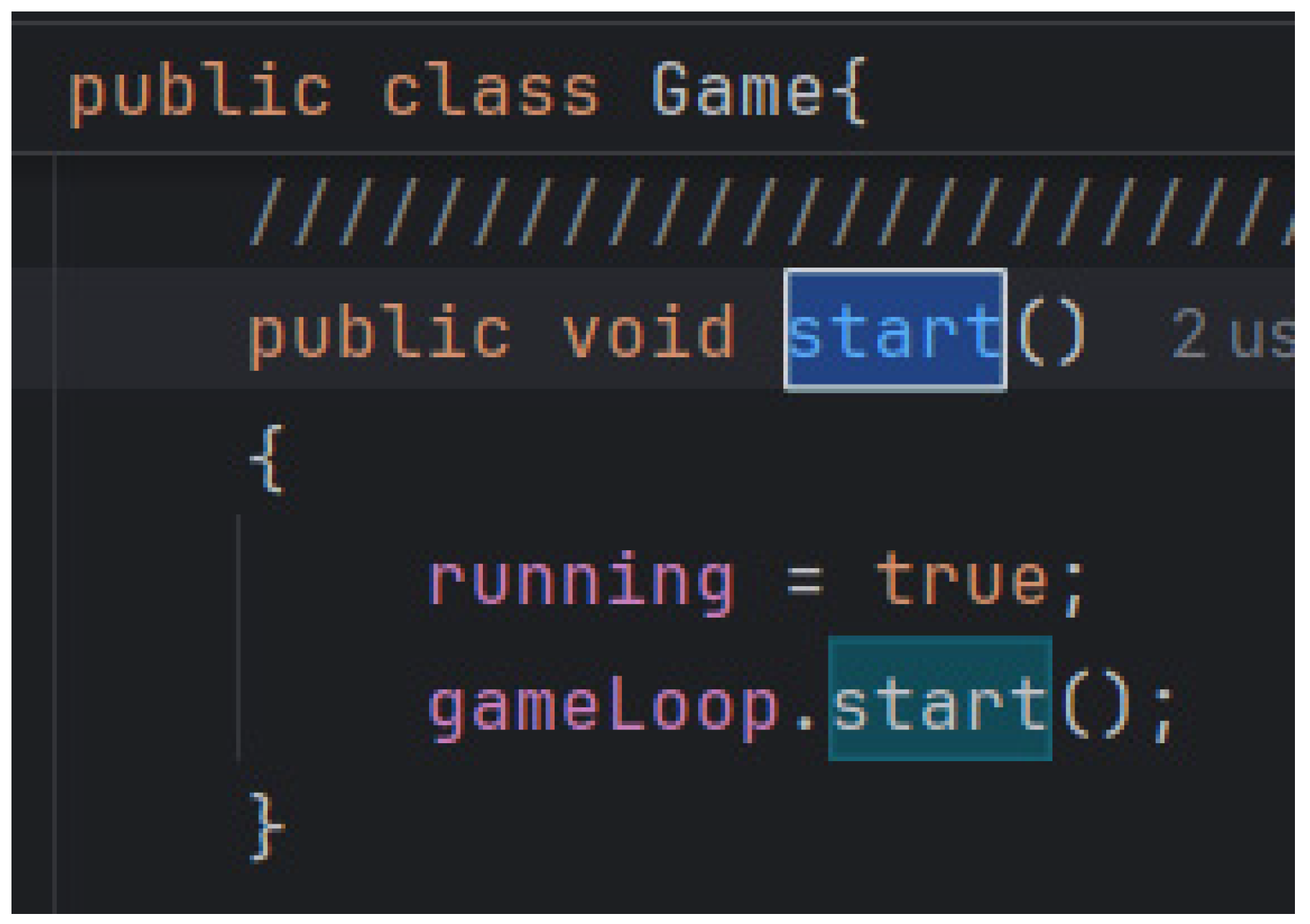
Start Game: The start() method in the Game class initiates the game loop using AnimationTimer.
Figure 13.
Call the AnimationTimer to use it.

Figure 14.
start() method that start the game loop.
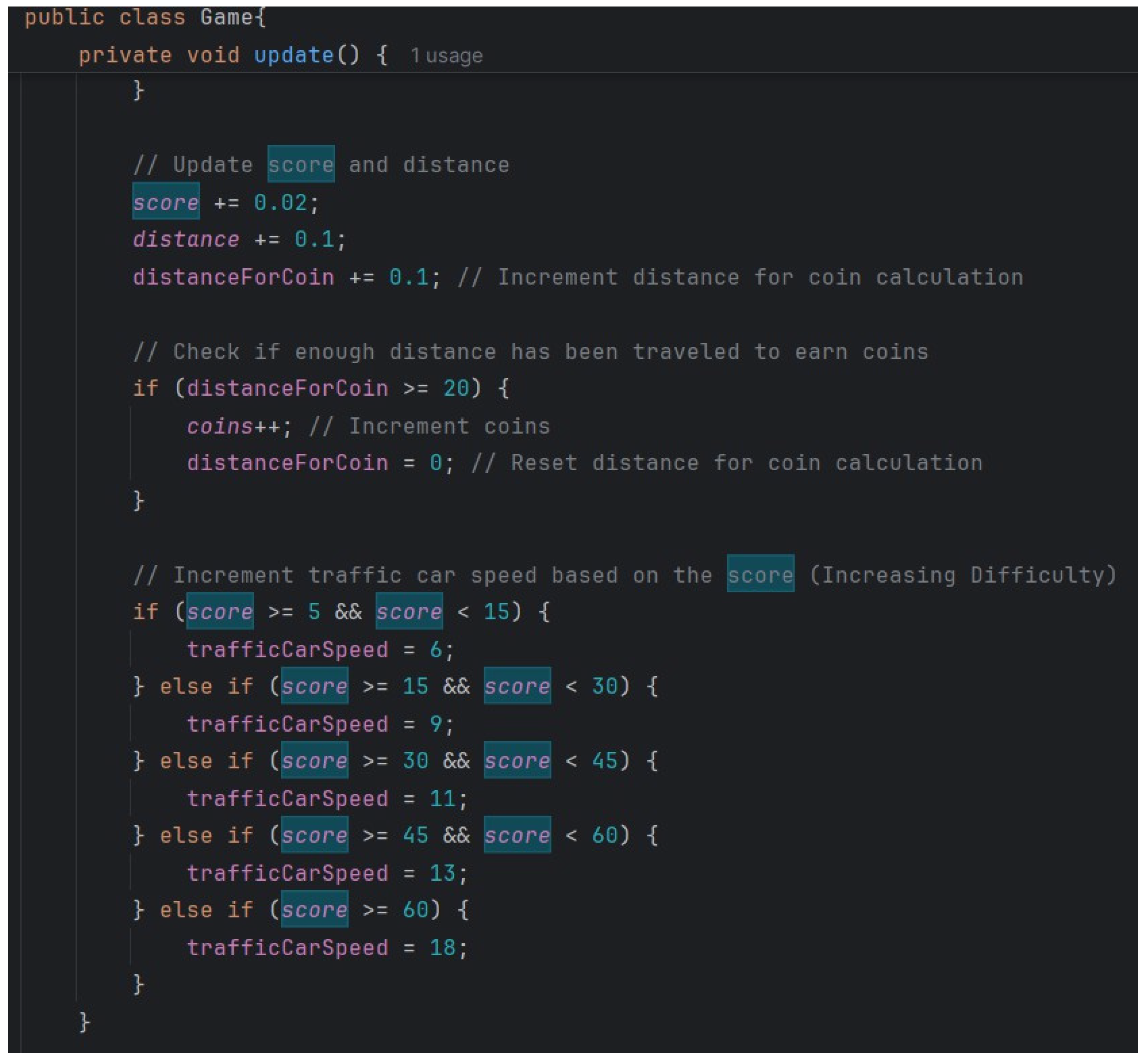
Update State: The update() method updates game state, including player and traffic car positions, score, distance, and collision detection.
Figure 15.
The update() method updates game state.
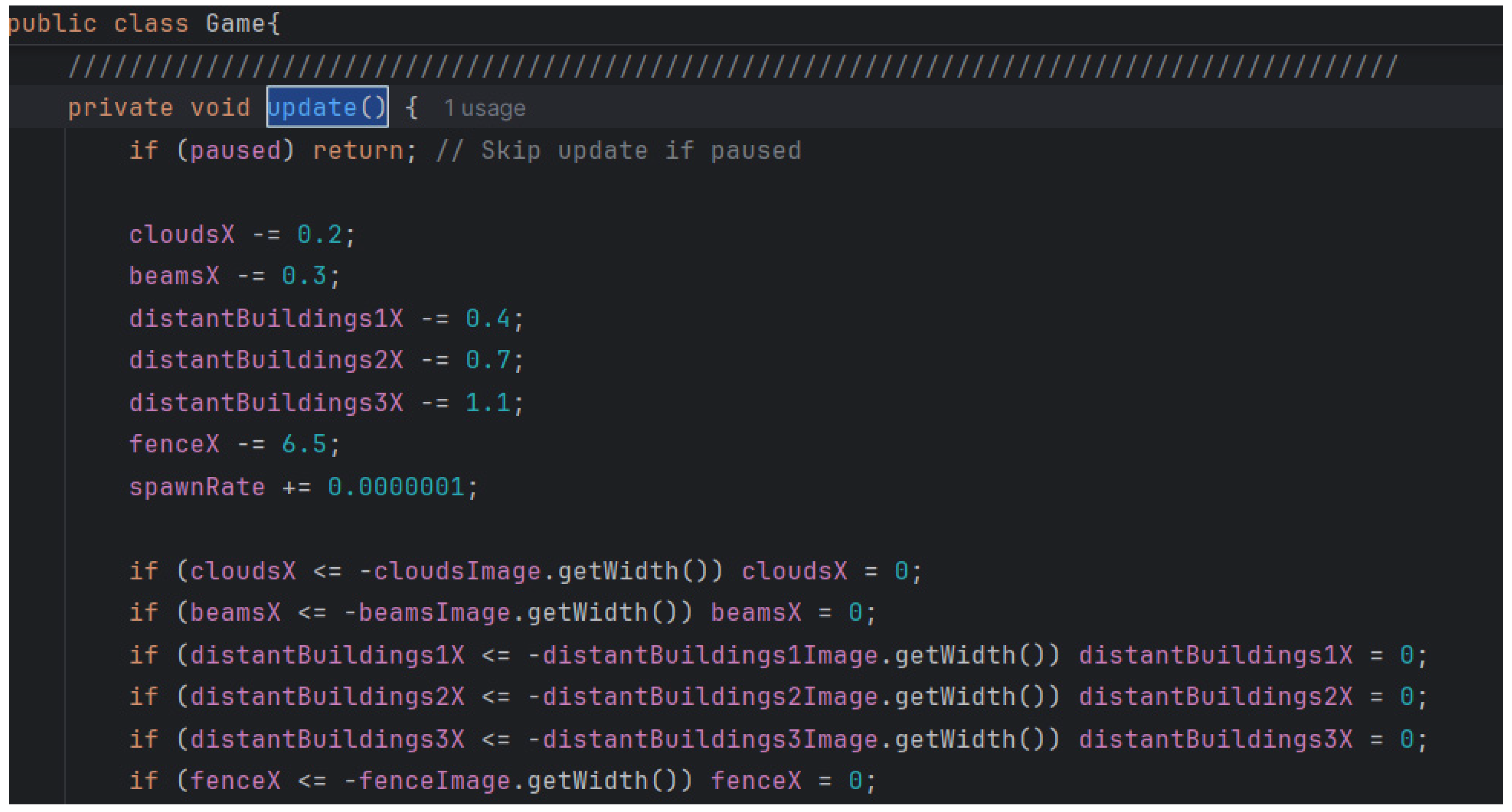
Figure 16.
Update method adjusting traffic car speed as score rises.
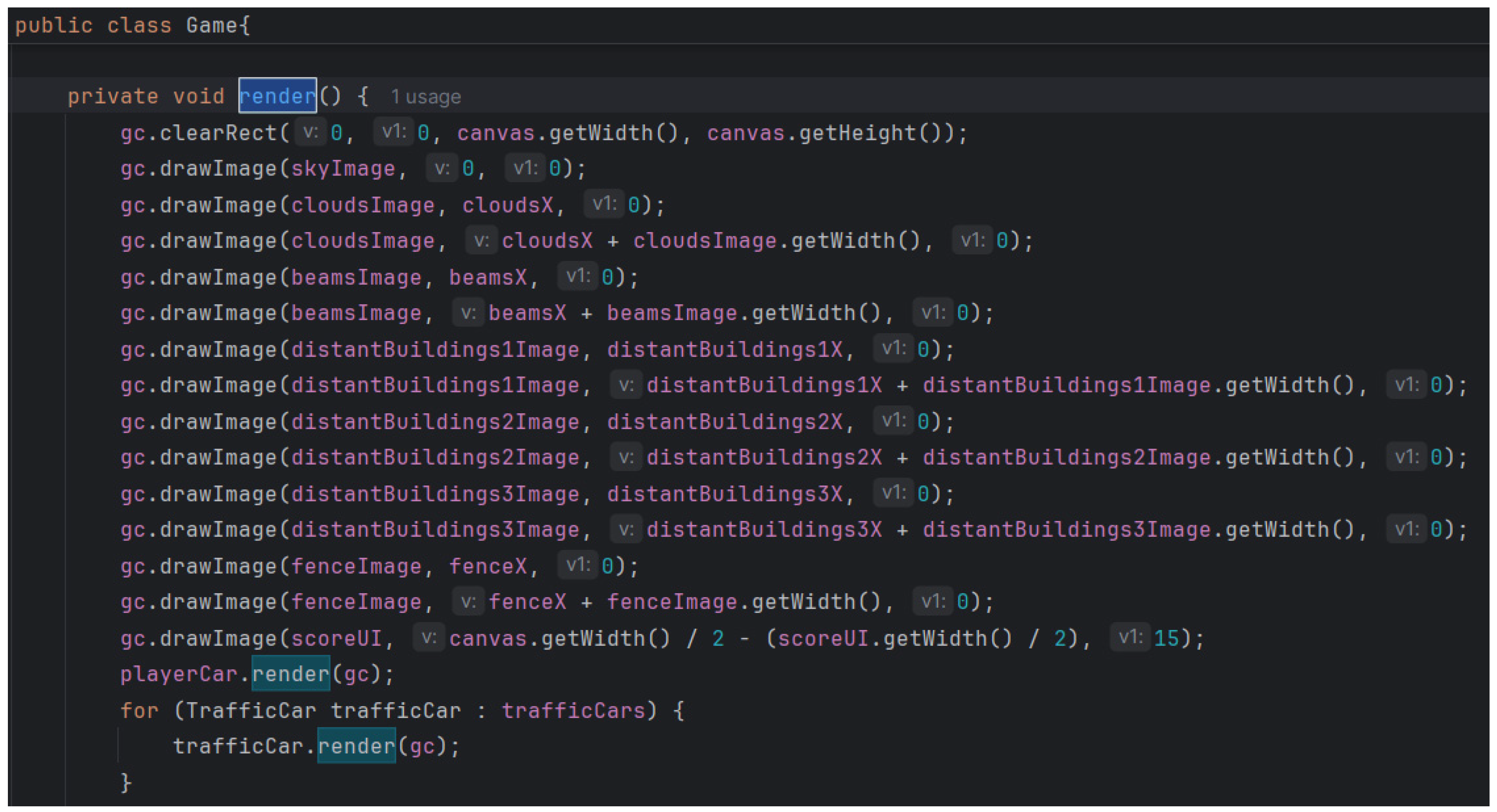
Render Game: The render() method draws game elements on the Canvas.
Figure 18.
The render() method draws game elements on the Canvas.
4.3.1. User Interaction
Input Handling: User input (e.g., keyboard or mouse events) is processed to control the player car and interact with the game.
Figure 19.
PlayerCar movement code.

Game State Changes: Input can lead to changes in game state, such as moving the car, pausing the game or updating the score.
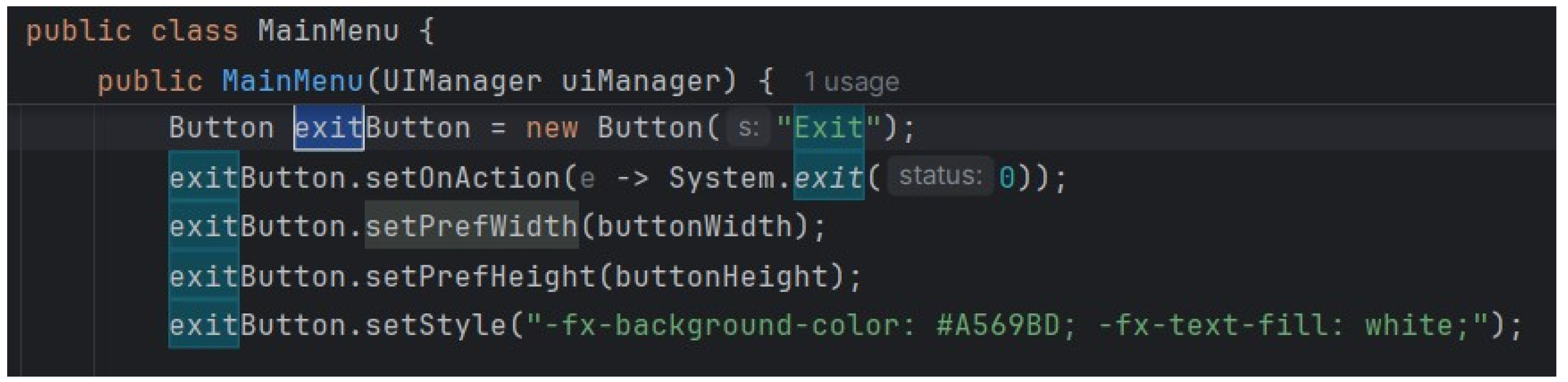
An example of this is the buttons. When the user clicks the button the method behind them (or we can say associated with them) is executed. For example here’s the method associated with the “Exit” button on the Main Menu page which exists the game.
Figure 20.
Exit Button.
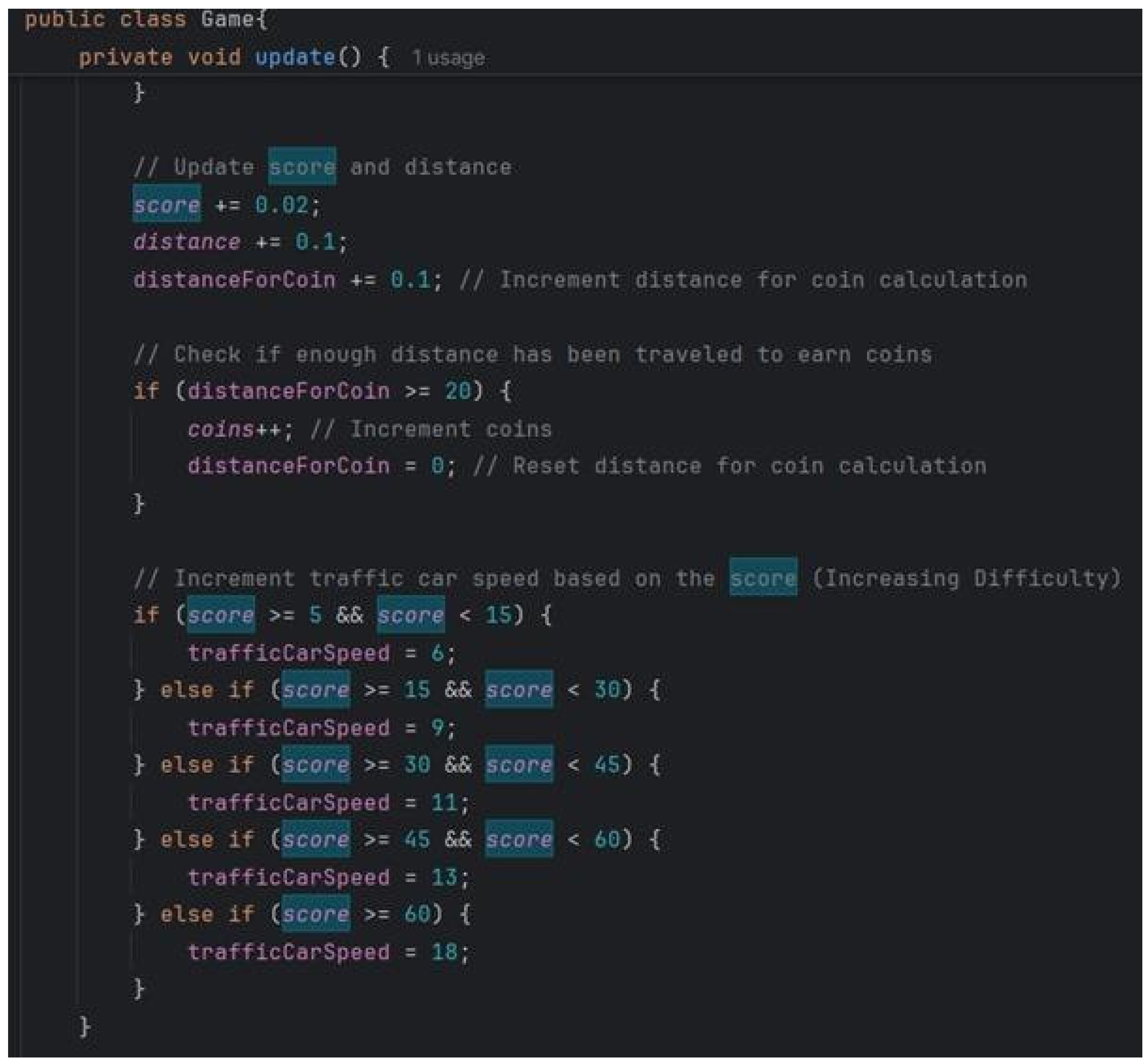
The game is paused when the “Pause” button is clicked and score updates as time passes. The following method increase the score as time passes and increase the game difficulty as score increases:
Figure 21.
The method increases the difficulty of the game as the score increases.
4.4. Game State Management
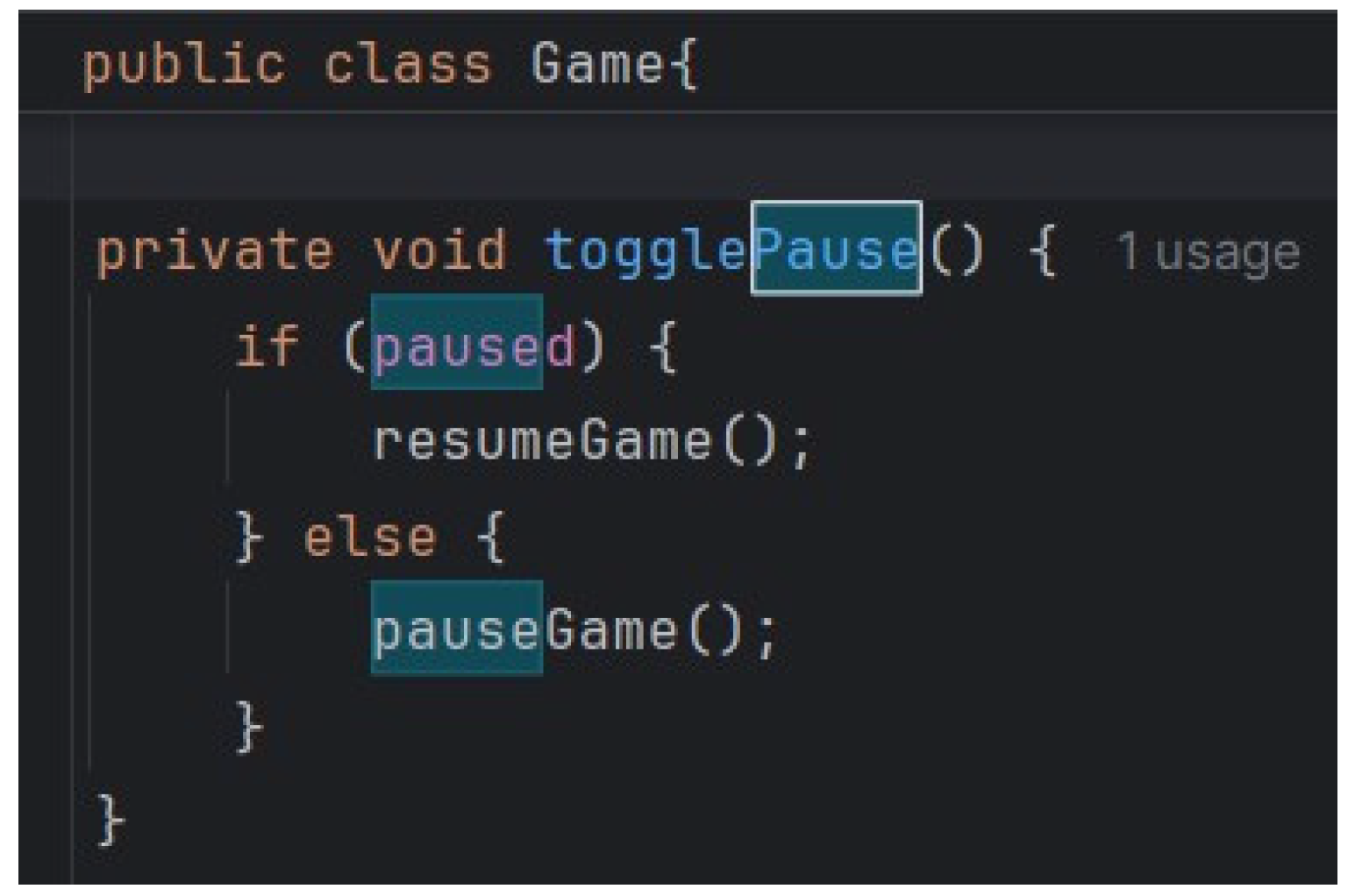
Pause/Resume: The game can be paused and resumed using the togglePause() method in the Game class.
Figure 22.
togglePause () method.
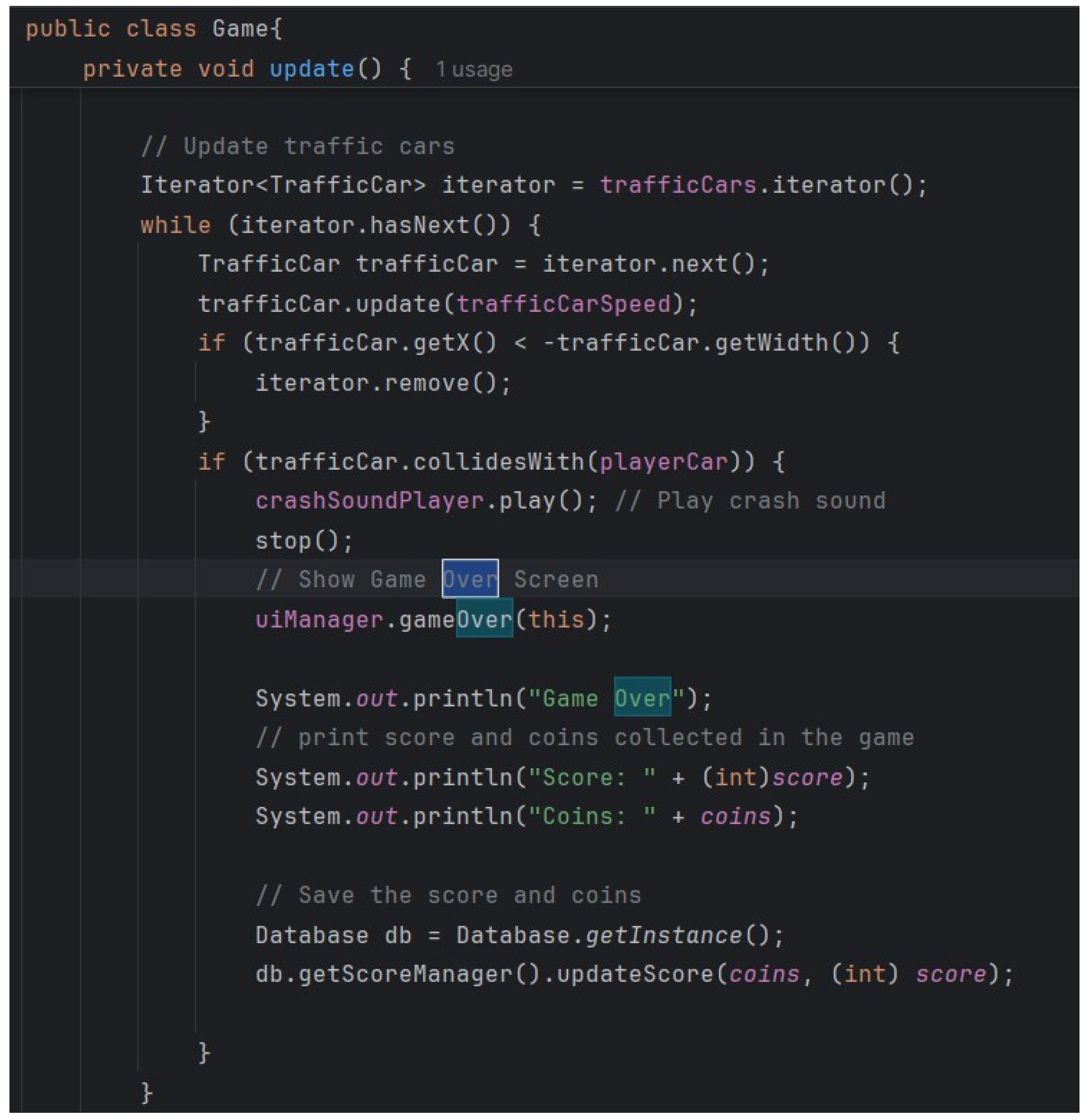
End Game: On game over, the final score is saved and displayed, and the game loop is stopped.
Figure 23.
update() method (Losing part).
The Sky Runner project is divided into several packages, each responsible for something different to keep the code modular and maintainable. Figure 1 shows the package structure for the screens package, com.example.skyrunner.screens, holding the Game class responsible for managing the main game loop, rendering, and handling user input. This package also includes all the game screens that will form the basis of gameplay. Figure 2: Database Package com.example. skyrunner.database: This package is used for all database-related operations, such as storing the score and retrieving player information in order to retain progress and settings. Figure 3: Models Package com.example.skyrunner.models: This package contains all the data models used in the application, such as PlayerCar and TrafficCar, which represent the entities in the game. Figure 4: ViewFactory Package com.example.skyrunner.viewfactory: This package is responsible for the UI through the class UIManager, which sets up and manages UI elements. Figure 5: The util package, com.example.skyrunner.util, provides helper classes and methods to simplify the common task of handling car statuses or reusing code. Finally, Figure 6 shows the managers package, com.example.skyrunner.managers, which is used for game state and configuration management regarding car ownership, game settings, and score management.
The project adopts effective data flow, as shown in Section 2, for the optimization of game play operations. Pre-initialization initializes resources such as images and sound. UIManager sets up UI elements. Game entities, such as PlayerCar and TrafficCar, are created. At the core of the game is the game loop, illustrated in Figure , which is activated by the start() method. It will keep refreshing the states of the game in real time-motions of player and traffic cars, scores and collision detection Figure while it calls the method render () to draw something on the canvas Figure 9.
User interaction is incorporated seamlessly, as shown in Figure 10, allowing for the movements of the player cars to be controlled by keyboard or mouse, as well as menu navigation. Button actions include the "Exit" button Figure 11, which runs attached methods for a graceful exit. The difficulty of the game automatically changes with the increase in score, as shown in Figure 12. Game state management includes the pausing and resuming of gameplay using the togglePause() method Figure 13 and the saving of the final score when the game is over, shown in the update method's "Losing part" Figure 14 to 22. The structure of the Sky Runner project, data flow, and state management give an assurance of an enjoyable and strong experience in gaming. References for figures are included for better understanding and development.
4.5. Saving System
Binary Data Files
The class called “GameSettingsManager” is responsible for the settings of the game and those include the music and the sounds volume; to save and load this information a binary data file will be used such as “settings. dat”. The “loadSettings” method uses “DataInputStream” to read the file “settings. dat”, if it exists, this method reads the double type musicVolume and sfxVolume, if not, this method is called “saveSettings” to create the file with default settings. The “saveSettings” method alters the string which comprises the “musicVolume” and the “sfxVolume” fields in the settings. using, "DataOutputStream", we write the data into the "dat" file.
Figure 23.
The “loadSettings” method uses “DataInputStream” to read the file.
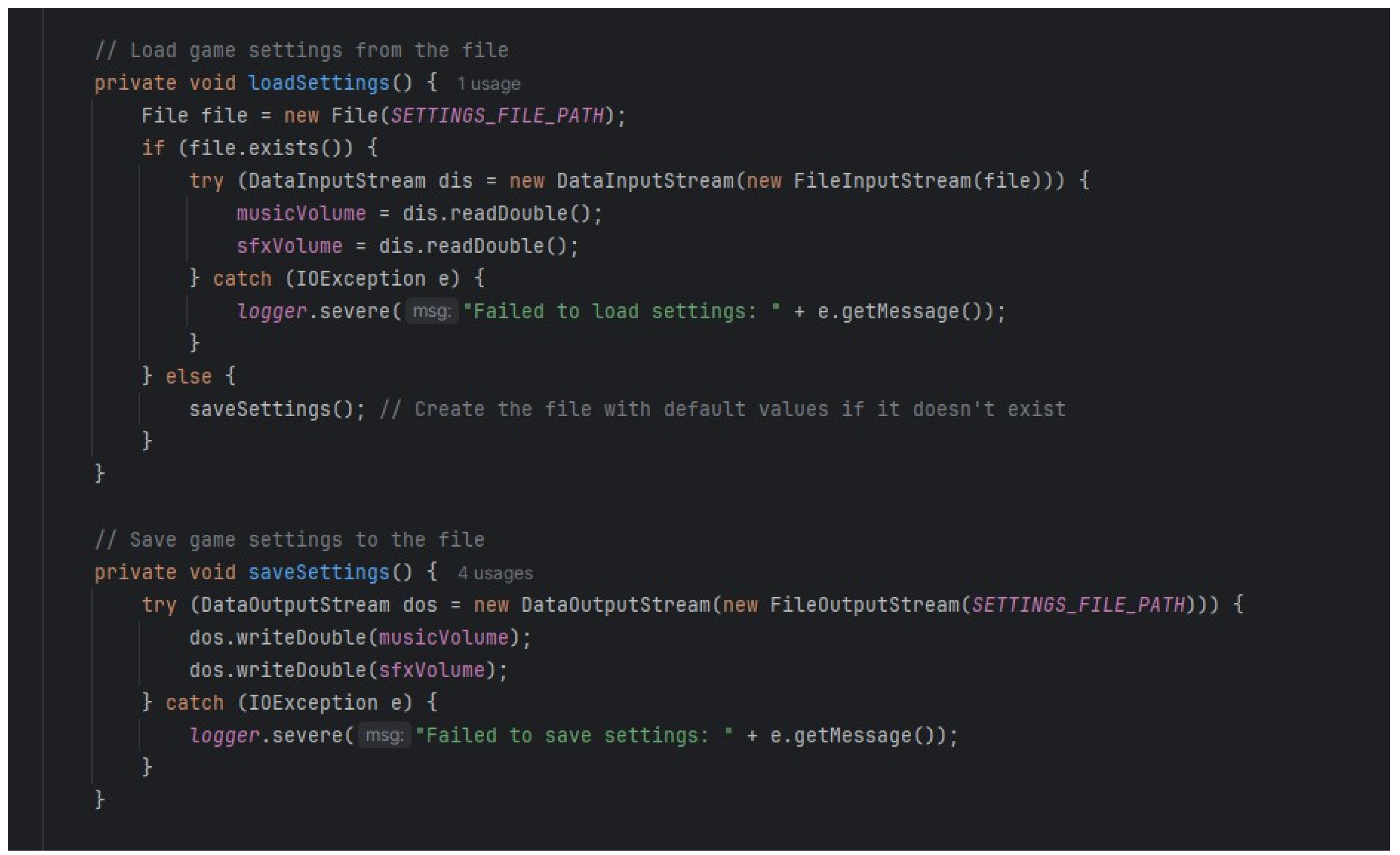
So, all three binary data files “settings.dat” for settings, “cars.dat” for car ownership and “scores.dat” for scores use binary data files to store their respective data.
4.5.1. Owning Cars
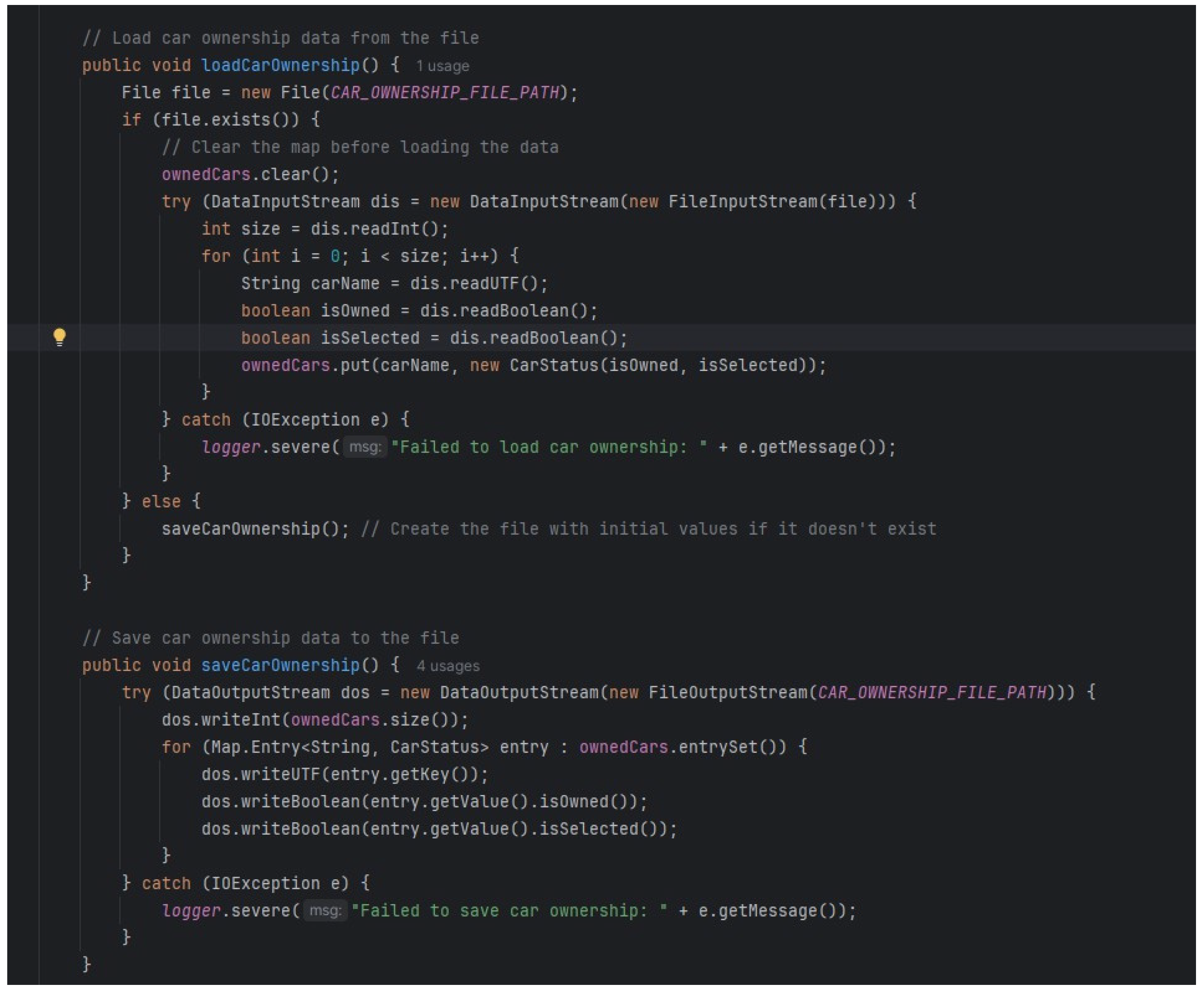
The "CarManager" class controls the cars that the player owns and saves the purchase state in the binary data file that is called the "cars. dat". In the "LoadCarOwnership" method, the ownership status is being read from the cars. boolean data, whether owning this car, from the opened "dat" file using the "DataInputStream". The "saveCarOwnership" method then updates a cars table with the ownership status. writing the record into a "dat" file using a "DataOutputStream". Therefore, the class “CarManager” handles the loading and saving the ownership status of cars.
Figure 24.
code to show the various of the cars in game.
4.5.2. Editing the Settings
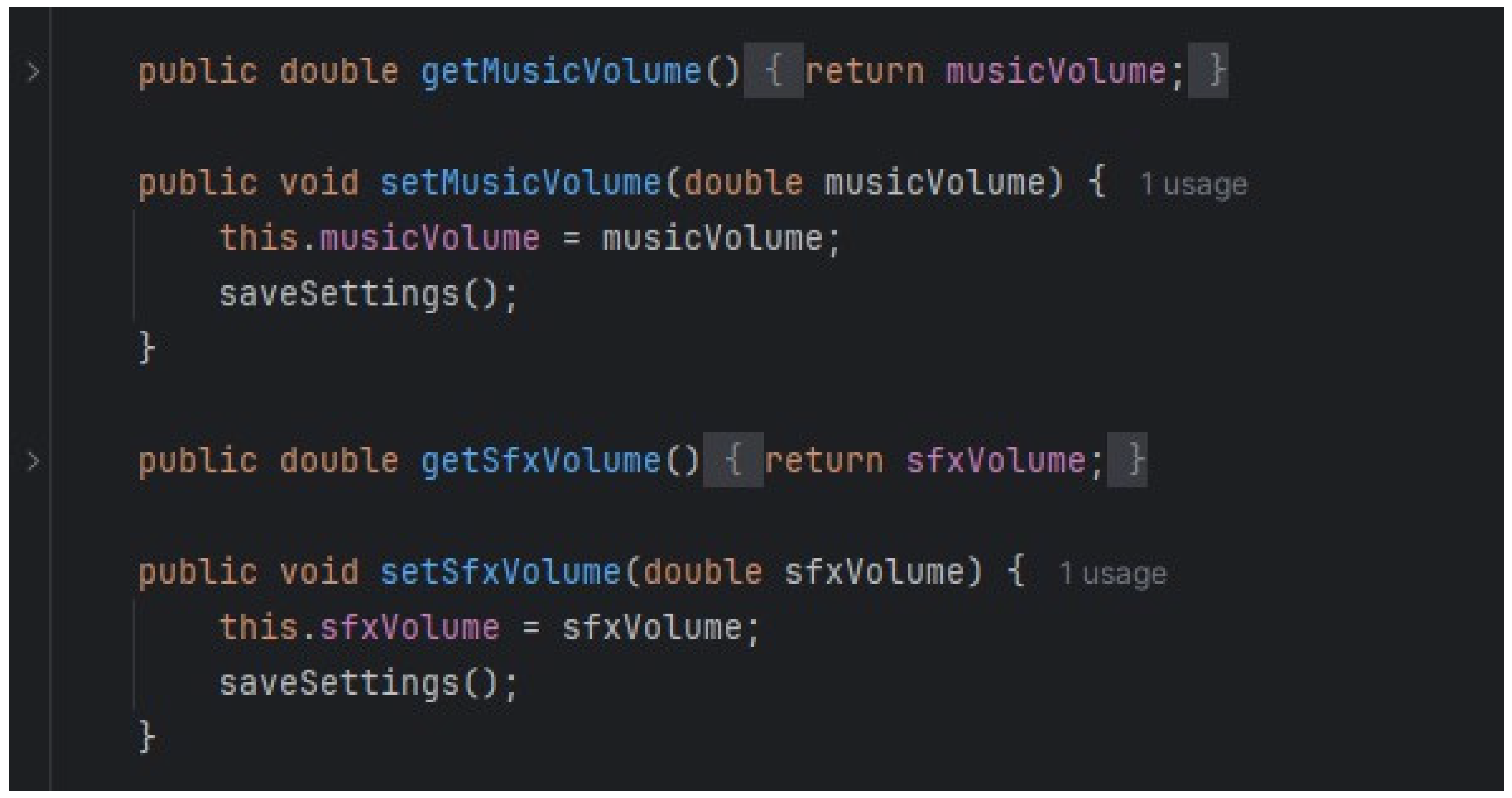
Being the class responsible for loading, as well as saving the game settings, the "GameSettingsManager" class also facilitates the modification of these settings. It contains procedures to get and set the volume of music and sound effects using "getMusicVolume", "setMusicVolume", "getSfxVolume" and "setSfxVolume". If a volume level is set using the "setMusicVolume" or "setSfxVolume", the "saveSettings" method writes volumes to the settings. This means that the ".dat" file kept in the computer is replaced by the new values of the calculated sum and quotient. This makes certain that when any settings adjustment is made, persistent changes are created and can be used in the next subsequent gaming session.Hence the class “GameSettingsManager” allows the user to edit the music and sound effects volumes.
Figure 25.
code to set volumes of the music from the settings.
4.5.3. Saving Scoring
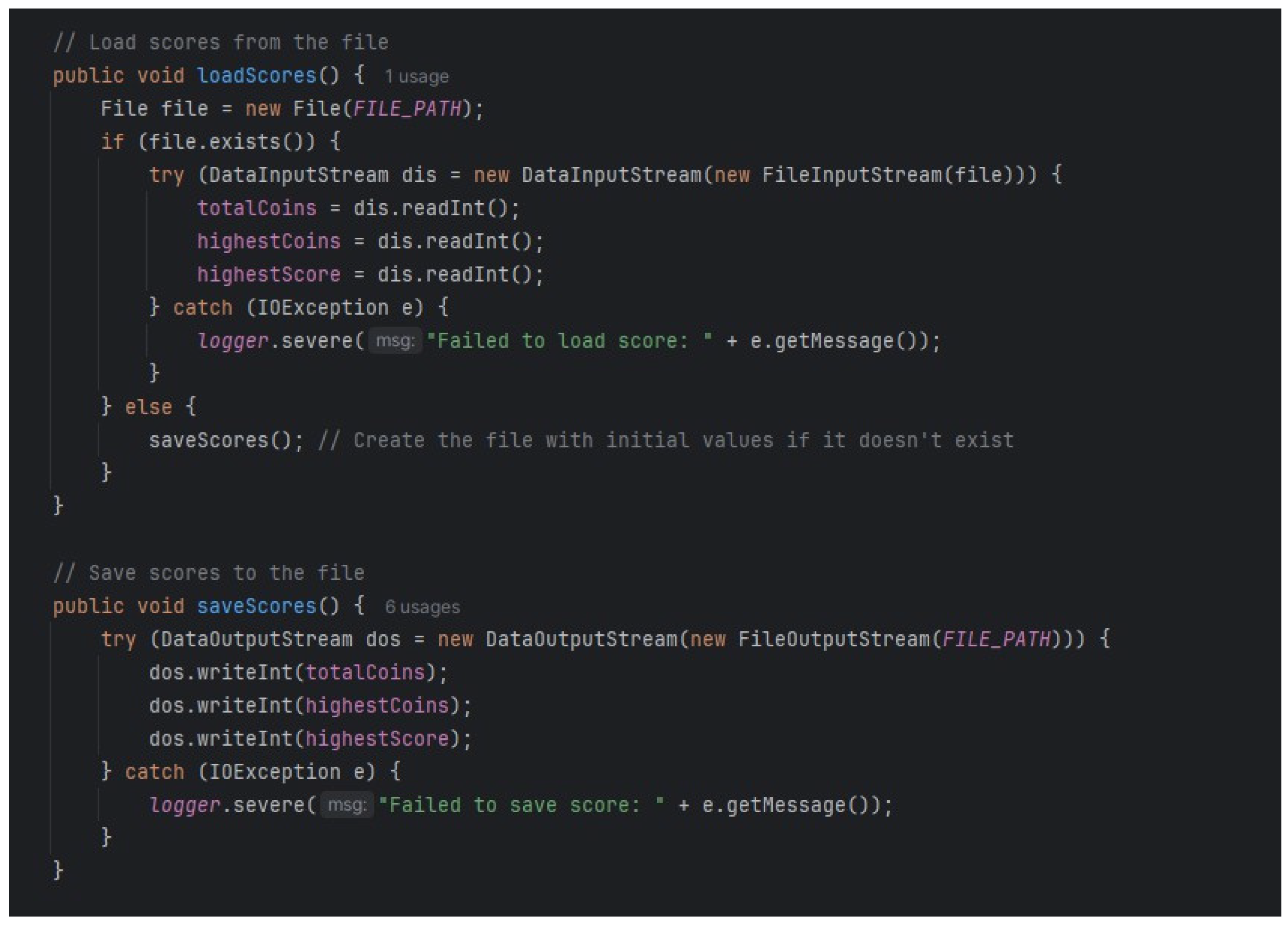
The “ScoreManager” class which controls and stores the player’s scores and coins and is saved into the binary data file “scores. dat”. The `loadScores` method reads the scores from the “scores. dat” file using `DataInputStream`, and stores integers for `totalCoins`, `highestCoins`, and `highestScore`. If this file does not exist, it will be created and it will contain initial values. The `save Scores` method writes the `totalCoins`, `highestCoins`, and `highestScore` to the “scores. dat” file using a `DataOutputStream` so that the player progress is saved appropriately. This process ensures that all the score’s related information is well recorded and easily accessible as the gaming proceeds from one session to another. Hence the “ScoreManager” class manages loading, saving, and updating the player's scores and coins.
Figure 26.
class to manages loading, saving, and updating the player's scores and coins.
4. Encapsulation
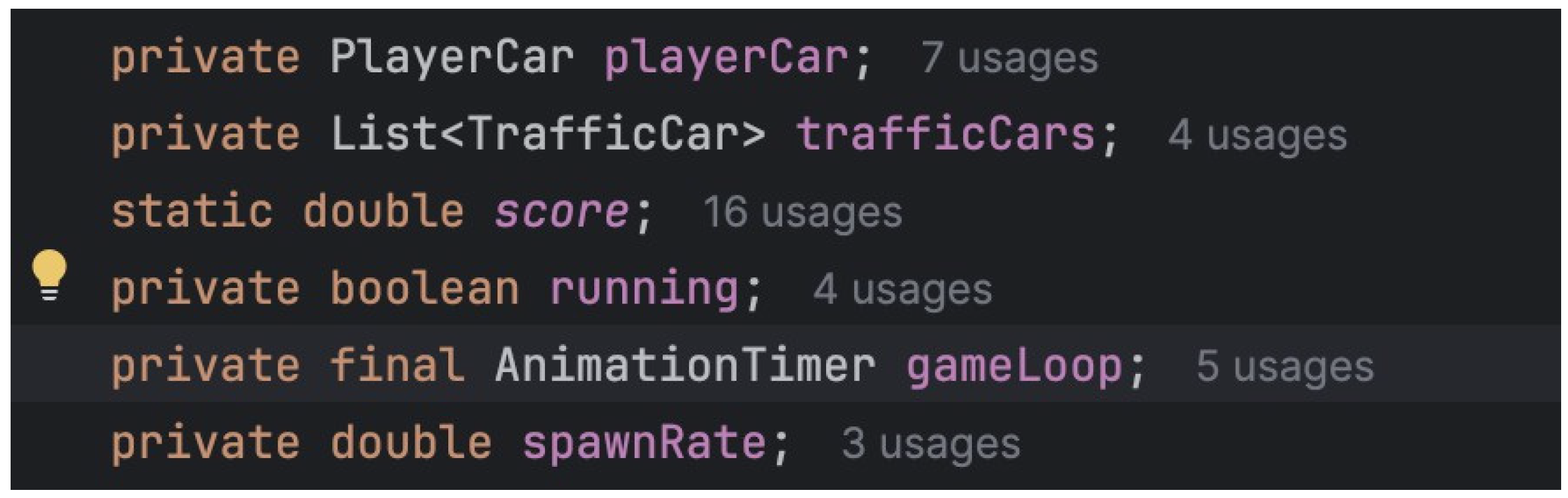
Implementation: The Game class encapsulates game logic, rendering, and state management. It provides public methods for starting, pausing, and stopping the game while keeping internal details private. The game class encapsulates most variables and methods as private so they are not directly accessible from outside classes.
Figure 27.
private variables declared in the Game Class.
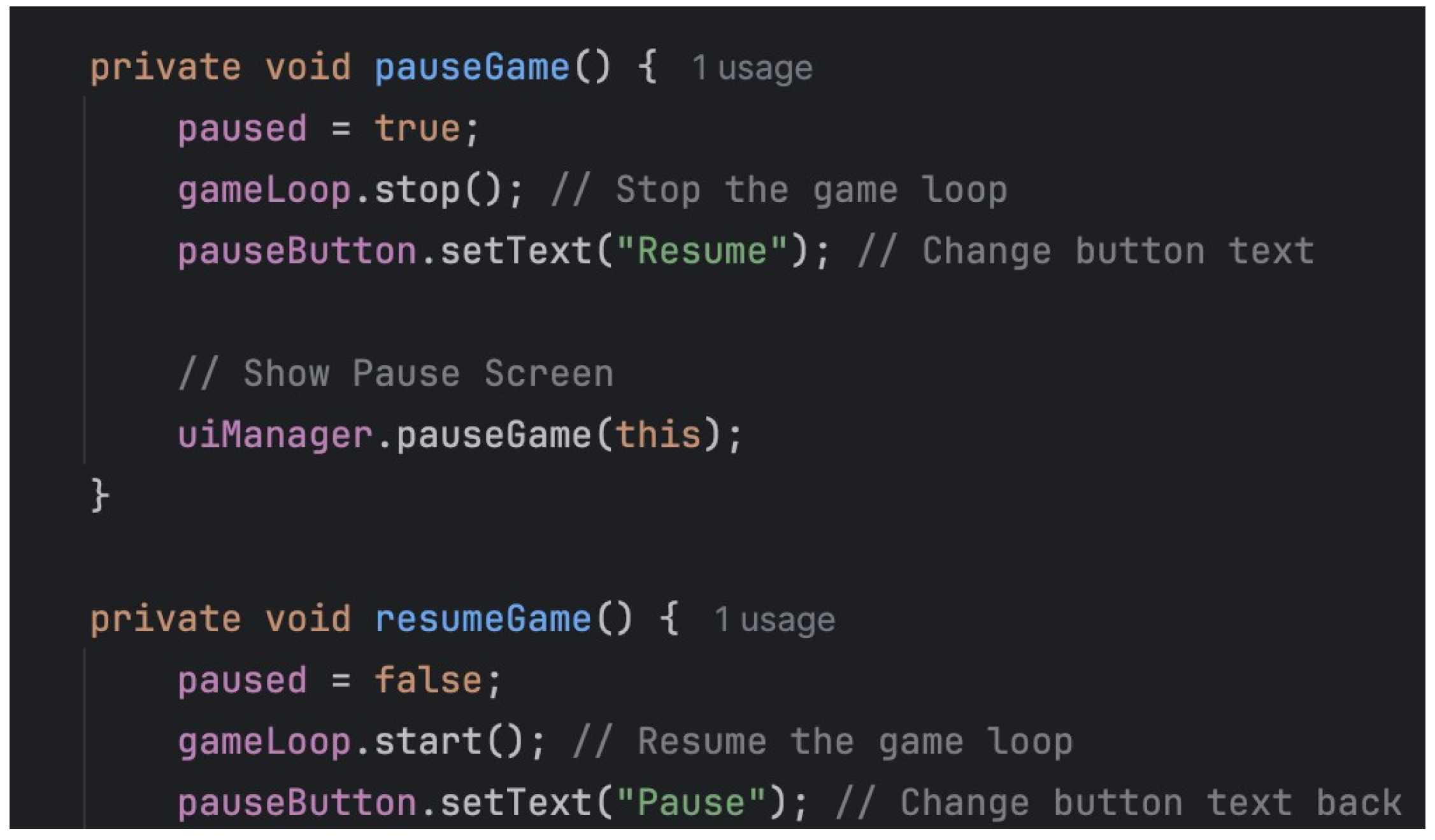
The game class also encapsulates the various states that will be applied in gameplay such as start, pause and stop.
Figure 28.
states in the Game class.
Furthermore, the game also encapsulates the rendering of graphic elements: storing files, loading them and ‘drawing’ them on the canvas.
Figure 29.
loading image files for the GUI.
5.1. Inheritance and Polymorphism
Usage: Although the Game class does not use inheritance or polymorphism directly, the project structure allows for easy extension. For example, new types of cars or game elements can be introduced by extending base classes.
-
PlayerCar
- -
- A subclass of car is the playercar. It takes over all of the car's accessible attributes and functions and has the ability to add new ones or modify current ones as needed.
Figure 30.
Inheritance in PlayerCar Class.

-
TrafficCar
- -
- This extends the class Car by declaring a new class called TrafficCar. By extending Car, TrafficCar is able to define its own fields and methods in addition to inheriting all of Car's fields and methods.
Figure 31.
Inheritance in TrafficCar Class.

5.2. Composition
Implementation: The Game class uses composition to include various
components:PlayerCar and TrafficCar: Car entities used in the game.
Figure 32.
the games class encapsulates traffic cars to spawn as enemies.

Figure 33.
the game class encompasses player car.

UIManager: Manages the user interface.
The Game class calls on the UI Manager from the viewfactory to deploy its methods for view management.
Figure 34.
UI manager in the game class.

Canvas and GraphicsContext: For rendering game elements and displaying them in the GUI for users to interact with.
Figure 35.
Canvas in the Game class to load visual elements.

The Sky Runner project uses a binary data file to save game settings, car ownership, and player scores so that the respective data persists even between sessions. This class GameSettingsManager, shown below in Figure 23, handles things such as the volume of the music and the sound effects. This uses a method loadSettings; Figure 24 which utilizes a DataInputStream to read settings from the settings.dat file, creating default settings if this file does not exist. Settings are updated by calling the saveSettings method, which uses DataOutputStream to write the updated volume levels to the file. The CarManager class, Figure 25, is responsible for car ownership. It reads in ownership data from the file cars.dat by calling the loadCarOwnership method and saves updates via the saveCarOwnership method to preserve player purchases. Similarly, the ScoreManager class (Figure 26) manages the player's scores and coins and saves it in scores.dat through methods such as loadScores and saveScores to retain progress.
The main principle of encapsulation in the Sky Runner project is implemented in the Game class, encapsulating variables and methods as private, Figure 27, in order to handle game states like start, pause, and stop, Figure 28. All the rendering operations, such as loading and drawing, are also encapsulated in order to maintain cohesion in the design, Figure 29 and Figure 30. This extensibility is enabled via inheritance and polymorphism; for instance, the class PlayerCar would extend the base class Car Figure 31 and the TrafficCar class could similarly extend the Car class in order to implement unique behaviors Figure 32. Furthermore, the Game class models composition well in that they amalgamate multiple components such as PlayerCar and TrafficCar Figure 33 and UIManager Figure 34 in managing game play and user interaction. The Game class also utilizes Canvas and GraphicsContext to provide a view to present the game to the user for interaction, shown in Figure 35. This follows all the principles of modularity and maintainability on a smooth interaction basis within the project.
5.3. Working on the Research Project
Initialization
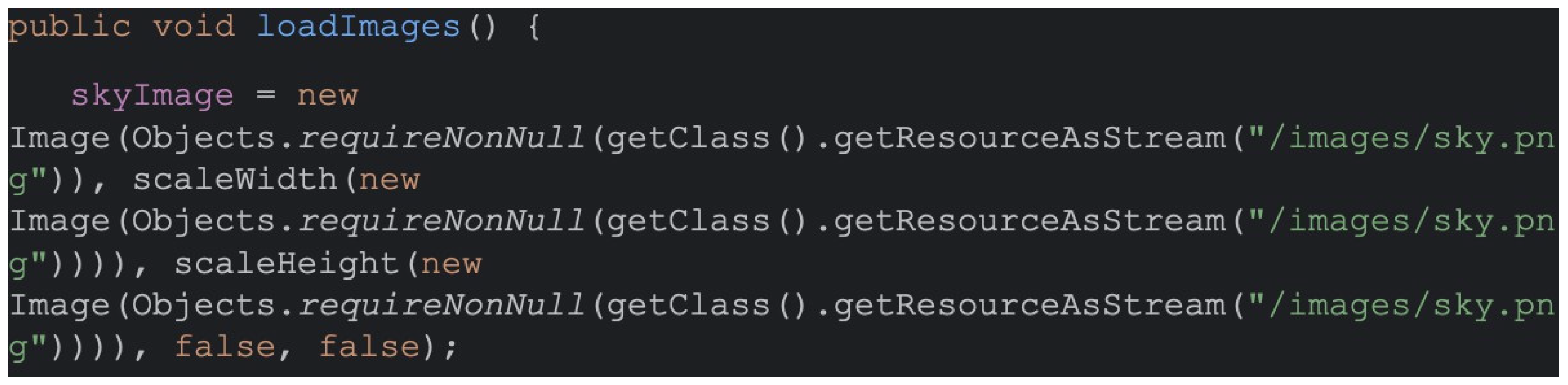
Resource Loading: Images and sounds are loaded into memory.
Figure 36.
loadImages() method.
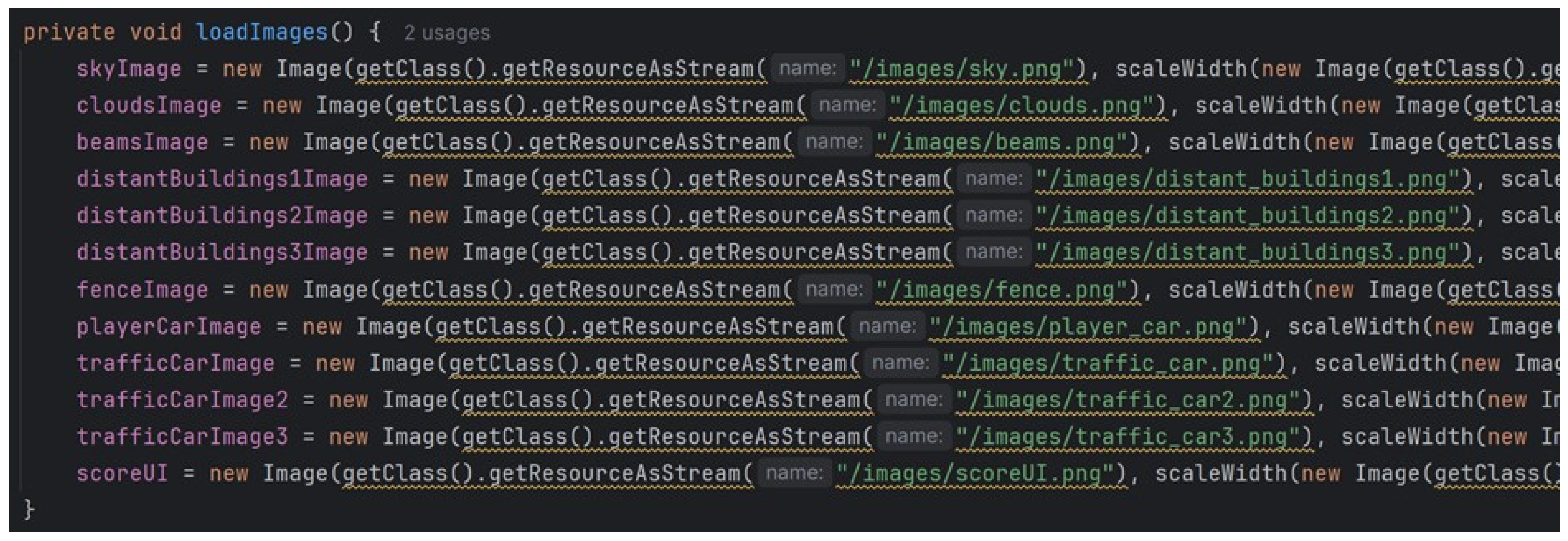
The coding above demonstrates how the images of the game are loaded into the memory. The sky, clouds, beams, buildings, fence, player car, traffic car, and also the UI to show scores are loaded.
Figure 37.
initializeMedia() method.
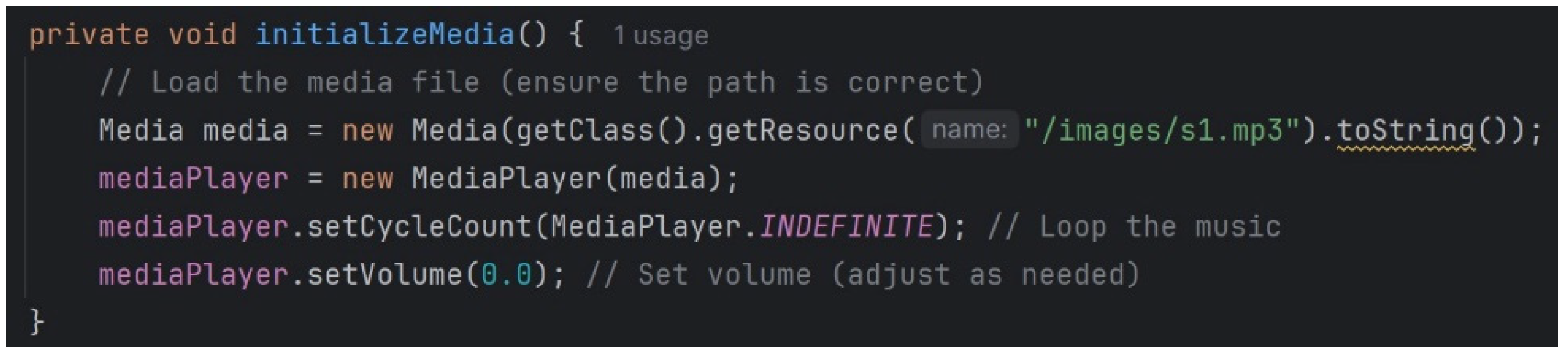
This is how the media is initialized, and by doing so, the game’s music is played. UI Setup: UI components are created and added to the scene.
Figure 38.
showMainMenu(), showSettingMenu(), shwShopMenu(), startGame() and gameOver() methods of the UIManager() class.
Figure 38.
showMainMenu(), showSettingMenu(), shwShopMenu(), startGame() and gameOver() methods of the UIManager() class.
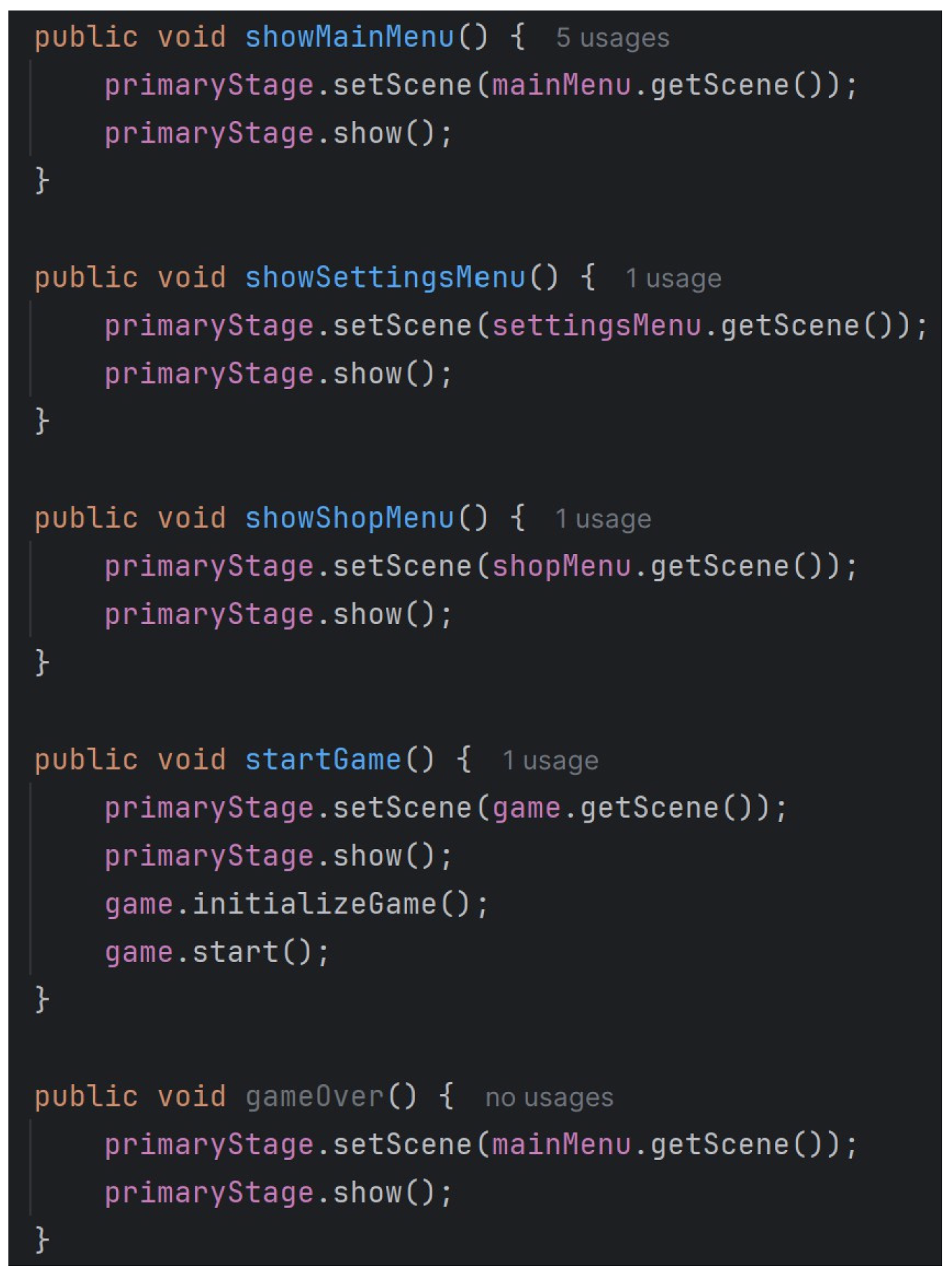
UI components like the Main Menu, Settings Menu, Start Game, and Game Over are constructed as above and are added to the game.
Game Entities: Player and traffic cars are initialized.
Figure 39.
PlayerCar() class.
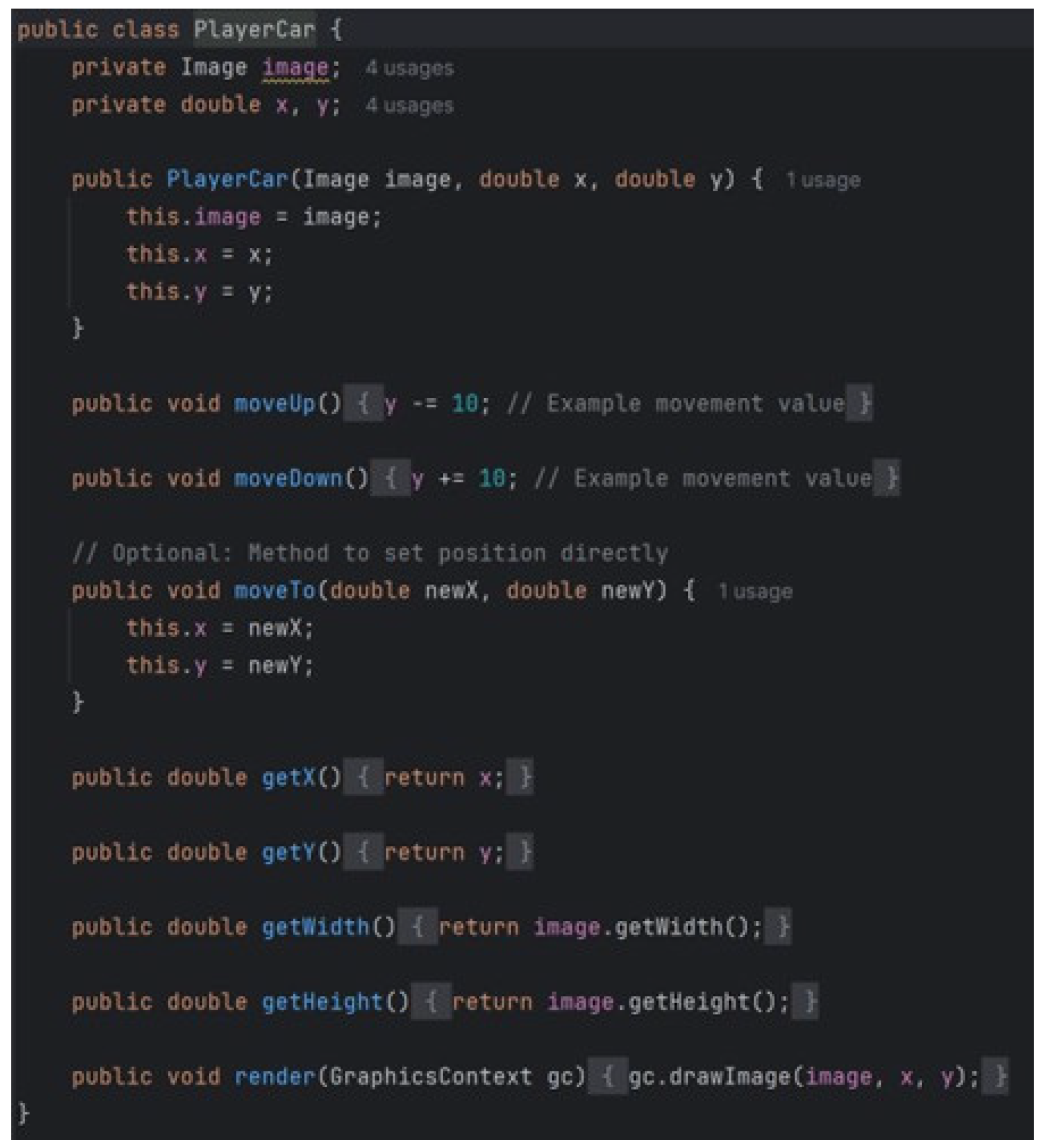
In-depth construction and functionality for the Player car.
Figure 40.
TrafficCar() class.
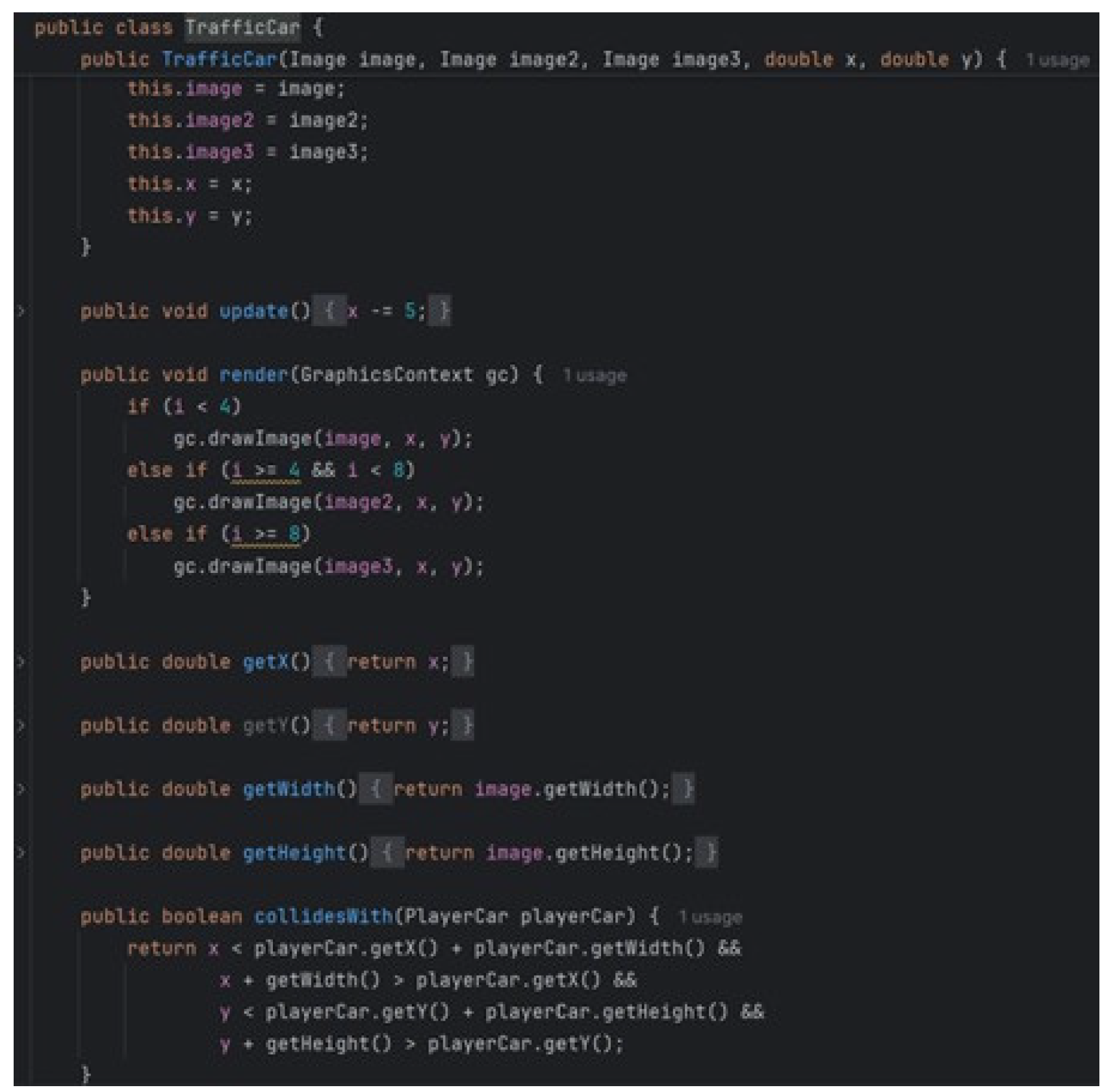
In-depth construction and functionality for the traffic cars.
Figure 41.
initializeGame() method (for player and traffic cars).

It shows how the player car and traffic cars are initialized in the game.
Game Loop
Game Start: The AnimationTimer starts, calling the update() and render() methods at each frame.
Figure 42.
gameLoop() method including the update() and render() methods.
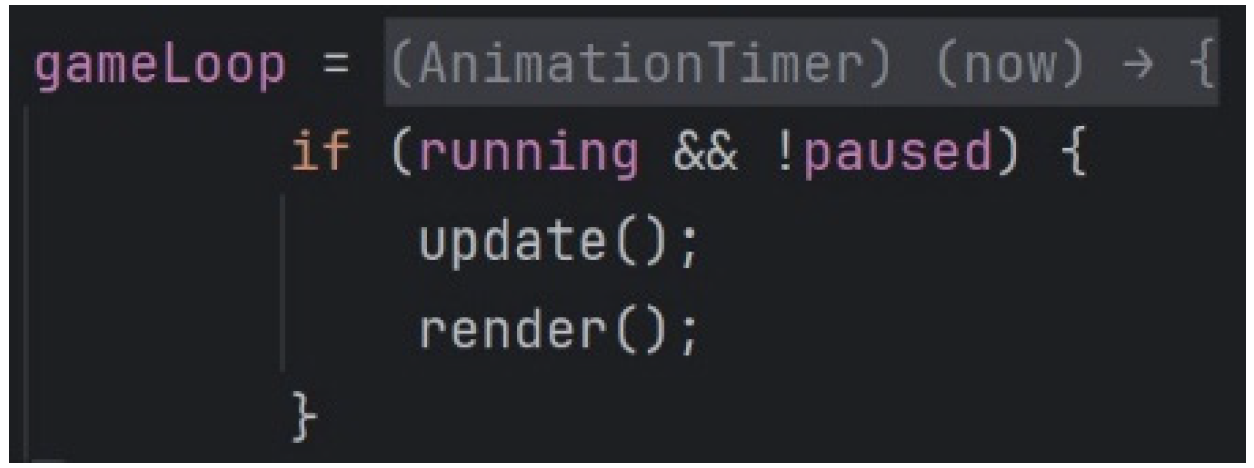
State Update: Game logic updates based on elapsed time and user input.
Figure 43.
update() method when not paused.
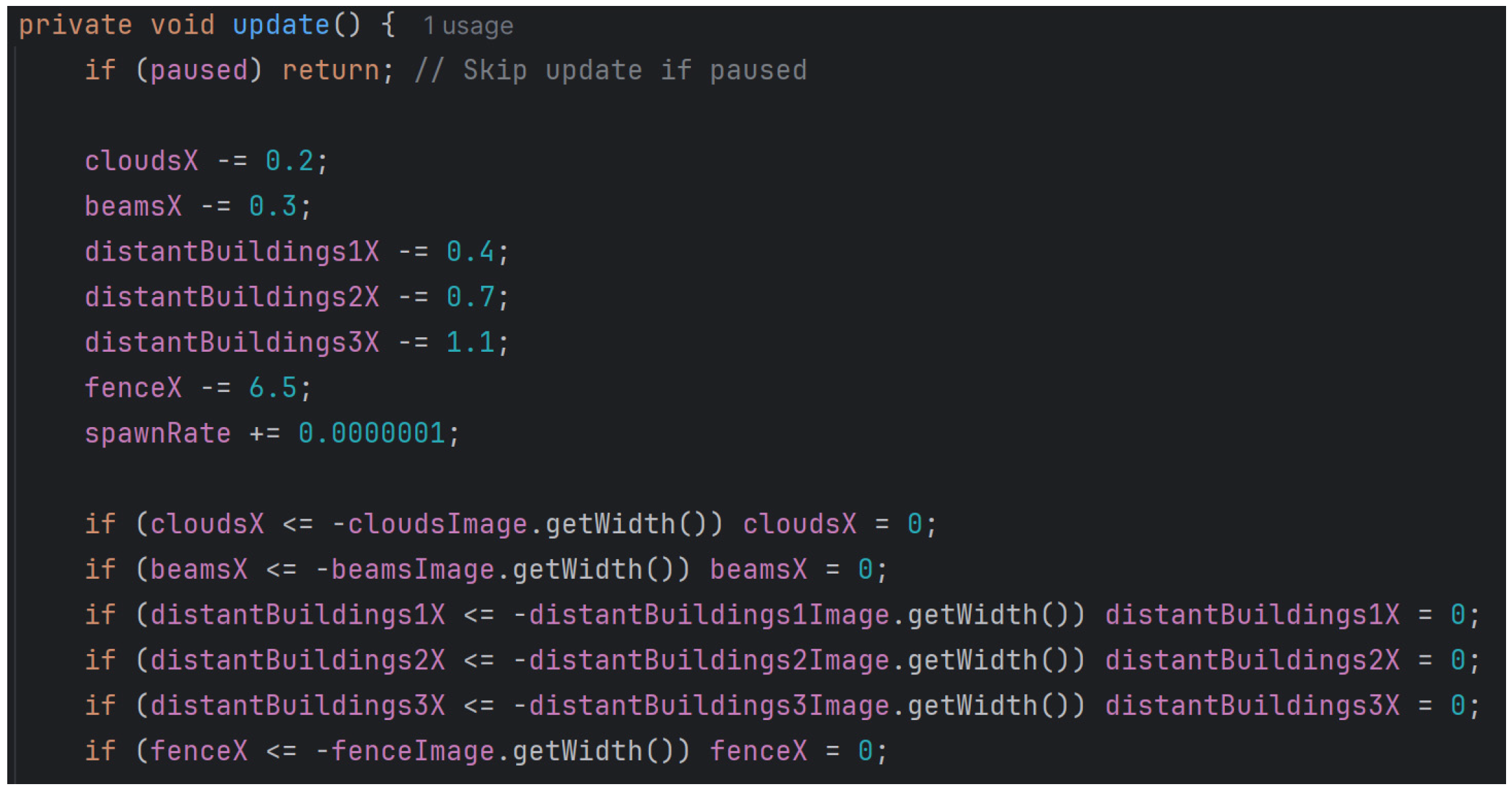
If not paused or collided with traffic cars, the game is coded to proceed with updates in this manner.
Figure 44.
TrafficCar() method with iterator function.
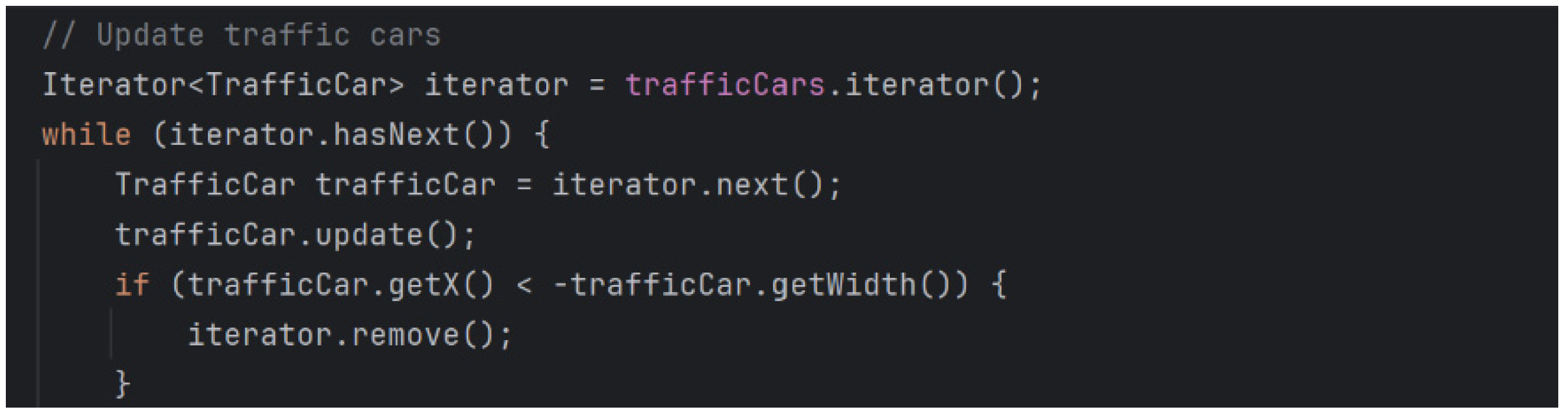
This is how the traffic cars are designed to spawn and evolve while levelling up in the game until they are collided with.
Figure 45.
update() methodfor score and distance.

The score is also designed to be updated accordingly until the game ends.
Rendering: Game elements are drawn on the Canvas, and the UI is updated.
Figure 46.
resizeCanvas() method for rendering.
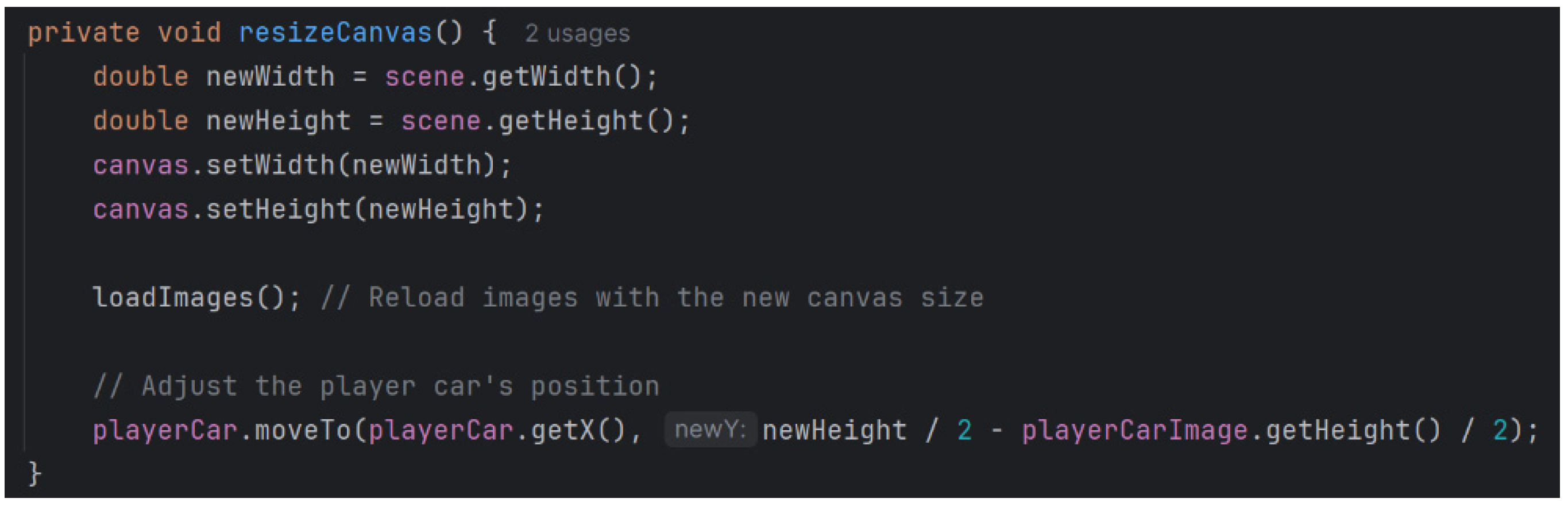
Figure 6.4.4. gameOver() method to stop the game loop and clean resources.
Initialization includes the following tasks among others: loading resources such as images and sounds into memory. The loadImages() method in Figure 36 ensures that sky, clouds, beams, buildings, fences, player cars, traffic cars, UI for displaying scores, are loaded. Similarly, the initializeMedia() method of Figure 37 starts the game music to present an engaging auditory experience. UI like the Main Menu, Settings Menu, Shop Menu, Start Game, and Game Over screens are designed by methods such as showMainMenu(), showSettingMenu(), shwShopMenu(), startGame(), and gameOver() of the class UIManager() shown in Figure 38. The player and traffic cars are created through the classes PlayerCar() in Figure 39, TrafficCar() in Figure 40 and the method initializeGame() to compose the required game objects.
The game loop starts with the gameLoop() method Figure 41 that calls the update() and render() methods in a loop to continuously update the state of the game and to draw something on the canvas, respectively. The update() method Figure 42 updates the game logics only if the game is not paused or interrupted due to collisions. Traffic cars spawn and evolve using the TrafficCar() method with an iterator function, while the update() method adjusts the score and distance dynamically until the game ends. The resizeCanvas() method handles rendering, while the PlayerCar() class processes user inputs to execute gameplay actions. Game state changes are triggered by events like pauses or collisions. The pauseGame() method, Figure 45 stops the game loop and the music until it's resumed. The gameOver(), checks if the game is over at specific conditions, like collisions, through the collidesWith() method, Figure 43. If there's a collision it forwards to the Try Again screen, Figure 45 and the gameOver() method, saves and shows the final score and distance, Figure 44 Then the gameOver() method will stop the game loop and clean up resources so that the correct closure of the game play session can be achieved as shown in Figure 46. These come together to create a smooth and enjoyable gaming experience.
5. Testing
5.1. Testing Cases for Game Buttons
5.1.1. Testing Whether the “Start Game” Button Works
We are going to test whether the “Start Game” button on the Main Menu screen works as intended or not. We will go to the Main Menu screen and click on the “Start Game” button.
Figure 47.
The “Start Game” button on the Main Menu screen.
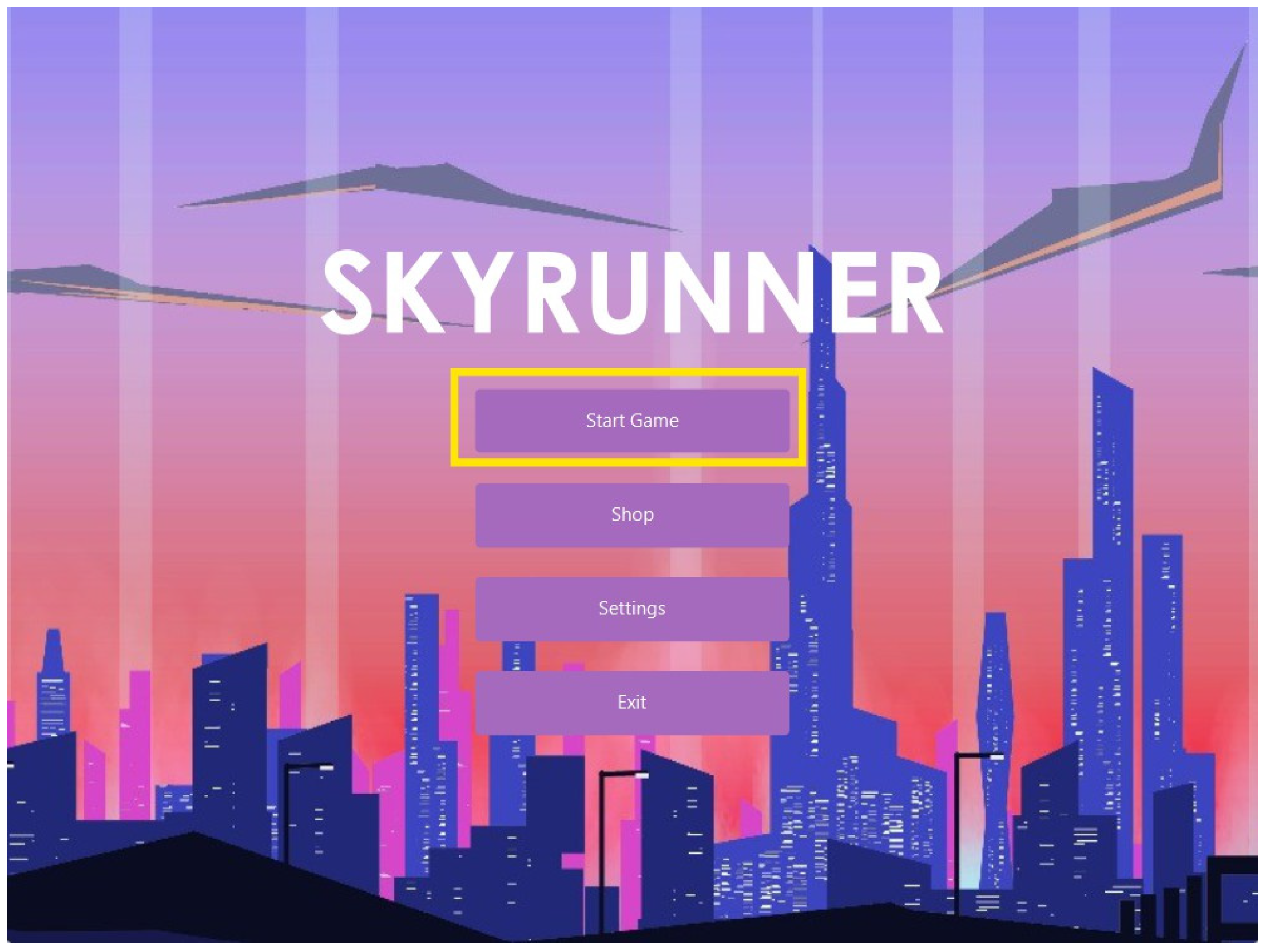
Figure 48.
This is what we get, the Gameplay screen, when we clicked that “Start Game” button on the Main Menu screen opened. Therefore we can say that the “Start Game” button works.
Figure 48.
This is what we get, the Gameplay screen, when we clicked that “Start Game” button on the Main Menu screen opened. Therefore we can say that the “Start Game” button works.
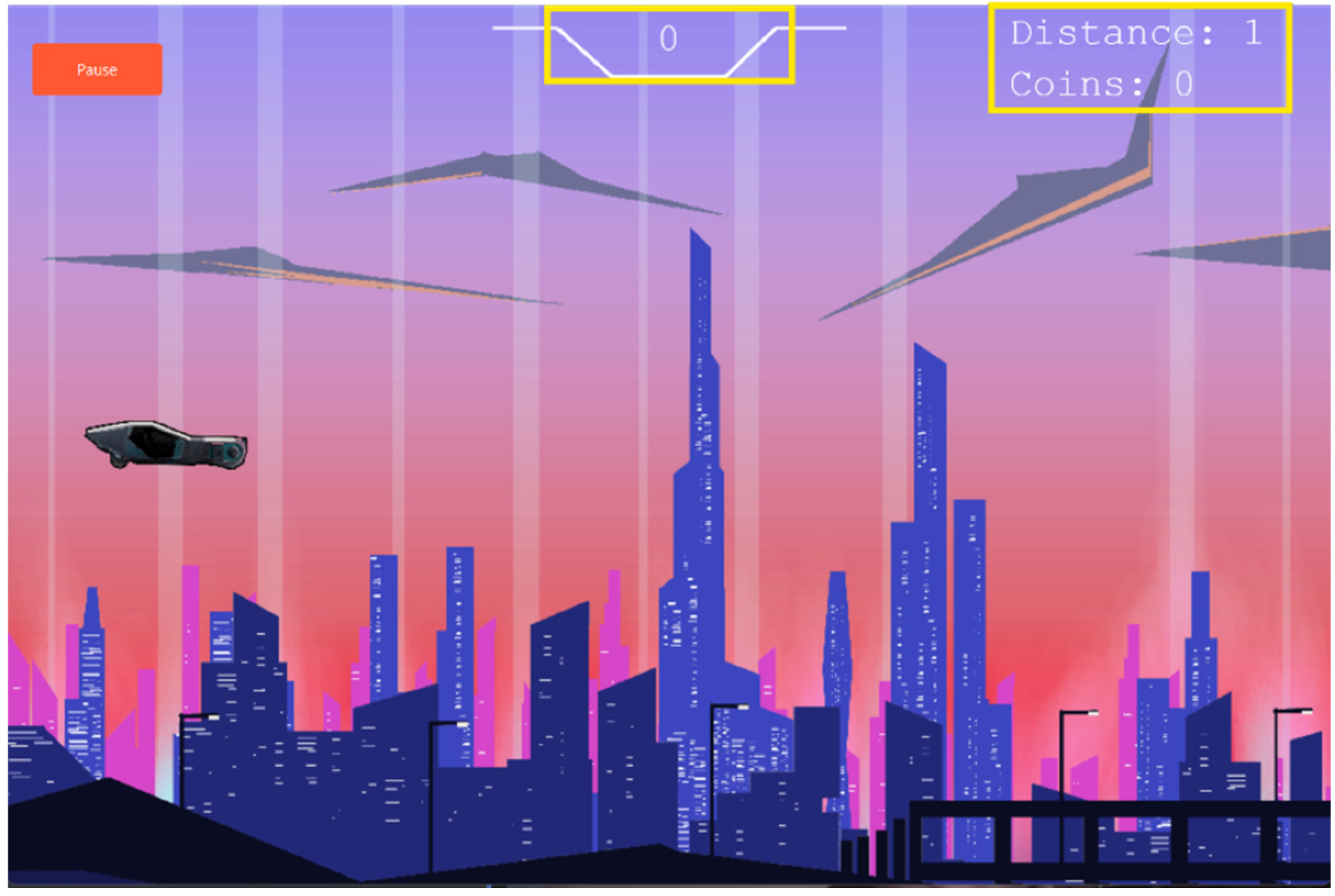
So we realized that when we clicked on the “Start Game” button we saw the Gameplay screen therefore the “Start Game” button works.
5.1.2. Testing Whether the “Pause” Button Works
We will now check whether the “Pause” button on the Gameplay screen works or not. We will go to the Gameplay screen and there we can see the “Pause” button.
Figure 49.
The “Pause” button on the Gameplay screen.
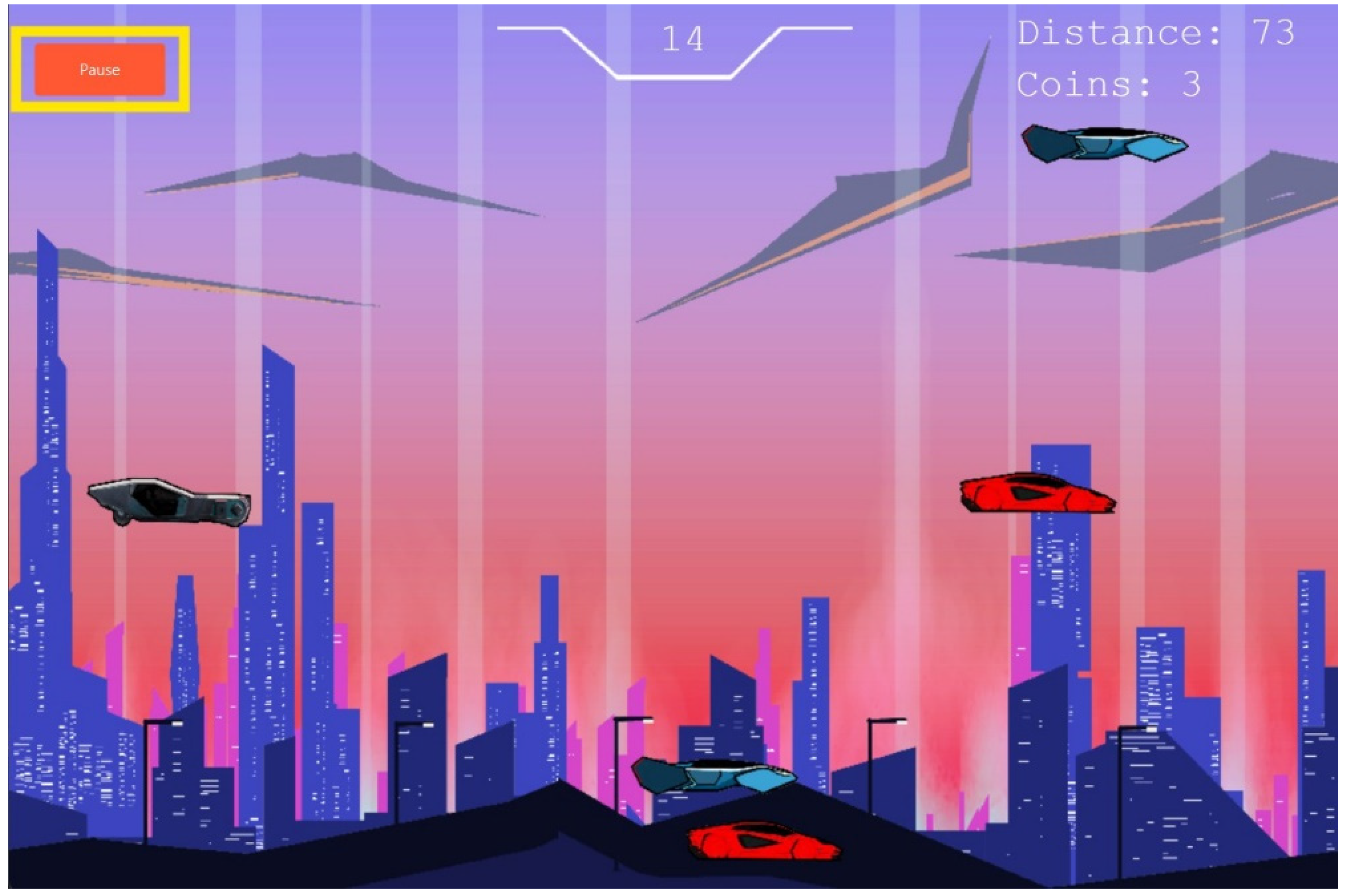
We will now click on the “Pause” button and when we do it we see the game is paused and the Pause Game screen appears: Therefore, we can now say that the “Pause” button feature also works as intended. However now you might have noticed that the Pause screen which we got as a result of this button contains 2 buttons: “Continue” and “Return”. We will now check whether both of these buttons work as intended or not.
5.1.3. Testing Whether the “Continue” and “Resume” Button on the Pause and Gameplay Screen Works
We will now click on the “Continue” button on the Pause screen and see what happens.
Figure 50.
(repeated): The “Continue” and “Return” buttons on the Pause Screen.
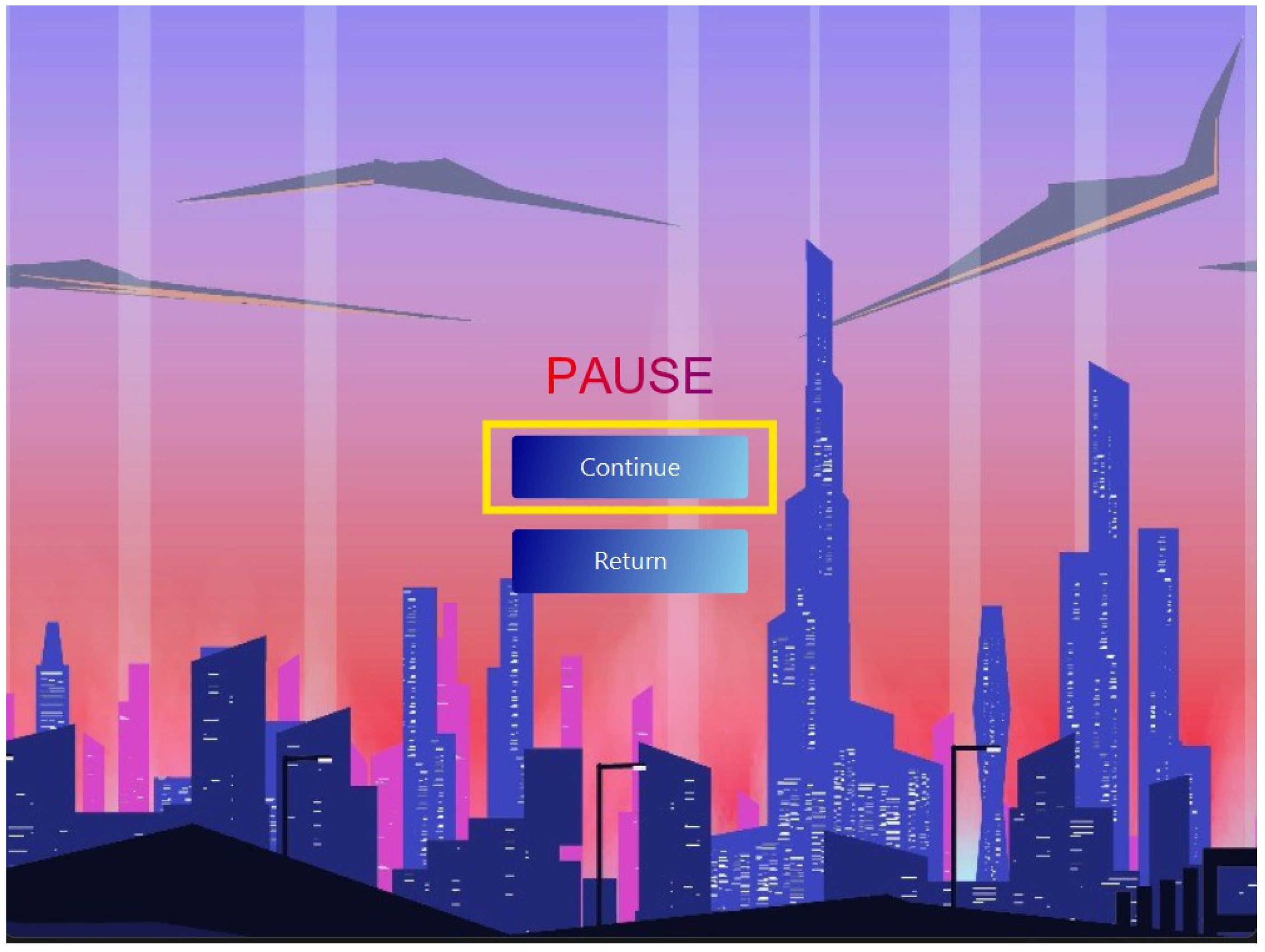
Figure 51.
The Gameplay screen which shows up when you click on the “Continue” button on the Pause screen. Notice the “Resume” button where the “Pause” button was.
Figure 51.
The Gameplay screen which shows up when you click on the “Continue” button on the Pause screen. Notice the “Resume” button where the “Pause” button was.
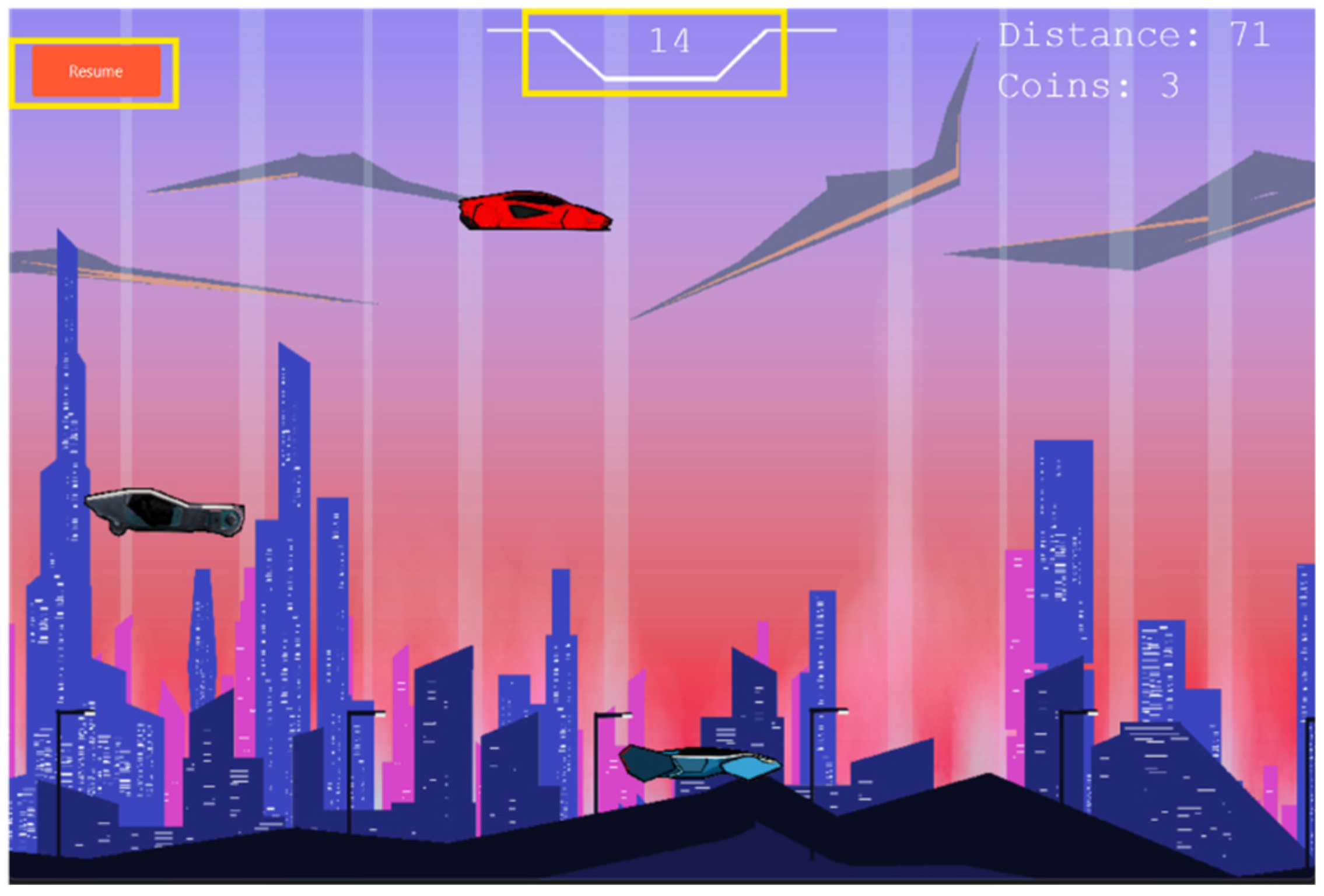
We return to the gameplay screen when we click on the “Continue” button on the Pause screen. However this time we will see the game is paused and the “Resume” button where the “Pause” button was.. When we click on the “Resume” button the game resumes. The score, distance, and coins also continue from where it was when the player paused the game. Therefore we now know that the “Continue” button also functions as intended.
5.1.4. Testing Whether the “Return” Button on the Pause Screen Works
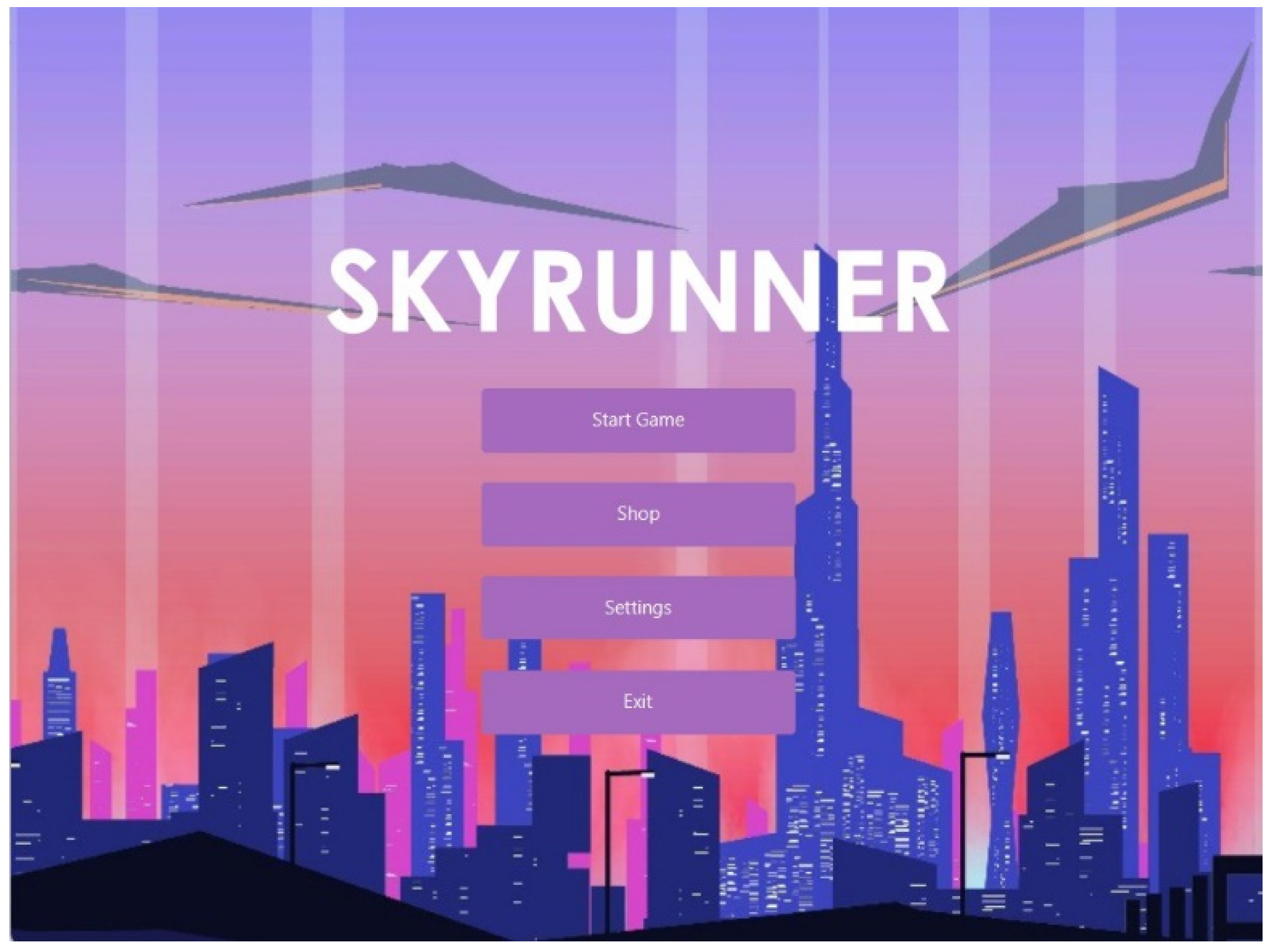
Now we will test whether the other button , “Return” works as intended. We will click on the “Return” button and when we do it we will see it takes us back to the Main Menu screen as intended:
Figure 52.
The Main Menu screen which we got as a result of pressing the “Return” button on the Pause screen.
Figure 52.
The Main Menu screen which we got as a result of pressing the “Return” button on the Pause screen.
5.1.5. Testing Whether the “Try Again” Button on the Game Over Screen Works
Now we are going to check if the “Try Again” button on the Game Over screen works or not. For this we will first crash out Player Car into a Traffic Car in order to get the Game Over Screen:
Figure 53.
The Game Over Screen. Here the “Try Again” button is outlined.
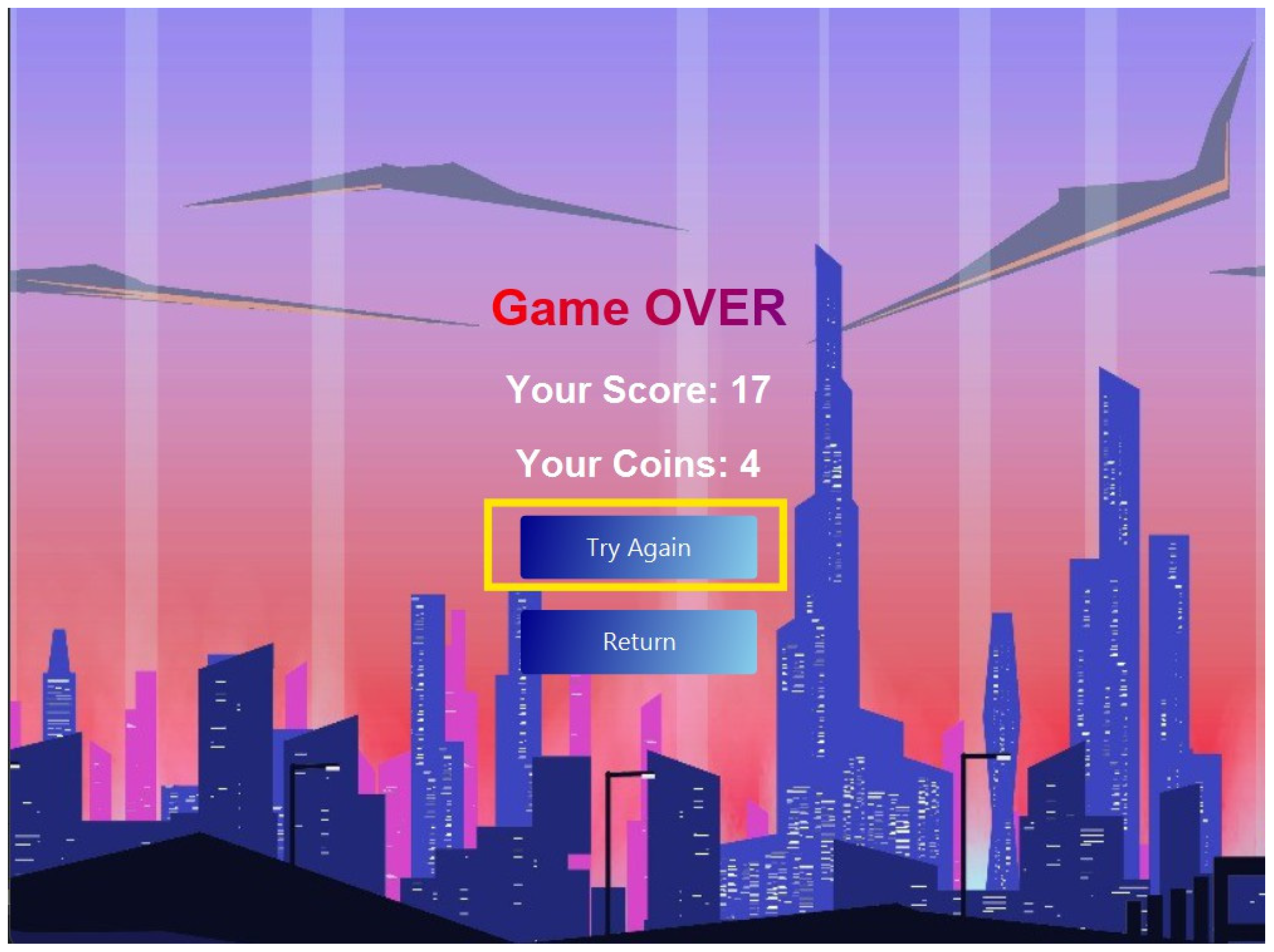
Now when we click on the “Try Again” button we will get the game started once again with score, distance, and coins all set to zero:
Figure 54.
The gameplay screen after we pressed the “Try Again” button on the Game Over screen.
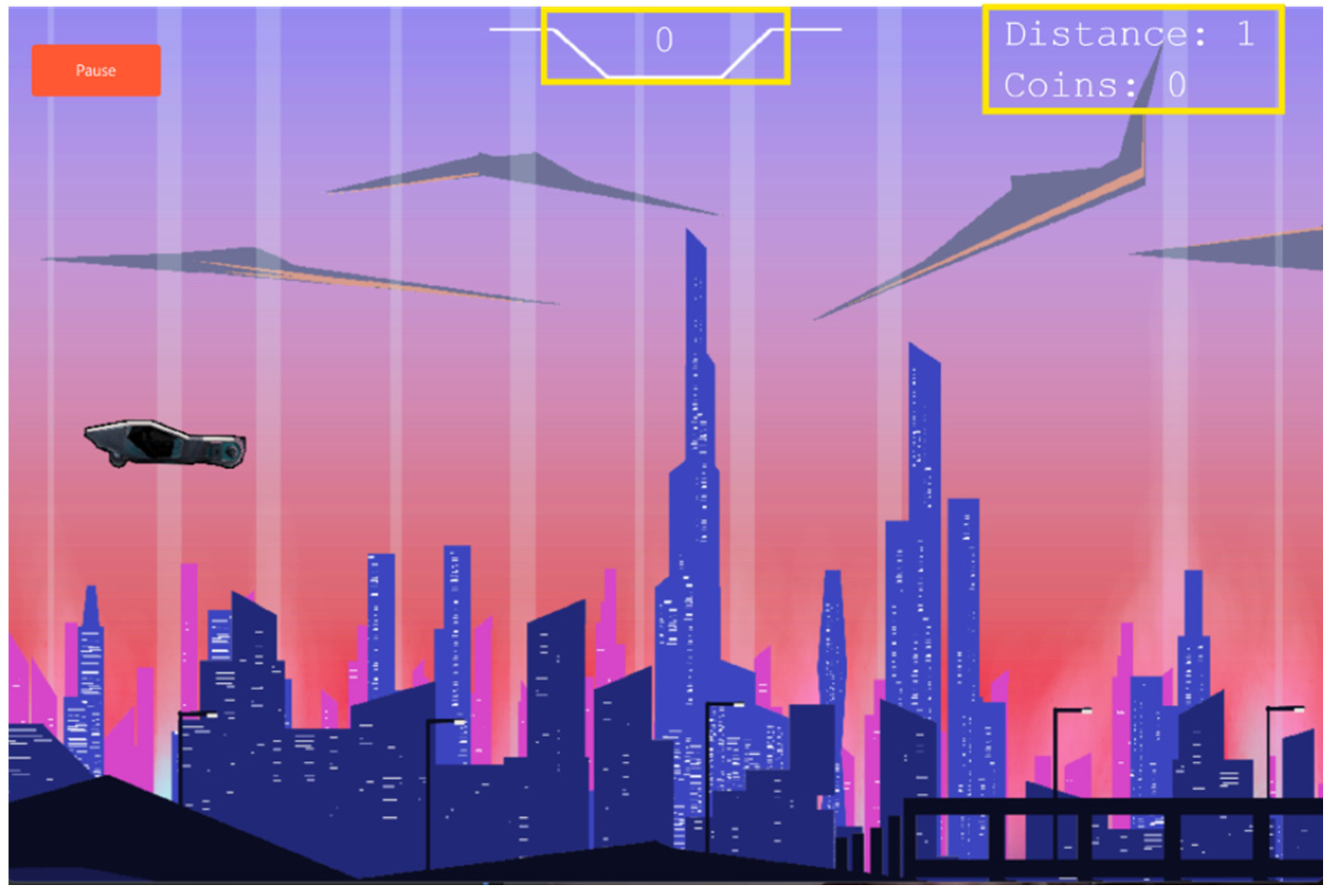
Therefore, we now know that the “Try Again” button on the Game Over screen works the way we intended as well.
Different buttons, available on the overall game interface, would be tested for various functionality. The "Start Game" button works properly during transitioning to the user from the Main Menu screen when clicked, opening up the screen of Gameplay 47, confirming the functional ability of Figure 48 and Figure 49. Next, the "Pause" button on the screen of Gameplay is clicked; it should pause the game and bring up the Pause screen Figure 50. Figure 51, hereby the button works as it should work. Within the Pause screen, there are two active buttons: "Continue" and "Return." By clicking on the "Continue" button, the user is brought back to the Gameplay screen where the "Pause" button has now turned into a "Resume" button Figure 52 and Figure 53. By clicking the "Resume" button, the gameplay resumes from the saved pause, including unbroken score, distance, and coins count. Now, testing the functionality of the "Return" button indeed takes the user back to the Main Menu screen when clicked Figure 54 and Figure 55. It also checks the functionality of the "Try Again" button in the Game Over screen. When the car of the player crashes, it shows the Game Over screen. When the "Try Again" button is clicked, the game starts all over again with the score, distance, and coins reset to zero. These tests collectively establish that all buttons work as designed to enhance user experience and sustain the functionality of the game.
5.1.6. Testing Whether the “Return” Button on the Game Over Screen Works
Now we will check whether the “Return” button on the Game Over screen works the way we intended it to work or not. On the Game Over screen, we will click the “Return” button this time:
When we click on the return button it takes us to the Main Menu screen just as we intended it to do so:
Figure 55.
(repeated): The Main Menu screen which we got as a result of pressing the “Return” button on the Game Over screen.
Figure 55.
(repeated): The Main Menu screen which we got as a result of pressing the “Return” button on the Game Over screen.
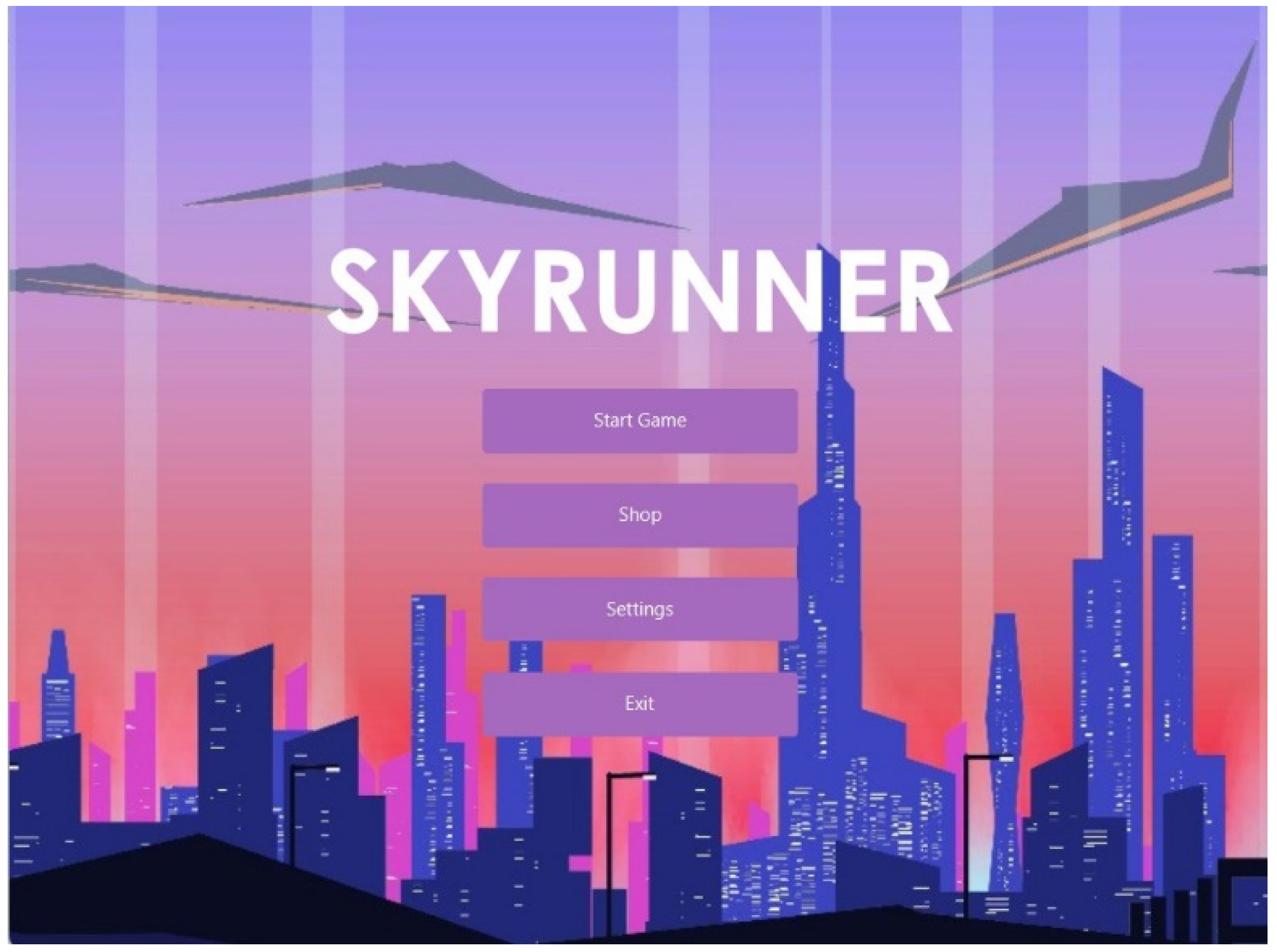
Therefore, we now know that the “Return” button on the Game Over screen also works the way we intended it to do so.
5.2. Testing Cases for Saving and File Handling
6.2.1. Test Case: Binary File Creation
Firstly we ensure that the binary data files which store high scores, coins and settings set by the user are created, we can test this by looking into the project file and acknowledging their existence.
Figure 56.
Files of the project. Notice the binary files supposed to store our data haven’t been created yet.
Figure 56.
Files of the project. Notice the binary files supposed to store our data haven’t been created yet.
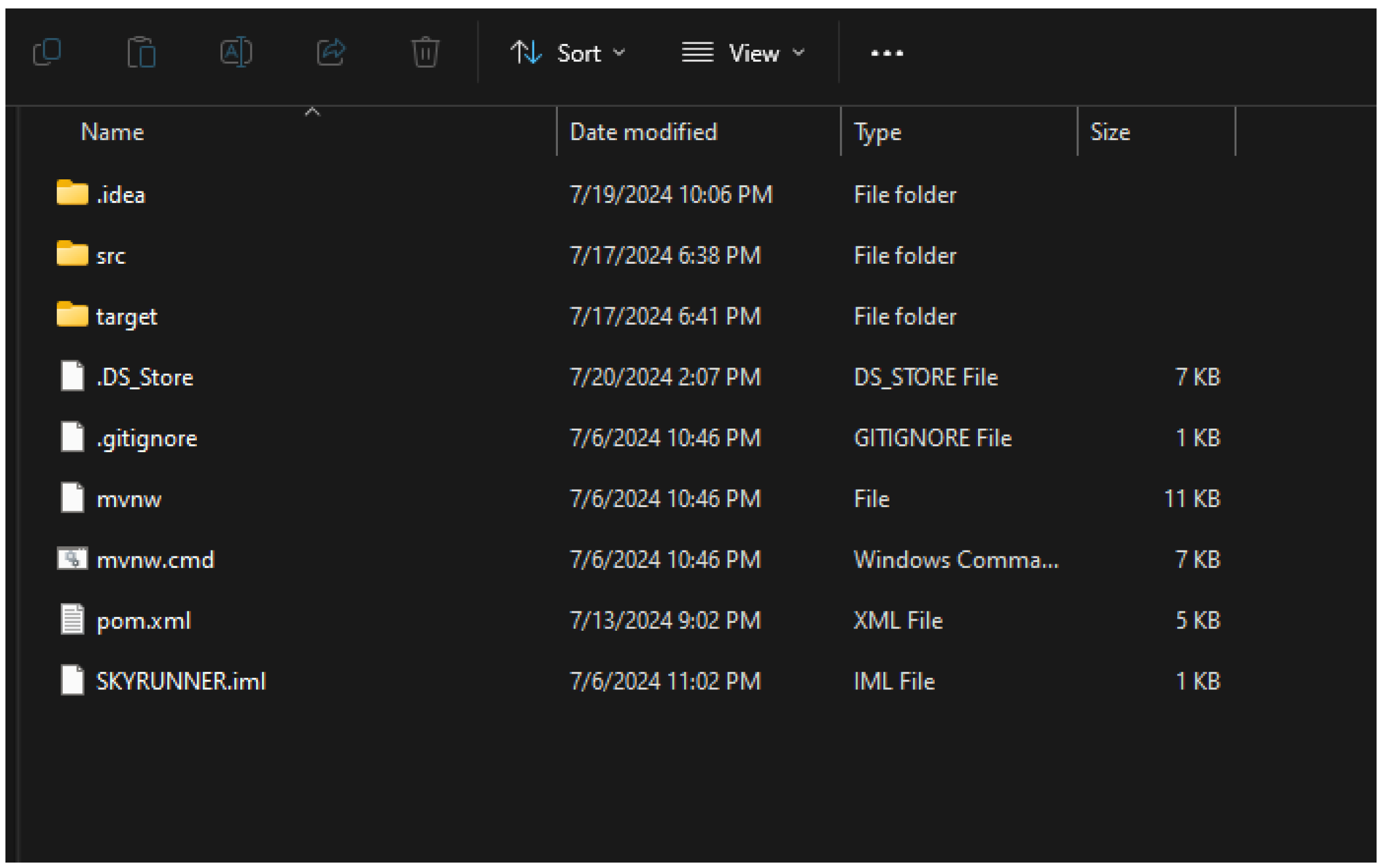
Before the user launches the game for the first time, the binary files don’t exist yet as seen on the image above because naturally there is nothing to be stored yet.
Figure 57.
Files of the project. The binary files have now been created.
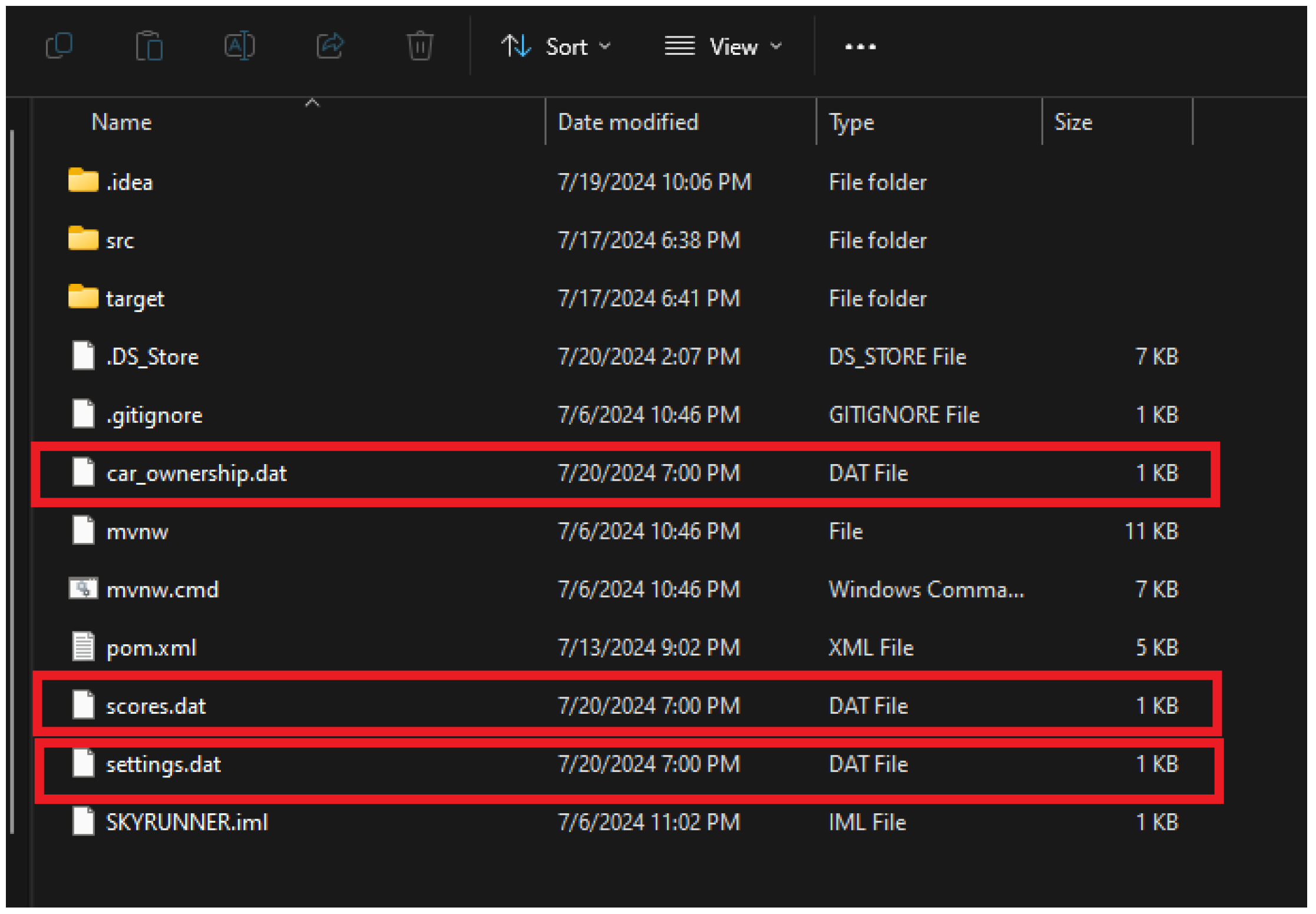
After launching the game for the first time, we can see those 3 new files with the name “car_ownership.dat”, “scores.dat” and “settings.dat” have been created automatically in the project's main directory as seen on the image above.
- 7.2.2. Test Case: Edit Volumes
Figure 58.
Settings screen of the game.
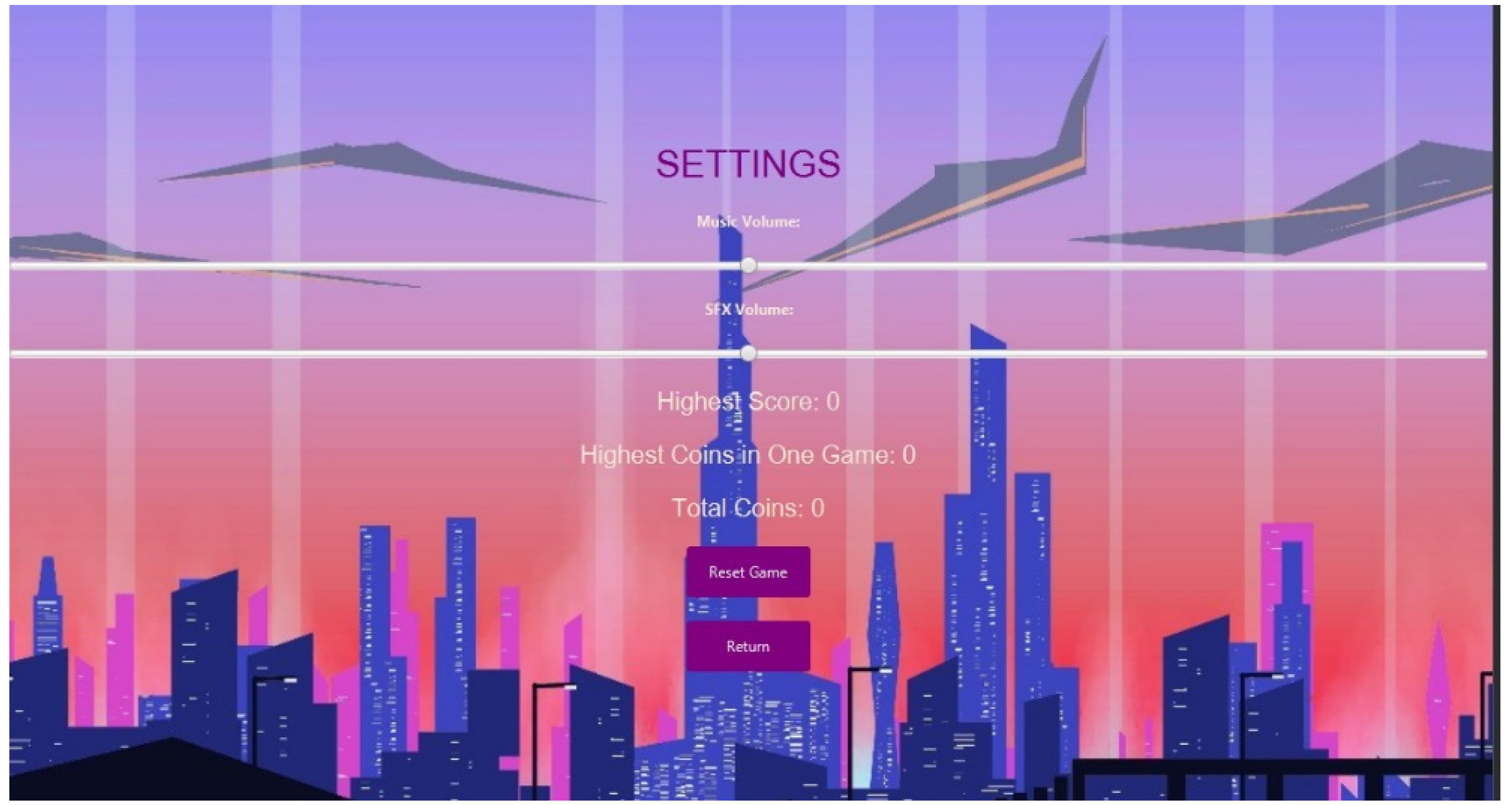
Naturally the game starts with the default settings and the score which is zero as seen in the image above. If the user decides to change the setting for the volumes, the game will save it in the file “settings.dat”. but for now let's first change the music and SFX volume sliders a bit to the left and play the game and try to score some points.
Figure 59.
Changing music and SFX on Settings Screen.
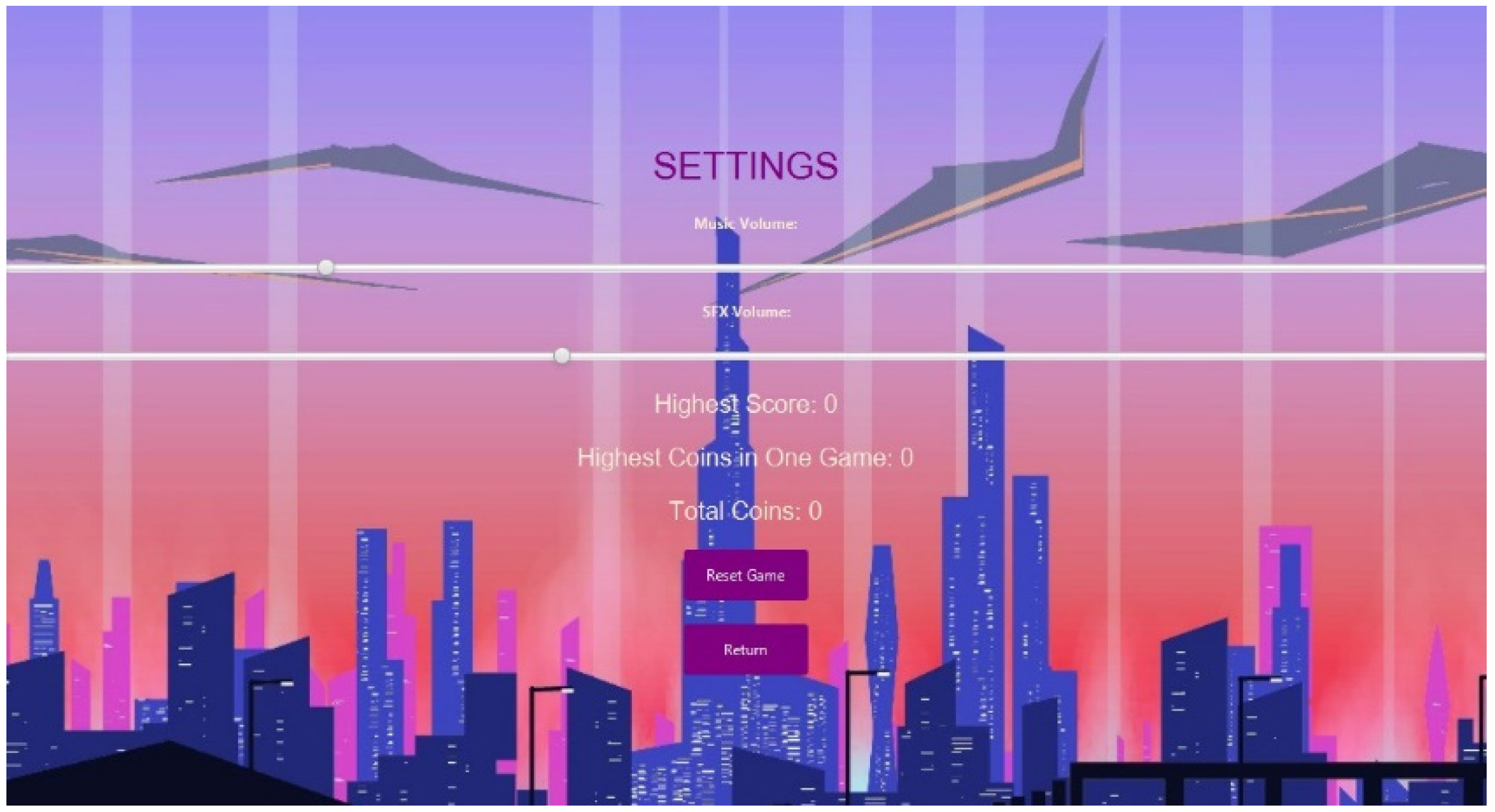
Oh no we have crashed! The game score shows us our high score is 64 and our coins are 16 according to the image above. Let's close the game and launch it again to see if these scores and the changes that we made to the setting slides still display.
- 7.2.3 Test Case: Save scores & coins
Figure 60.
The details after one game.
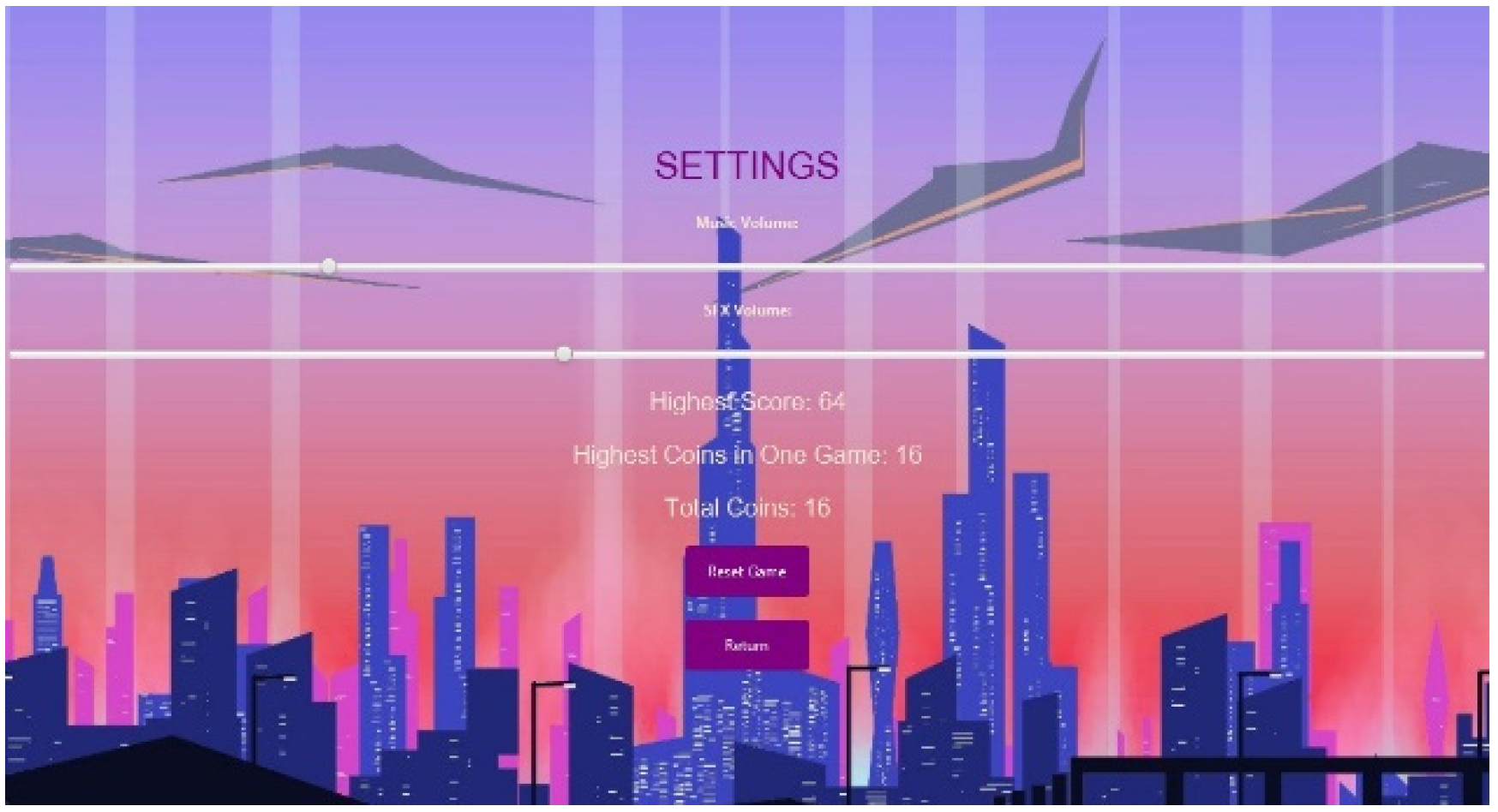
Success! After launching the game again, we can see the game saves the users progress and setting preference in the picture above. This is clear that the game retrieves the users data Currently the high score is 64 and total coins are 16. Let's play the game more!
Figure 61.
Final gameplay details at the end of the second game.
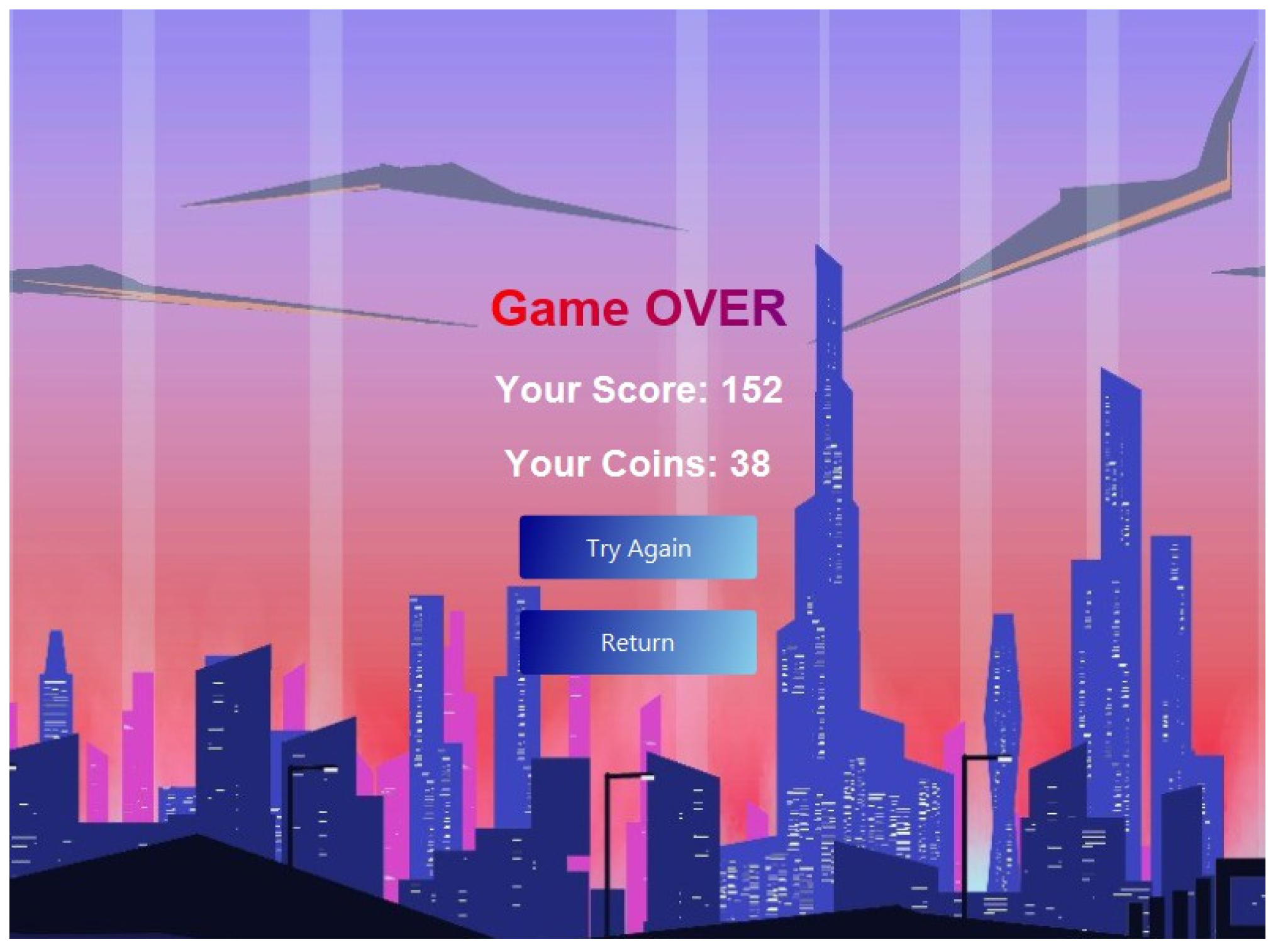
Now that we have achieved results from another gameplay in this case we got a score of 152 and 38 coins as seen in the picture above, let's test if the game updates this data when we relaunch the game again.
Figure 62.
We can see now the details have been updated after game 2 ended.
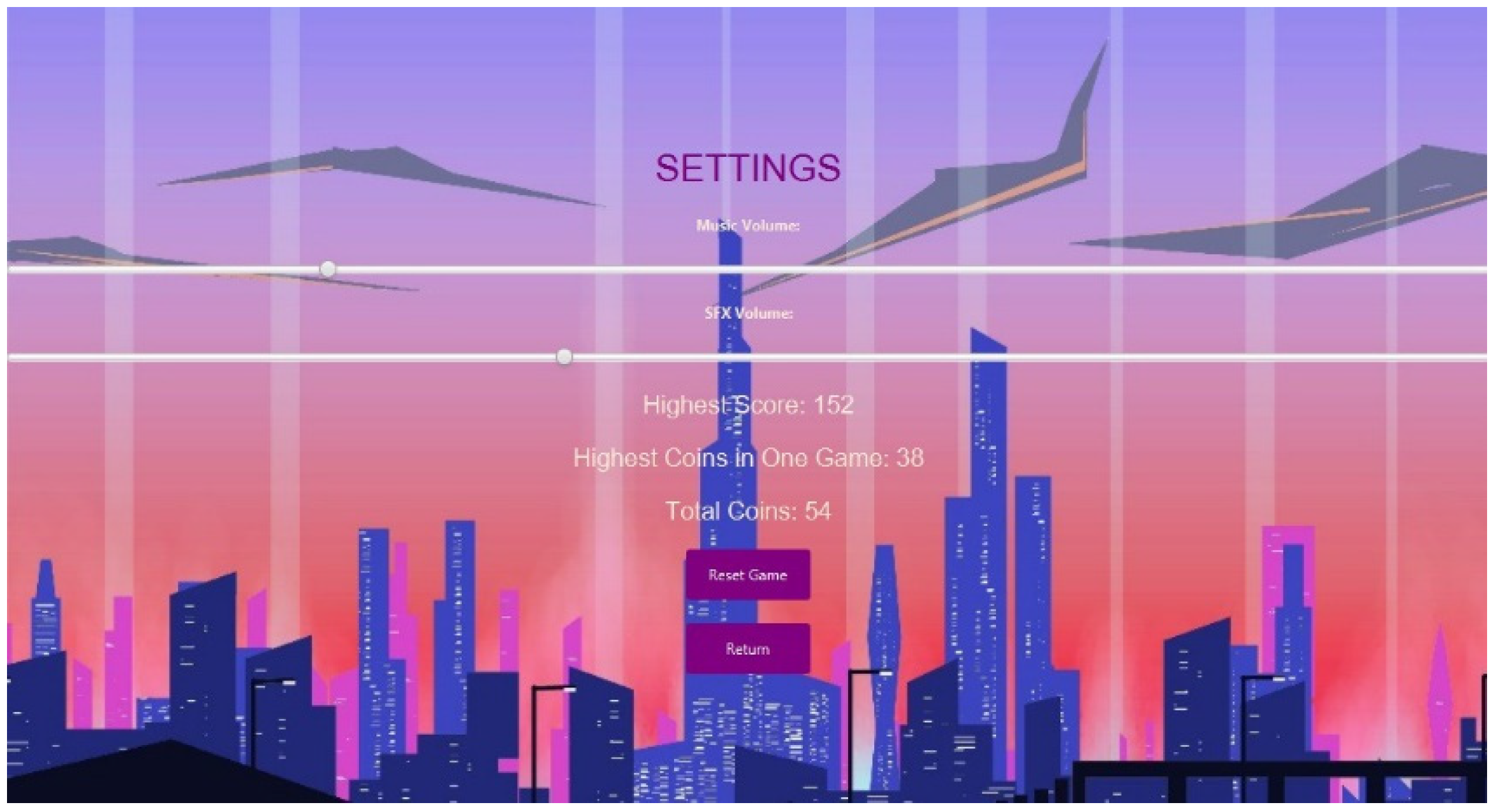
As seen from the image above, the game successfully saves, retrieves and updates the data from the binary save files. Now the highest score is displayed and the total number of coins gained is also calculated since we got 16 coins in our first gameplay and then we got 38 coins, the game successfully added up the number of coins from both of our gameplays and displayed it since 16 + 38 = 54 hence concluding that the save function of the game is working flawlessly.
5.1. Testing Cases for Shopping and Selection Cars
- 7.3.1. Test Case: Purchasing a car with sufficient coins
In this Test case we are supposed to check whether our shop and car selection feature works or not. For this first we will open the game and check our shop screen:
Figure 63.
The Shop Screen. Notice that we have 0 coins at the moment.
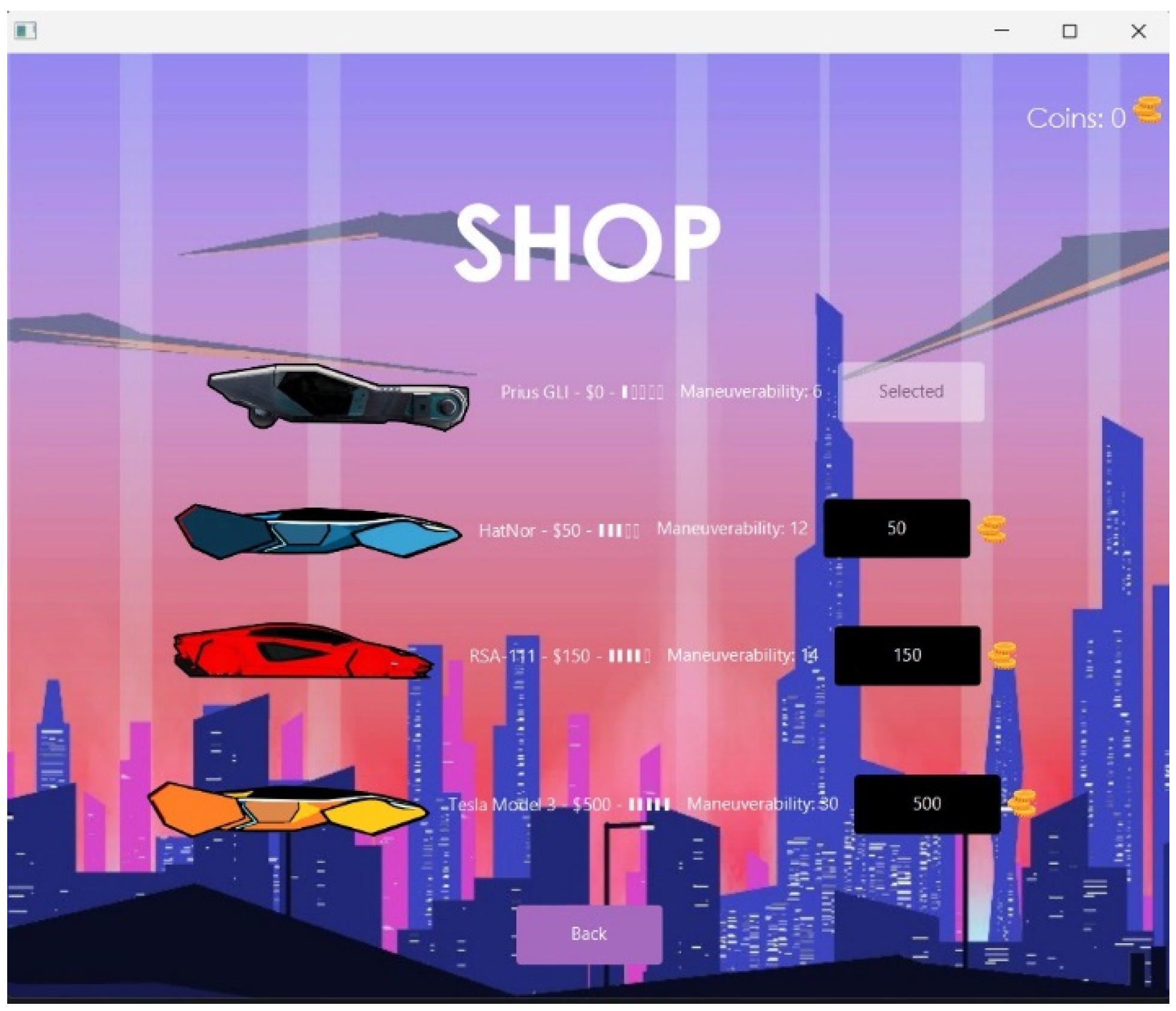
As we can see here we currently don’t have any coins so first of all we will play this game to earn some coins.
Now we have earned 51 coins and it costs 50 to buy the the HatNor car which we will buy:
Figure 64.
The Shop Screen. Notice now we have 51 coins.
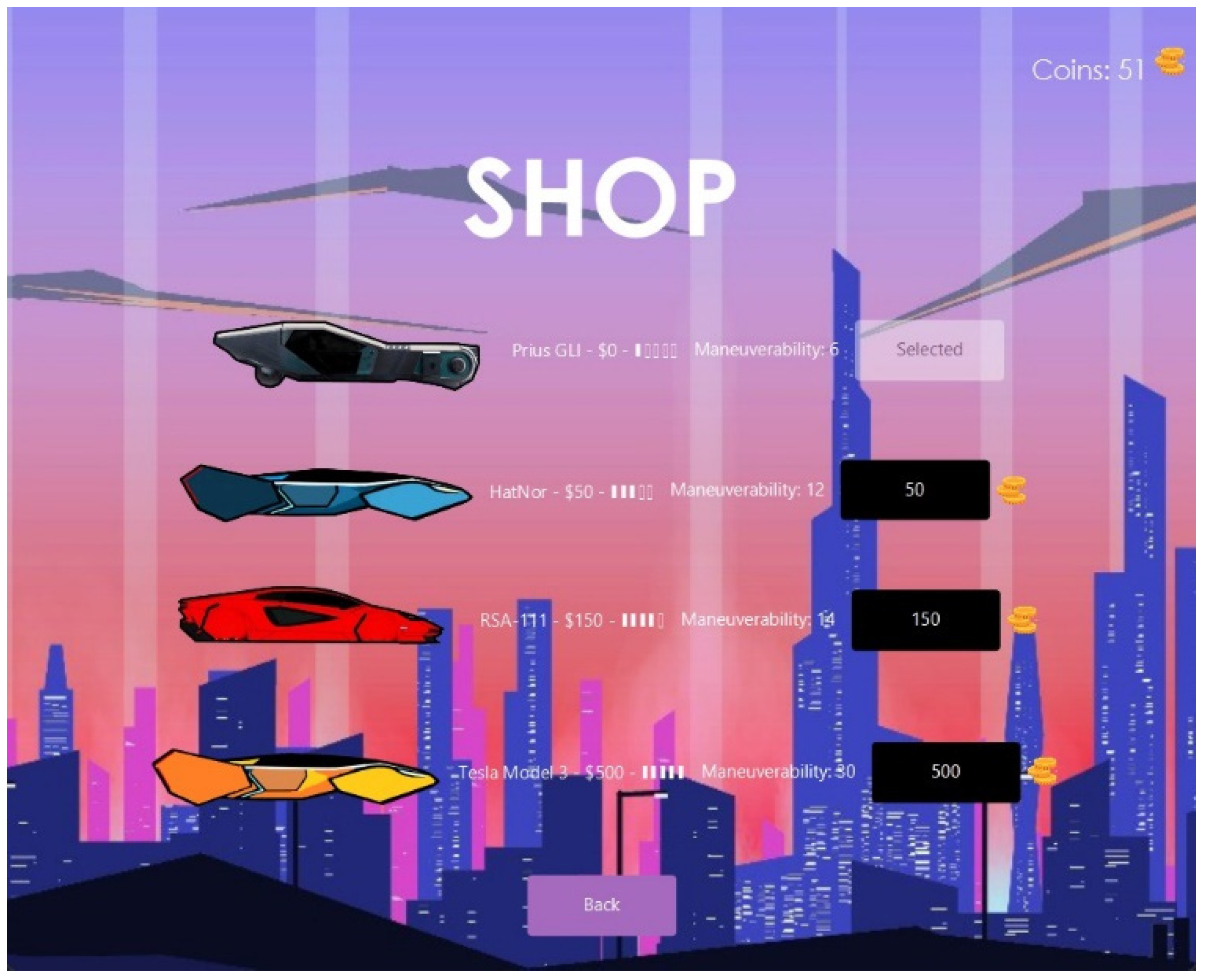
So we click on the black button next to the HatNor car showing it’s price on it. When we do so we get this Purchase Confirmation message:
Figure 64.
Purchase Confirmation message.
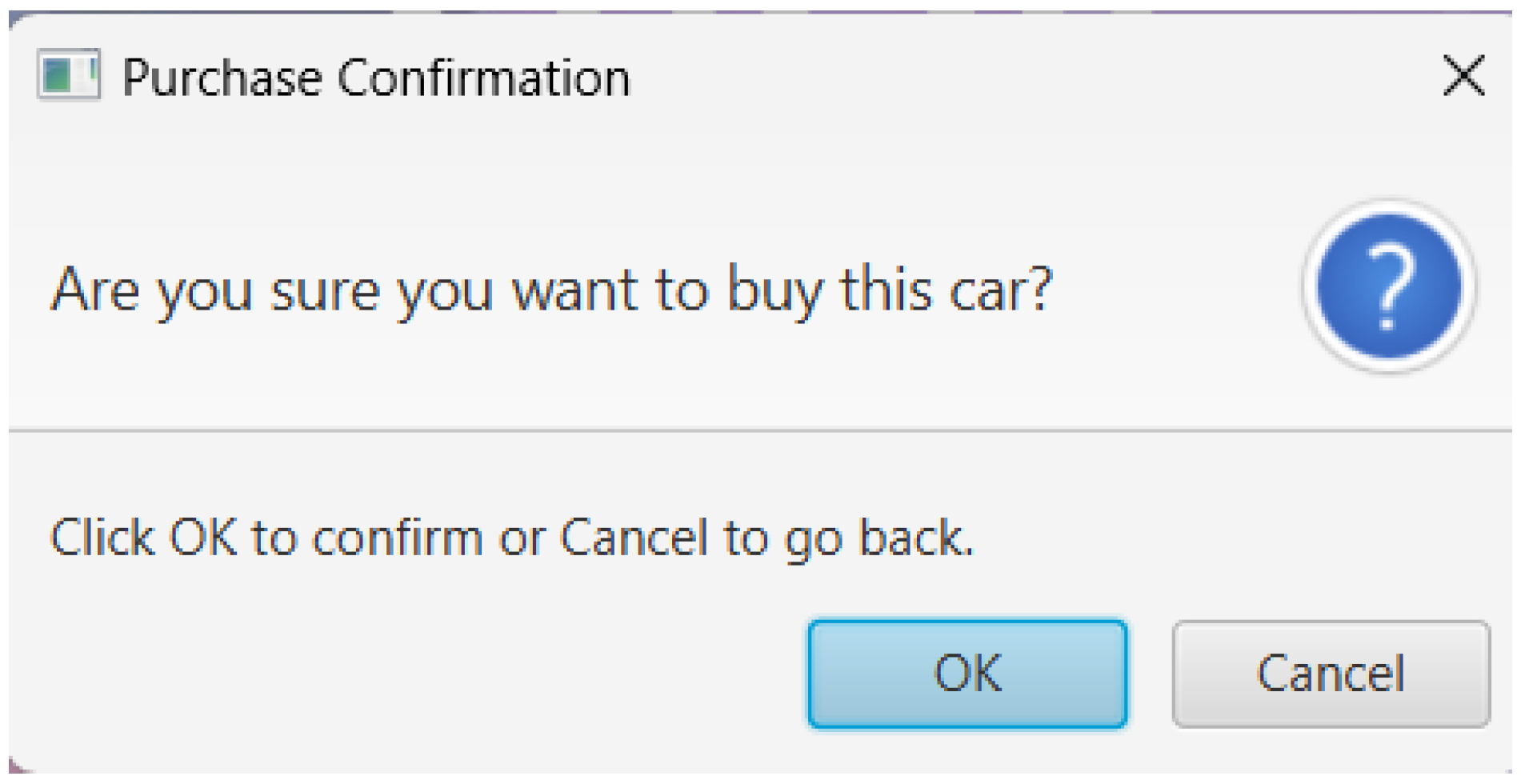
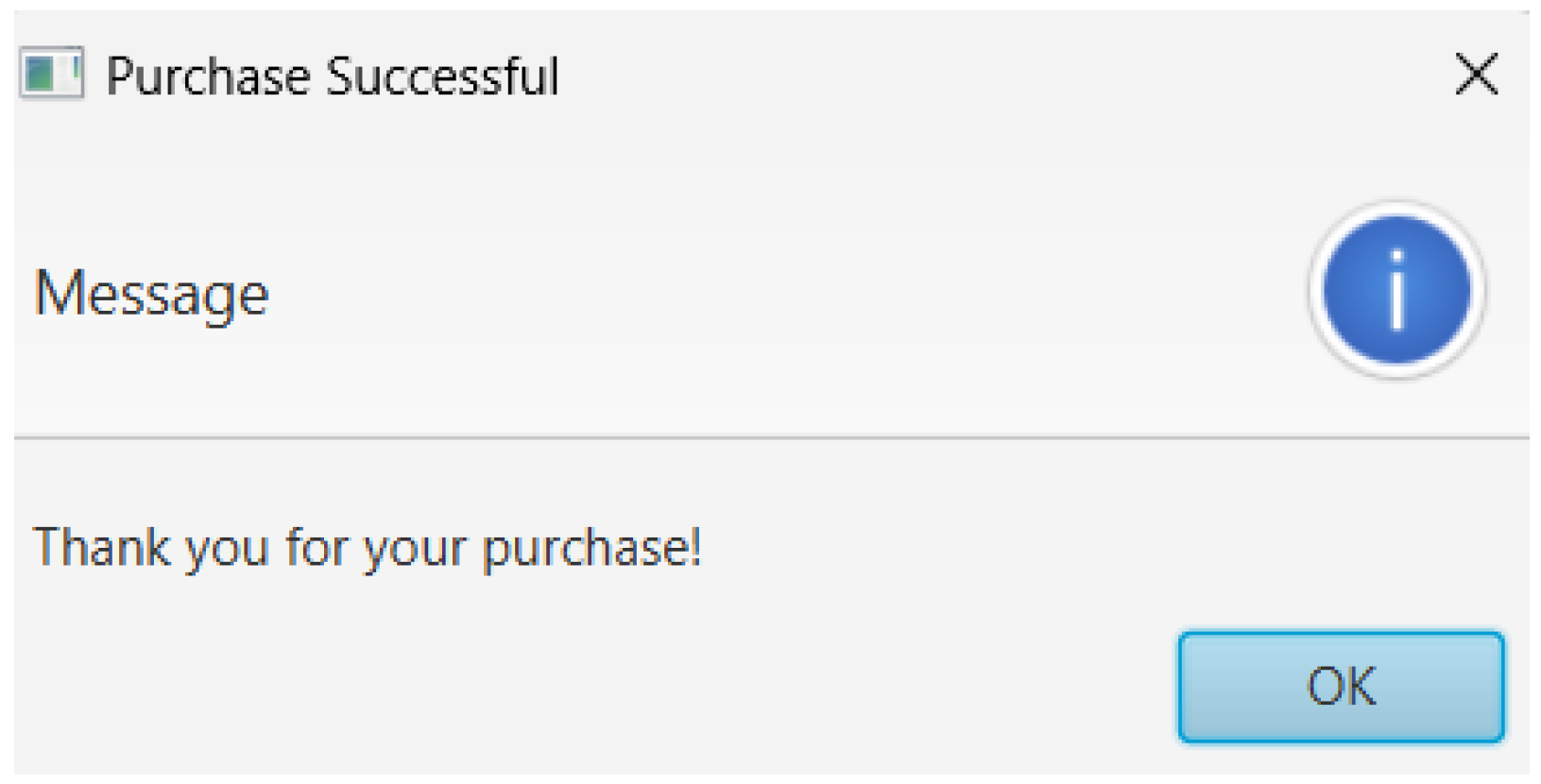
We click on OK and another message show sup informing us that our purchase was successful:
Now we can see (Figure 65) that the text on the button next to the HatNor car has changed its text from the car’s price to “Select” and of the 51 coins we originally had now only 1 remains and 50 were spent on the purchase. Therefore we are now confirmed that our purchase logic works perfectly when it comes to the coins (as in deducting the car price from the number of coins we have).
Figure 65.
Purchase Successful Message.
5.4. Test Case: Checking Whether We Can select The Purchased Car or Not
Now we need to check if we can actually get the car we selected in the shop to control in the gameplay. We will click on the “Select” button next to the HatNor car and then start a new game to see the results.
In this section, we will explain the testing of different functionalities of the game to make sure that they behave as expected. First, we tested the functionality of the "Return" button on the Game Over screen by clicking it. It was supposed to take the user back to the Main Menu screen, and so it did. Figure 7.1.9 and Figure 7.1.6 show that the button does what it was supposed to do.
Proceed next to test the save game cases and other files handling. That is, as shown in Figure 56, all of these binary files are used for user data-high scores, coins and settings are created after the very first launch of the game; it gives the results described in Figure 57 by creating "car_ownership.dat", "scores.dat", "settings.dat":. The game's settings can be edited, and after changing the music and SFX volumes, we play the game and score some points, as depicted in Figure 58 and Figure 59. Upon relaunching the game, the settings and progress, including the high score of 64 and 16 coins, are saved correctly, as seen in Figure 60. In the second round of the game, the score and coins are increased and saved. Figure 61 and Figure 62 show the increased score and coins, respectively.
We then test the functions of shopping and car selection. First, we show that a player has 0 coins at the beginning as shown in Figure 63. Then, after playing the game and getting 51 coins, we can buy a HatNor car with 50 coins as shown in Figure 64. The game will confirm the purchase transaction and refresh the remaining coins as shown in Figure 65. This works such that on the selection process, it changes the text on the button to "Select"; once we select the car, upon a new game, the selection is confirmed, as is done in Figure 64 and Figure 65. The last part that tests the system in scenarios of player not having adequate enough coins for purchasing of a car will go ahead to make the logics in place right when trying to prohibit such transaction.
5.5. Test Case: Purchasing a Car Without Sufficient Coins
So we will now try to purchase the RSA-111 car which costs 150 coins while we only have 106 coins:
Figure 66.
The Shop Screen. Notice now we have 106 coins.
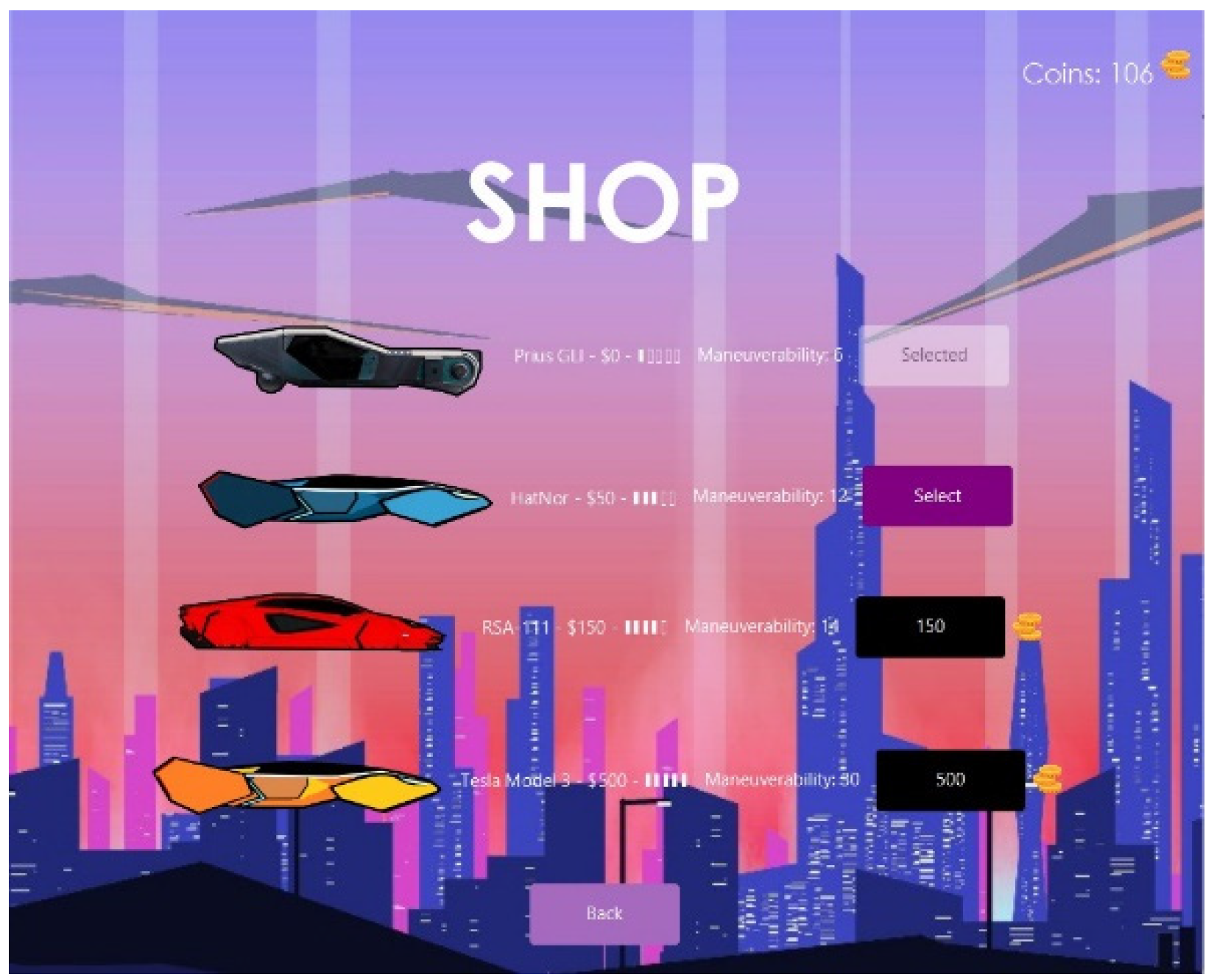
Now we will click on the black button next to the RSA-111 car mentioning its price and when we do that we will get this message asking us whether we want to purchase this car or not:
Figure 67.
(Repeated) : Purchase Confirmation message.
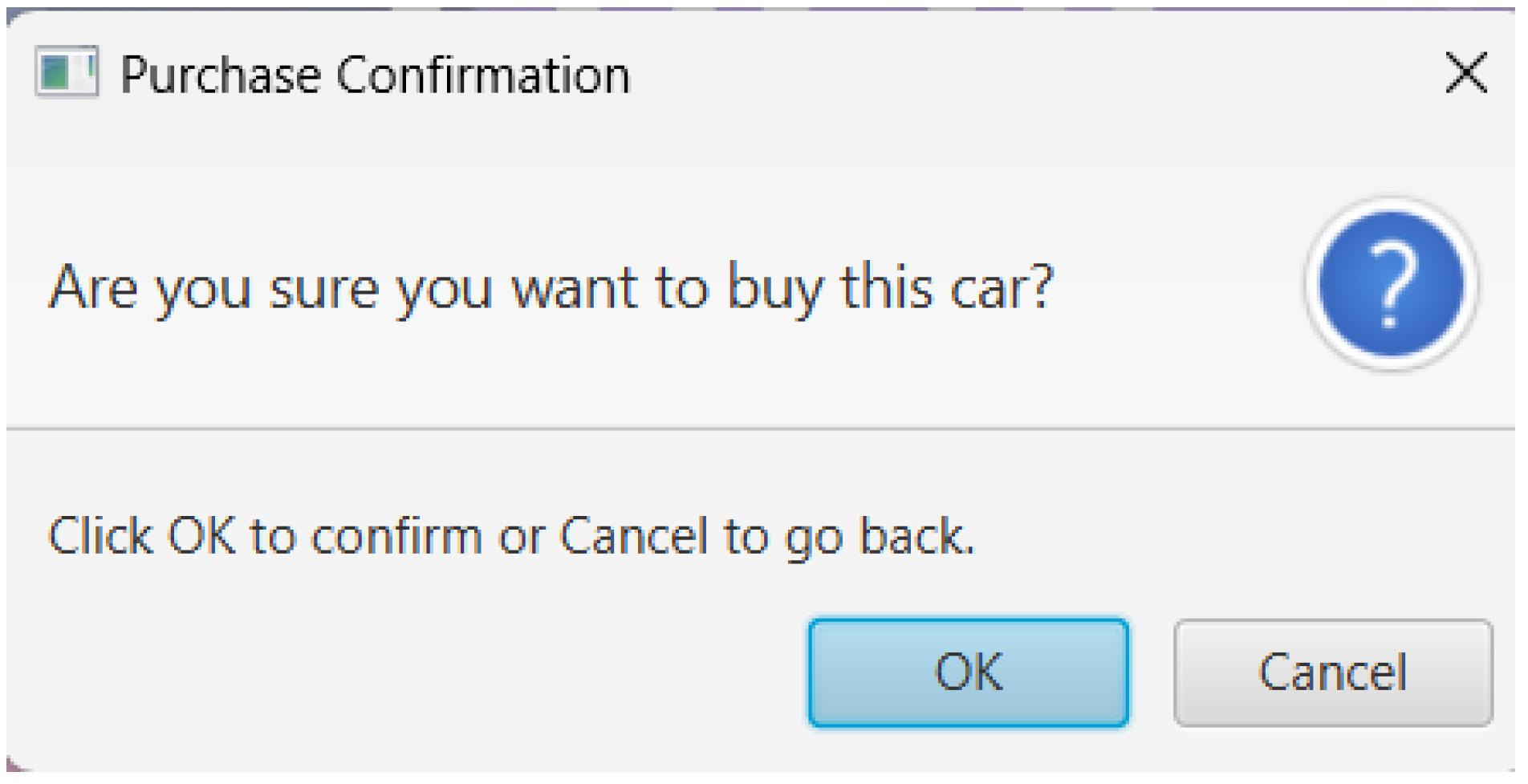
When we click OK we get this error message telling us we cannot purchase the car because we do not have enough coins to do so:
Figure 68.
Purchase Failed message.
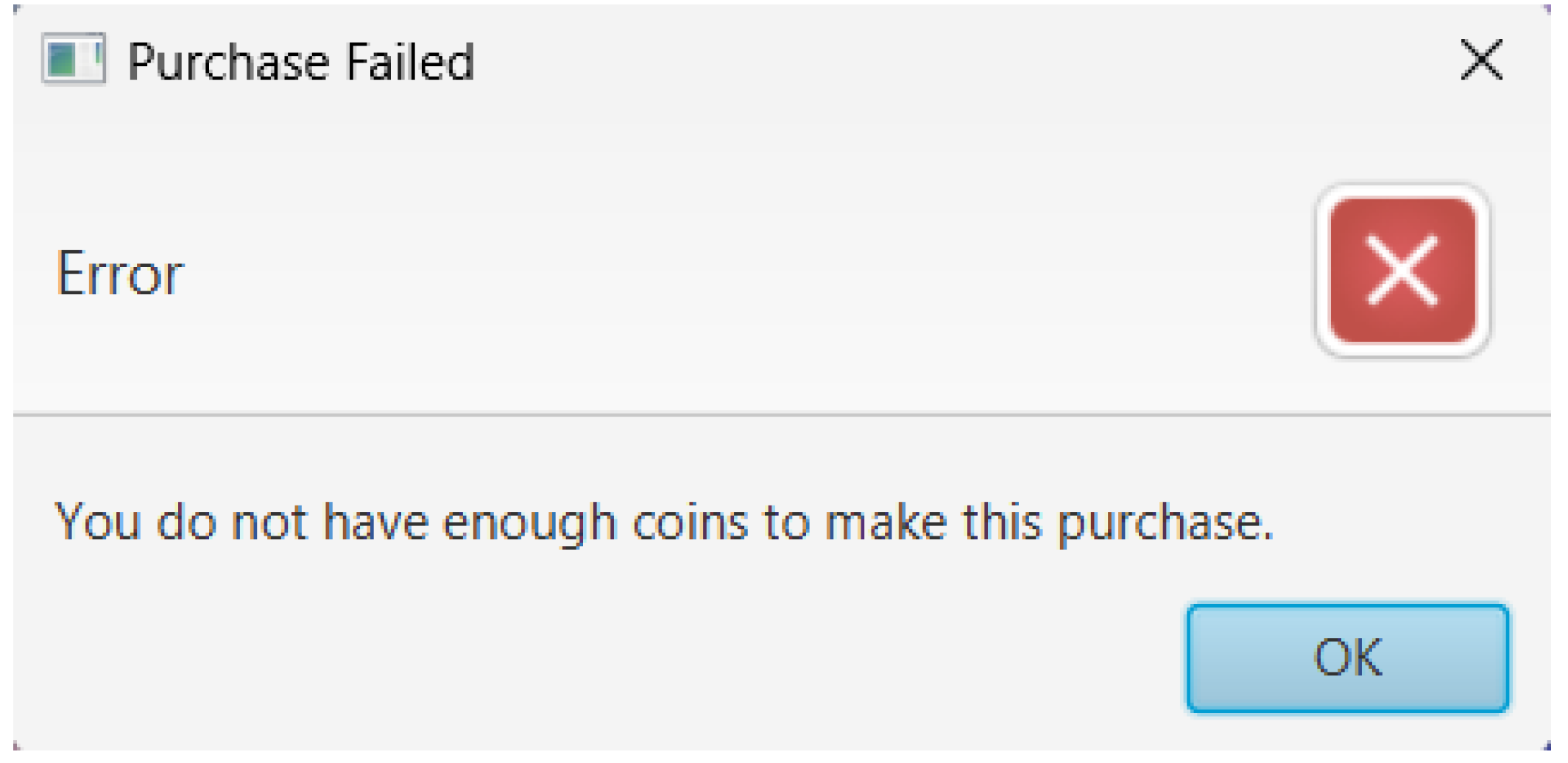
Therefore we can now say our purchasing car and selecting car features both are logically perfect and have no issues with them.
5.6. Test Case: for Character Interactions with Scoring and Opticals
Figure 69.
Gamescene with obstacles.
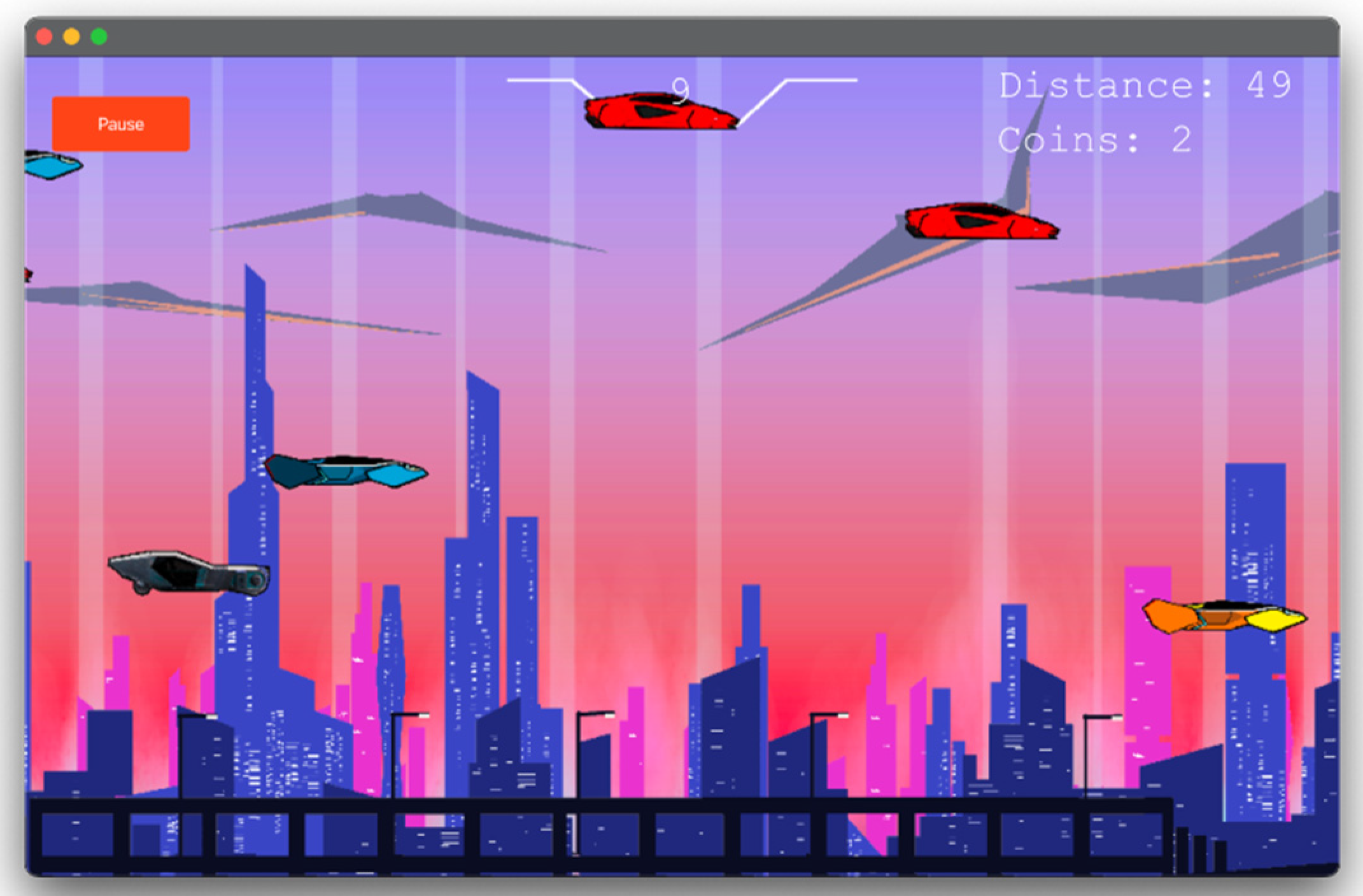
Gameplay involves the player interacting with the car, moving it upwards and downwards using the ‘w’ and ‘s’ key to dodge inbound cars (obstacles) in its path. The figure above shows an instance of traffic that will be encountered by the player as they traverse the metropolis.
7.3.2. Progression Through the Game
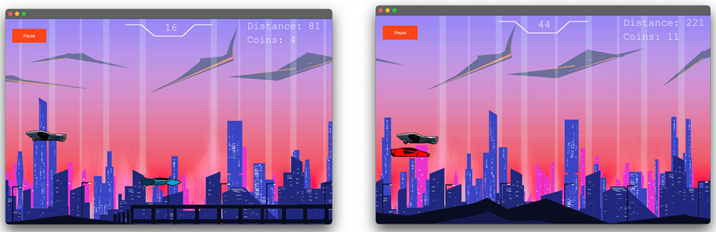
The images above illustrate how as the player progresses through the city, their score, distance traveled and coins earned increases, when the player had only made it through 81 kilometers, their score was 16 and coins earned 4. But, when the player had succeeded at making it to 221 km, the score was 44 and 11 coins were earned; this demonstrates how the player’s progression across the game is stored and saved.
As illustrated in the image above, in the unfortunate event the player clashes with an obstacle, then they would be defeated and the following game over screen will be displayed with the score and coins earned in the drive displayed on the screen for the player.
6.6. Testing Cases for Difficulty
- 6.5.1. Test Case: Difficulty Increase
While the game is played, the player tends to experience higher difficulty as the game score increases. Based on the code below, it can be seen that the game difficulty is the increase of the player car's speed, with the points being gained while avoiding traffic cars. The progress is annotated with an “if, else if” conditional statement.
- If the score is between the range (greater than or equal to 15) AND (less than 30) then the traffic car speed is 9
- If the score is between the range (greater than or equal to 30) AND (less than 45) then the traffic car speed is 11
- If the score is between the range (greater than or equal to 45) AND (less than 60) then the traffic car speed is 13.
- If the score is equal to OR greater than 60 then the traffic car speed is 18.
What we learn here is that as the player’s score increases the traffic car speed also increases but for this the score needs to be in a specific range for the increase in speed of traffic cars is different for each score range.
Now if you have played the game you will realize the faster the speed of traffic cars the harder it is to control the game.
- 6.5.2. Test Case: Different Maneuverability
Figure 70.
Different Maneuver Abilities of all the four cars.
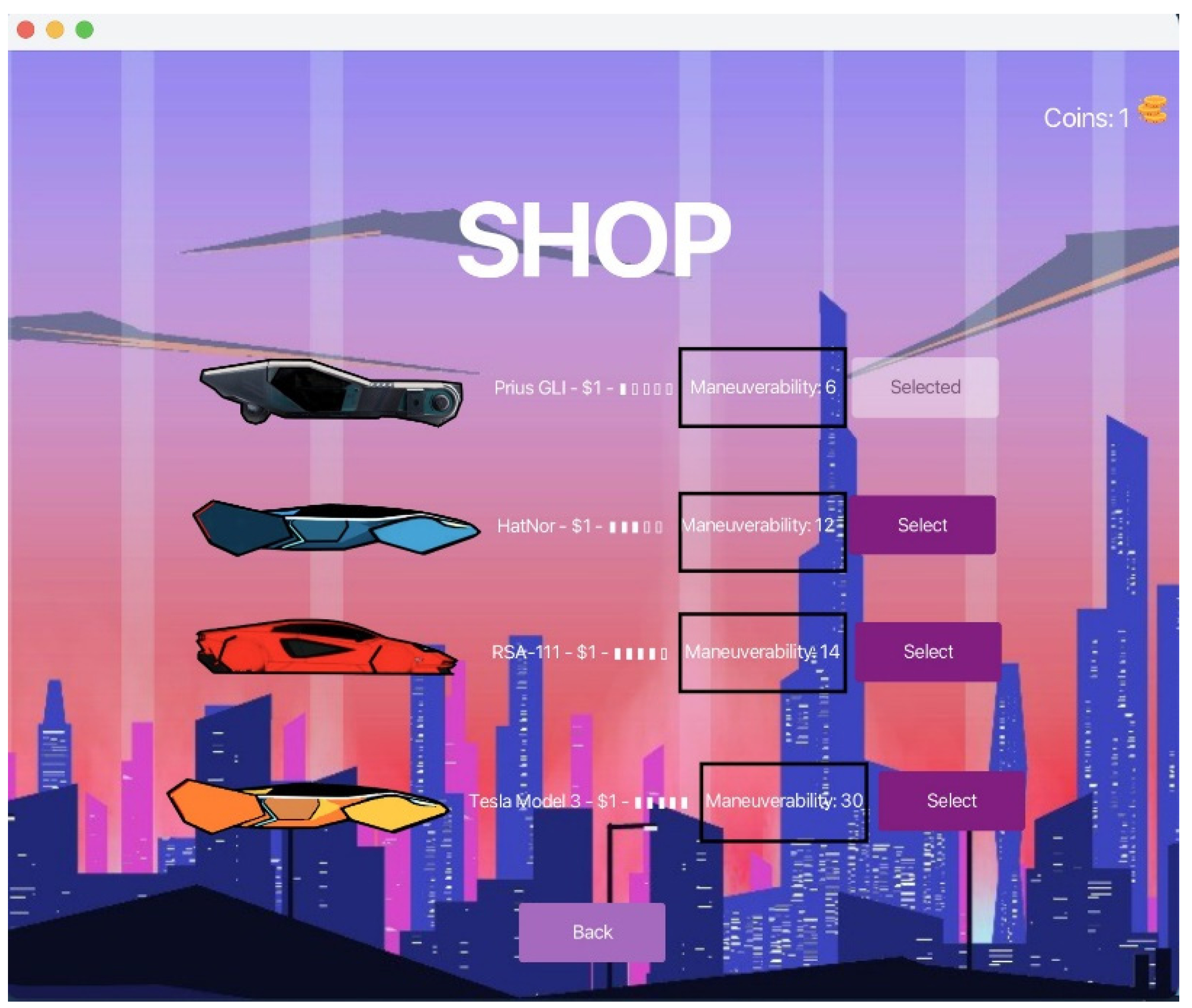
In the SkyRunner game, there are four distinct automobiles that may be chosen from the store screen. Every automobile in the game has a different maneuverability value that determines how it moves. The vehicles on the list are:
Figure 71.
Prius GLI Maneuverability.
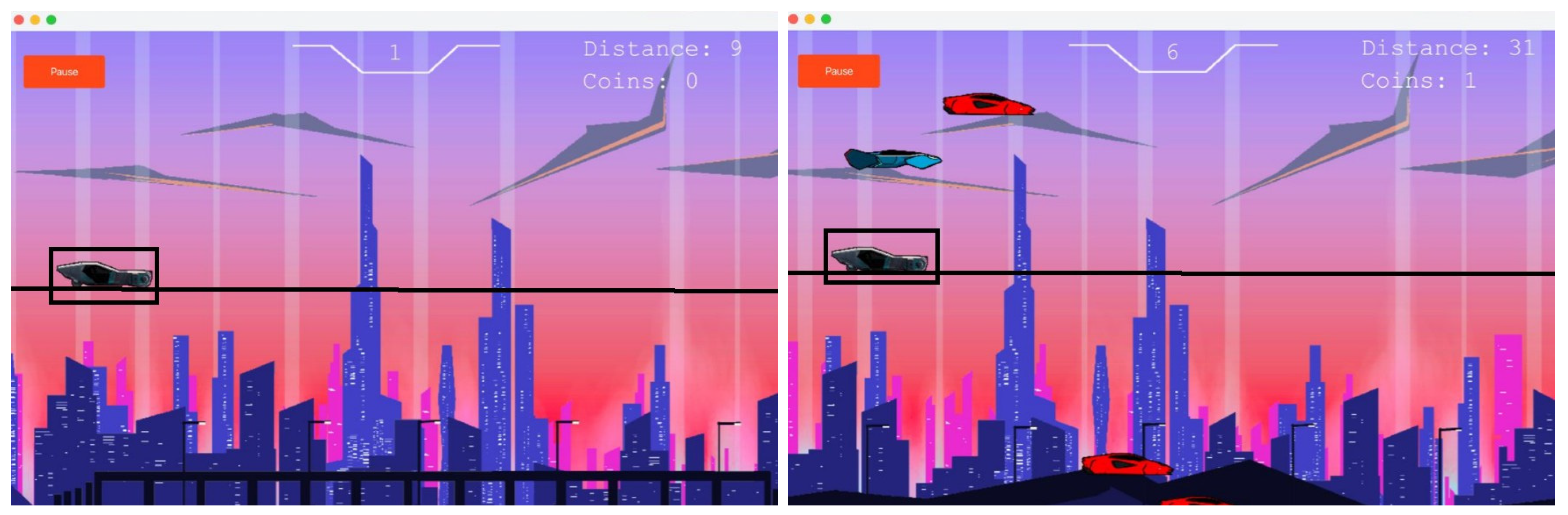
Figure 72.
HatNor Maneuverability.
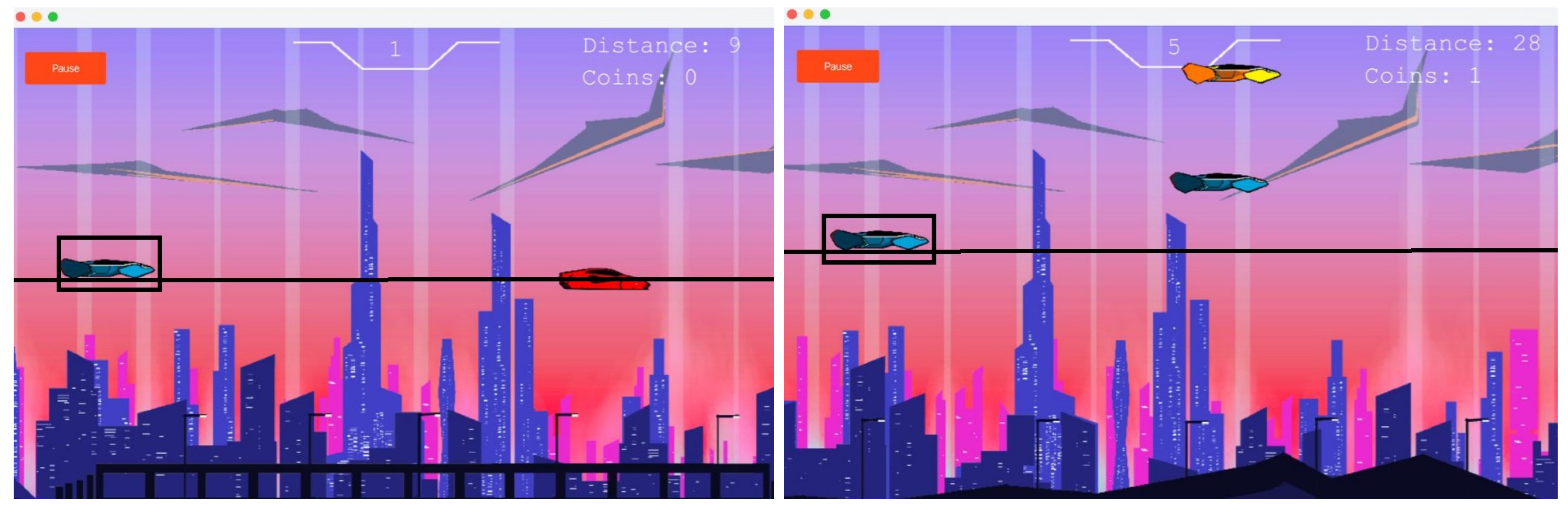
Figure 73.
RSA-111 Maneuverability.
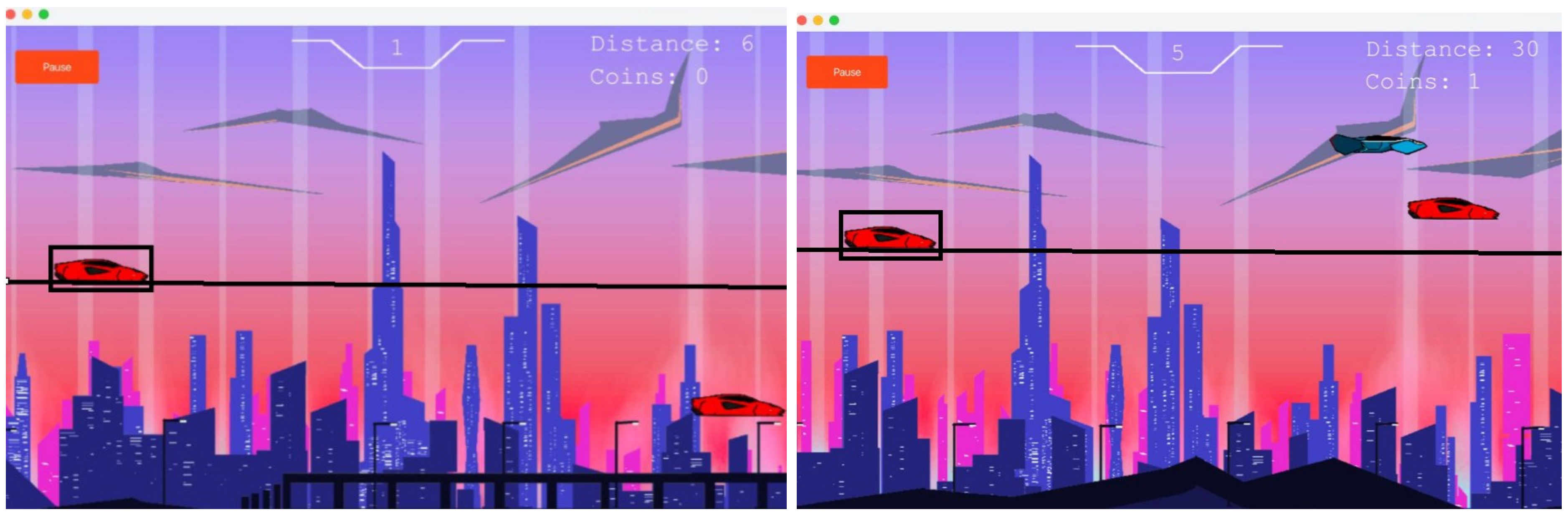
Figure 74.
Tesla Model 3.
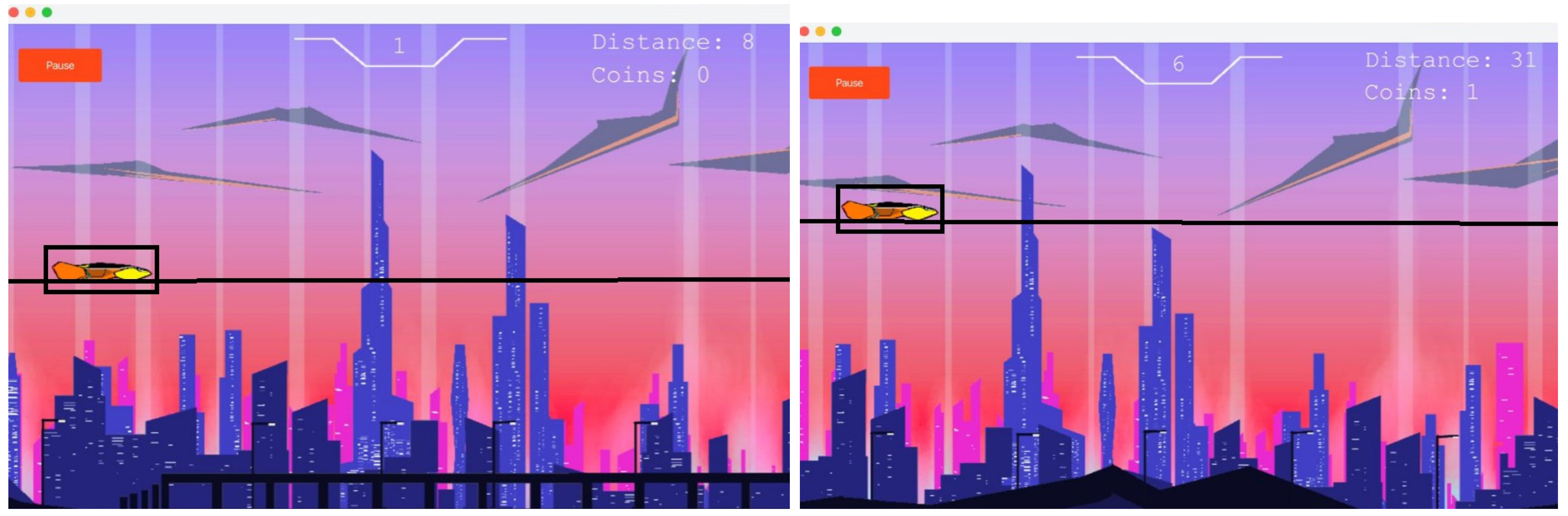
The Sky Runner game contains four different automobiles that the player can choose from within the store screen. Each of these cars has a different set of maneuverability values governing its motion. Various figures of these cars show that they highlight their respective abilities: Figure 66 shows all four cars of the game with their different maneuvering abilities. The different maneuverability values assigned to each vehicle will dictate how each respond to input and navigates the game environment. Figure 67 shows the Prius GLI and its unusual maneuverability properties. Figure 68 shows HatNor and its maneuverability that makes it stand out from the rest of the cars in the lineup. Figure 69 represents RSA-111 and its unique movement dynamics. Figure 70 to Figure 74indicates the Tesla Model 3 and its unique handling capabilities. These figures show how each car reacts to the same input, which is to press the 'W' key three times. The differences in maneuverability values yield different heights reached by the cars, showing how this attribute reflects in the game. The higher the value of maneuverability, the more a car can jump with each press of a key, thereby making the game more interesting and giving players a choice based on their preference and strategy.
6. Discussion
The Sky Runner project is proof that object-oriented principles in game application development are efficient. The modular design allows for easy maintenance of the code and data persistence by using binary file storage. Intuitive UI design and engaging gameplay mechanics go towards making the game enjoyable, all while keeping stress low. From here, there are numerous ways to expand the game further. It would also be nice if there was an account system whereby players could log in and make their progress anywhere. Adding advanced graphics, like dynamic environments having different stages or day-night cycles, would be more immersive. This includes customized game settings such as background music and themes, which will further enhance the experience of the player. This will make it more addictive for the players and competitive enough to current game standards, hence prolonging its success.
Conclusion
The SKYRUNNER project demonstrates a well-structured Java application with a clear separation of concerns and effective use of OOP principles. The project’s organization into packages and classes allows for modular development and maintenance. The game’s functionality, including resource management, state updates, and user interaction, is efficiently handled through the Game class and associated components. In the future we can pick up where we left and add additional features to the game such as creating a system of accounts whereby you can login to your account. This way you can access your progress no matter what device you use. We can also add a day and night feature whereby you get to choose whether you want it to be day or night in your gameplay background. We can also add additional stages (as in the background environments) and add a dark mode theme and offer a range of background music soundtracks that the players can choose on their own.
References
- Chen, X., & Shi, Y. (2020). Object-Oriented Programming for Game Development: A Practical Guide. Journal of Computer Science.
- Thompson, G. (2021). The Role of UI/UX Design in Game Development. International Journal of Interactive Media.
- Wu, P., & Li, Z. (2019). Endless Runner Games: Trends and Challenges. Game Development Quarterly.
- Jackson, H. (2021). Utilizing Java for Efficient Game Development. Software Engineering Journal.
- Kumar, A., & Patel, R. (2020). Enhancing User Experience in Endless Runner Games. Human-Computer Interaction Review.
- Saeed, S., & Abdullah, A. (2022). Hybrid graph cut hidden Markov model of K-mean cluster technique. CMC-Computers, Materials & Continua, 1-15.
- Saeed, S., Abdullah, A., Jhanjhi, N. Z., Naqvi, M., & Nayyar, A. (2022). New techniques for efficiently k-NN algorithm for brain tumor detection. Multimedia Tools and Applications, 81(13), 18595-18616[DOI if available] (JCR SCI/EI Q3). [CrossRef]
- Saeed, S., & Humayun, M. (2019). Disparaging the barriers of journal citation reports (JCR). IJCSNS: International Journal of Computer Science and Network Security, 19(5), 156-175. [CrossRef]
- Chesti, I. A., Humayun, M., Sama, N. U., & Jhanjhi, N. Z. (2020, October). Evolution, mitigation, and prevention of ransomware. In 2020 2nd International Conference on Computer and Information Sciences (ICCIS) (pp. 1-6). IEEE.
- Alkinani, M. H., Almazroi, A. A., Jhanjhi, N. Z., & Khan, N. A. (2021). 5G and IoT based reporting and accident detection (RAD) system to deliver first aid box using unmanned aerial vehicle. Sensors, 21(20), 6905. [CrossRef]
- Babbar, H., Rani, S., Masud, M., Verma, S., Anand, D., & Jhanjhi, N. (2021). Load balancing algorithm for migrating switches in software-defined vehicular networks. Computational Materials and Continua, 67(1), 1301-1316. [CrossRef]
- Zhang, Y. (2021). The Evolution of Background Music in Gaming. Music and Media Studies.
- Lopez, M. (2020). Comparing Classic and Modern Endless Runner Games. Game Theory and Design.
- Martin, R. (2019). Principles of Clean Code in Game Development. Software Design Practices.
- Stewart, D. (2020). Designing Futuristic Themes in Gaming. Visual Design Journal.
- Brown, J. (2019). Data Flow Management in Game Programming. Journal of Computational Systems.
- Ahmed, K. (2021). Leveraging Java for Cross-Platform Game Development. Computer Applications Journal.
- Saeed, S., & Haron, H. (2021). Improve correlation matrix of discrete Fourier transformation (CM-DFT) technique for finding the missing values of MRI images. Mathematical Biosciences and Engineering, 1-22.
- Saeed, S. (2017). Implementation of failure enterprise systems in organizational perspective framework. International Journal of Advanced... [CrossRef]
- Smith, L., & Jones, T. (2020). Simplicity in Game Mechanics: A Case Study. Interactive Design Quarterly.
- Hernandez, F. (2021). Visual Aesthetics in Futuristic Game Design. Art and Animation Quarterly.
- Green, P. (2019). Endless Runner Games: Player Engagement and Retention Strategies. Game Development Insights.
- Robertson, C. (2020). Game Logic Implementation Using OOP. Journal of Programming Paradigms.
- Jena, K. K., Bhoi, S. K., Malik, T. K., Sahoo, K. S., Jhanjhi, N. Z., Bhatia, S., & Amsaad, F. (2022). E-learning course recommender system using collaborative filtering models. Electronics, 12(1), 157. [CrossRef]
- Aherwadi, N., Mittal, U., Singla, J., Jhanjhi, N. Z., Yassine, A., & Hossain, M. S. (2022). Prediction of fruit maturity, quality, and its life using deep learning algorithms. Electronics, 11(24), 4100. [CrossRef]
- Shah, I. A., Jhanjhi, N. Z., & Ray, S. K. (2024). Enabling Explainable AI in Cybersecurity Solutions. In Advances in Explainable AI Applications for Smart Cities (pp. 255-275). IGI Global.
- Javed, D., Jhanjhi, N. Z., & Khan, N. A. (2023, April). Football analytics for goal prediction to assess player performance. In Innovation and Technology in Sports: Proceedings of the International Conference on Innovation and Technology in Sports,(ICITS) 2022, Malaysia (pp. 245-257). Singapore: Springer Nature Singapore.
- Gaur, L., Arora, G. K., & Jhanjhi, N. Z. (2022). Deep learning techniques for creation of deepfakes. In DeepFakes (pp. 23-34). CRC Press.
- Sama, N. U., Zen, K., Humayun, M., Jhanjhi, N. Z., & Rahman, A. U. (2022). Security in wireless body sensor network: A multivocal literature study. Applied System Innovation, 5(4), 79. [CrossRef]
- Gouda, W., Almurafeh, M., Humayun, M., & Jhanjhi, N. Z. (2022). Detection of COVID-19 Based on Chest X-rays Using Deep Learning. Healthcare 2022, 10, 343. [CrossRef]
- Li, J., Goh, W., Jhanjhi, N. Z., Isa, F., & Balakrishnan, S. (2021). An empirical study on challenges faced by the elderly in care centres. EAI Endorsed Transactions on Pervasive Health and Technology, 7(28). [CrossRef]
- Saleh, M., Jhanjhi, N., & Abdullah, A. (2020, February). Fatima-tuz-Zahra,‘‘Proposing a privacy protection model in case of civilian drone,’’. In Proc. 22nd Int. Conf. Adv. Commun. Technol.(ICACT) (pp. 596-602).
- Zaman, N., Ghazanfar, M. A., Anwar, M., Lee, S. W., Qazi, N., Karimi, A., & Javed, A. (2023). Stock market prediction based on machine learning and social sentiment analysis. Authorea Preprints.
- Humayun, M., Sujatha, R., Almuayqil, S. N., & Jhanjhi, N. Z. (2022, June). A transfer learning approach with a convolutional neural network for the classification of lung carcinoma. In Healthcare (Vol. 10, No. 6, p. 1058). MDPI. [CrossRef]
- Soobia, S., Afnizanfaizal, A., & Jhanjhi, N. Z. (2022). Hybrid graph cut hidden Markov model of k-mean cluster technique. CMC-Computers, Materials & Continua, 72(1), 1-15.
- Muzafar, S. (2021). Energy harvesting models and techniques for green IoT: A review. Role of IoT in Green Energy Systems, 117-143.
- Humayun, M., Jhanjhi, N. Z., Alsayat, A., & Ponnusamy, V. (2021). Internet of things and ransomware: Evolution, mitigation and prevention. Egyptian Informatics Journal, 22(1), 105-117. [CrossRef]
Disclaimer/Publisher’s Note: The statements, opinions and data contained in all publications are solely those of the individual author(s) and contributor(s) and not of MDPI and/or the editor(s). MDPI and/or the editor(s) disclaim responsibility for any injury to people or property resulting from any ideas, methods, instructions or products referred to in the content. |
© 2025 by the authors. Licensee MDPI, Basel, Switzerland. This article is an open access article distributed under the terms and conditions of the Creative Commons Attribution (CC BY) license (http://creativecommons.org/licenses/by/4.0/).
Copyright: This open access article is published under a Creative Commons CC BY 4.0 license, which permit the free download, distribution, and reuse, provided that the author and preprint are cited in any reuse.


