1. Introduction
Video games have evolved significantly, offering players engaging and immersive experiences. SkyRunner is a Java-based game that provides an endless runner-style experience, set in a futuristic cityscape of Dubai in 2077. Unlike traditional driving games, SkyRunner introduces flying cars, removing the constraints of road-based travel and replacing them with a high-speed aerial navigation system. The player's objective is simple: control their vehicle, avoid obstacles, and accumulate as many points as possible (
1),(
2),(
3),(
4)
The game encourages simplicity and relaxation, enabling players a delightful and non-frustrating experience. Unlike conventional games that boast complex narratives or character-driven plots, SkyRunner does not present heroes or villains. Instead, the player fights an endless challenge in which he competes against his high scores. Earned points in-game are translated into coins, which can be spent on new vehicles, thereby promoting involvement and increasing incentivizing progression.
It highlights an important project technical structure that inherently uses concepts and design principles related to object-oriented programming (OOP). It is divided into packages that would manage a particular function, such as UI management, game logic, media handling, and data storage. The game loop, handled by JavaFX's Animation Timer, renders frame-by-frame smooth updates. The main features detected include collision detection and scoring features, difficulty progression, and persistence saving through binary files (
5),(
6).
The basis for development focuses primarily on modularity and efficiency. As for the user interface, the chosen theme is futuristic, with subtle nuances for buttons, backgrounds, and animation design. The music is also in tune with the cyberpunk atmosphere, meaning the immersive experience is optimized. The game implemented an efficient data persistence system where high scores, purchased cars, and user settings persist through sessions. The Sky Runner project is to showcase strong programming skills in structured game development with engaging user experience. An in-depth analysis of the game's architecture, implementation details, testing procedures, and future improvements is presented in this report (
7).
2. Literature Review
A popular genre of games in modern gaming, endless runner games, are defined by continuous motion and procedural obstacles. The greatness of simple but catchy gameplay mechanisms can be seen in Temple Run and Subway Surfers. Juul-fun experiences provided by immediate feedback, an easy control scheme, and gradually augmented challenges-runs the gist of endless runners appealingly to players.
The work of Smith et al. (2020) highlights the importance of flow theory in relation to endless runners in that players become immersed in the infinitely running game because there is skill-challenge balance. Thereby, the SkyRunner game builds upon these principles by providing a futuristic setting in the air, which is different from ordinary ground-based runners.
Object-oriented programming (OOP) is a backbone in current game development because it creates code that is modular, reusable, and scalable to further software updates. Gamma et al. (1994) said that design patterns in OOP indicate the role of encapsulation, inheritance, and polymorphism in the maintainability and reusability of code.
Accordingly, the structure of the SkyRunner game has been divided into several packages, each one of them handling specific responsibilities such as UI, game logic, or data storage. This view corresponds to earlier research by Anderson and Hodgins (2018), who argue that a proper OOP model enhances performance and minimizes design complexity (
8),(
9).
Research in game design shows that UI and UX can make significant differences in attracting player engagement (Isbister & Schaffer, 2015). According to studies conducted by Lazzaro (2009), four factors drive game engagement: hard fun (challenge), easy fun (discovery), altered states (immersion), and social interaction. SkyRunner focuses on hard fun in terms of difficulty progression and altered states through its immersive futuristic theme (
10),(
11),(
12),(
13),(
14),(
15).
In-game, buttons stand out visually, are animated, and conform to a futuristic fantasy, enhancing the cyberpunk experience. As per Norman (2013), the design of UI elements should create affordances whereby players can easily understand how to navigate menus and gameplay mechanics (
16).
A key aspect of modern gaming is data persistence, ensuring that user progress is saved and retrieved across sessions. Prior research by Tavares et al. (2017) highlights the advantages of using binary file storage for saving game states, as it optimizes performance and reduces load times compared to database-driven approaches.
SkyRunner employs binary file storage to maintain high scores, purchased cars, and user settings. This approach is consistent with findings by Nystrom (2014), who states that lightweight data persistence methods improve game performance without requiring excessive memory usage. Furthermore, saving and loading mechanisms have been rigorously tested in the game to ensure data integrity, aligning with best practices in game state management (Chen et al., 2016).
Adaptive difficulty mechanics enhance player retention by dynamically adjusting the game’s challenge level based on performance. Hunicke (2005) discusses dynamic difficulty adjustment (DDA), a technique that modifies in-game parameters such as enemy speed, spawn rates, or available resources to maintain player engagement.
SkyRunner implements difficulty scaling through increasing traffic car speeds as the player's score rises. This principle is supported by studies from Andrade et al. (2016), who found that games with adaptive difficulty mechanics tend to have higher player retention and engagement rates. SkyRunner draws inspiration from classic Endless Runner games, but it introduces key innovations such as airborne navigation, futuristic aesthetics, and a structured in-game economy. Compared to Google Chrome’s Dinosaur Game, which follows a minimalistic design with no progression system, SkyRunner provides an incentive-based structure where points convert into currency for unlocking new cars. A comparative analysis by Kim et al. (2021) found that games offering progression mechanics (e.g., unlockable content) tend to have higher user engagement and replayability. This suggests that SkyRunner's implementation of coin-based rewards aligns with modern game design best practices (
17),(
18),(
19),(
20),(
21). Gouda et al. (2022) and Kumar et al. (2015) explore optimization techniques and machine learning applications, which can enhance the efficiency and adaptability of game systems. Fatima-tuz-Zahra et al. (2020) and Lim et al. (2019) examine methods for improving system security and AI-driven decision-making, which can be utilized for dynamic difficulty adjustment and player data protection in games. Dogra et al. (2021) and Zaman et al. (2014) focus on machine learning models and energy-efficient protocols, which can be applied to optimize resource usage and improve overall game performance. Kok et al. (2019) and Gopi et al. (2022) investigate anomaly detection and intrusion prevention, essential for securing online gaming environments and ensuring fair play in multiplayer games.
3. Methodology
Development of Sky Runner: The game will be made structured, modular, and programming through OOP (Object Oriented Programming) principles to ensure quality design and maintenance. The entire process is designed into a systematic software development life cycle, including planning, design, implementation, testing, and deployment of the game. The game will be built in Java using JavaFX for all graphical rendering and user interface management, following a package approach for modularity and separation of concerns. Game Logic Package would manage the main mechanics such as player movements, collision detection, and scoring, other than Database Package which will take care of game data such as player scores, settings, and car ownership using binary file storage. Models Package will define the main game objects, such as player cars, AI-controlled traffic cars, and environmental elements-and ViewFactory Package will take part in managing UI components such that it enables dynamic updates and responsiveness. Furthermore, the Utility Package will roll in helper functions for physics calculations and game logic, while the Managers Package will oversee the game state maintenance, difficulty scaling, and user preferences.
To this end, a proper game loop would be implemented following the Animation Timer class of the JavaFX library, enabling proper smooth processing of frames. The first process involves initializing game assets, such as images and sounds, with setting up interface components. Then, user input handling contains player movement activities, such as keyboard presses, mouse button presses, etc., as well as all actual state updates of player position, traffic obstacles, and scores in real-time. Drawing these elements into the rendering canvas takes place after collision detection by determining whether the player collides with obstacles and triggers game-over events. Data persistence captures player progress, including scores and purchases, using binary files to prevent loss and enable the player to take up from where he left off during the previous session.
It will maintain the principles of OOP to design the software in such a way that code maintainability will be improved by encapsulation and restricting the access of game variables using getter/setter methods. It will apply inheritance by establishing a hierarchy between game elements such as Traffic Car and Player Car, all derived from a common Car class. Adding polymorphism will allow the various games to display different behaviors from each other by overriding a method for each object, while composition will allow seamless cascading of components like UIManager and CarManager into the Game class in this implementation.
To make the player feel more excited about the game, there will be dynamic adjustment difficulty, meaning the higher the player's score gets, the faster the speed of traffic cars will go, thus making the game more and more difficult as time goes by. A holistic testing strategy will be put in place to ascertain whether the game functions as it should. Unit tests for the core methods, especially collision detection and score calculations. Then there will be integrated tests for testing components interacting with each other, UI tests for checking whether buttons and menus are working correctly, and finally data persistence test to crosscheck that player progress is stored and loaded. Future improvements may include cloud accounts to users track their progress across devices, more background themes for diversity in experience, and customizable game options for different players. Quite simply, structured methodology is what makes the Sky Runner development efficient in performance, engaging, and easy to use.
4. Flow of Data
4.1. Initialization
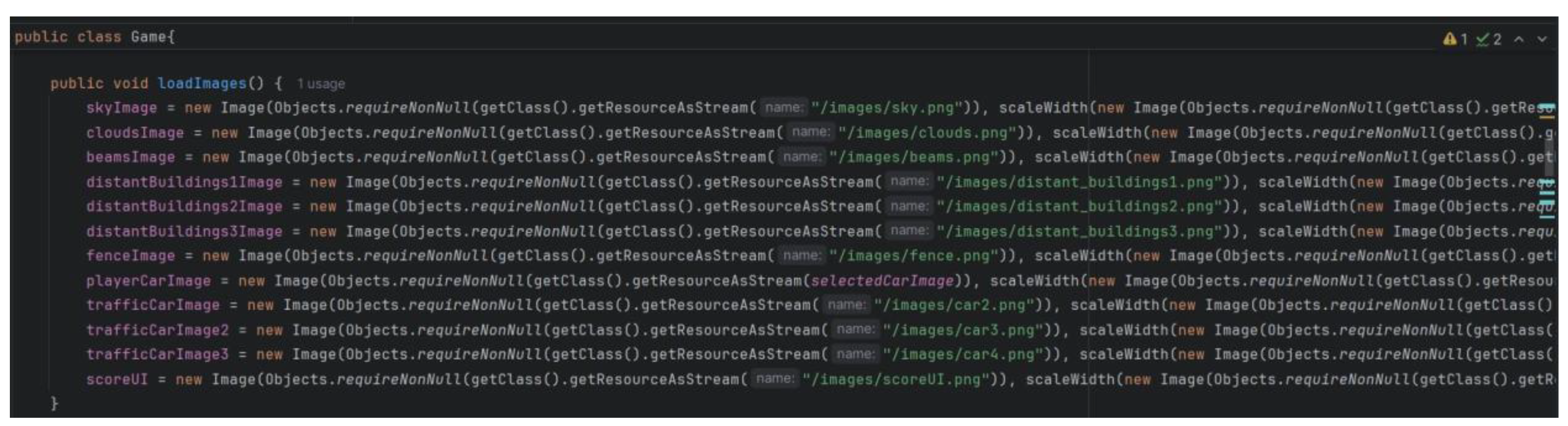
Loading Resources: The Game class loads images and sounds from resources.
Setting Up UI: UIManager sets up and configures the user interface components.
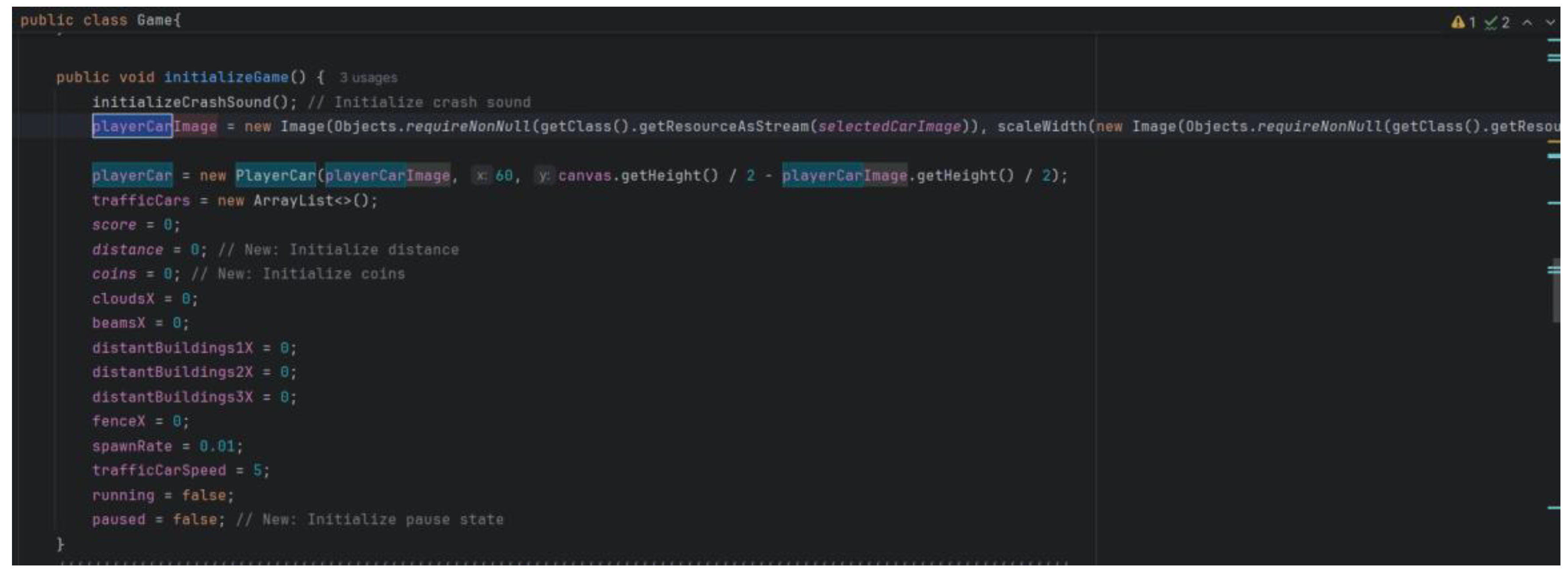
Creating Game Entities: Instances of PlayerCar and TrafficCar are created and initialized.
Figure 1.
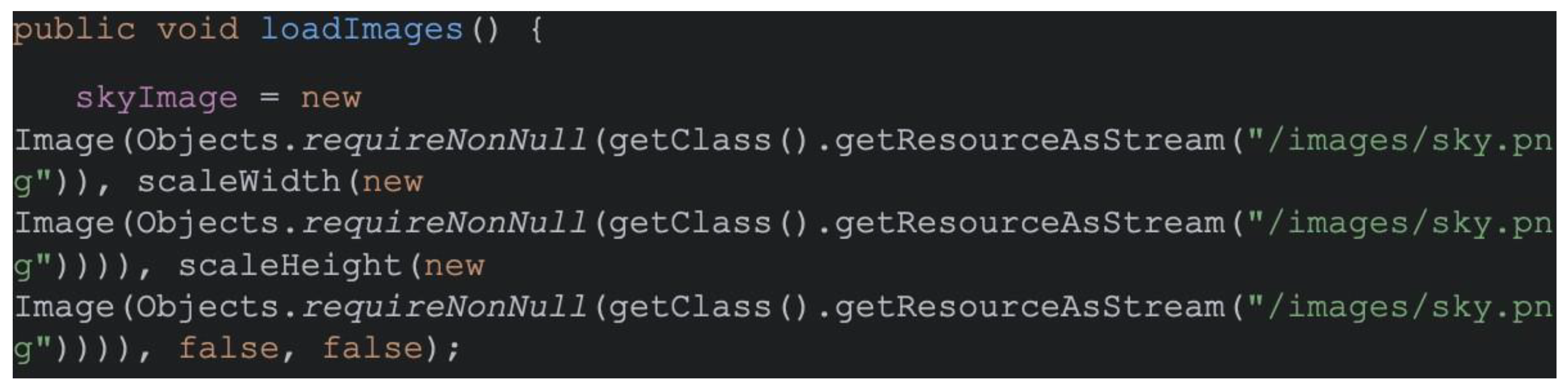
The loadImages() method loads all the game images.
Figure 1.
The loadImages() method loads all the game images.
Figure 2.
The initializeCrashSound() method initializes the crash sound for collisions.
Figure 2.
The initializeCrashSound() method initializes the crash sound for collisions.
Figure 3.
Methods to import and loop background music using mediaPlayer.play().
Figure 3.
Methods to import and loop background music using mediaPlayer.play().
Figure 4.
This code sets up the UI Manager.
Figure 4.
This code sets up the UI Manager.
Figure 5.
The method for creating and initializing PlayerCar object and TrafficCar object.
Figure 5.
The method for creating and initializing PlayerCar object and TrafficCar object.
Figure 6.
The method for adding new Traffic Cars in the name.
Figure 6.
The method for adding new Traffic Cars in the name.
4.2. Game Loop
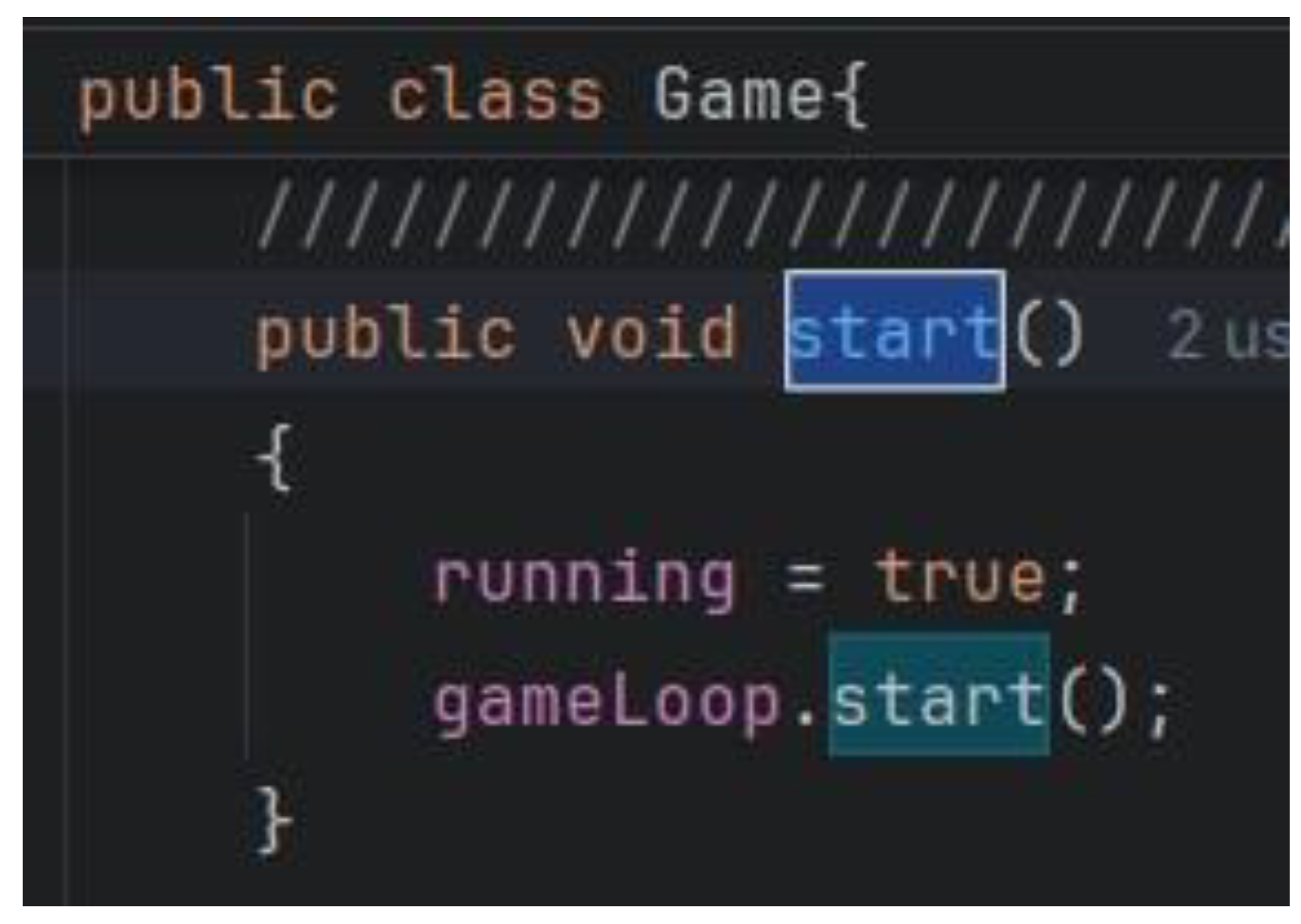
Start Game: The start() method in the Game class initiates the game loop using AnimationTimer.
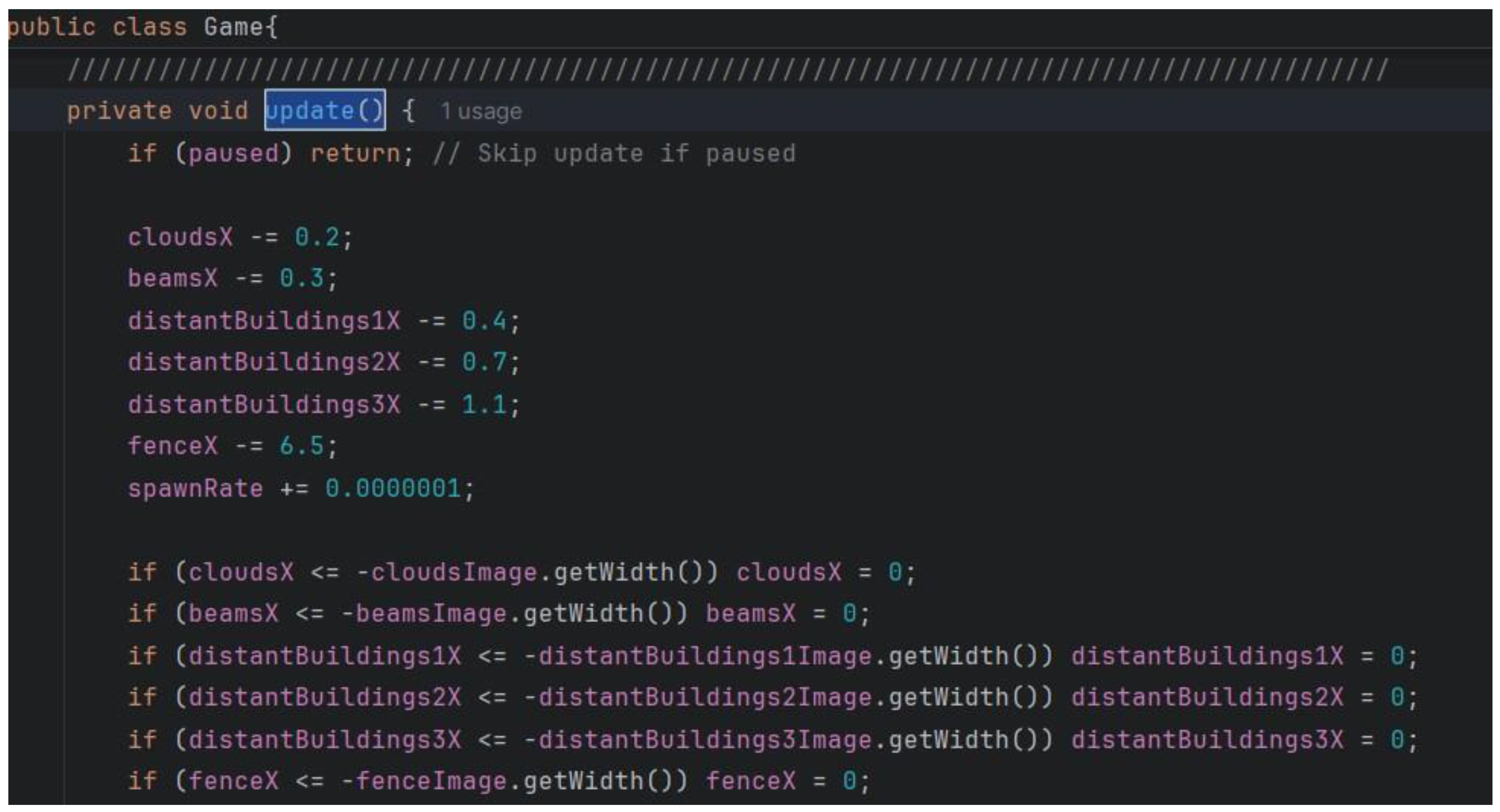
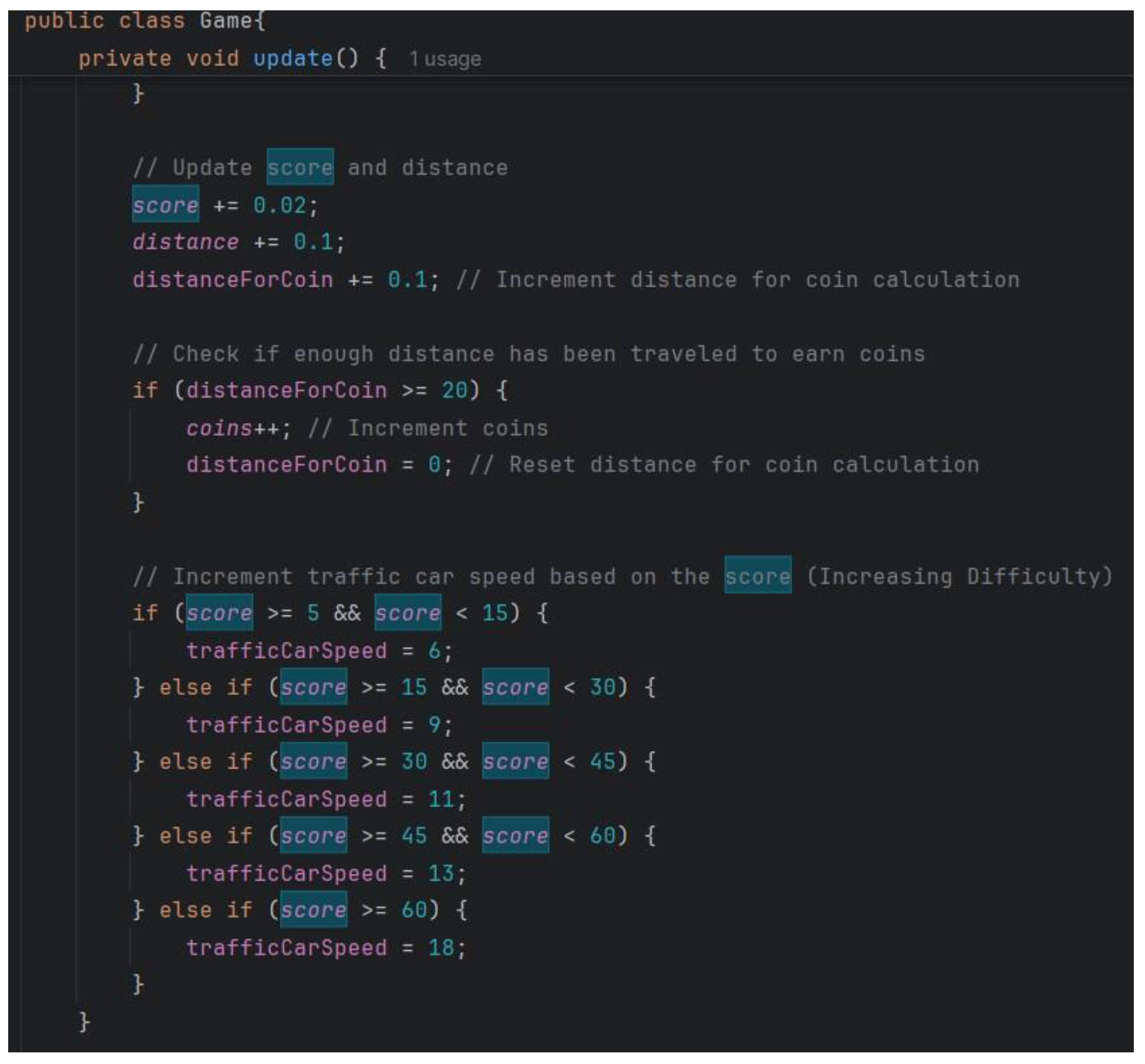
Update State: The update() method updates game state, including player and traffic car positions, score, distance, and collision detection.
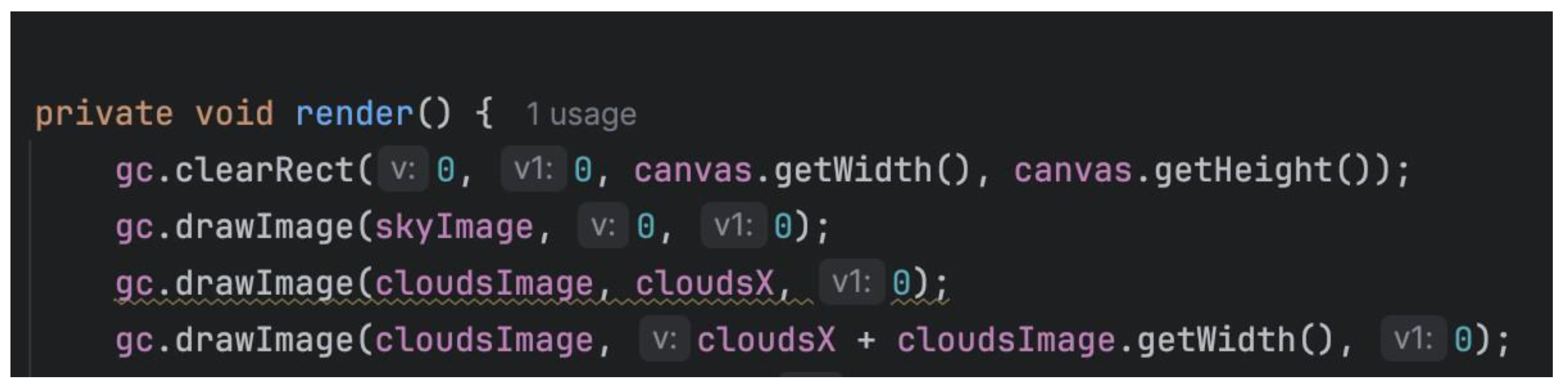
Render Game: The render() method draws game elements on the Canvas.
Figure 7.
Call the AnimationTimer to use it.
Figure 7.
Call the AnimationTimer to use it.
Figure 8.
start() method that start the game loop.
Figure 8.
start() method that start the game loop.
Figure 9.
The update() method updates game state.
Figure 9.
The update() method updates game state.
Figure 10.
:Update method adjusting traffic car speed as score rises.
Figure 10.
:Update method adjusting traffic car speed as score rises.
Figure 11.
The render() method draws game elements on the Canvas.
Figure 11.
The render() method draws game elements on the Canvas.
4.3. User Interaction
Input Handling: User input (e.g., keyboard or mouse events) is processed to control the player car and interact with the game.
Game State Changes: Input can lead to changes in game state, such as moving the car, pausing the game or updating the score.
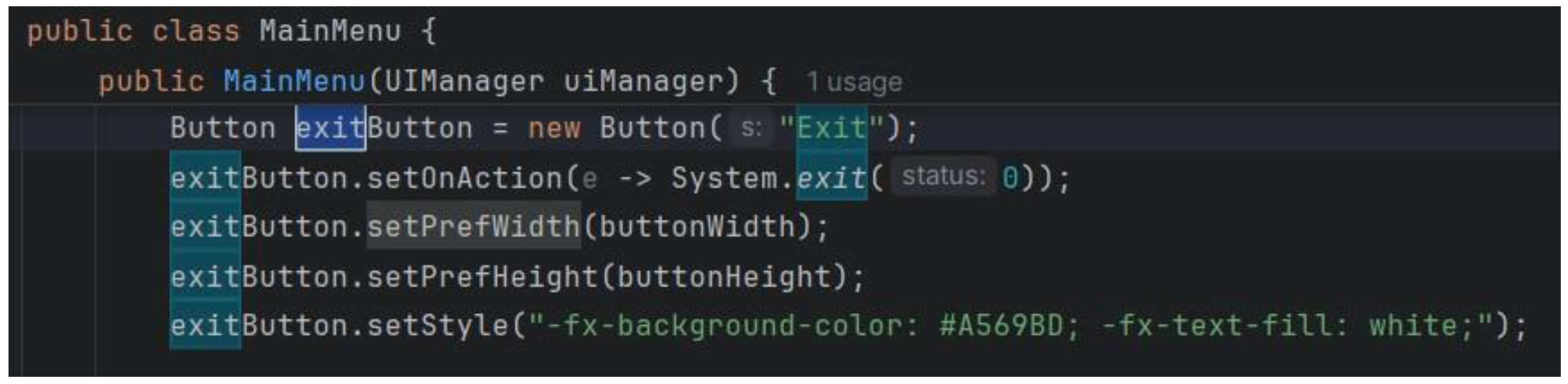
An example of this is the buttons. When the user clicks the button the method behind them (or we can say associated with them) is executed. For example here’s the method associated with the “Exit” button on the Main Menu page which exists the game:
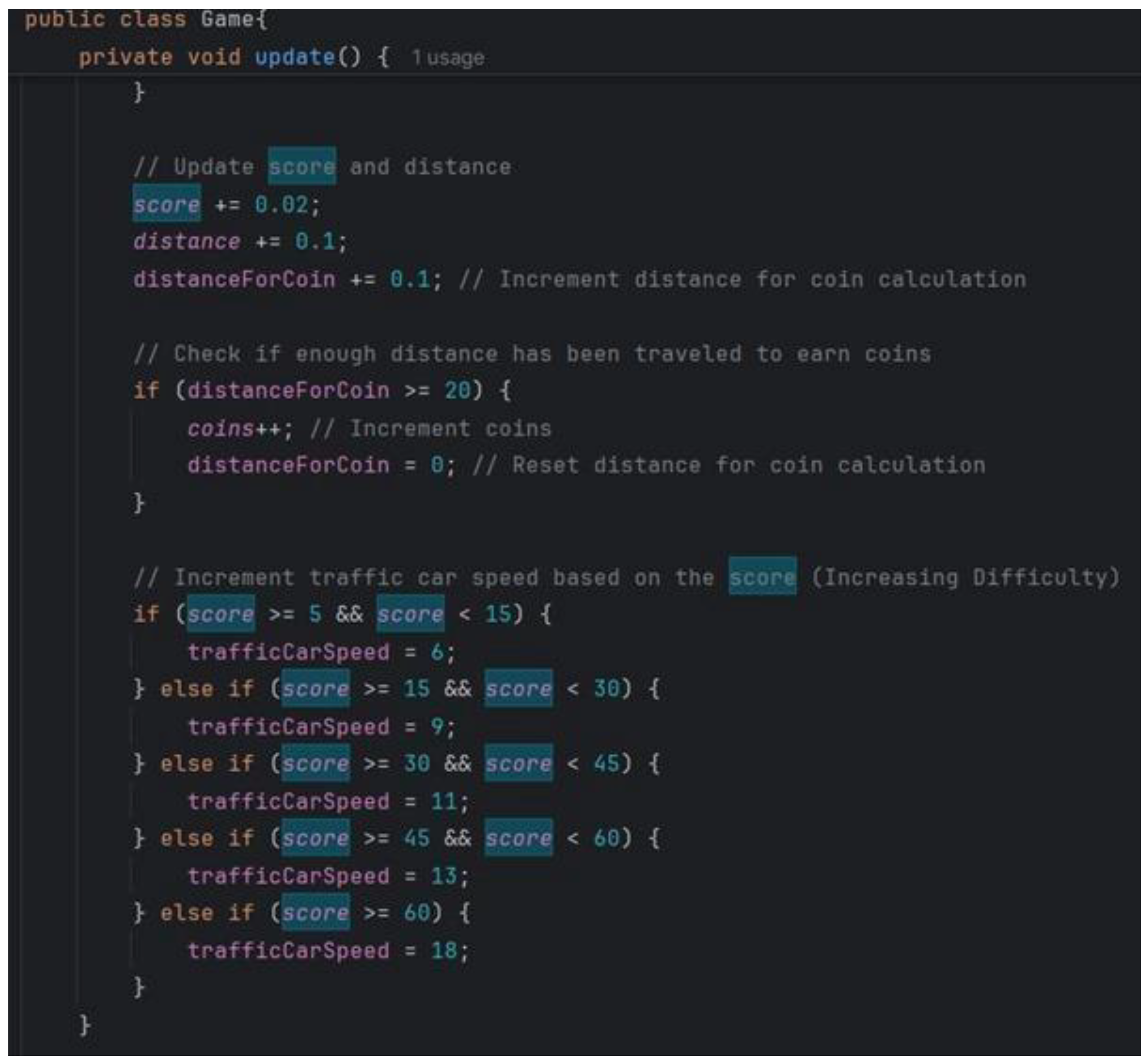
The game is paused when the “Pause” button is clicked and score updates as time passes. The following method increase the score as time passes and increase the game difficulty as score increases:
Figure 12.
PlayerCar movement code.
Figure 12.
PlayerCar movement code.
Figure 14.
The method increases the difficulty of the game as the score increases.
Figure 14.
The method increases the difficulty of the game as the score increases.
4.4. Game State Management
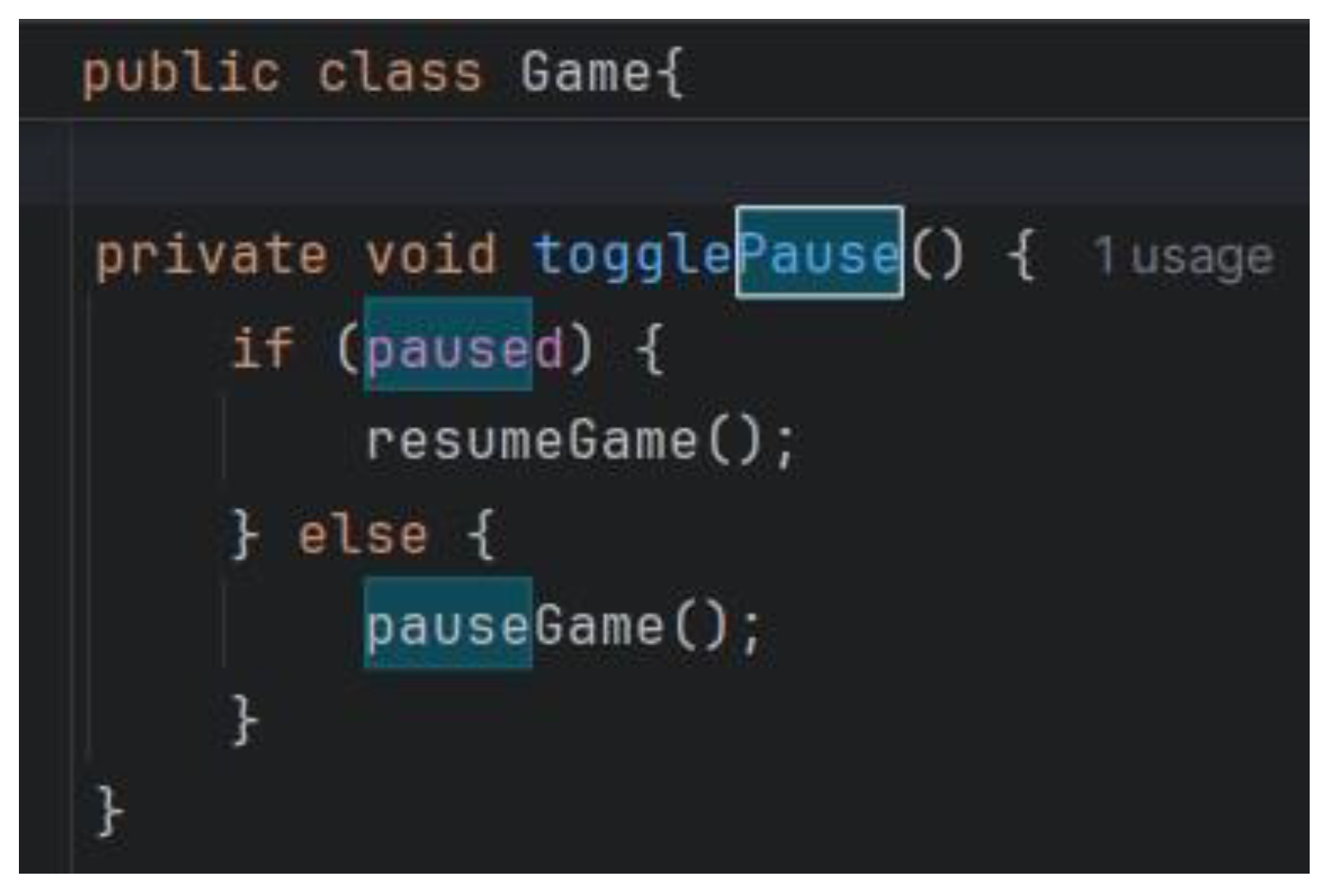
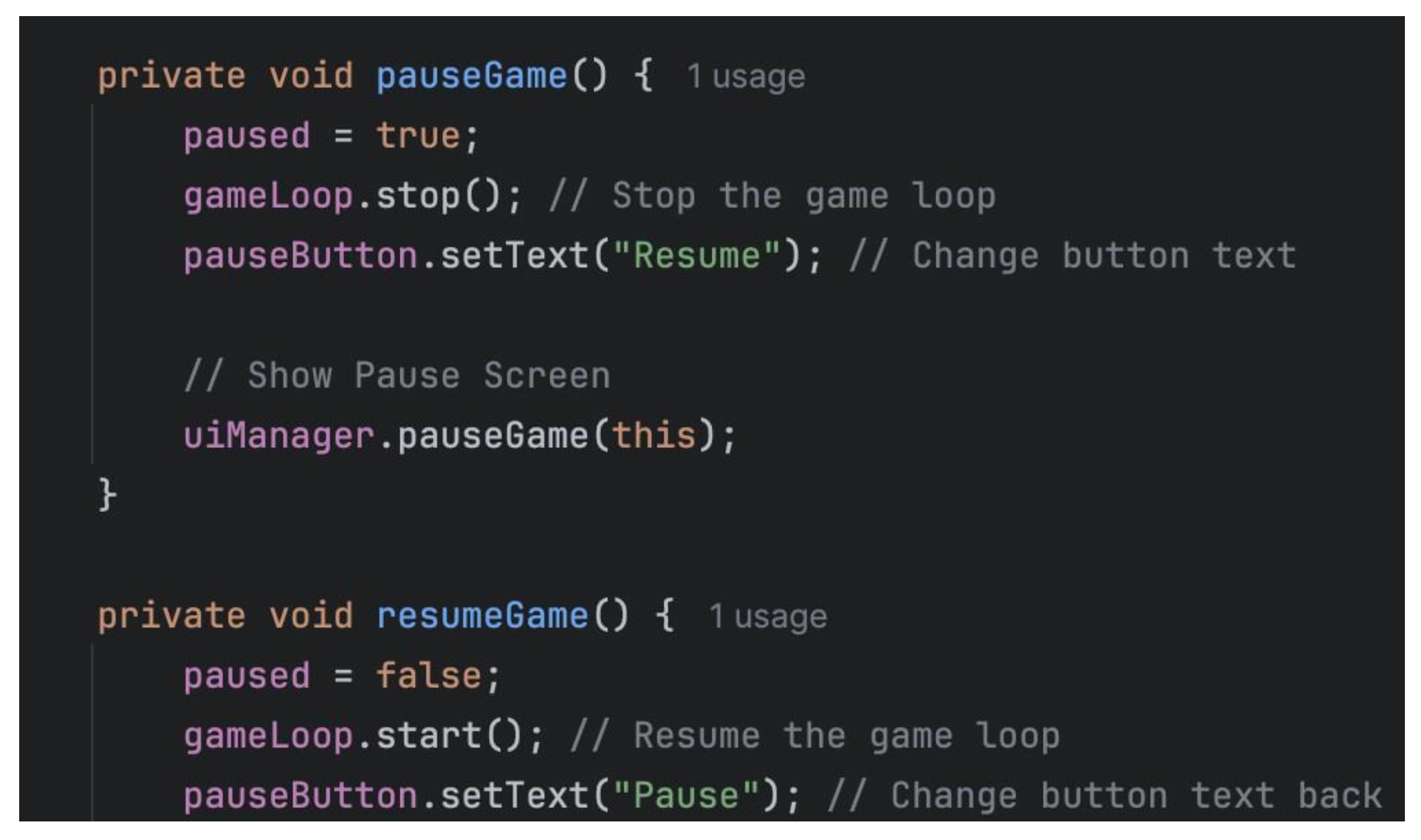
Pause/Resume: The game can be paused and resumed using the togglePause() method in the Game class.
End Game: On game over, the final score is saved and displayed, and the game loop is stopped.
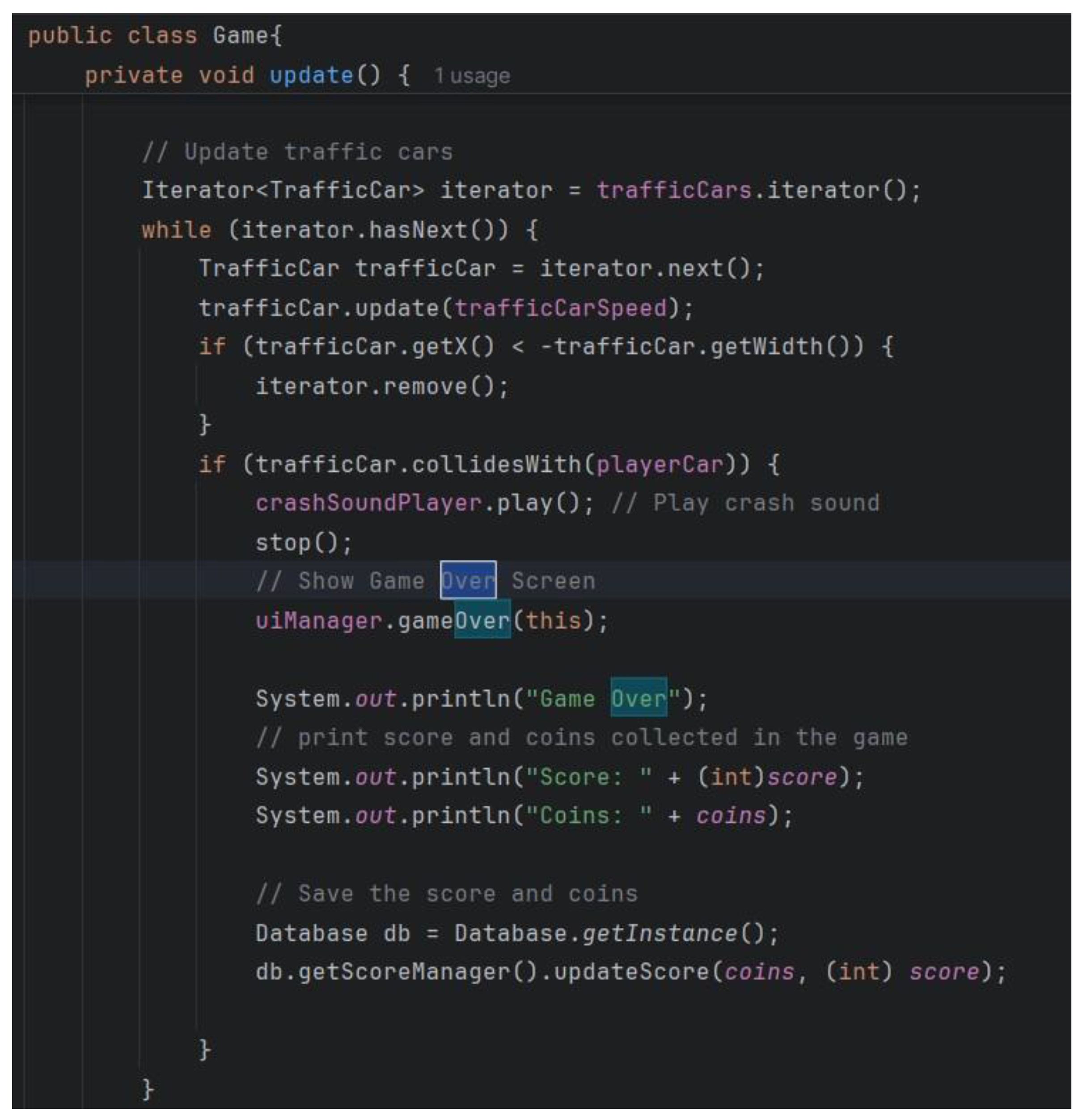
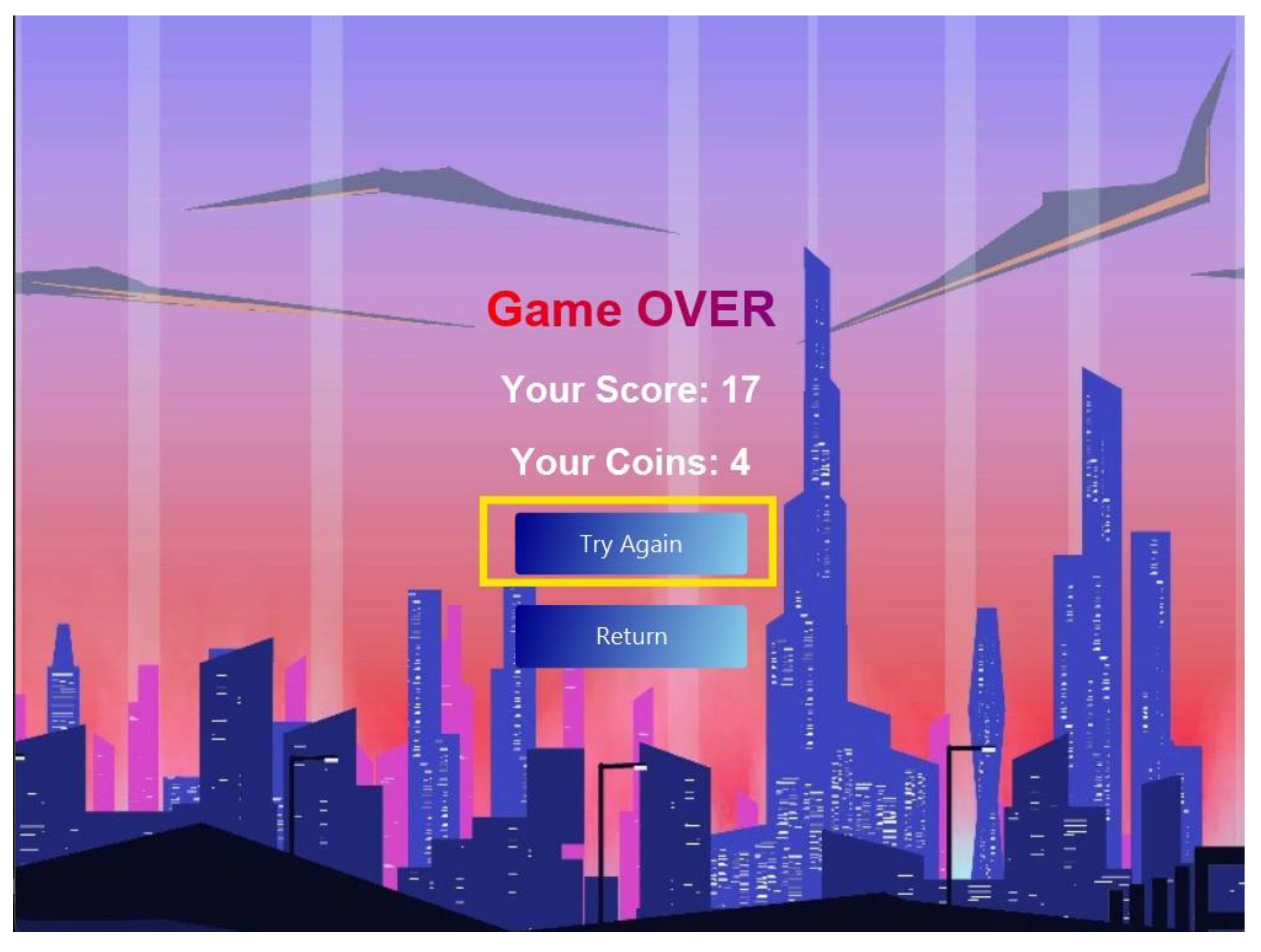
This method mentions the player’s final score and coins collected by the player during the game along with the “Game Over” message when the player collides with an obstacle (the Traffic Cars).
Figure 15.
togglePause () method.
Figure 15.
togglePause () method.
Figure 16.
update () method (Losing part).
Figure 16.
update () method (Losing part).
5. Saving System
5.1. Binary Data Files
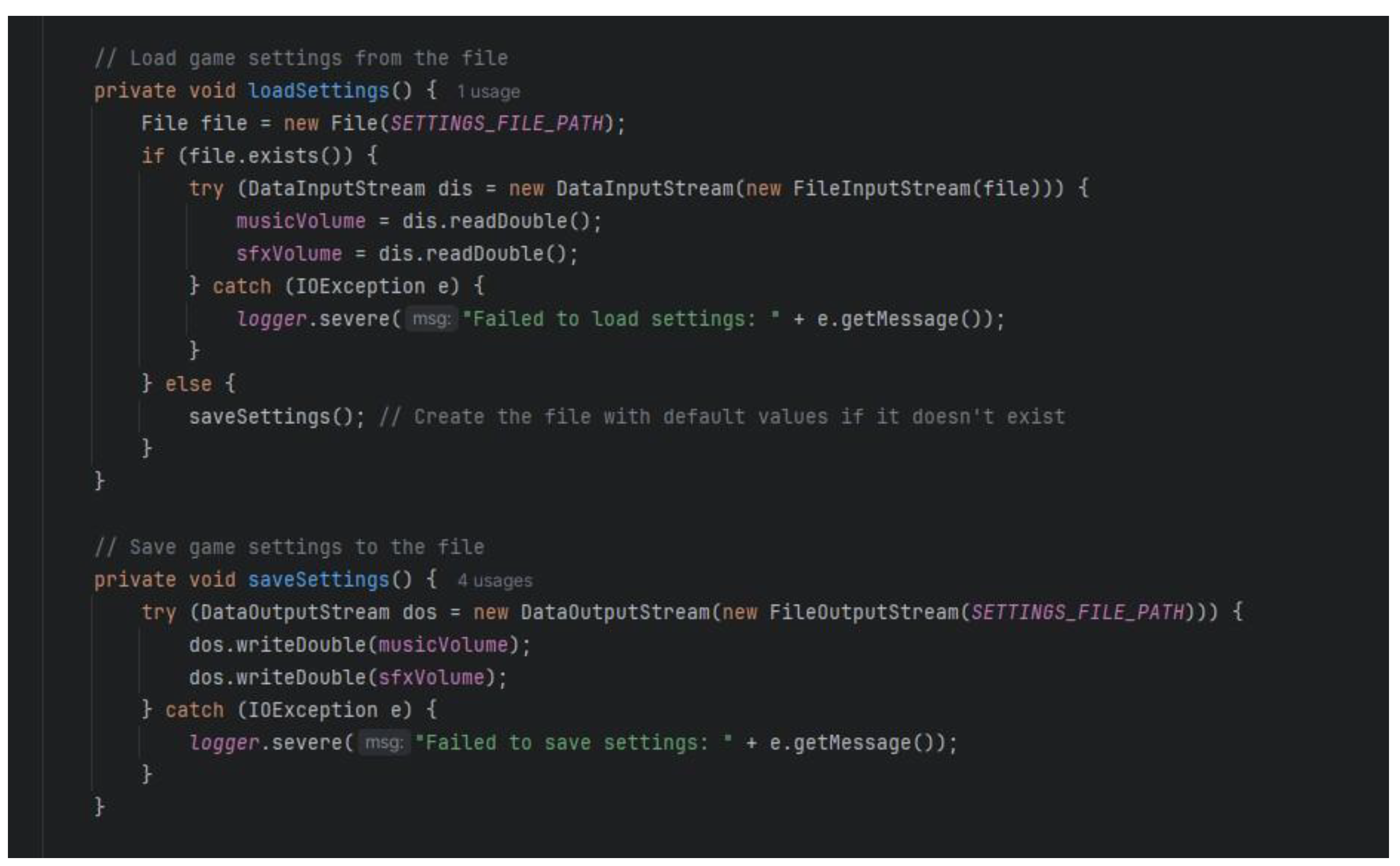
The class called “GameSettingsManager” is responsible for the settings of the game and those include the music and the sounds volume; to save and load this information a binary data file will be used such as “settings. dat”. The “loadSettings” method uses
“DataInputStream” to read the file “settings. dat”, if it exists, this method reads the double type musicVolume and sfxVolume, if not, this method is called “saveSettings” to create the file with default settings. The “saveSettings” method alters the string which comprises the “music Volume” and the “sfxVolume” fields in the settings. using, "DataOutputStream", we write the data into the "dat" file.
So, all three binary data files “settings.dat” for settings, “cars.dat” for car ownership, and “scores.dat” for scores use binary data files to store their respective data.
Figure 17.
The “load settings” method uses “Data Input Stream” to read the file.
Figure 17.
The “load settings” method uses “Data Input Stream” to read the file.
Figure 18.
GameSettingsManager” code responsible for the settings of the game.
Figure 18.
GameSettingsManager” code responsible for the settings of the game.
Figure 19.
Score Managmer() code to show screen the scores.
Figure 19.
Score Managmer() code to show screen the scores.
Figure 20.
CarManager () to show the cars.
Figure 20.
CarManager () to show the cars.
5.2. Owning Cars
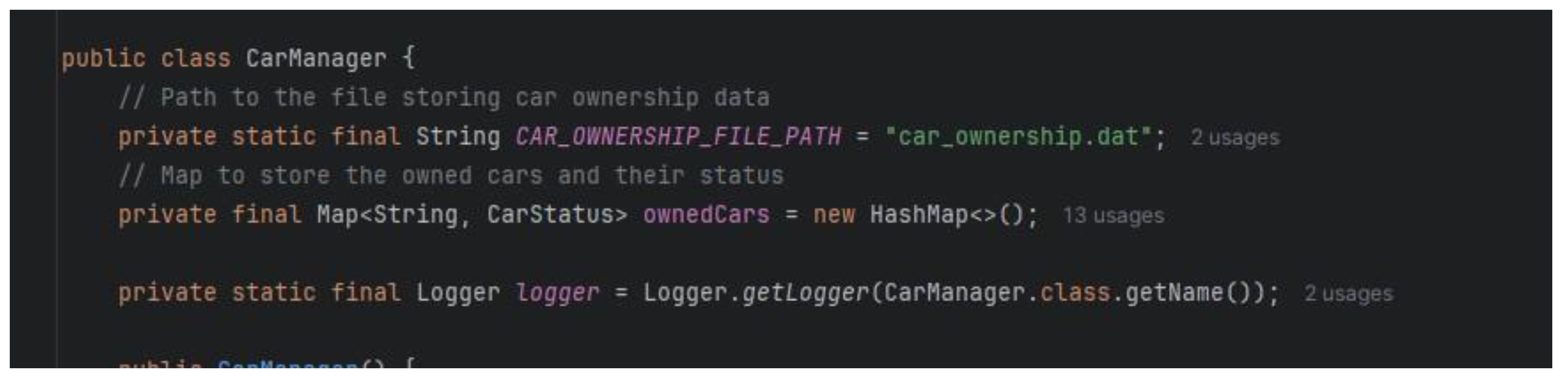
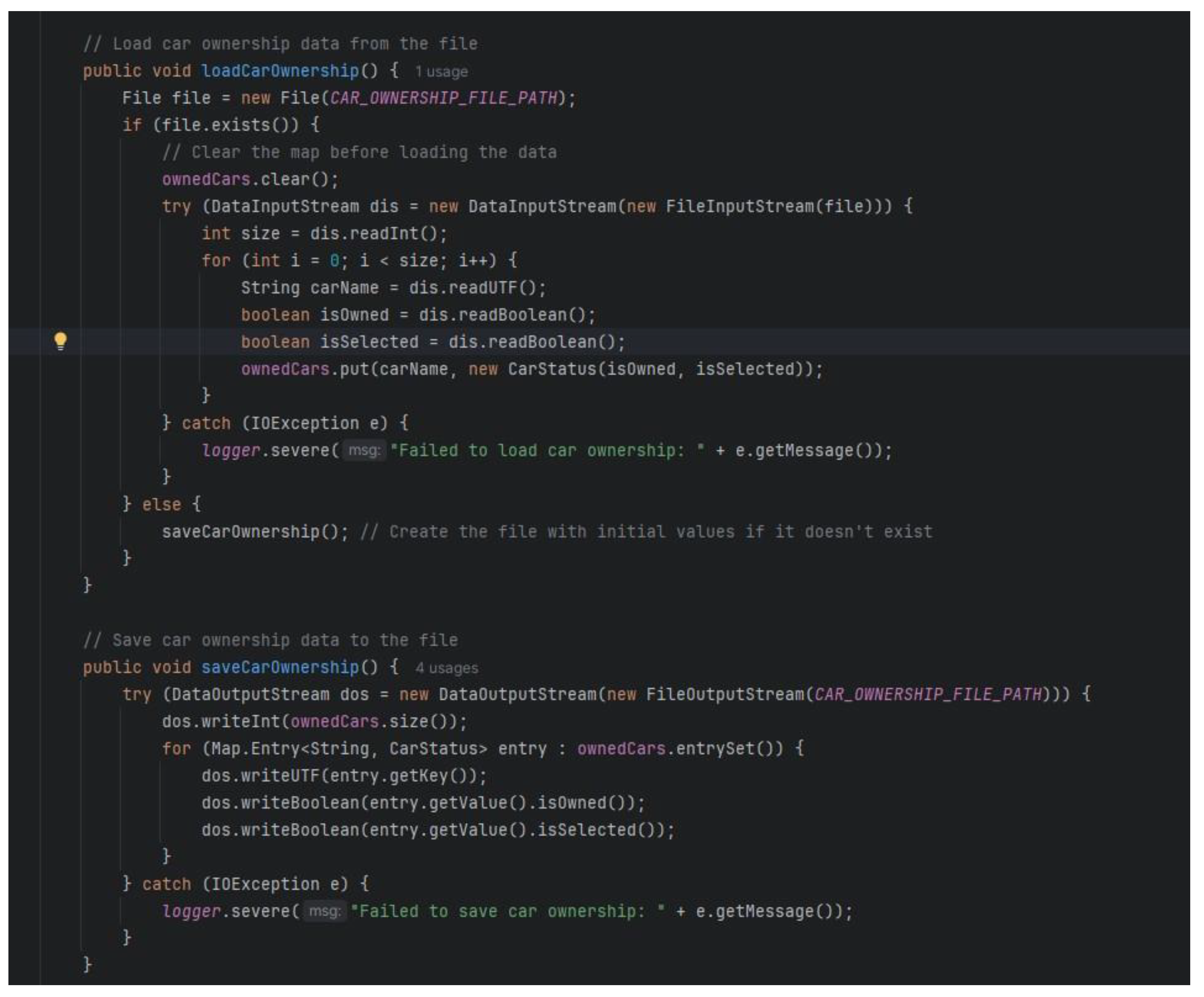
The "CarManager" class controls the cars that the player owns and saves the purchase state in the binary data file that is called the "cars. dat". In the "LoadCarOwnership" method, the ownership status is being read from the cars. boolean data, whether owning this car, from the opened "dat" file using the "DataInputStream". The "saveCarOwnership" method then updates a cars table with the ownership status. writing the record into a "dat" file using a "DataOutputStream".
Therefore the class “CarManager” handles the loading and saving the ownership status of cars.
Figure 21.
code to show the various the cars in-game.
Figure 21.
code to show the various the cars in-game.
5.3. Editing the Settings
Being the class responsible for loading, as well as saving the game settings, the
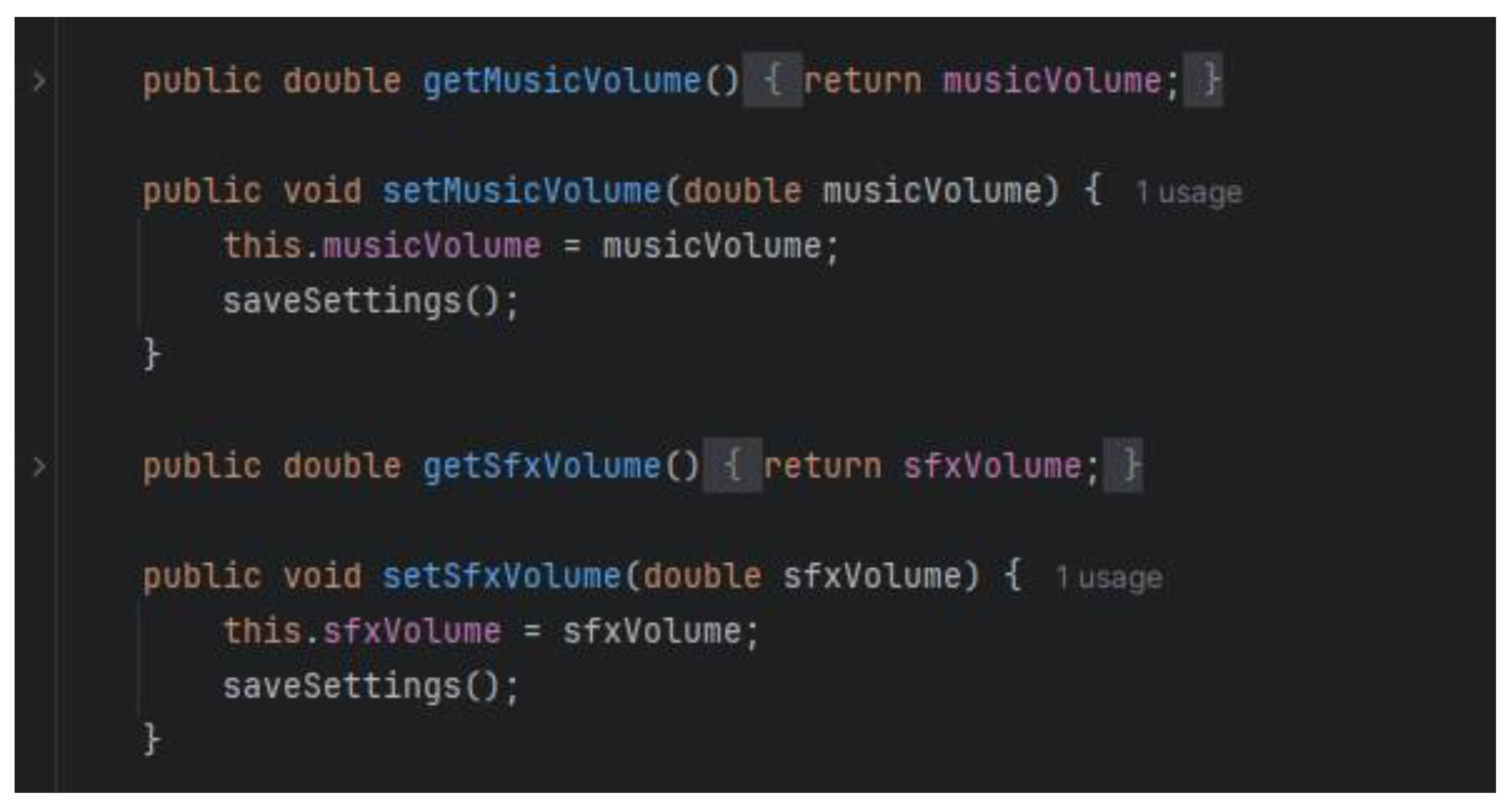
"GameSettingsManager" class also facilitates the modification of these settings. It contains procedures to get and set the volume of music and sound effects using "getMusicVolume", "setMusicVolume", "getSfxVolume" and "setSfxVolume". If a volume level is set using the "setMusicVolume" or "setSfxVolume", the "saveSettings" method writes volumes to the settings. This means that the ".dat" file kept in the computer is replaced by the new values of the calculated sum and quotient. This makes certain that when any settings adjustment is made, persistent changes are created and can be used in the next subsequent gaming session.
Hence the class “GameSettingsManager” allows the user to edit the music and sound effects volumes.
Figure 22.
code to set volumes of the music from the settings.
Figure 22.
code to set volumes of the music from the settings.
5.4. Saving Scoring
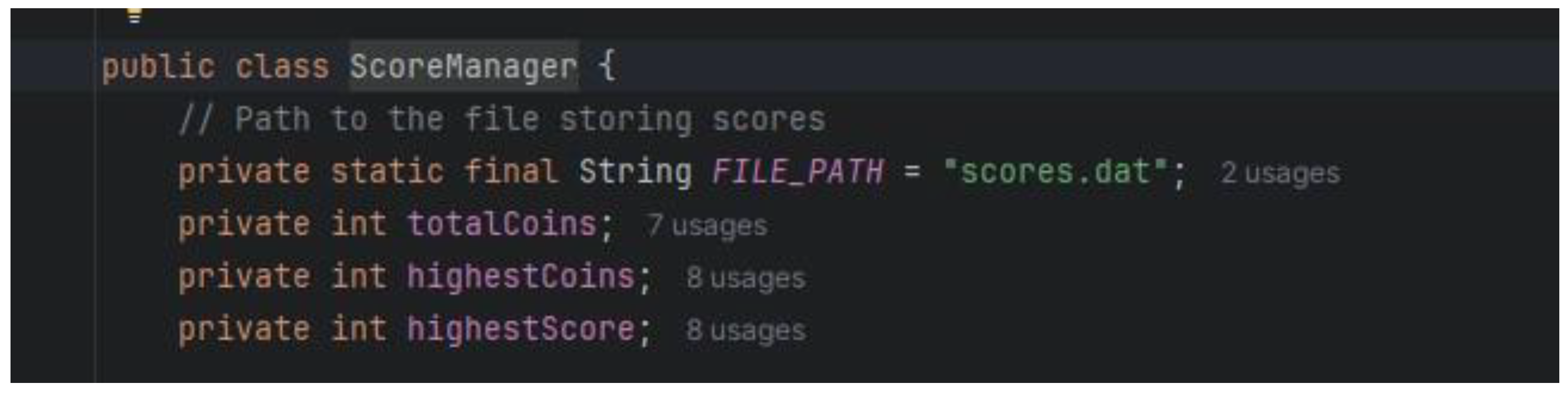
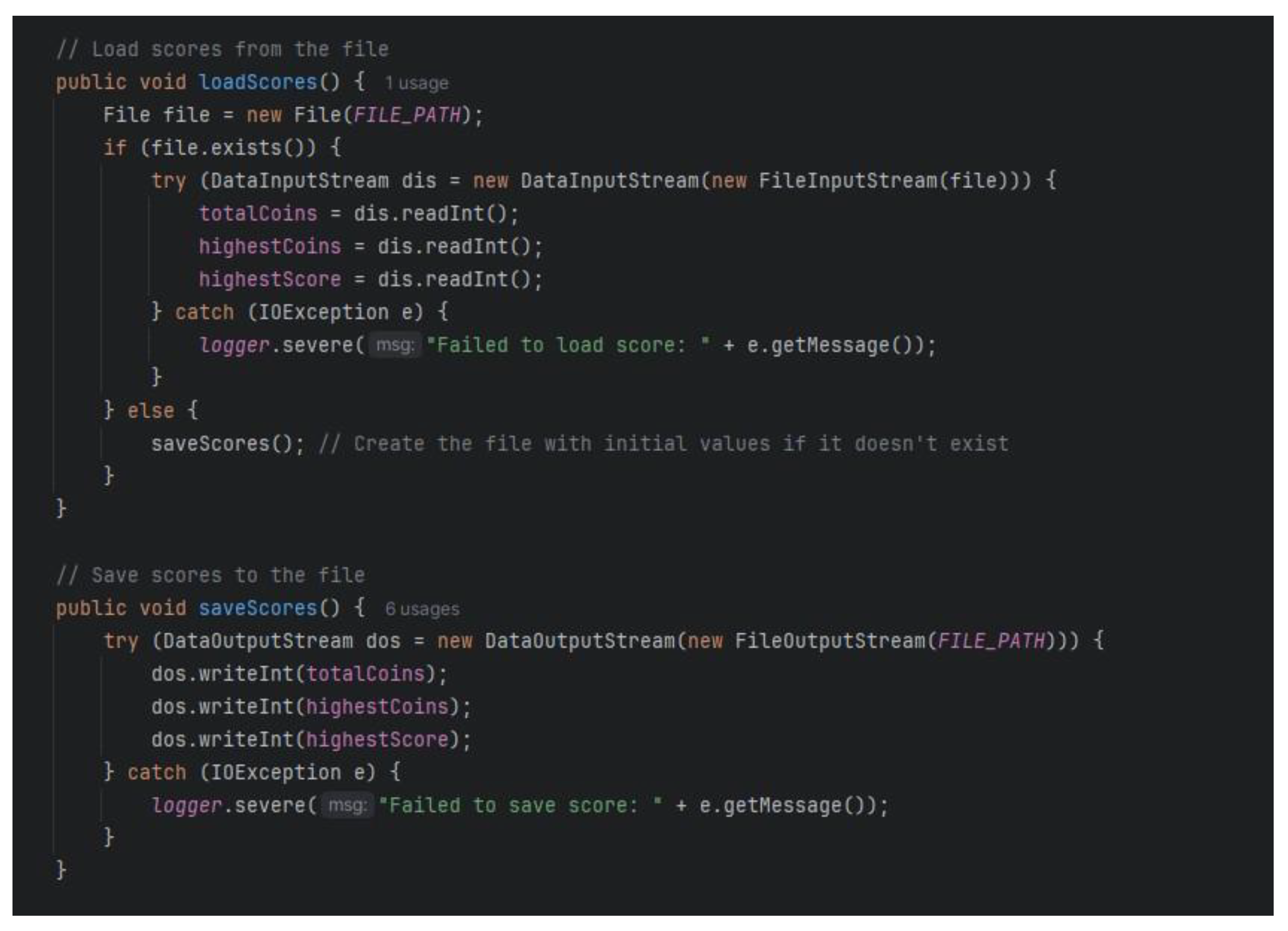
The “ScoreManager” class which controls and stores the player’s scores and coins and is saved into the binary data file “scores. dat”. The `loadScores` method reads the scores from the “scores. dat” file using `DataInputStream`, and stores integers for `totalCoins`, `highestCoins`, and `highestScore`. If this file does not exist, it will be created and it will contain initial values. The `saveScores` method writes the `totalCoins`, `highestCoins`, and `highestScore` to the “scores. dat” file using a `DataOutputStream` so that the player progress is saved appropriately. This process ensures that all the scores related information is well recorded and easily accessible as the gaming proceeds from one session to another.
Hence the “ScoreManager” class manages loading, saving, and updating the player's scores and coins.
Figure 23.
class to manages loading, saving, and updating the player's scores and coins.
Figure 23.
class to manages loading, saving, and updating the player's scores and coins.
6. Object-Oriented Programming Concepts
6.1. Encapsulation
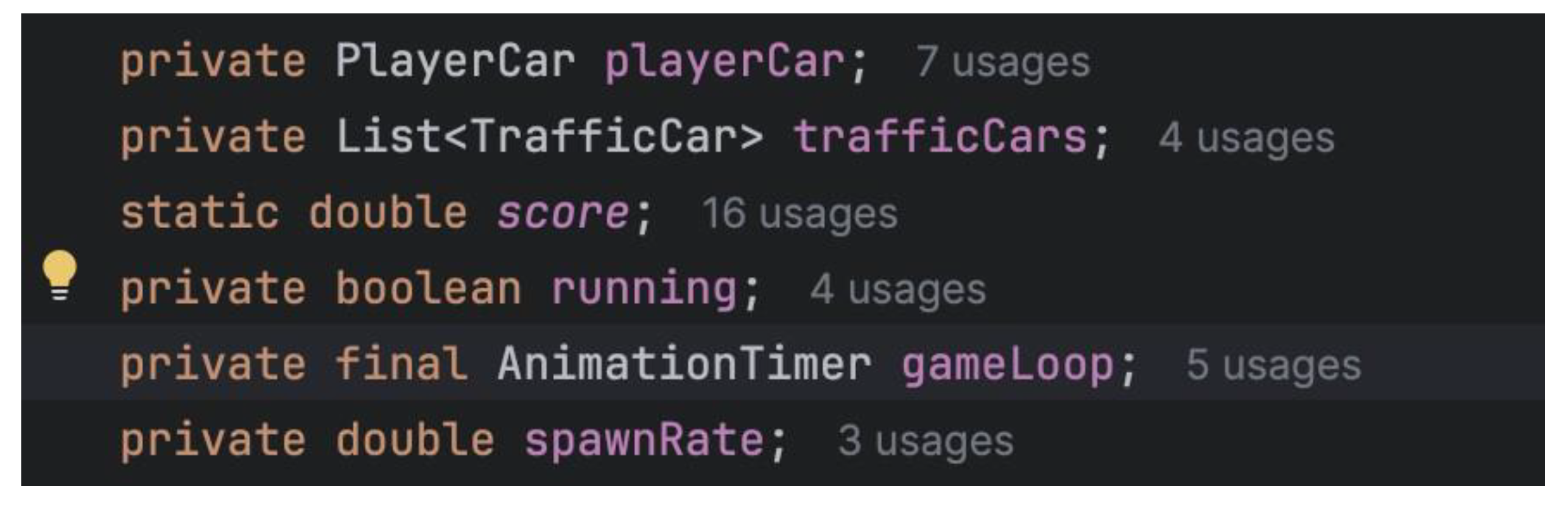
Implementation: The Game class encapsulates game logic, rendering, and state management. It provides public methods for starting, pausing, and stopping the game while keeping internal details private.
The game class encapsulates most variables and methods as private, so they are not directly accessible from outside classes.
The game class also encapsulates the various states that will be applied in gameplay such as start, pause and stop.
Furthermore, the game also encapsulates the rendering of graphic elements: storing files, loading them and ‘drawing’ them on the canvas.
Figure 24.
Private variables declared in the Game Class.
Figure 24.
Private variables declared in the Game Class.
Figure 25.
states in the Game class.
Figure 25.
states in the Game class.
Figure 26.
loading image files for the GUI.
Figure 26.
loading image files for the GUI.
Figure 27.
Rendering the images in the GUI.
Figure 27.
Rendering the images in the GUI.
6.2. Inheritance and Polymorphism
Usage: Although the Game class does not use inheritance or polymorphism directly, the project structure allows for easy extension. For example, new types of cars or game elements can be introduced by extending base classes.
- -
A subclass of car is the playercar. It takes over all of the car's accessible attributes and functions and has the ability to add new ones or modify current ones as needed.
Figure 28.
Inheritance in PlayerCar Class.
Figure 28.
Inheritance in PlayerCar Class.
- -
This extends the class Car by declaring a new class called TrafficCar. By extending Car, TrafficCar is able to define its own fields and methods in addition to inheriting all of Car's fields and methods.
6.3. Composition
This Game class supports composition through its collection of components that work closely to provide a very functional and engaging gaming experience. The two primary entities included in the game are PlayerCar and TrafficCar. They interact within the game, whereas TrafficCar acts as an enemy car that randomly spawns into the game at any point to challenge the player's driving skills. The Game class encapsulates these traffic cars, ensuring that they work according to the game's mechanics. The Game class also holds the UIManager, which is responsible for handling the user interface. It makes calls to the UI Manager from the ViewFactory to deploy methods to manage the various views of the menus, game settings, and in-game UI elements. All of this is done while ensuring an effortless interaction between the game and the player experience.
Another point of concern for composition in the Game class is the use of Canvas and GraphicsContext. The important element for rendering game components and graphical components of the GUI display is the Canvas. The GraphicsContext is for rendering and animating images and creating a graphical experience for the players.
The Game class comprises several other elements besides the stated resource loading and initialization. The first thing the game does is load images and sounds into its memory, where all are prepared before the start of the game. It comprises downloading vital parts of the game like skies, clouds, buildings, fences, player car, traffic cars, and UI like scores. Once the media is initialized, background music accompanies the game and adds to the overall ambience of the game.
During bootstrapping, all types of UI components like the Main Menu, Settings Menu, Shop Menu, and Game Over screen are constructed and added to the game scene. These hold together all possible seamless pathways and interactions through which a player can find their way. At this point, the PlayerCar and TrafficCar are also initialized before they actually interact in the game.
The game proceeds via a game loop run through the AnimationTimer to which the update() and render() methods are called every frame. This activity would offer the smooth gaming experience for a user. Game logic is updated based on intervals with respect to elapsed time and user input, letting the user play in real-time. Traffic cars are created and evolve dynamically in time, creating more and more difficult stages of gameplay for the player. Also, the distances and scores are updated simultaneously with the said attributes based on the player's achievements in the entire session.
User interaction is what defines the working of this game. PlayerCar takes control of user input and performs actions with it to manipulate the car's movements for decisions made by the player. The game can be paused or come into contact with some obstacles, and the state changes mostly depend on these conditions. The game loop and background music continue until the player resumes the game from the pause. Such end conditions are satisfied by collisions of the PlayerCar object with any other TrafficCar object. The collidesWith() method detects such conditions leading to Game Over with the final score and distance traveled to be displayed afterwards. This score will be recorded for future reference, thus keeping track of progress made on sessions played. At the end of it all, the game loop will be stopped and resources cleaned up in preparation for starting again with the game.
Via composition, the Game class is capable of assembling together diverse components that have all been structured for the provision of an interesting gameplay experience. This, combined with game objects, interface production, rendering facilities, and interaction components, amply portrays a game development well organized.
7. Testing
7.1. Testing Cases for Game buttons
7.1.1. Testing whether the “Start Game” button works
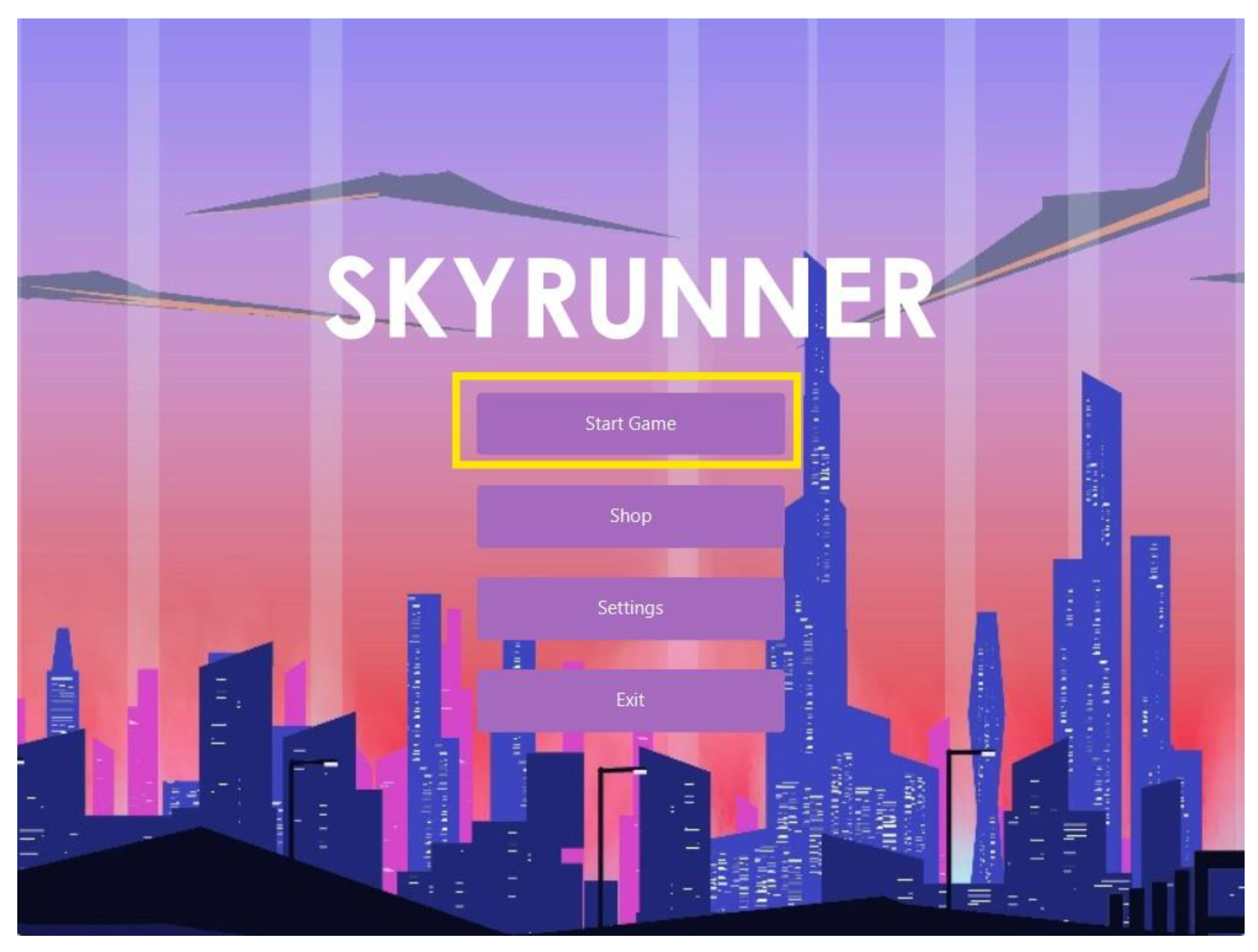
We are going to test whether the “Start Game” button on the Main Menu screen works as intended. To do so, we will go to the Main Menu screen and click on the “Start Game” button.
Figure 29.
The “Start Game” button on the Main Menu screen.
Figure 29.
The “Start Game” button on the Main Menu screen.
Figure 30.
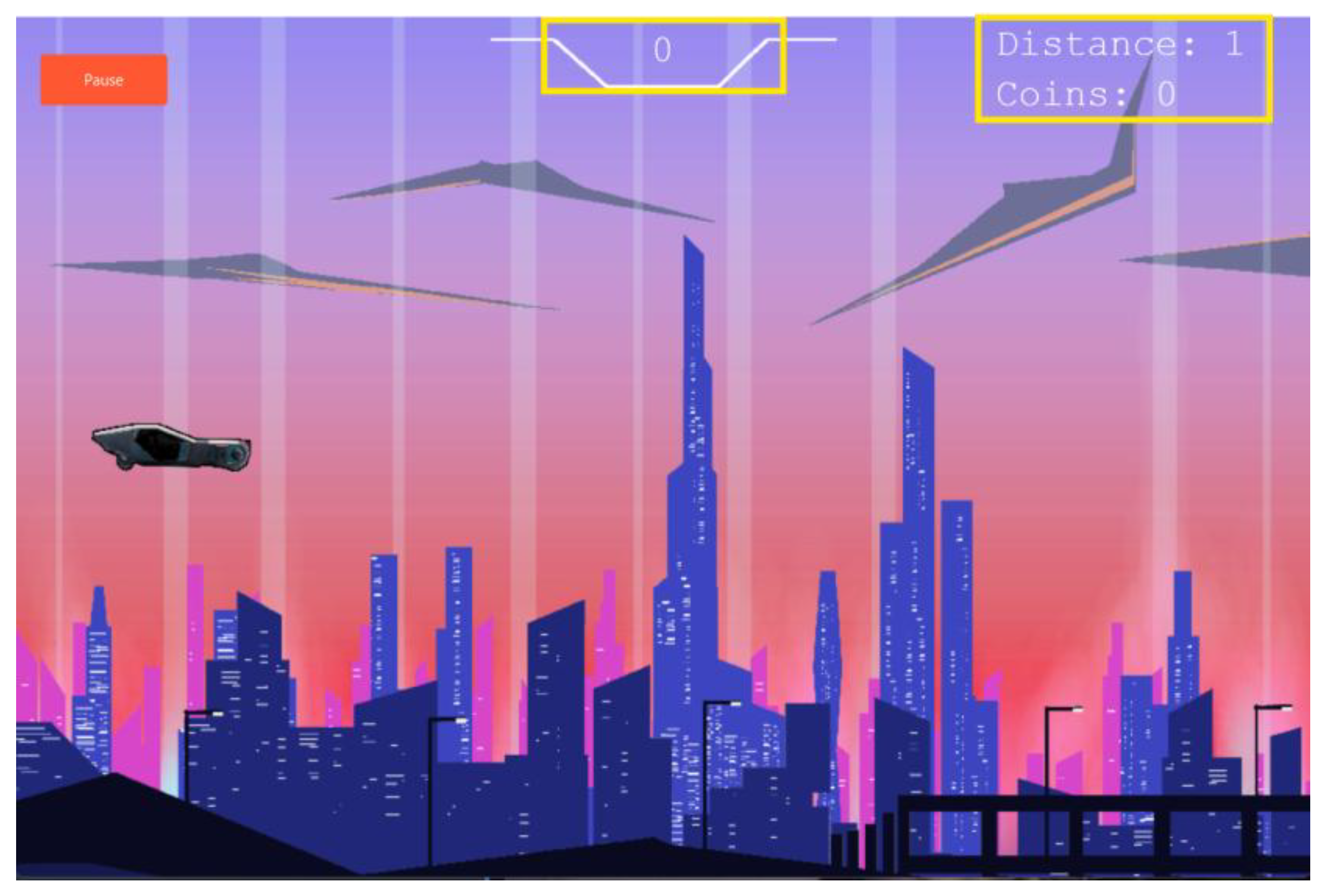
This is what we get, the Gameplay screen, when we clicked that “Start Game” button on the Main Menu screen opened. Therefore we can say that the “Start Game” button works.
Figure 30.
This is what we get, the Gameplay screen, when we clicked that “Start Game” button on the Main Menu screen opened. Therefore we can say that the “Start Game” button works.
7.1.2. “Pause” button works
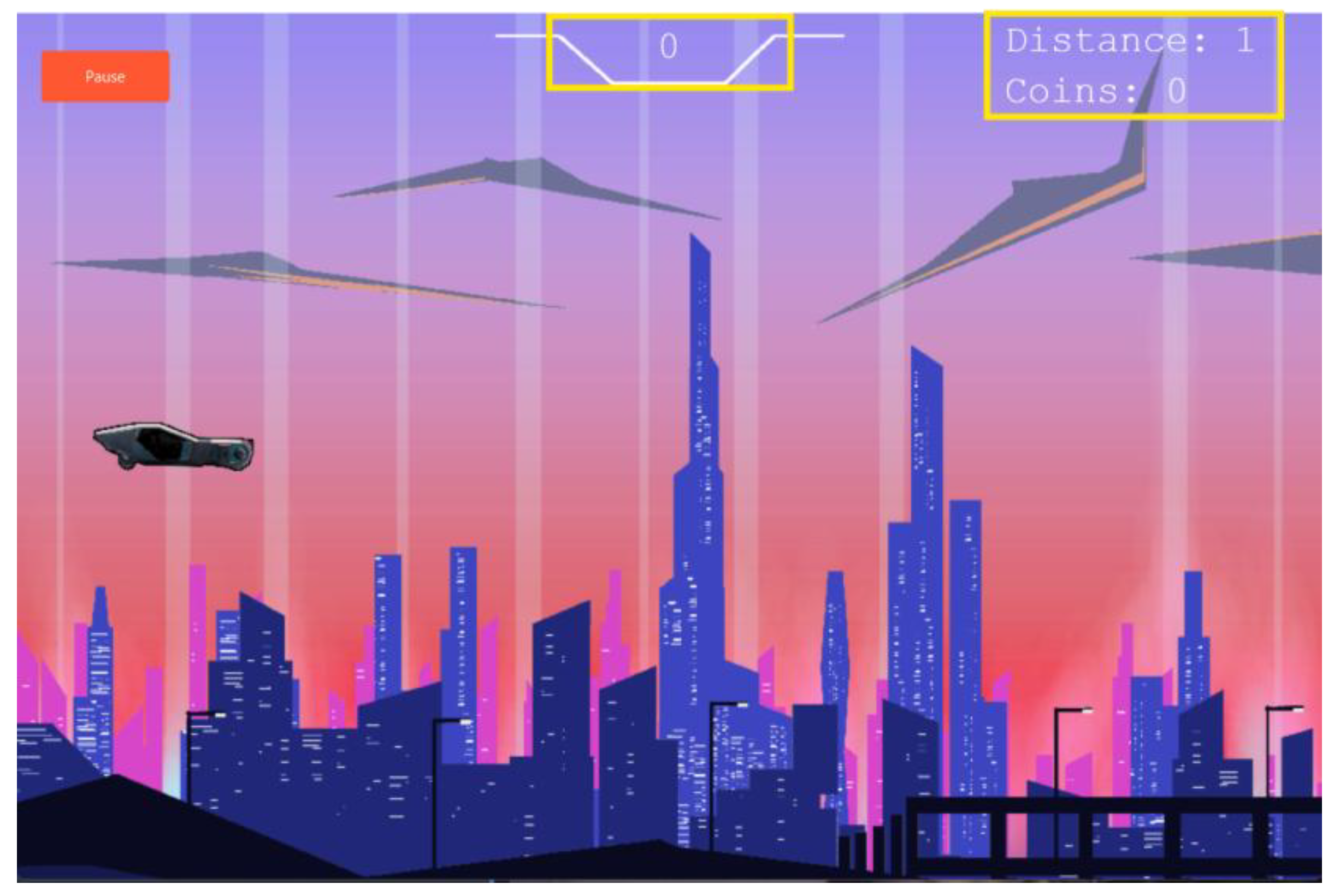
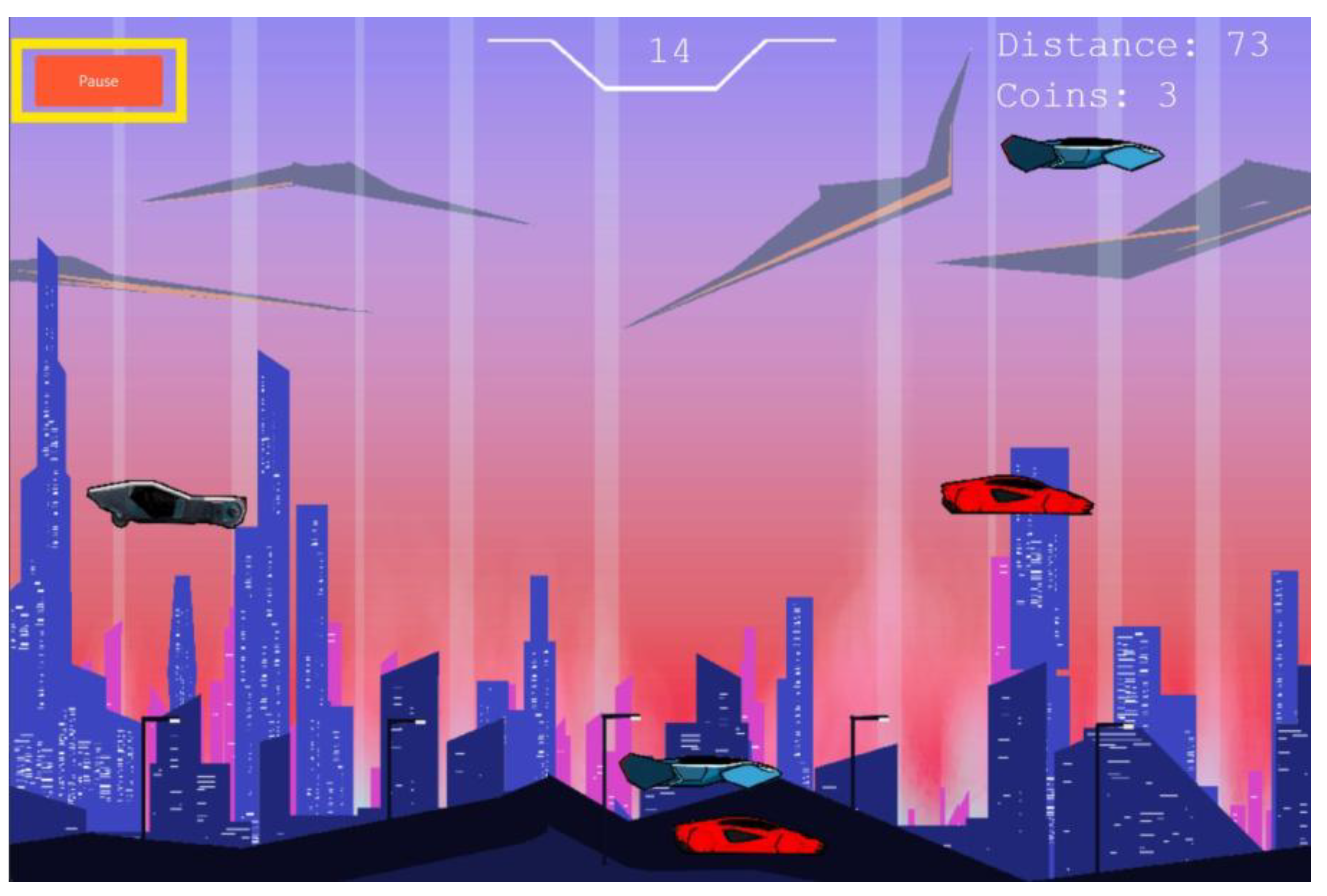
We will now check whether the “Pause” button on the Gameplay screen works or not. We will go to the Gameplay screen and there we can see the “Pause” button.
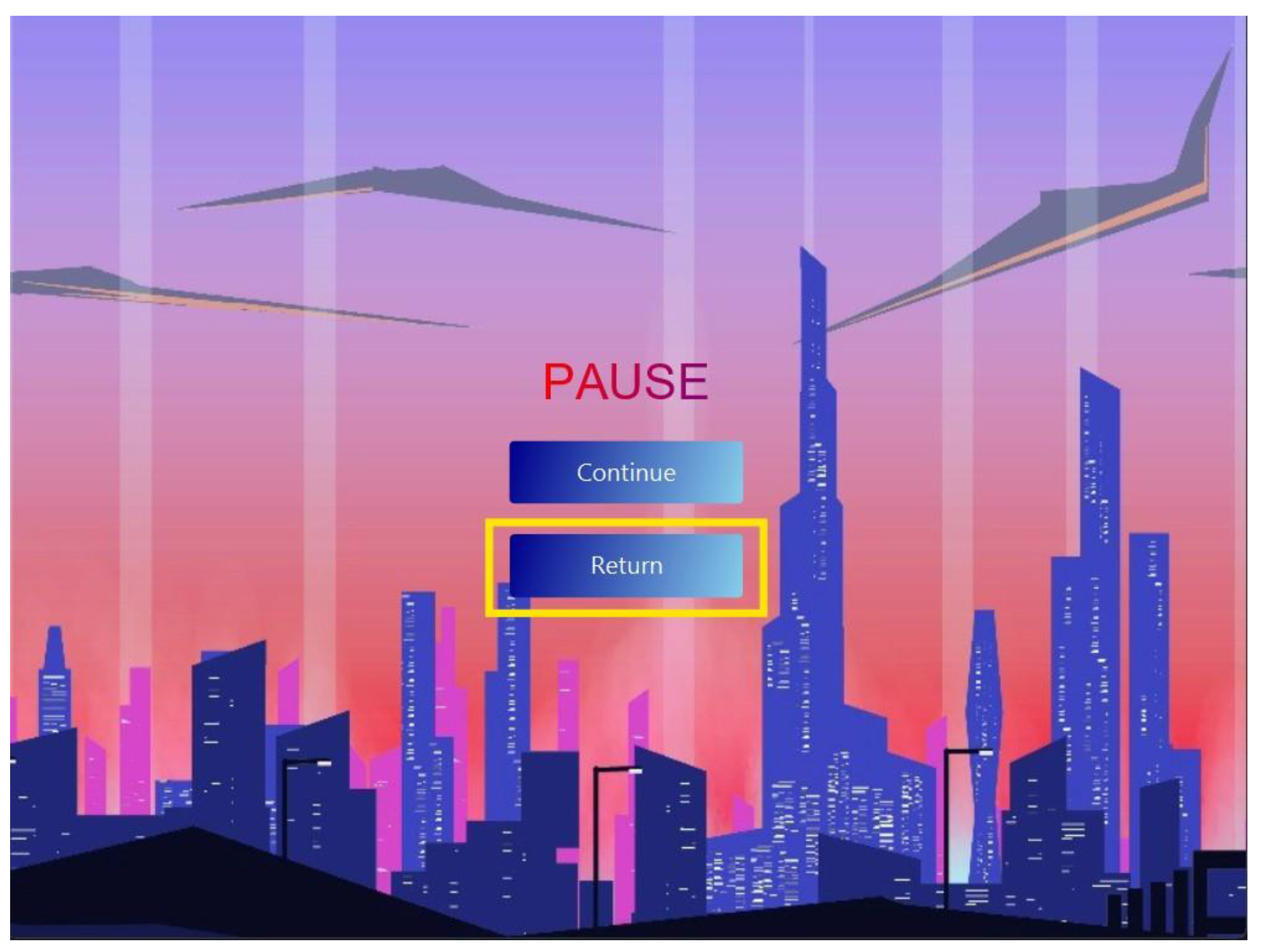
We will now click on the “Pause” button and when we do it we see the game is paused and the Pause Game screen appears:
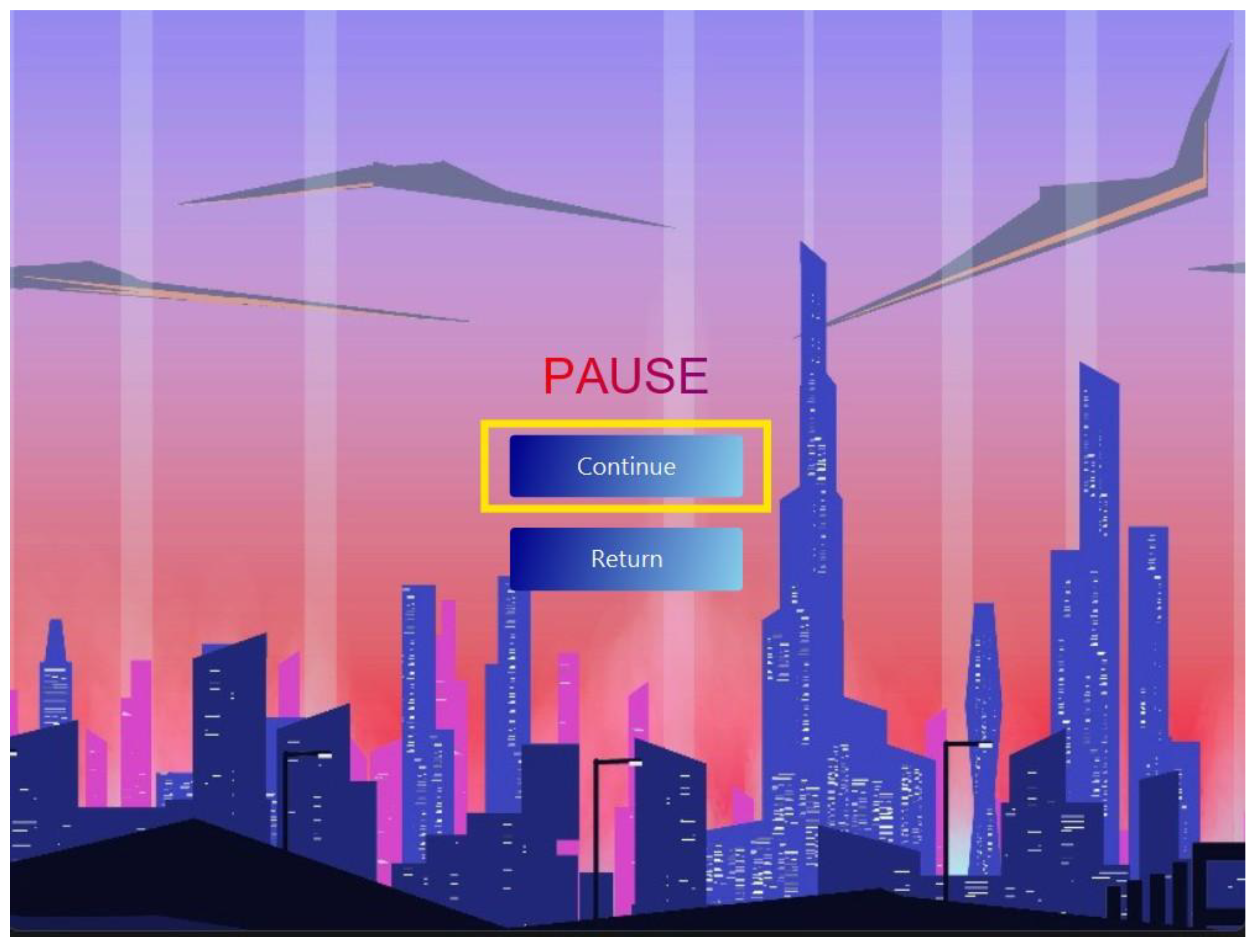
Therefore we can now say that the “Pause” button feature also works as intended. However now you might have noticed that the Pause screen which we got as a result of this button contains 2 buttons: “Continue” and “Return”. We will now check whether both of these buttons work as intended or not.
Figure 31.
The “Pause” button on the Gameplay screen.
Figure 31.
The “Pause” button on the Gameplay screen.
Figure 32.
The Pause Screen.
Figure 32.
The Pause Screen.
7.1.3. “Continue” and “Resume” button
We will now click on the “Continue” button on the Pause screen and see what happens.
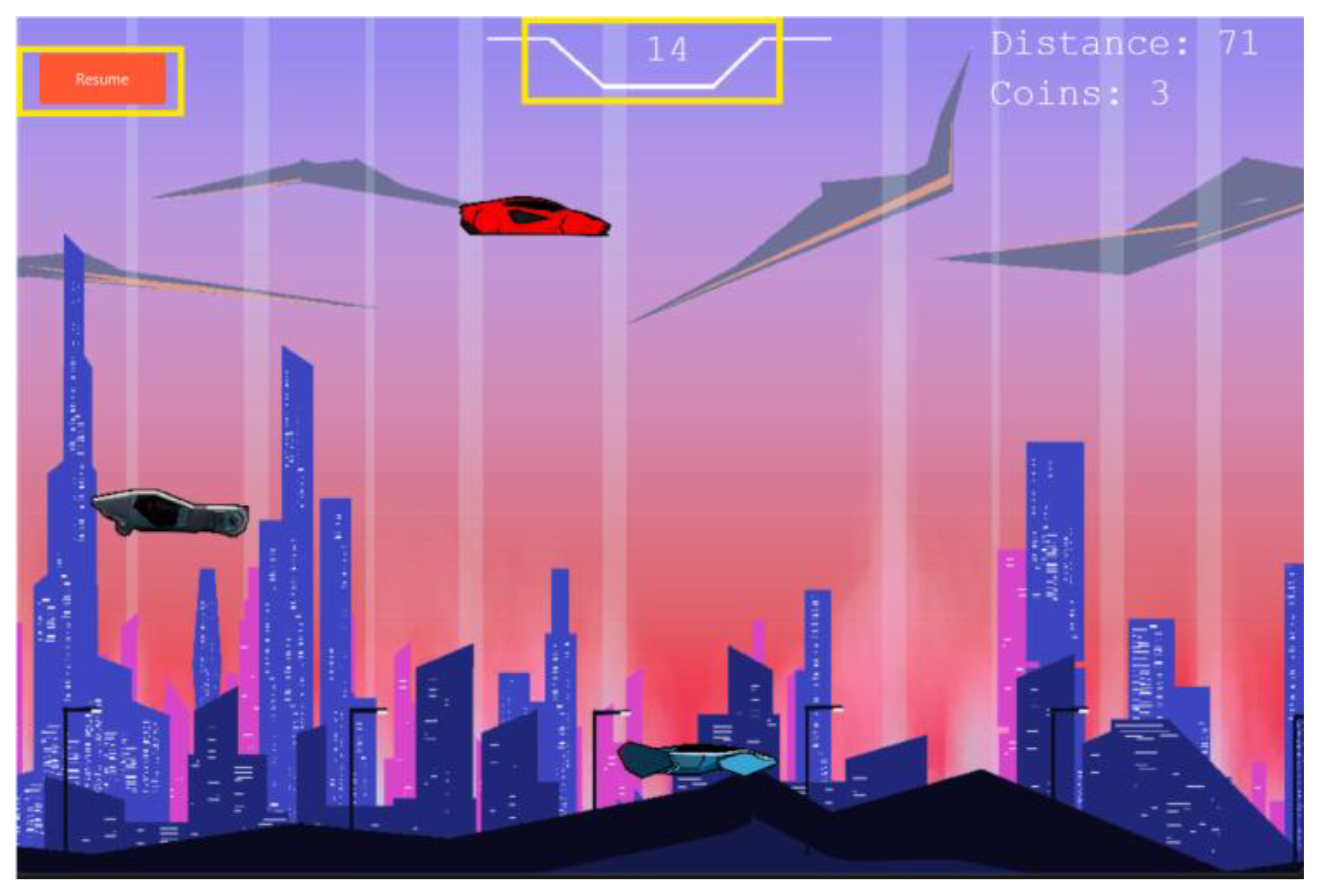
We return to the gameplay screen when we click on the “Continue” button on the Pause screen. However, this time we will see the game is paused, and the “Resume” button is where the “Pause” button is.. When we click on the “Resume” button the game resumes. The score, distance, and coins also continue from where it was when the player paused the game. Therefore, we now know that the “Continue” button also functions as intended.
Figure 33.
(repeated): The “Continue” and “Return” buttons on the Pause Screen.
Figure 33.
(repeated): The “Continue” and “Return” buttons on the Pause Screen.
Figure 34.
The Gameplay screen shows up when you click on the “Continue” button on the Pause screen. Notice the “Resume” button where the “Pause” button was.
Figure 34.
The Gameplay screen shows up when you click on the “Continue” button on the Pause screen. Notice the “Resume” button where the “Pause” button was.
7.1.4. The “Return” button on the Pause Screen works
Now we will test whether the other button, “Return” works as intended.
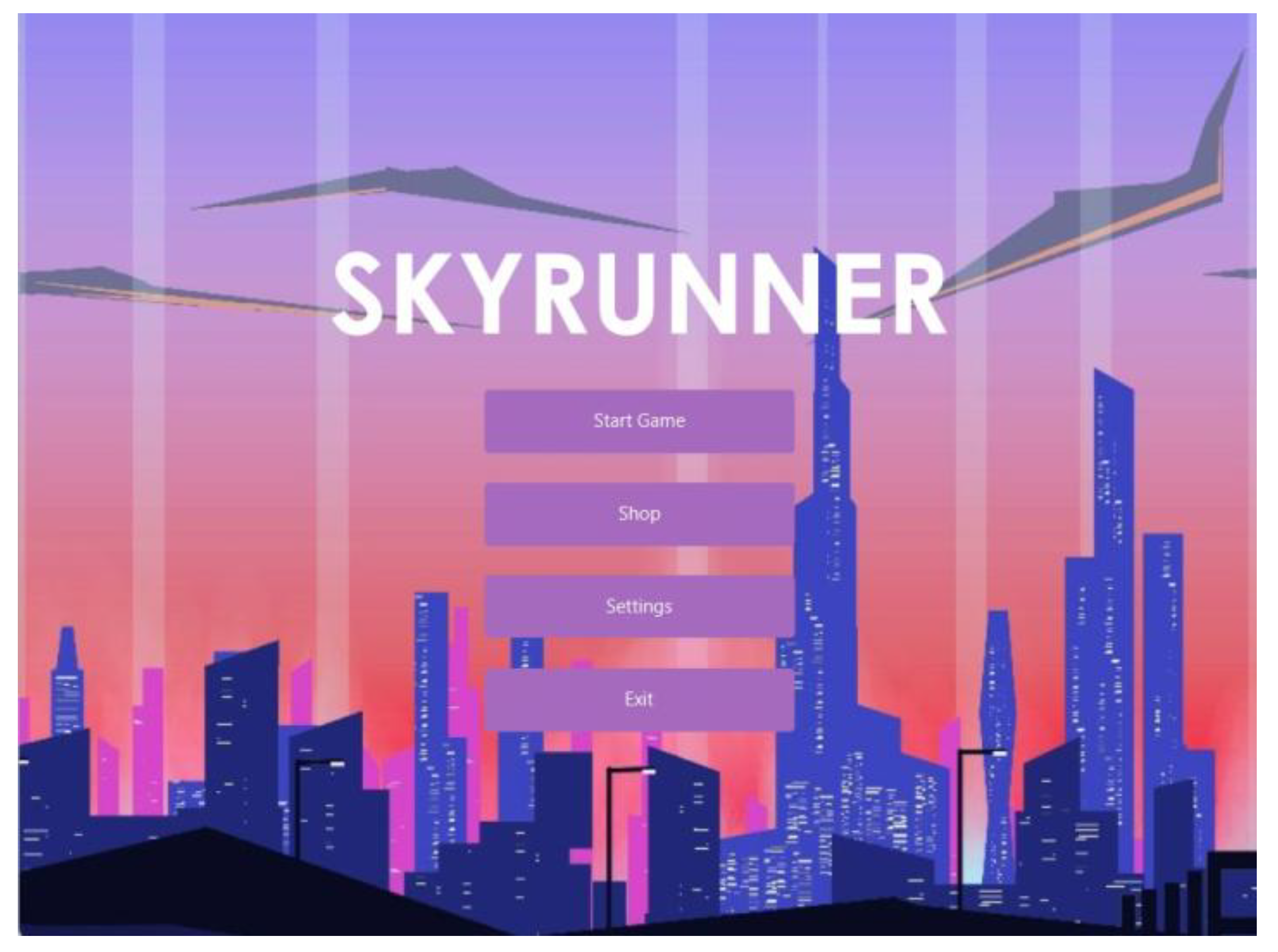
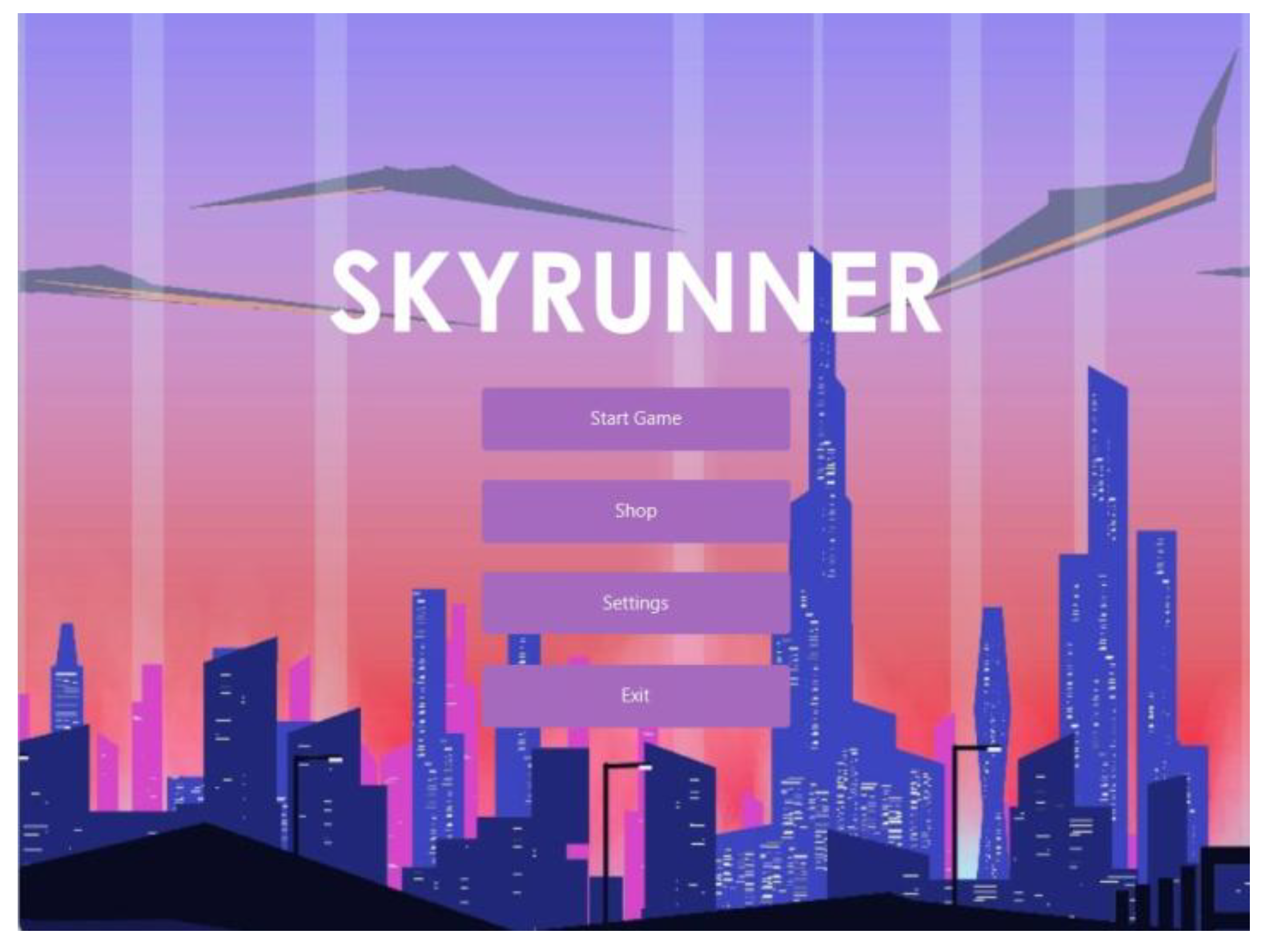
We will click on the “Return” button and when we do it we will see it takes us back to the Main Menu screen as intended:
Figure 35.
: The “Continue” and “Return” buttons on the Pause Screen. This time the “Return” button is the one being highlighted.
Figure 35.
: The “Continue” and “Return” buttons on the Pause Screen. This time the “Return” button is the one being highlighted.
Figure 36.
The Main Menu screen which we got as a result of pressing the “Return” button on the Pause screen.
Figure 36.
The Main Menu screen which we got as a result of pressing the “Return” button on the Pause screen.
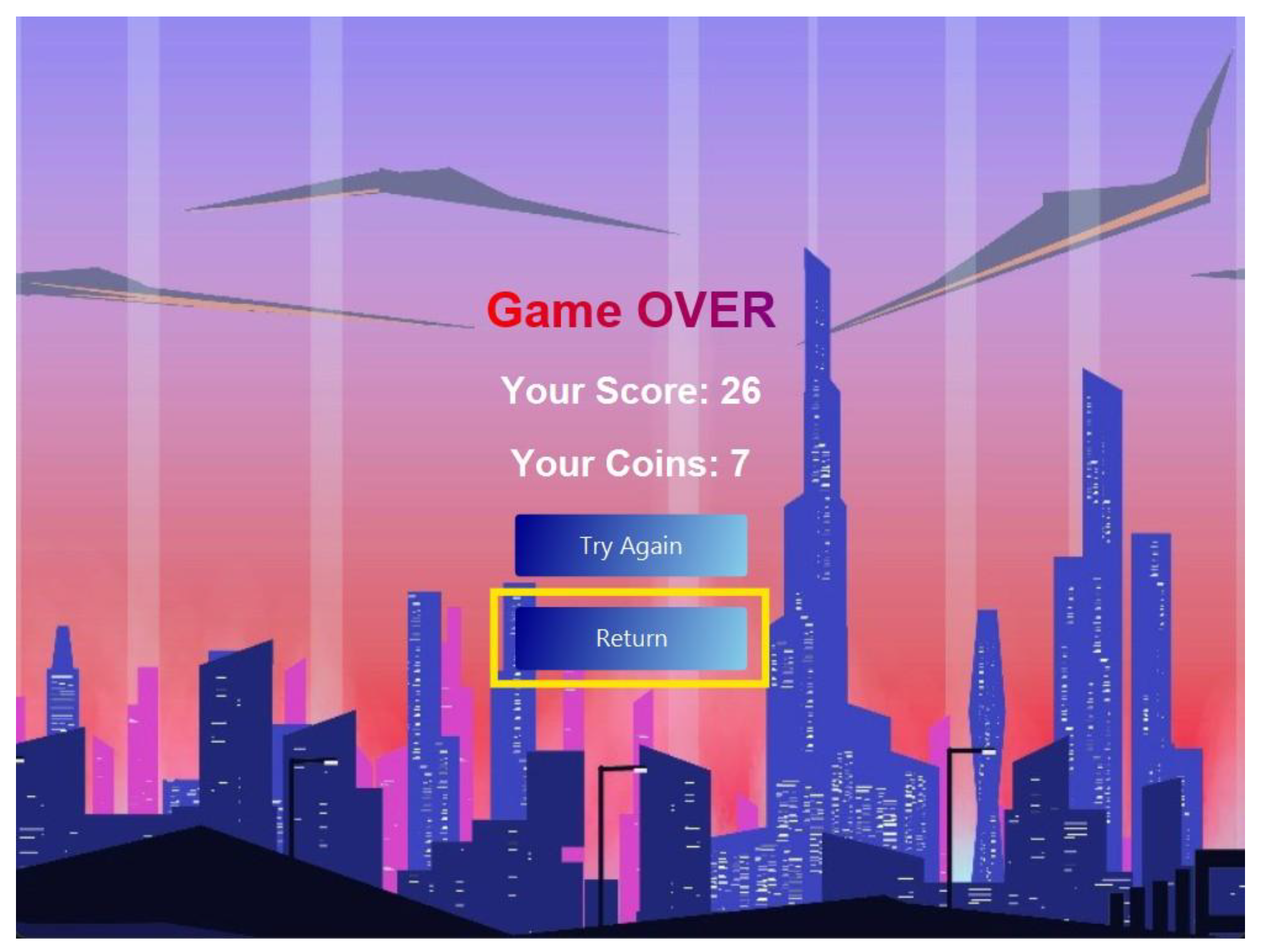
7.1.5. Testing whether the “Try Again” button on the Game Over screen works
Now we are going to check if the “Try Again” button on the Game Over screen works or not. For this we will first crash out Player Car into a Traffic Car in order to get the Game Over Screen:
Now when we click on the “Try Again” button we will get the game started once again with score, distance, and coins all set to zero:
Therefore we now know that the “Try Again” button on the Game Over screen works the way we intended as well.
Figure 37.
The Game Over Screen. Here the “Try Again” button is outlined.
Figure 37.
The Game Over Screen. Here the “Try Again” button is outlined.
Figure 38.
The gameplay screen after we pressed the “Try Again” button on the Game Over screen.
Figure 38.
The gameplay screen after we pressed the “Try Again” button on the Game Over screen.
7.1.6. Testing whether the “Return” button on the Game Over screen works
Now we will check whether the “Return” button on the Game Over screen works the way we intended it to work or not. On the Game Over screen we will click the “Return” button this time:
When we click on the return button it takes us to the Main Menu screen just as we intended it to do so:
Therefore we now know that the “Return” button on the Game Over screen also works the way we intended it to do so.
Figure 39.
The “Continue” and “Return” buttons on the Game Over Screen. This time the “Return” button is the one being highlighted.
Figure 39.
The “Continue” and “Return” buttons on the Game Over Screen. This time the “Return” button is the one being highlighted.
Figure 40.
(repeated): The Main Menu screen which we got as a result of pressing the “Return” button on the Game Over screen.
Figure 40.
(repeated): The Main Menu screen which we got as a result of pressing the “Return” button on the Game Over screen.
7.2. Testing Cases for Saving and File Handling
7.2.1. Test Case: Binary File creation
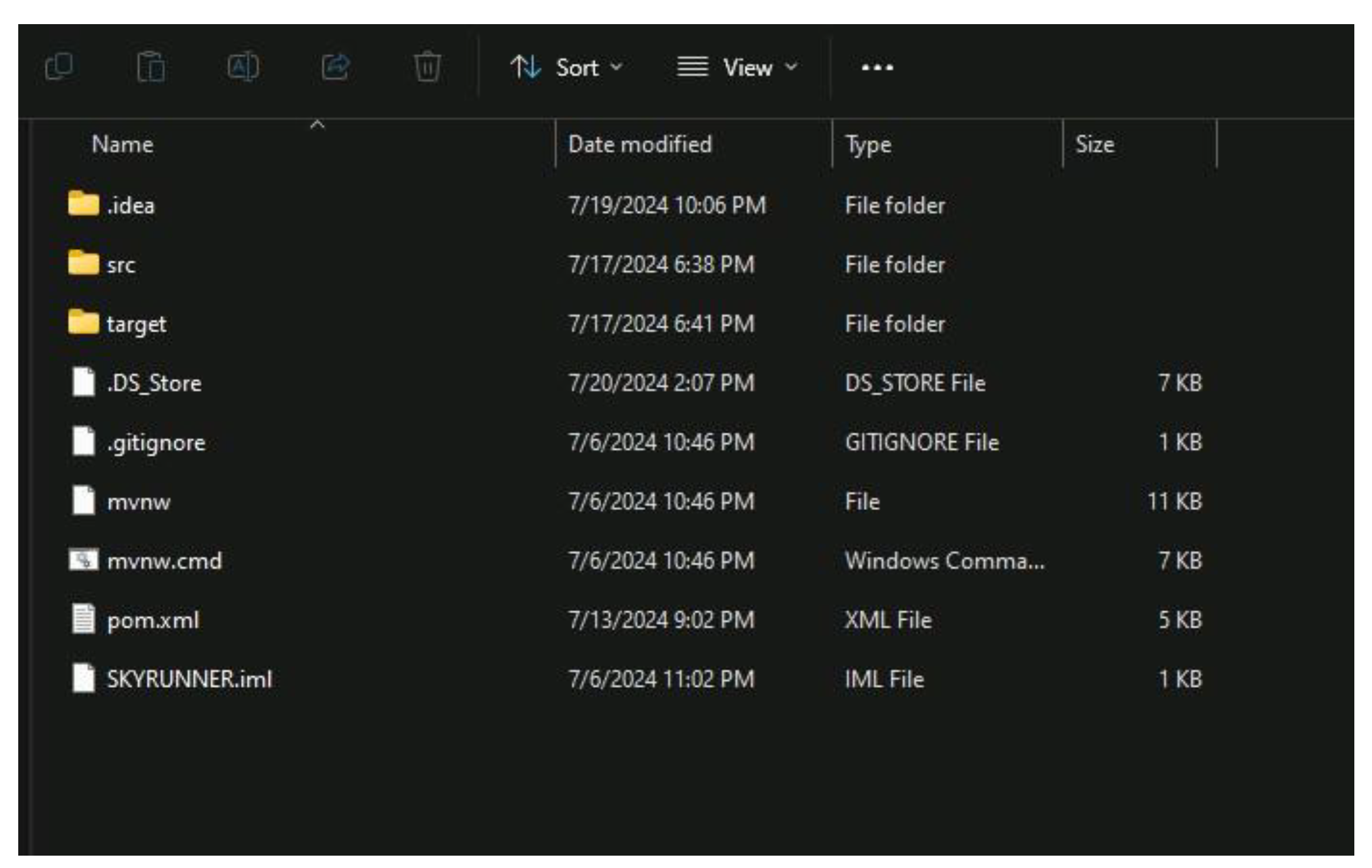
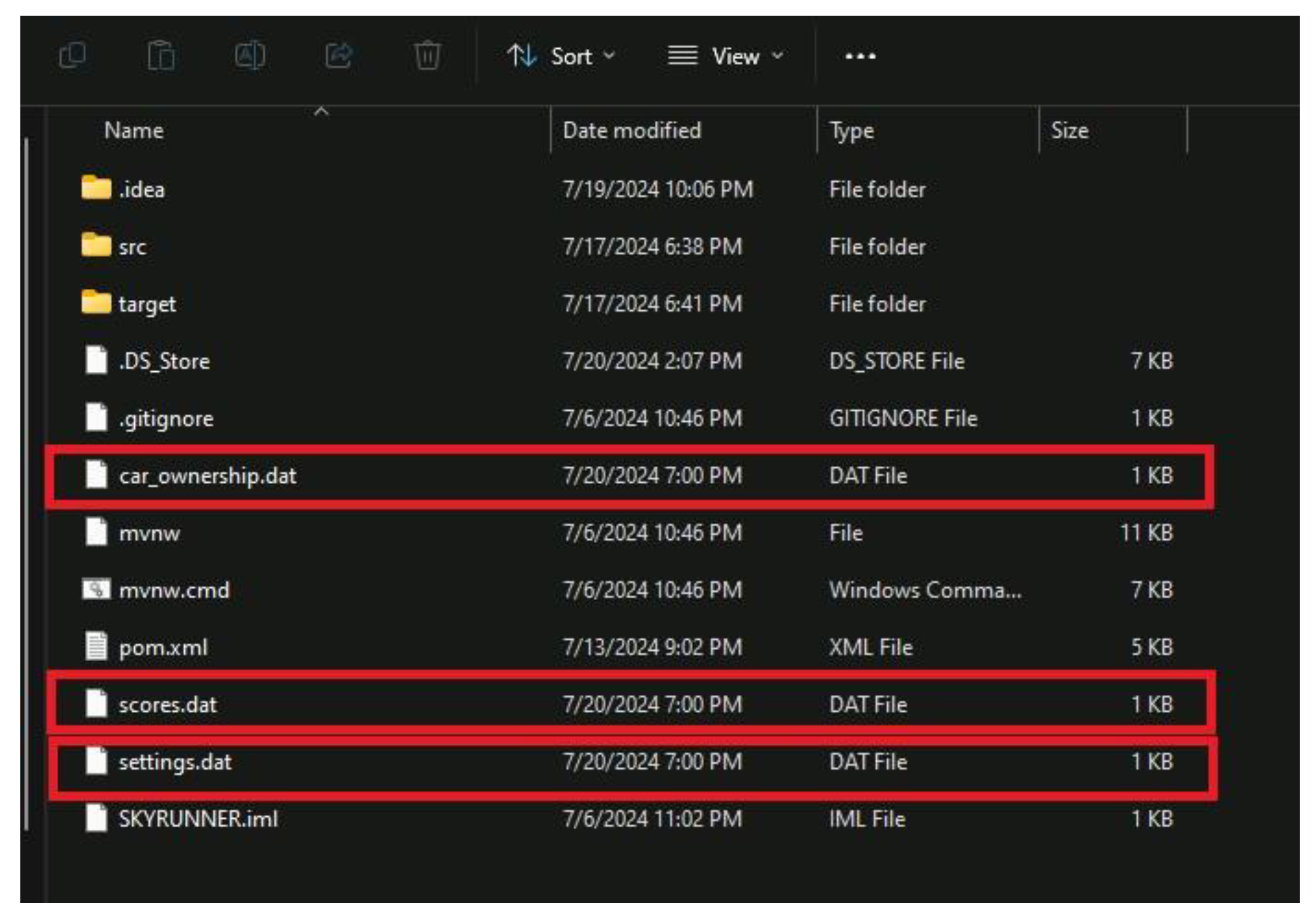
Firstly we ensure that the binary data files that store high scores, coins, and settings set by the user are created, we can test this by looking into the project file and acknowledging their existence.
Before the user launches the game for the first time, the binary files don’t exist yet as seen on the image above because naturally there is nothing to be stored yet.
After launching the game for the first time, we can see that 3 new files with the name “car_ownership.dat”, “scores.dat” and “settings.dat” have been created automatically in the project's main directory as seen on the image above.
Figure 41.
Files of the project. Notice the binary files supposed to store our data haven’t been created yet.
Figure 41.
Files of the project. Notice the binary files supposed to store our data haven’t been created yet.
Figure 42.
Files of the project. The binary files have now been created.
Figure 42.
Files of the project. The binary files have now been created.
7.2.2. Test Case: Edit Volumes
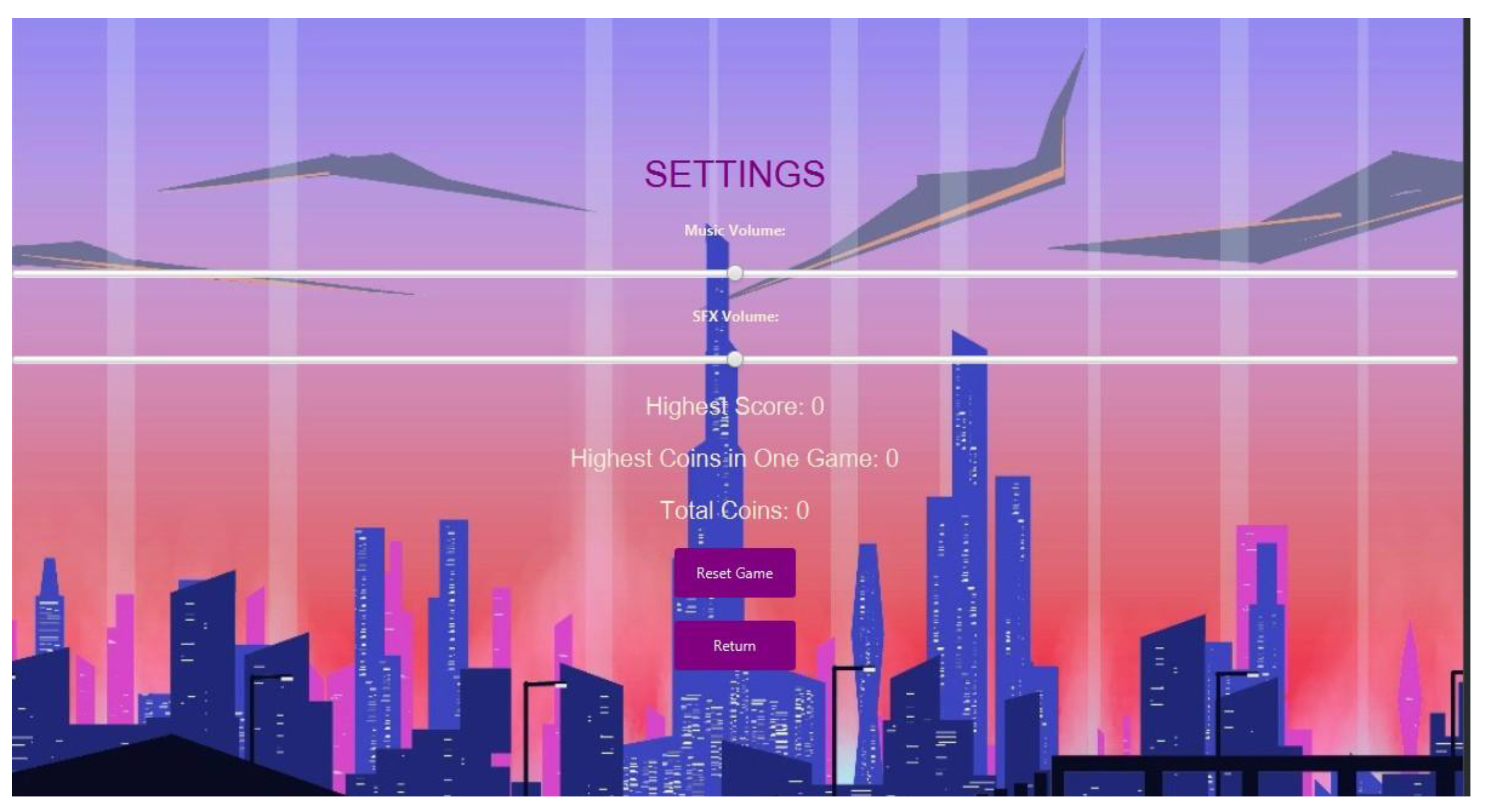
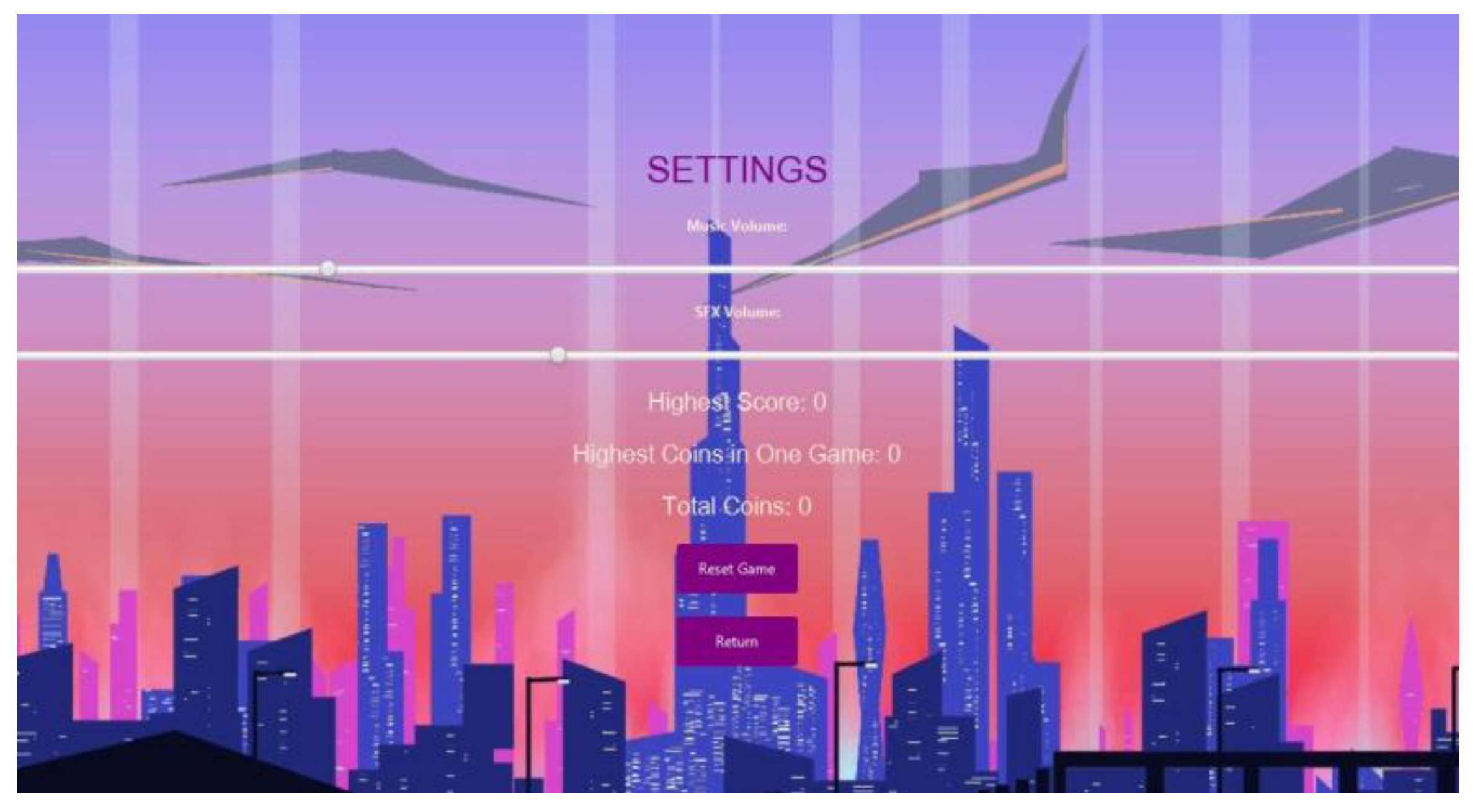
Naturally, the game starts with the default settings and the score which is zero as seen in the image above. If the user decides to change the setting for the volumes, the game will save it in the file “settings.dat”. but for now let's first change the music and SFX volume sliders a bit to the left and play the game and try to score some points.
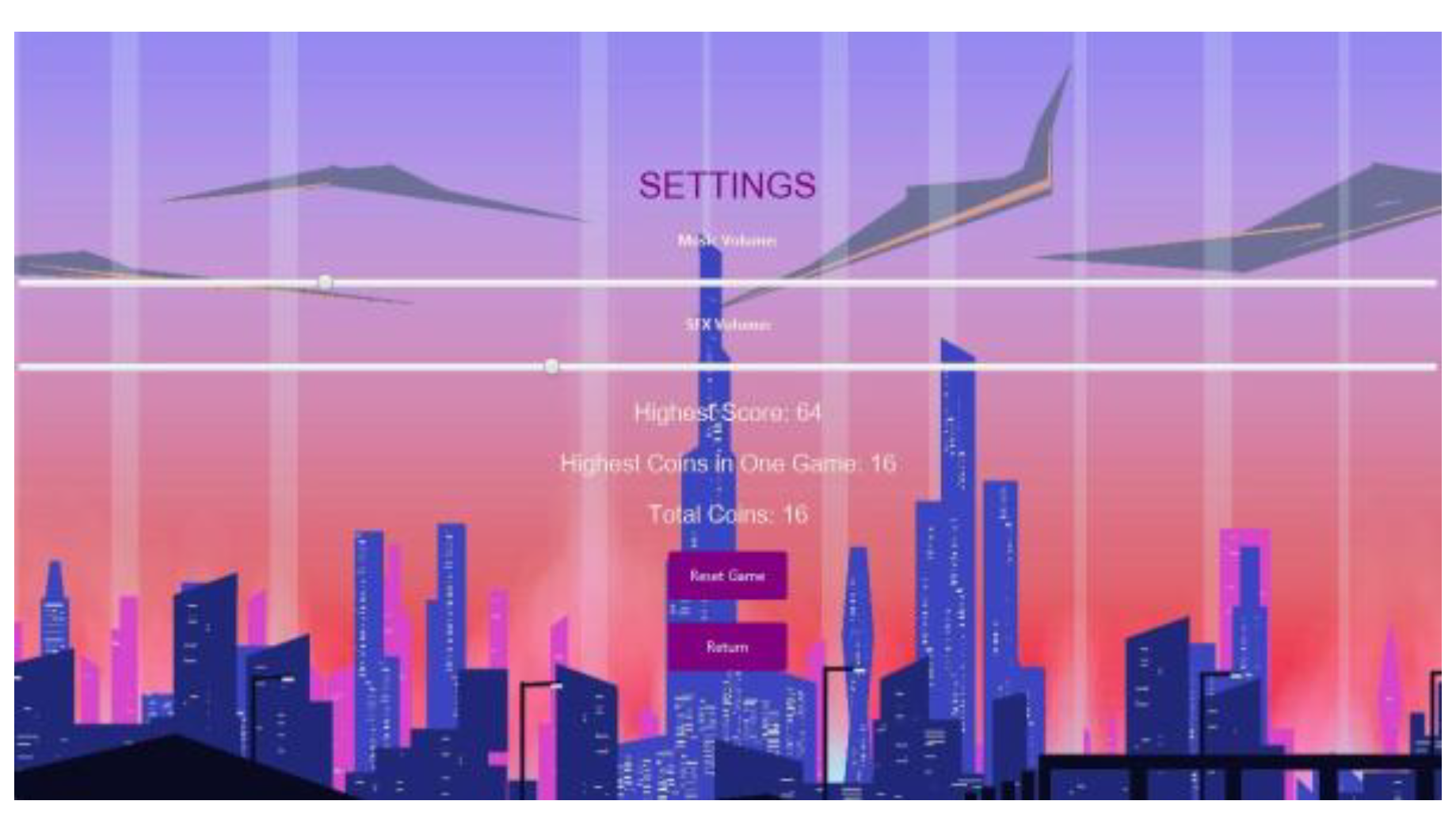
Oh no we have crashed! The game score shows us our high score is 64 and our coins are 16 according to the image above. Let's close the game and launch it again to see if these scores and the changes that we made to the setting sliders still display.
Figure 43.
Settings screen of the game.
Figure 43.
Settings screen of the game.
Figure 44.
Changing music and SFX on Settings Screen.
Figure 44.
Changing music and SFX on Settings Screen.
7.2.3. Test Case: Save scores & coins
Success! After launching the game again, we can see the game saves the users progress and setting preference in the picture above. This is clear that the game retrieves the users data Currently the high score is 64 and total coins are 16. Let's play the game more!
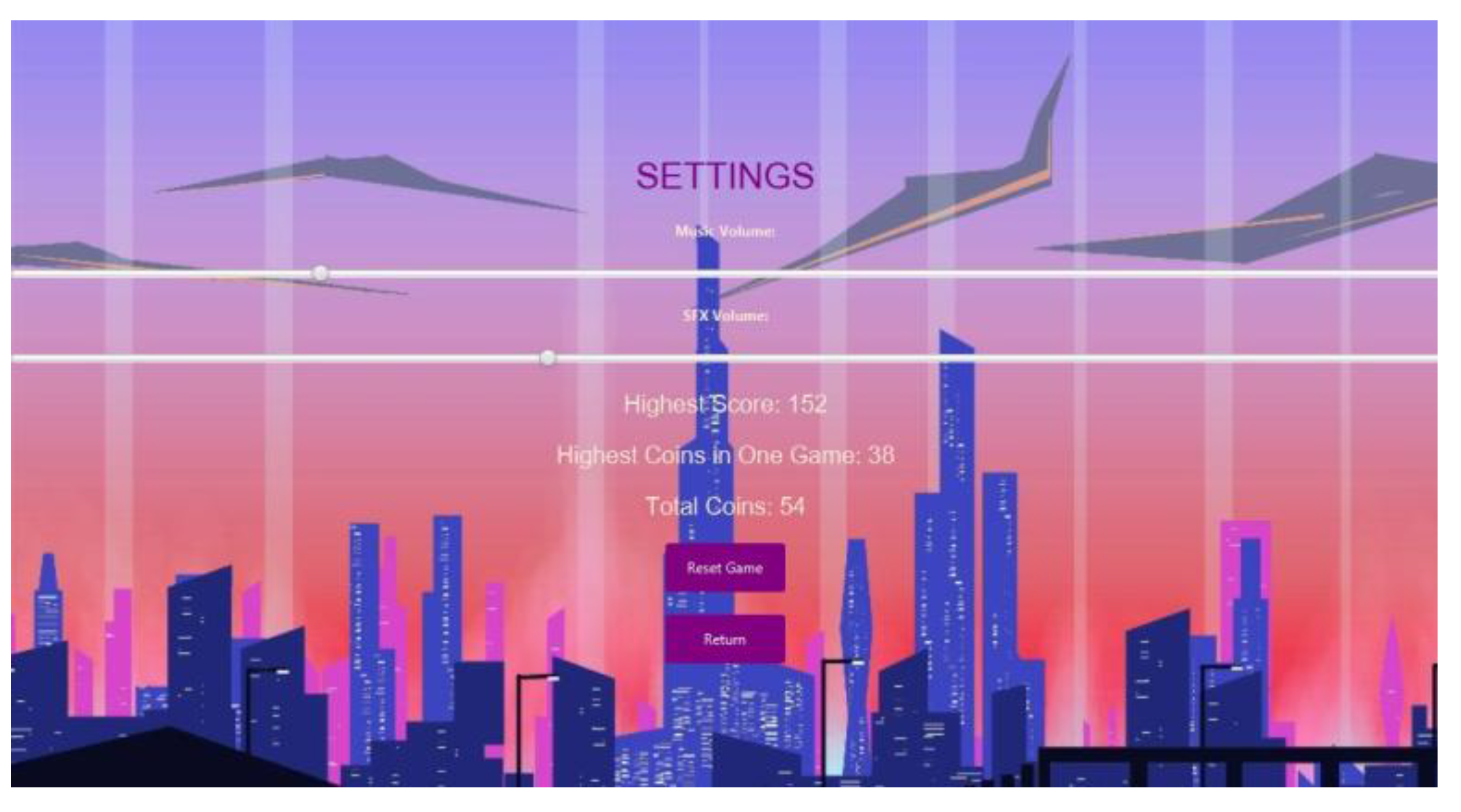
Now that we have achieved results from another gameplay in this case we got a score of 152 and 38 coins as seen in the picture above, let's test if the game updates this data when we relaunch the game again.
As seen from the image above, the game successfully saves, retrieves and updates the data from the binary save files. Now the highest score is displayed and the total number of coins gained is also calculated since we got 16 coins in our first gameplay and then we got 38 coins, the game successfully added up the number of coins from both of our gameplays and displayed it since 16 + 38 = 54 hence concluding that the save function of the game is working flawlessly.
Figure 44.
The details after one game.
Figure 44.
The details after one game.
Figure 45.
Final gameplay details at the end of the second game.
Figure 45.
Final gameplay details at the end of the second game.
Figure 46.
We can see now the details have been updated after game 2 ended.
Figure 46.
We can see now the details have been updated after game 2 ended.
7.3. Testing Cases for Shopping and Selection cars
7.3.1. Test Case: Purchasing a car with sufficient coins
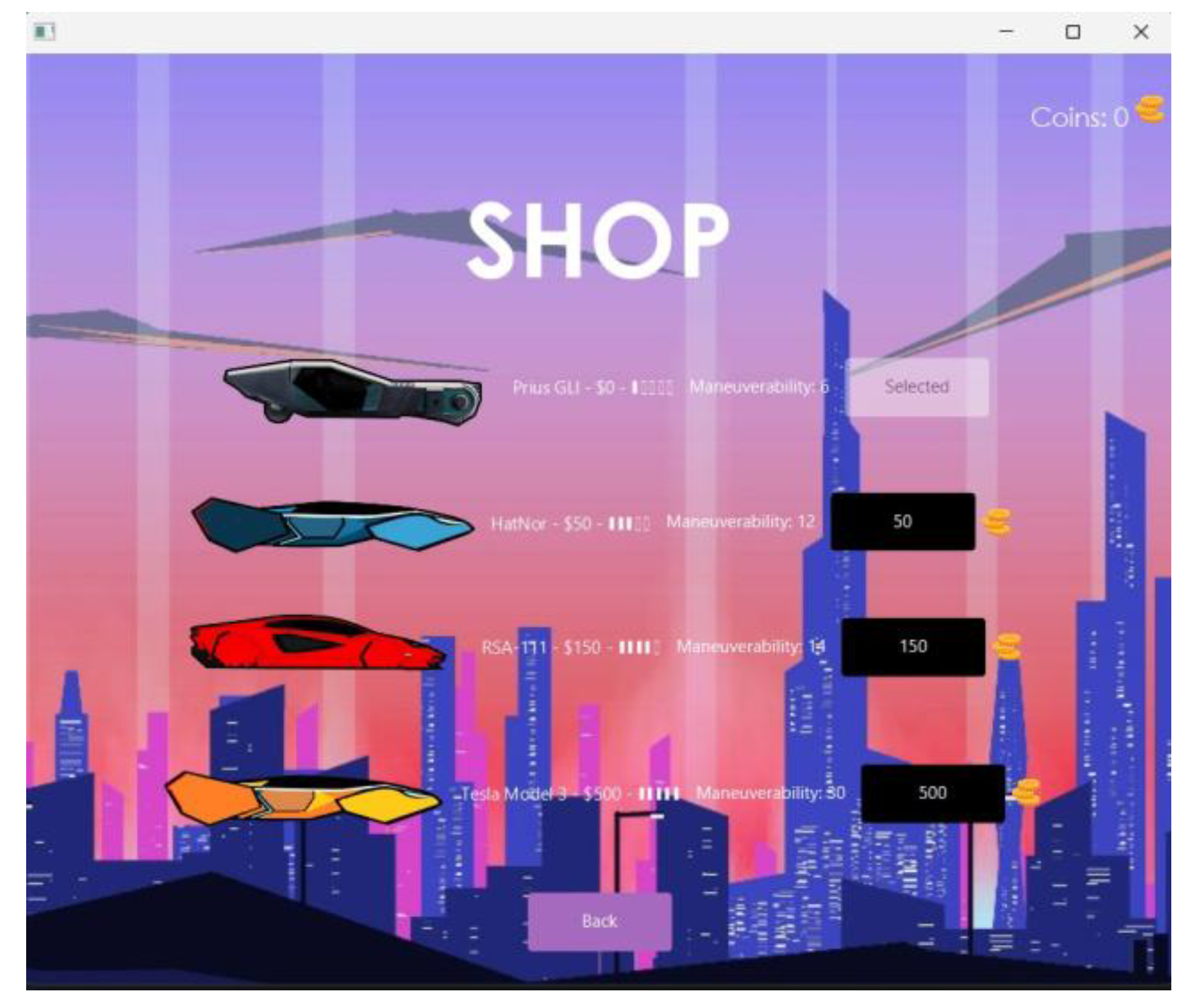
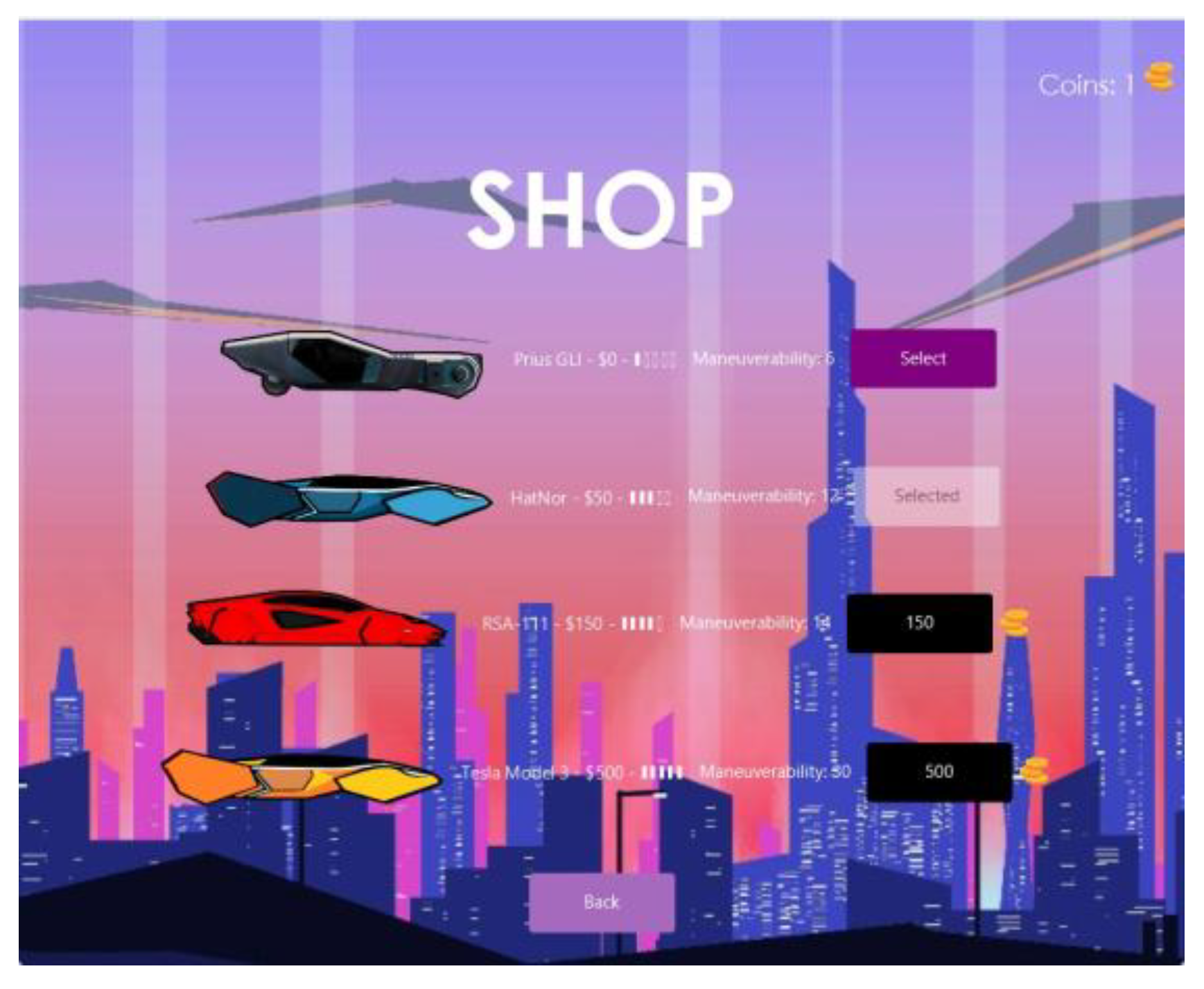
In this Test case we are supposed to check whether our shop and car selection feature works or not. For this first we will open the game and check our shop screen:
As we can see here we currently don’t have any coins so first of all we will play this game to earn some coins.
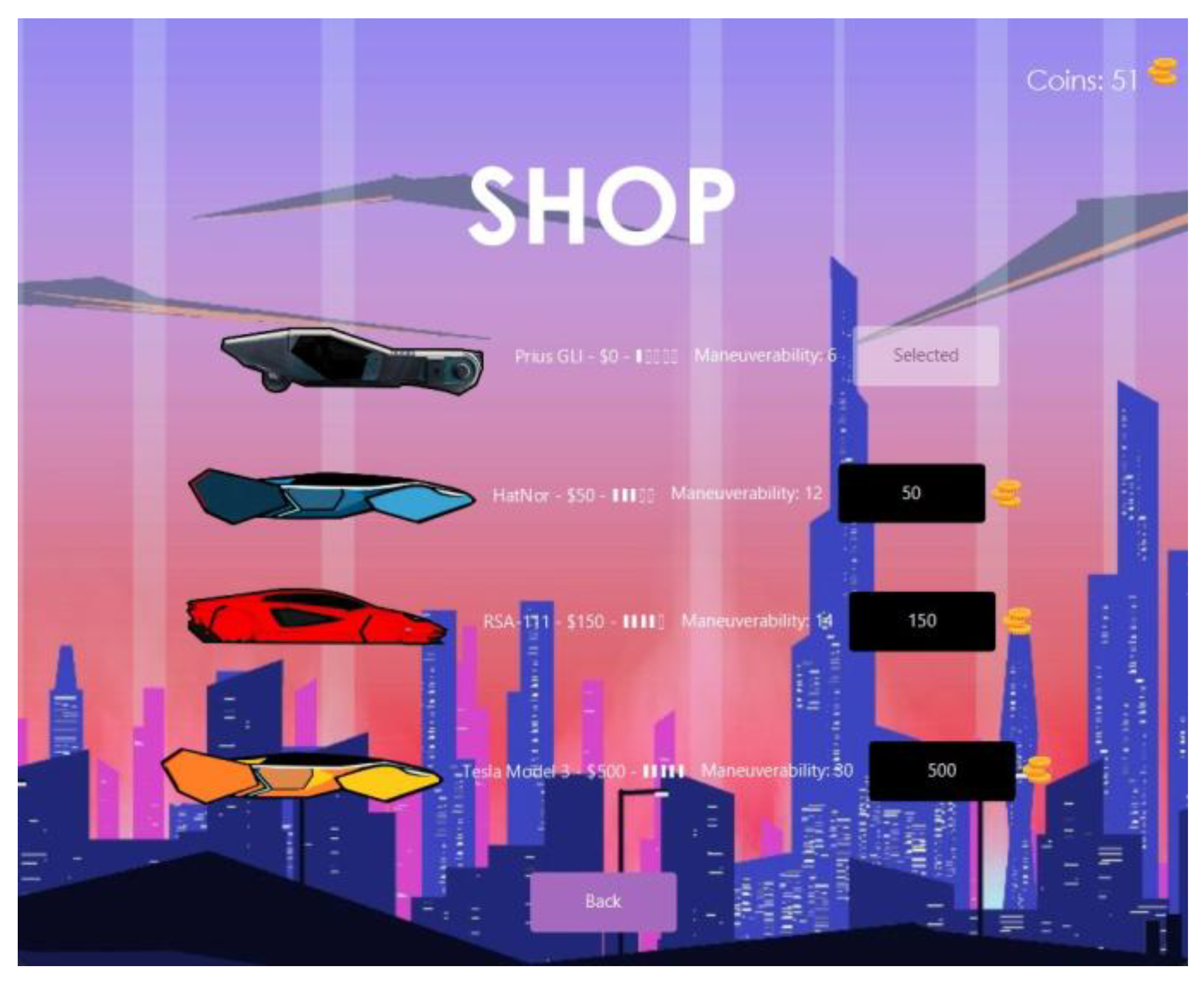
Now we have earned 51 coins and it costs 50 to buy the HatNor car which we will buy:
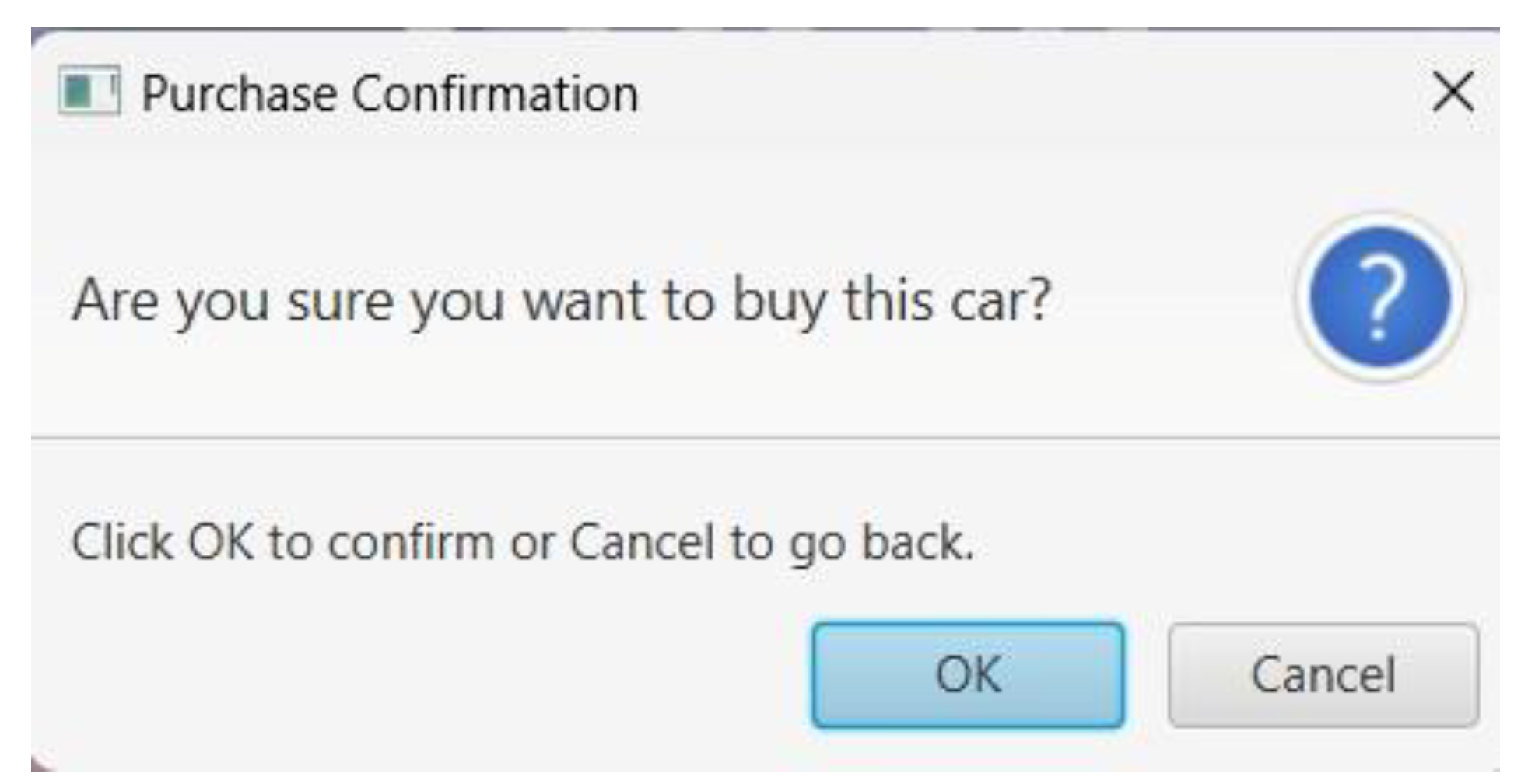
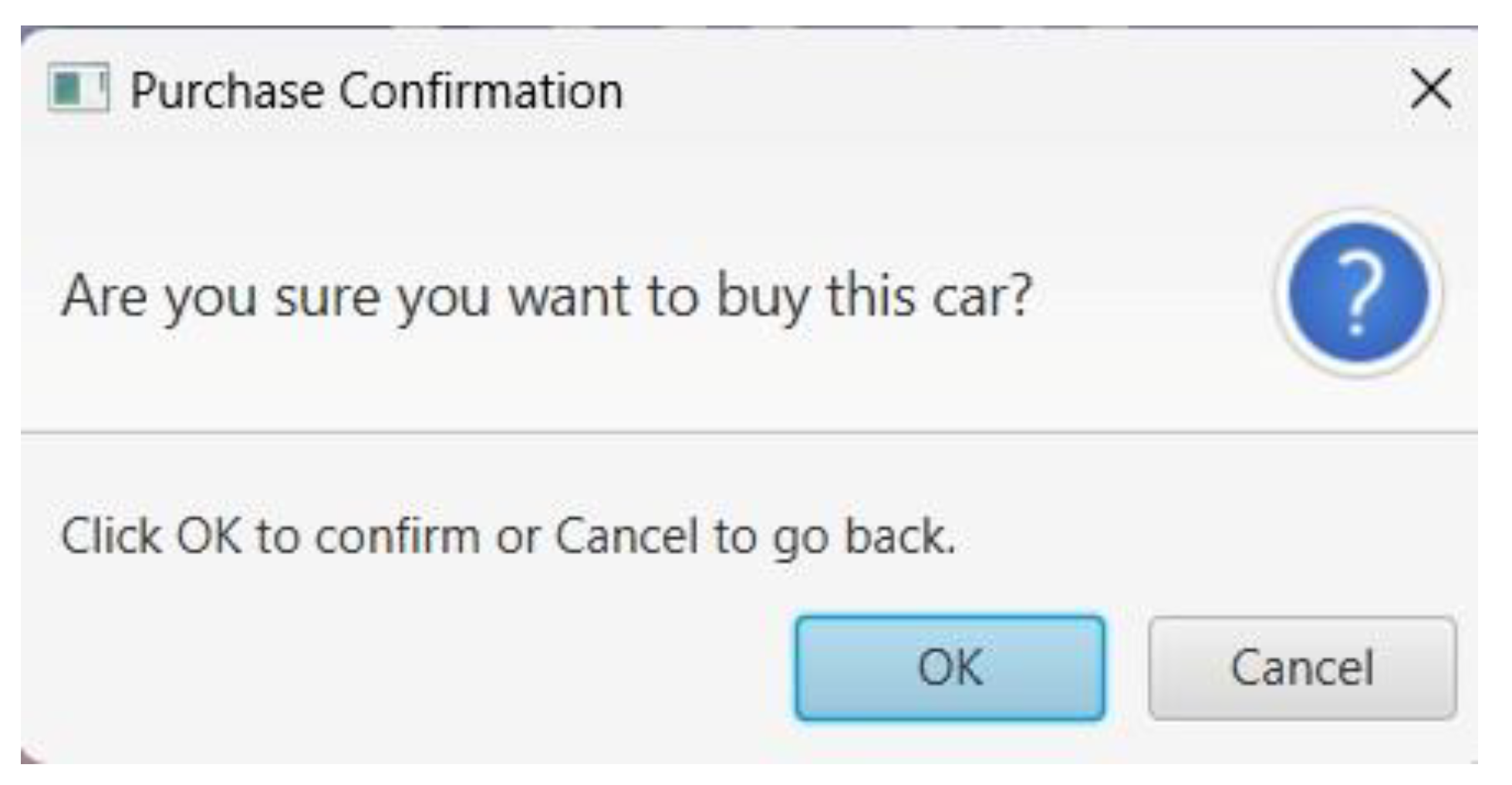
So we click on the black button next to the HatNor car showing it’s price on it. When we do so we get this Purchase Confirmation message:
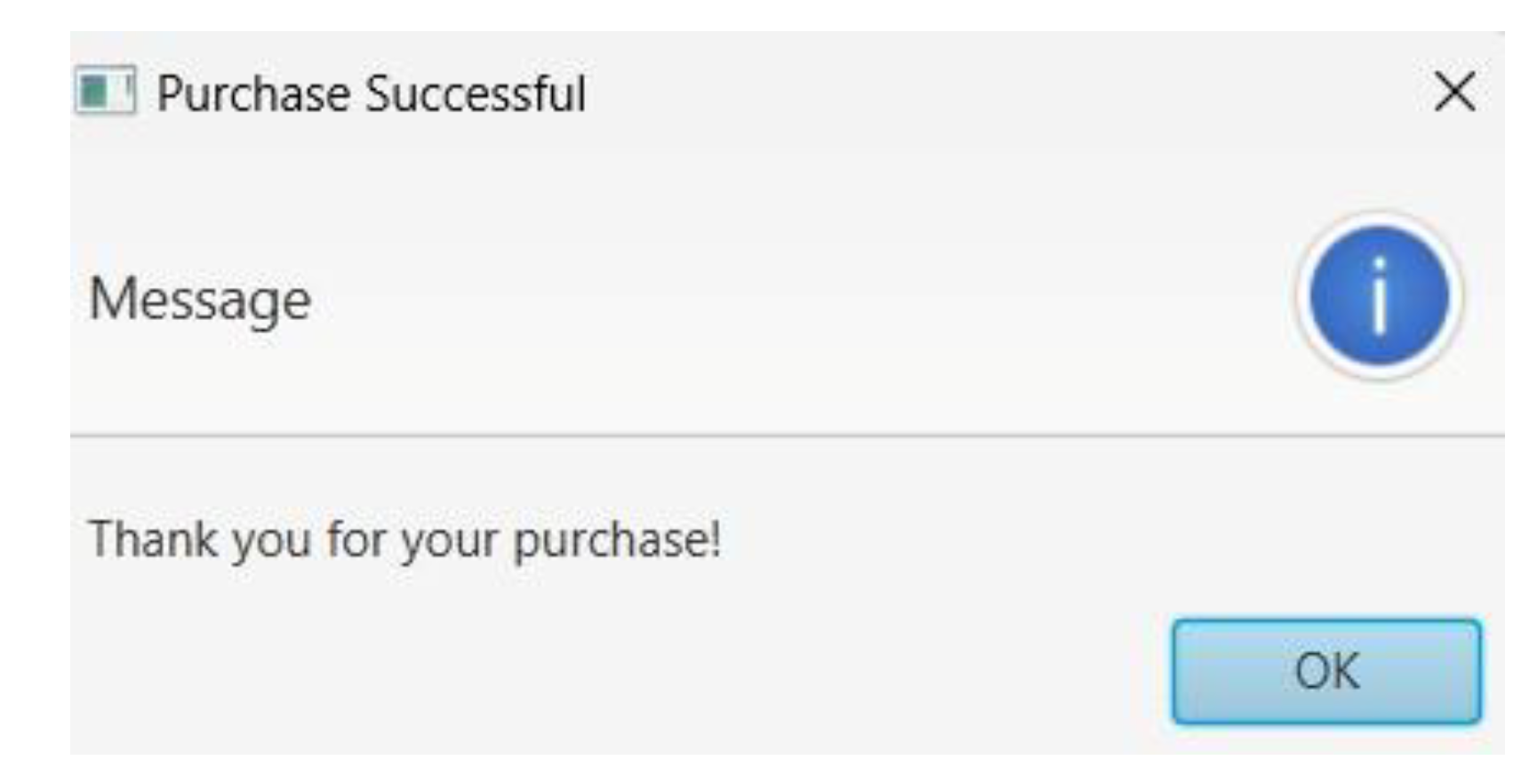
We click on OK and another message show sup informing us that our purchase was successful:
Now we can see (
Figure 7.2.5) that the text on the button next to the HatNor car has changed its text from the car’s price to “Select” and of the 51 coins we originally had now only 1 remains and 50 were spent on the purchase. Therefore we are now confirmed that our purchase logic works perfectly when it comes to the coins (as in deducting the car price from the number of coins we have).
Figure 47.
The Shop Screen. Notice that we have 0 coins at the moment.
Figure 47.
The Shop Screen. Notice that we have 0 coins at the moment.
Figure 48.
The Shop Screen. Notice now we have 51 coins.
Figure 48.
The Shop Screen. Notice now we have 51 coins.
Figure 49.
Purchase Confirmation message.
Figure 49.
Purchase Confirmation message.
Figure 50.
Purchase Successful Message.
Figure 50.
Purchase Successful Message.
7.3.2. Test Case: Checking whether we can select the purchased car or not
Now we need to check if we can actually get the car we select in the shop to control in the gameplay. We will click on the “Select” button next to the HatNor car and then start a new game to see the results.
We can see that the text “Select” has become “Selected” after we chose the HatNor car:
The results are positive and we can see that when we start a new game the HatNor car is what we get to control instead of the Prius GLI which we were controlling earlier:
Now just to confirm whether our selecting the cars option works correctly we will go to the shop and change our selection from HatNor car back to the Prius GLI car and then start the gameplay to see what happens as in what car we are controlling now.
The results are satisfactory. We are now controlling the Prius GLI car that we have just selected instead of the HatNor car were controlling earlier:
Now let’s try another test case: what happens if we try to purchase a car that we don’t have enough coins for.
Figure 51.
The Shop Screen. Now we have purchased the HatNor car.
Figure 51.
The Shop Screen. Now we have purchased the HatNor car.
Figure 52.
The gameplay screen after we selected the HatNor car and started a new game.
Figure 52.
The gameplay screen after we selected the HatNor car and started a new game.
Figure 53.
The gameplay screen after we selected the Prius GLI car and started a new game.
Figure 53.
The gameplay screen after we selected the Prius GLI car and started a new game.
7.3.3. Test Case: Purchasing a Car without sufficient coins
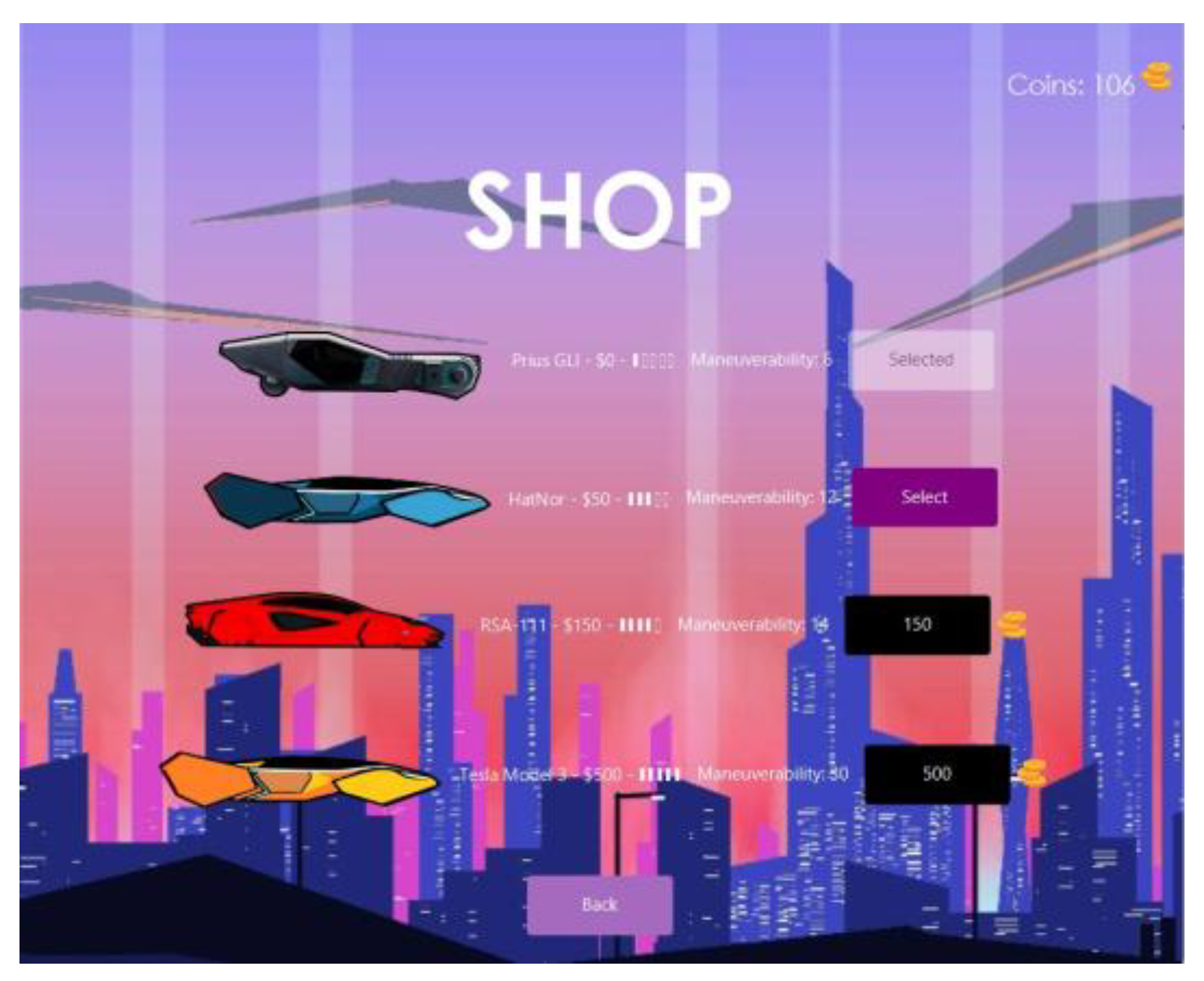
So we will now try to purchase the RSA-111 car which costs 150 coins while we only have 106 coins:
Now we will click on the black button next to the RSA-111 car mentioning its price and when we do that we will get this message asking us whether we want to purchase this car or not:
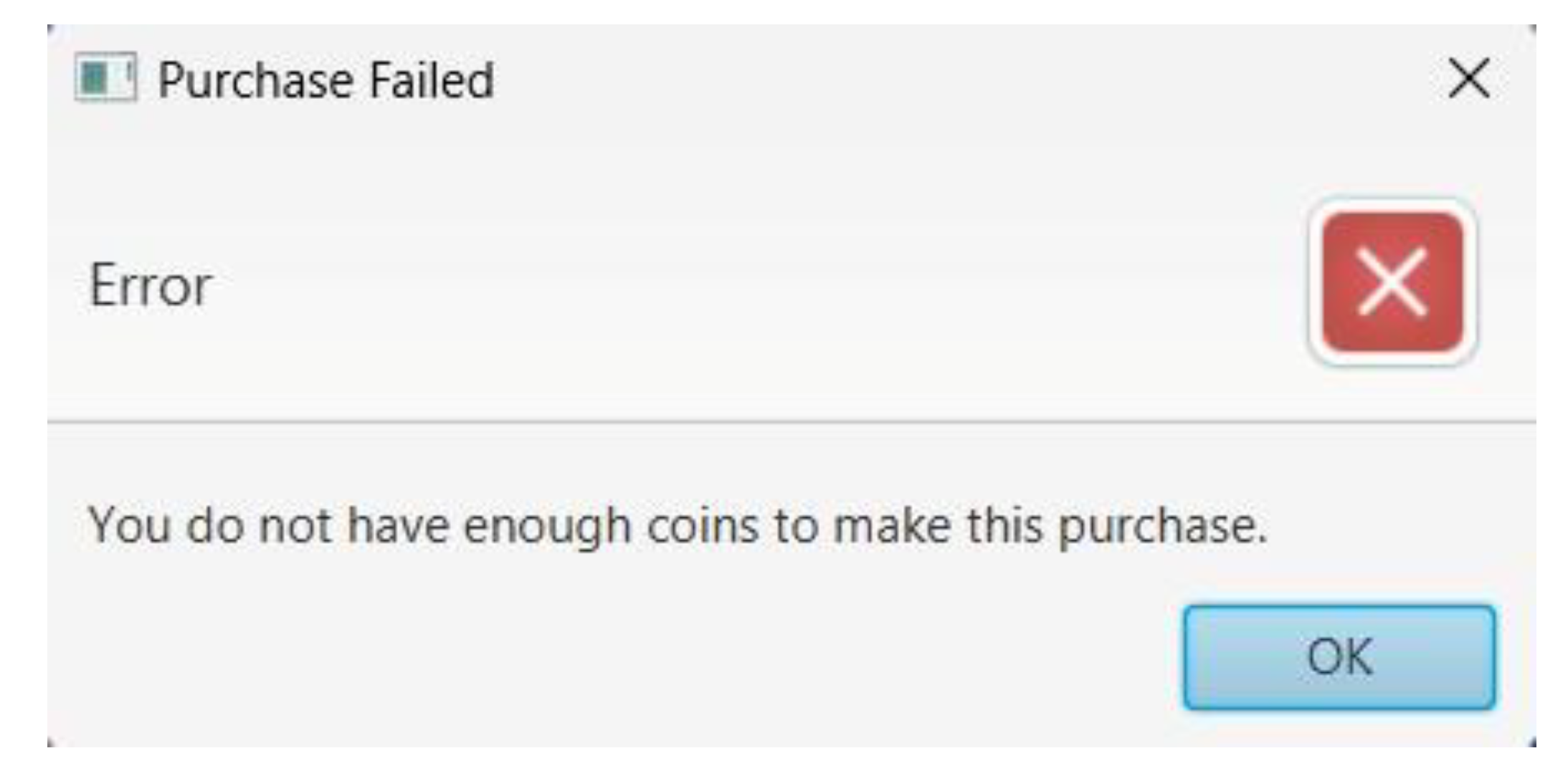
When we click OK we get this error message telling us we cannot purchase the car because we do not have enough coins to do so:
Therefore we can now say our purchasing car and selecting car features both are logically perfect and have no issues with them.
Figure 54.
The Shop Screen. Notice now we have 106 coins.
Figure 54.
The Shop Screen. Notice now we have 106 coins.
Figure 55.
(Repeated) Purchase Confirmation message.
Figure 55.
(Repeated) Purchase Confirmation message.
Figure 56.
Purchase Failed message.
Figure 56.
Purchase Failed message.
7.4. Test Case: for Character Interactions with Scoring and Opticals
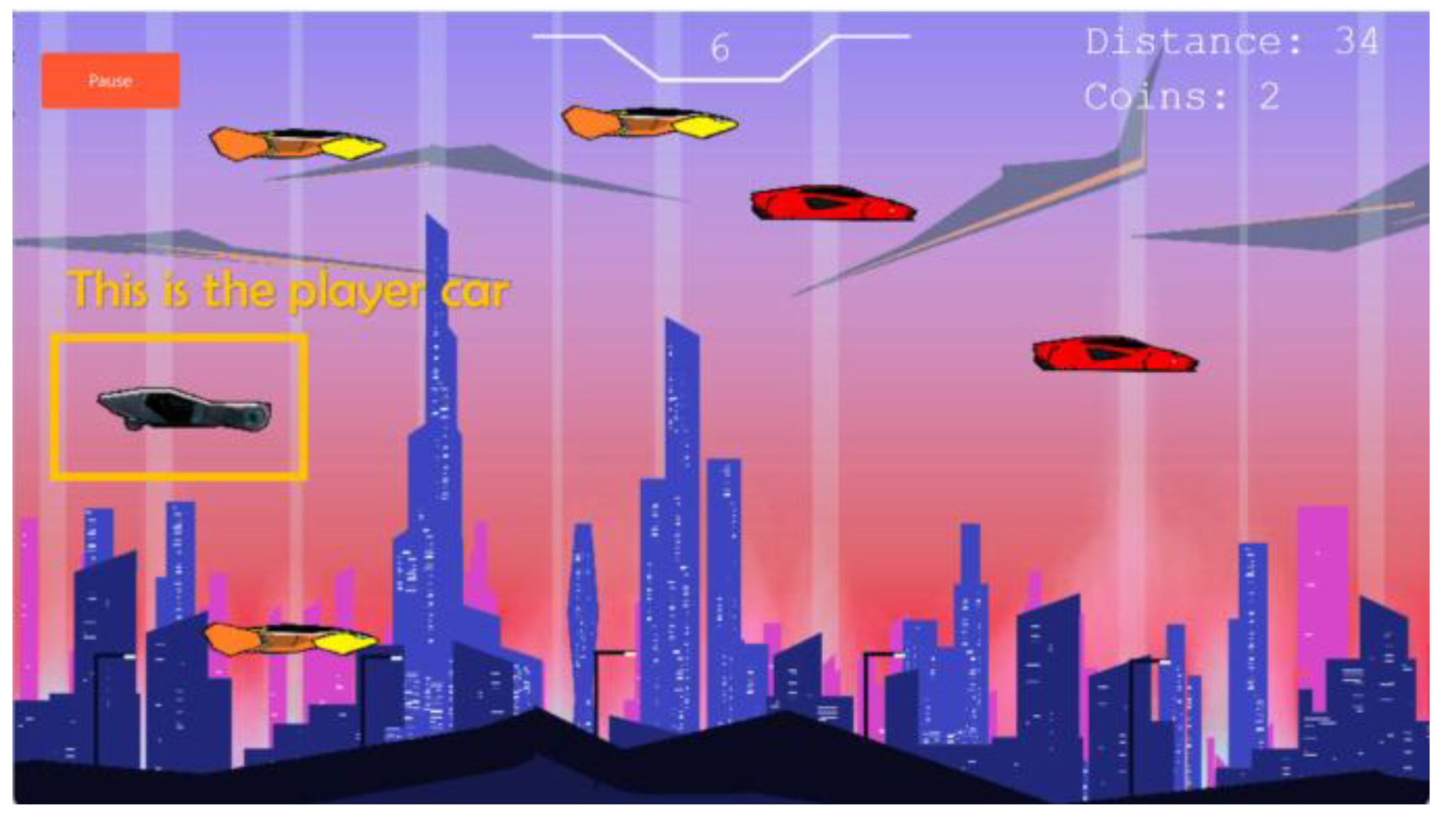
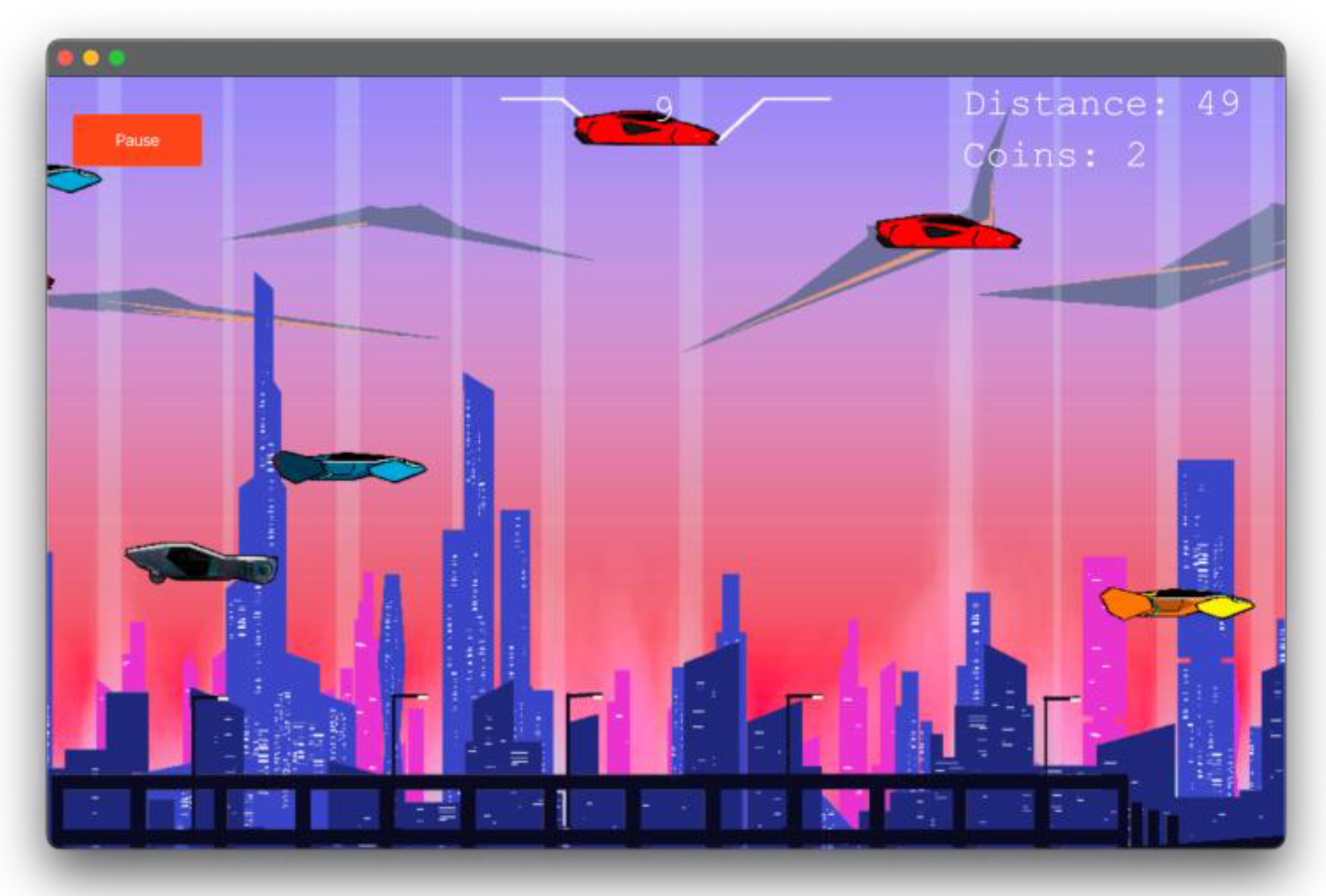
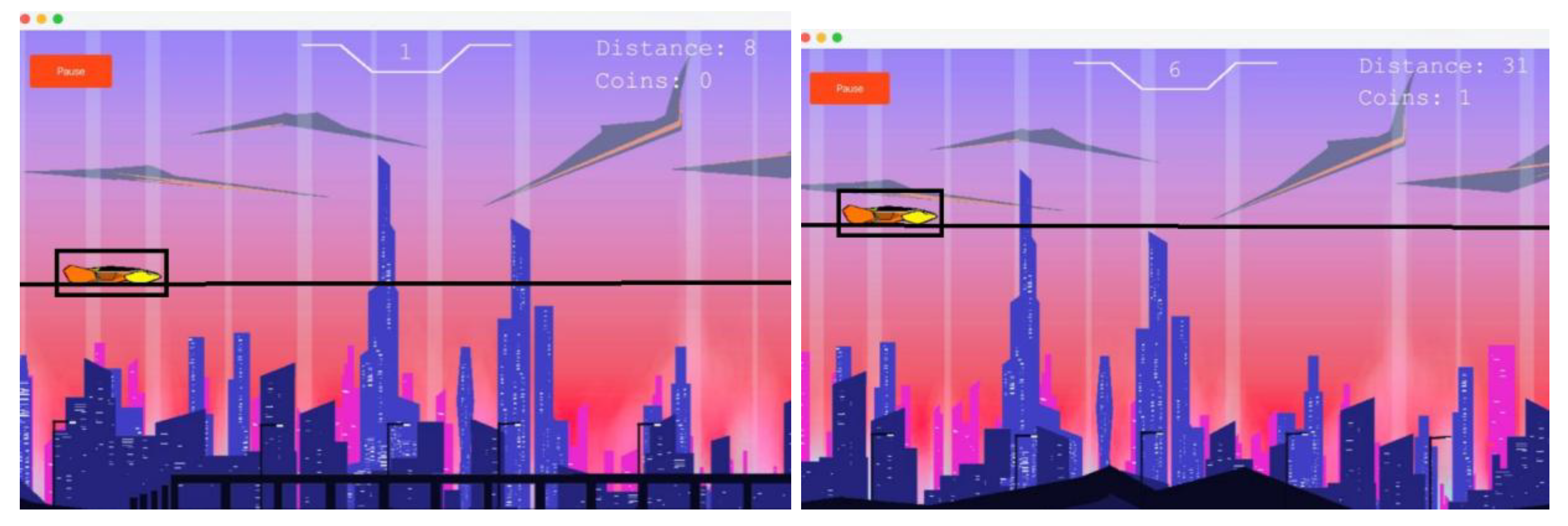
Gameplay involves the player interacting with the car, moving it upwards and downwards using the ‘w’ and ‘s’ key to dodge inbound cars (obstacles) in its path. The figure above shows an instance of traffic that will be encountered by the player as they traverse the metropolis.
Figure 57.
Gamescene with obstacles.
Figure 57.
Gamescene with obstacles.
7.3.2. Progression through the game
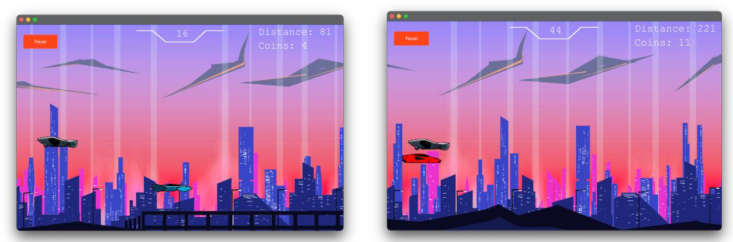
The images above illustrate how as the player progresses through the city, their score, distance traveled and coins earned increases, when the player had only made it through 81 kilometers, their score was 16 and coins earned 4. But, when the player had succeeded at making it to 221 km, the score was 44 and 11 coins were earned; this demonstrates how the player’s progression across the game is stored and saved.
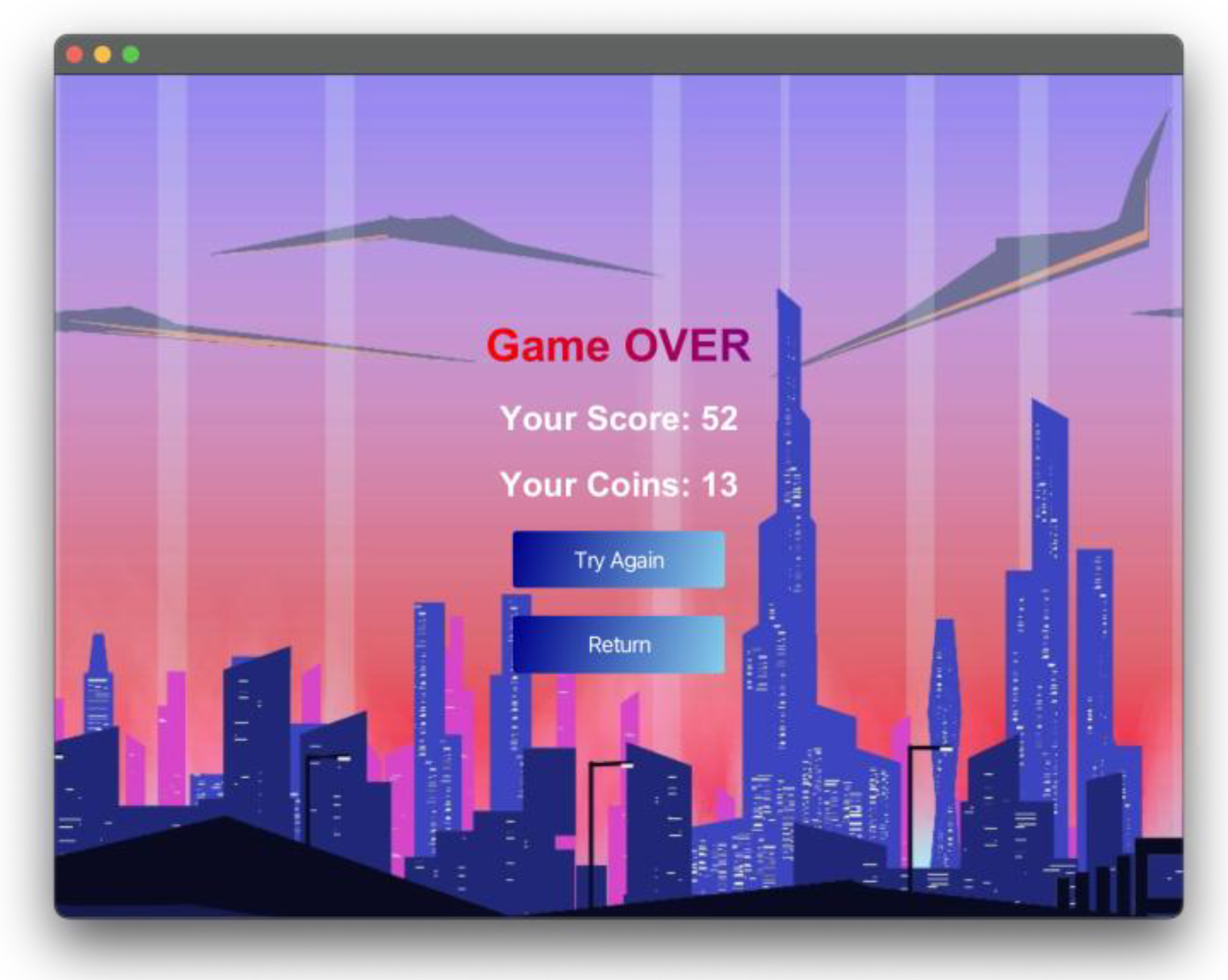
As illustrated in the image above, in the unfortunate event the player clashes with an obstacle, then they would be defeated and the following game over screen will be displayed with the score and coins earned in the drive displayed on the screen for the player.
Figure 58.
Game over scene after crashing.
Figure 58.
Game over scene after crashing.
7.5. Testing Cases for Difficulty
7.5.1. Test Case: Difficulty Increase
While the game is played, the player tends to experience higher difficulty as the game score increases. Based on the code below, it can be seen that the game difficulty is the increase of the player car's speed, with the points being gained while avoiding traffic cars. The progress is annotated with an “if, else if” conditional statement.
As mentioned in
Figure 7.4.1 we can see that the traffic car speed changes as the score changes:
If the score is between the range (greater than or equal to 5) AND (less than 15) then the traffic car speed is 6.
If the score is between the range (greater than or equal to 15) AND (less than 30) then the traffic car speed is 9
If the score is between the range (greater than or equal to 30) AND (less than 45) then the traffic car speed is 11
If the score is between the range (greater than or equal to 45) AND (less than 60) then the traffic car speed is 13.
If the score is equal to OR greater than 60 then the traffic car speed is 18.
What we learn here is that as the player’s score increases the traffic car speed also increases but for this the score needs to be in a specific range for the increase in speed of traffic cars is different for each score range.
Now if you have played the game you will realize the faster the speed of traffic cars the harder it is to control the game.
7.5.2. Test Case: Different Maneuverability
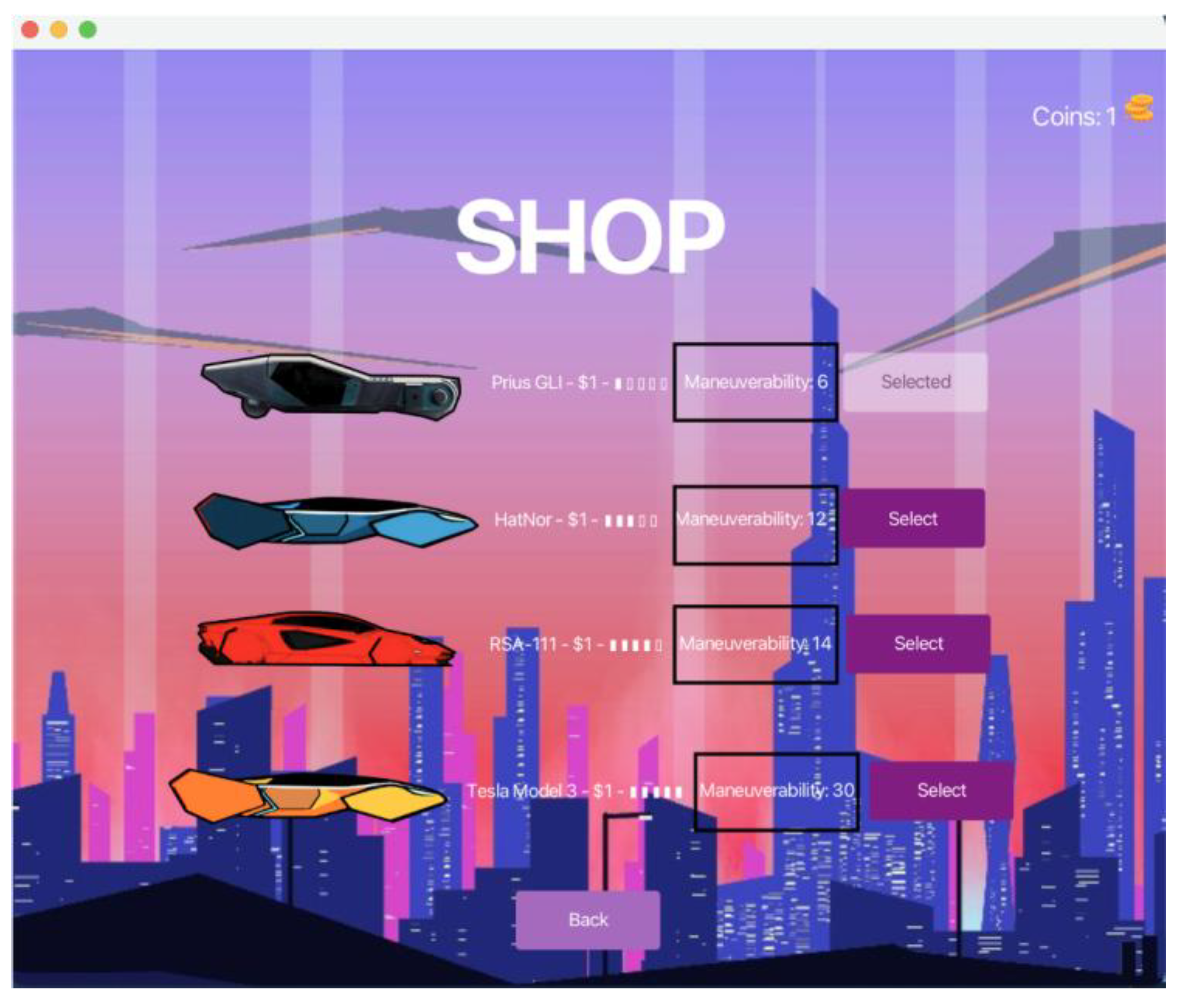
In the SkyRunner game, there are four distinct automobiles that may be chosen from the store screen. Every automobile in the game has a different maneuverability value that determines how it moves. The vehicles on the list are:
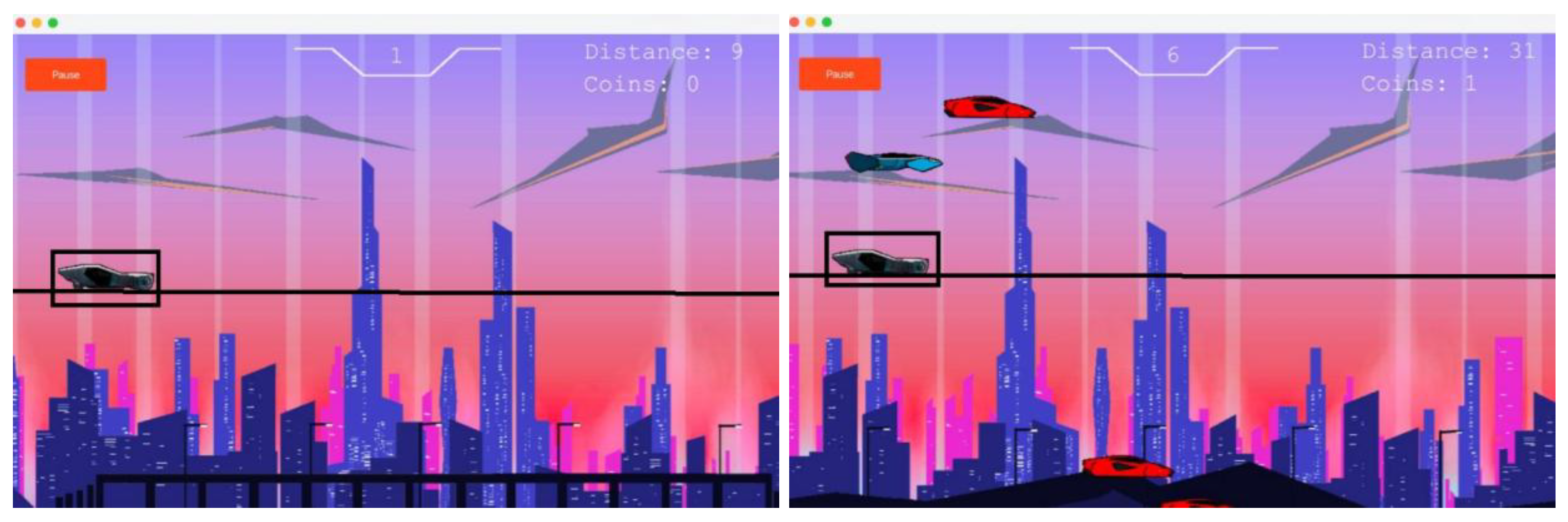
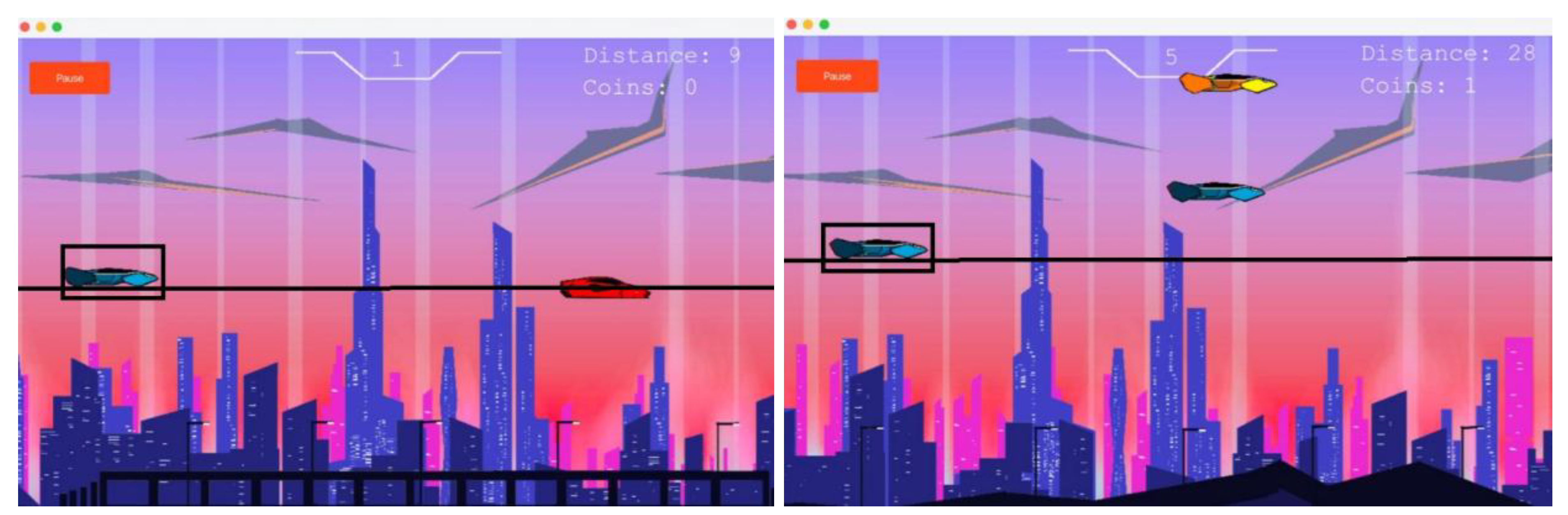
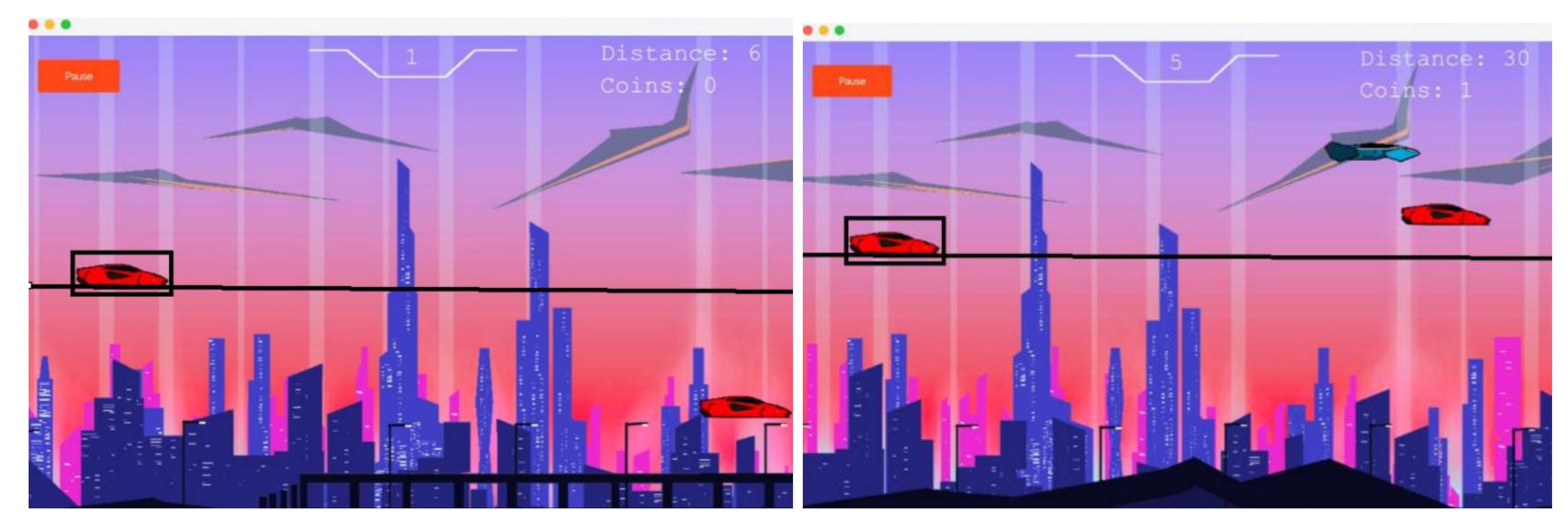
When the 'W' key is hit three times for each car in the SkyRunner game, the difference in the cars' maneuverability is shown in these photographs. Because each car has a distinct maneuverability value, different heights can be reached with the same input. Elevated maneuverability values demonstrate how this quality affects the gameplay experience by enabling the cars to go higher with each press.
Figure 59.
Different Maneuver Abilities of all the four cars.
Figure 59.
Different Maneuver Abilities of all the four cars.
Figure 60.
Prius GLI Maneuverability.
Figure 60.
Prius GLI Maneuverability.
Figure 61.
HatNor Maneuverability.
Figure 61.
HatNor Maneuverability.
Figure 62.
RSA-111 Maneuverability.
Figure 62.
RSA-111 Maneuverability.
Figure 63.
Tesla Model 3.
Figure 63.
Tesla Model 3.
8. Conclusion
SKYRUNNER project design patterns a carefully constructed Java application with distinctive separation of concerns and a high respect for the object-oriented paradigm. The classification of packages and classes assists modular development and eases maintenance. Through the Game class and its associates, the critical functions of the game-such as resource management, updating states, and user interactions-are well managed.
The next step we could take is to extend the game through an account system so that players could log in and access their progress on different devices. The game may also include a customizable day-and-night mode that would let the player set their own time of the day for the gameplay background. We could also consider adding new levels, each with different backdrops, a dark mode theme, and custom background music soundtracks for a more personalized gaming experience.
References
- Andrade, G., et al. (2016). Adaptive Game Difficulty: Techniques and Challenges. Journal of Game Studies. A.
- Chen, X., et al. (2016). Efficient Game State Management in Modern Video Games. ACM Transactions on Gaming Technologies.
- Gamma, E., et al. (1994). Design Patterns: Elements of Reusable Object-Oriented Software. Addison-Wesley.
- Hunicke, R. (2005). The Case for Dynamic Difficulty Adjustment in Games. Game Developers Conference.
- Isbister, K., & Schaffer, N. (2015). Game Usability: Advice from the Experts for Advancing the Player Experience. CRC Press.
- Lee, S., Abdullah, A., & Jhanjhi, N. Z. (2020). A review on honeypot-based botnet detection models for smart factory. International Journal of Advanced Computer Science and Applications, 11(6).
- Khan, N. A., Jhanjhi, N. Z., Brohi, S. N., Almazroi, A. A., & Almazroi, A. A. (2022). A secure communication protocol for unmanned aerial vehicles. CMC-Computers, Materials & Continua, 70(1), 601-618.
- Brohi, S. N., Jhanjhi, N. Z., Brohi, N. N., & Brohi, M. N. (2023). Key applications of state-of-the-art technologies to mitigate and eliminate COVID-19. Authorea Preprints.
- Najmi, K. Y., AlZain, M. A., Masud, M., Jhanjhi, N. Z., Al-Amri, J., & Baz, M. (2023). A survey on security threats and countermeasures in IoT to achieve users' confidentiality and reliability. Materials Today: Proceedings, 81, 377-382.
- Juul, J. (2019). Handmade Pixels: Independent Video Games and the Quest for Authenticity. MIT Press.
- Kim, S., et al. (2021). The Psychology of Progression Systems in Video Games. Digital Entertainment Research Journal.
- Lazzaro, N. (2009). Why We Play Games: Four Keys to More Emotion in Player Experiences. Game Developer Magazine.
- Norman, D. (2013). The Design of Everyday Things. Basic Books.
- Nystrom, R. (2014). Game Programming Patterns. Genever Benning.
- Smith, J., et al. (2020). Flow Theory and Player Immersion in Endless Runner Games. International Journal of Interactive Media.
- Tavares, R., et al. (2017). Efficient Data Storage Methods for Mobile Games. Journal of Digital Game Development.
- Alferidah, D. K., & Jhanjhi, N. Z. (2020, October). Cybersecurity impact over big data and IoT growth. In 2020 International Conference on Computational Intelligence (ICCI) (pp. 103-108). IEEE.
- Jena, K. K., Bhoi, S. K., Malik, T. K., Sahoo, K. S., Jhanjhi, N. Z., Bhatia, S., & Amsaad, F. (2022). E-learning course recommender system using collaborative filtering models. Electronics, 12(1), 157.
- Aherwadi, N., Mittal, U., Singla, J., Jhanjhi, N. Z., Yassine, A., & Hossain, M. S. (2022). Prediction of fruit maturity, quality, and its life using deep learning algorithms. Electronics, 11(24), 4100.
- Kumar, M. S. 20. Kumar, M. S., Vimal, S., Jhanjhi, N. Z., Dhanabalan, S. S., & Alhumyani, H. A. (2021). Blockchain-based peer-to-peer communication in autonomous drone operation. Energy Reports, 7.
- Jhanjhi, N. Z., Humayun, M., & Almuayqil, S. N. (2021). Cybersecurity and privacy issues in industrial Internet of Things. Computer Systems Science & Engineering, 37(3).
- Gouda, W., Almurafeh, M., Humayun, M., & Jhanjhi, N. Z. (2022, February). Detection of COVID-19 based on chest X-rays using deep learning. In Healthcare (Vol. 10, No. 2, p. 343). MDPI. [CrossRef]
- Kumar, T., Pandey, B., Mussavi, S. H. A., & Zaman, N. (2015). CTHS based energy efficient thermal aware image ALU design on FPGA. Wireless Personal Communications, 85, 671-696. [CrossRef]
- Fatima-tuz-Zahra, N. Jhanjhi, S. N. Brohi, N. A. Malik and M. Humayun, "Proposing a Hybrid RPL Protocol for Rank and Wormhole Attack Mitigation using Machine Learning," 2020 2nd International Conference on Computer and Information Sciences (ICCIS), Sakaka, Saudi Arabia, 2020, pp. 1-6, doi. [CrossRef]
- Lim, M., Abdullah, A., Jhanjhi, N. Z., Khan, M. K., & Supramaniam, M. (2019). Link prediction in time-evolving criminal network with deep reinforcement learning technique. IEEE Access, 7, 184797-184807.
- Dogra, V., Singh, A., Verma, S., Kavita, Jhanjhi, N.Z., Talib, M.N. (2021). Analyzing DistilBERT for Sentiment Classification of Banking Financial News. In: Peng, SL., Hsieh, SY., Gopalakrishnan, S., Duraisamy, B. (eds) Intelligent Computing and Innovation on Data Science. Lecture Notes in Networks and Systems, vol 248. Springer, Singapore. Peng. [CrossRef]
- Zaman, N., Low, T. J., & Alghamdi, T. (2014, February). Energy efficient routing protocol for wireless sensor network. In 16th international conference on advanced communication technology (pp. 808-814). IEEE.
- Kok, S. H., Abdullah, A., Jhanjhi, N. Z., & Supramaniam, M. (2019). A review of intrusion detection system using machine learning approach. International Journal of Engineering Research and Technology, 12(1), 8-15.
- Gopi, R., Sathiyamoorthi, V., Selvakumar, S., Manikandan, R., Chatterjee, P., Jhanjhi, N. Z., & Luhach, A. K. (2022). Enhanced method of ANN based model for detection of DDoS attacks on multimedia internet of things. Multimedia Tools and Applications, 1-19.
|
Disclaimer/Publisher’s Note: The statements, opinions and data contained in all publications are solely those of the individual author(s) and contributor(s) and not of MDPI and/or the editor(s). MDPI and/or the editor(s) disclaim responsibility for any injury to people or property resulting from any ideas, methods, instructions or products referred to in the content. |
© 2025 by the authors. Licensee MDPI, Basel, Switzerland. This article is an open access article distributed under the terms and conditions of the Creative Commons Attribution (CC BY) license (http://creativecommons.org/licenses/by/4.0/).