
Submitted:
18 September 2025
Posted:
19 September 2025
You are already at the latest version
Abstract
Cyberspace, a virtual space for interaction and insight, is popular among users today. Despite the continuity of cyber-attacks, Honeypot is a cutting-edge scientific way to detect attacks that compromise networks, service ports, and Infrastructure. The project proposes a new method using a user-friendly simple anti-virus with an accessible interface for visually impaired users who use accessible software like Jaws and ZoomText. The project will be able to detect cyberattacks and offer educational features on malware and cybersecurity. A honeypot is combined to demonstrate the harmful capability of malware. The aim is to reduce hacking incidents, educate users about protection, and serve as a fundamental template for future user-friendly interfaces in technology with HCI principles. The study finds that people prefer straightforward designs over complex programs. The Dionaea honeypot with a sandbox will identify malware stages to track the dynamic behaviour of malware and gain insights into hidden programs. Overall, the project aims to enhance cybersecurity, educate users, and improve accessibility for all. The developed artefact architecture will enable VI users who use speech and accessibility applications to engage with the primary interface, allowing independence in recognising malware.
Keywords:
malware
; dynamic analysis
; sandbox
; VPN
; HCI
; anti-virus
; accessibility
1. Introduction
The world rapidly evolves into a virtual environment known as "cyberspace," where people may connect and seek information to expand their horizons. Some people use cyberspace for nefarious purposes, preying on unsuspecting people for amusement or profit. Cyber-attacks on computer and network systems have continued to pose a danger to the world’s information infrastructure, with data files, services, networks, and even service ports being targeted. The most hazardous element of these assaults is how sophisticated they have gotten in recent years, rendering all defences used to detect and prevent them essentially useless. The modern approach to cyberattack detection is a sophisticated scientific technique employed to avoid these sophisticated cyberattacks that have become a severe threat to our network and cyberspace. Some existing systems detect cyber-attacks on computers and networks, such as signature recognition and anomaly detection. This study proposes a novel technique for detecting cyber-attacks that can see any cyber-attack. This strategy employs attack-norm separation techniques to scientifically discover data, features, and characteristics of cyber signals and noise. Attack profiling and analytical discovery approaches are applied to generalize the data, qualities, and traits in a cyberattack and norm data. In the physical space, well-established signal detection models are also used. It is essential to society since it will allow us to use the smallest quantity of relevant data possible to achieve detection accuracy and efficiency. A cyber-attack is an offensive device people or groups use to target computer information systems, infrastructures, networks, and personal devices through malicious conduct. It usually has unknown origins and steals, modifies, or destroys the target by breaking into a vulnerable system. Depending on the circumstances, this can be referred to as a "cyber campaign," "cyber terrorism," or even "cyber warfare." Cyber-attacks can vary from the installation of malware on a device to attempts to destroy the entire system’s architecture. Information security and, more recently, cyber assaults have caught the interest of many experts in recent years, with significant resources devoted to detecting attacks on systems. Organizations are becoming increasingly exposed to possible cyber risks, such as network cyber assaults, as five information processing and internet connectivity rise and fall.
As a result, firewalls, Cyber Attack Detection Systems (CDSs), encryption, authentication, and other hardware and software solutions are required to secure and preserve transactions. With so many CADS, security managers and engineers must rely on signature detection to identify attack network packets. The CADS detects attacked packets based on their well-known fingerprints or signatures as they breach the network’s gateway threshold. According to a recent CERT/CC (Computer Emergency Response Team/Coordination Center) report, the rate of cyber assaults has been growing yearly. Existing security rules and processes (for example, firewalls) give some protection against such cyber-attacks, but they are not flawless and are prone to flaws. According to the paper, intruders attempt thousands of times every month to obtain access to these systems; as a result, cyber detection systems are of tremendous significance for national defence and security. This project attempts to protect the user from all attacks as it can detect and prevent them early. The application is user-friendly and can be used by any person with a disability without any help.
1.1. Problem Statement
This project aims to create a simple, practical, user-friendly artefact that everyone can use, including people who have difficulty seeing, like myself and are registered blind. Many programs, such as anti-virus and malware protection, are available in the industry today; however, most of these are still in the design phase regarding accessibility for people with disabilities. Many disabled people have to use screen readers, and these do not pick up the latest marketing colours and all the bright texts used, which makes it more complicated for a screen reader like Jaws to pick up the malware. This leaves it undented, putting vulnerable adults in danger of compromised security. How people known as "cybercriminals" use technology has increased the impact of cybercrime on global security. These people have mastered the art of maximizing the use of interconnected devices. They hide behind computer screens and commit data theft, hacking, and virus distribution. The Internet is well-developed in the majority of countries. The field has had significant breakthroughs as major telecommunications companies compete to construct 5G networks worldwide. However, there are fears that criminals would use this network to access businesses’ network systems, causing havoc and losses around the globe. In the twenty-first century, criminals target sensitive data in several ways, resulting in the highest levels of fraud. Cybercriminals steal sensitive information, money, and even people’s identities. This study will examine the various types of cybercrime that have made people fearful, focusing on designing specialised software and hardware that could help but have become overly complicated. Furthermore, the research aims to investigate the influence of such operations on international security and, as a result, the steps that might be taken to address the problem globally.
1.2. Main Research Objectives
This study’s main objective is to develop a modern cyber security approach that will help organisations prevent data breaches and intrusions and is accessible for VI users with a straightforward design interface. It also shows how malware can be detected in a safe environment and what to look out for with interactive videos.
- To set or demonstrate data and information security approaches such as sandboxing can be used to show malware and how a simple Word document can cause viruses.
- To establish pen testing tools to mitigate risks and show how Wireshark can help detect viruses with other devices, such as Fake Net and HXD.
- To enforce measures such as WAF, iPS, IDS, AAA, VPNs, zone-based firewalls, and a VPN when scanning files within the project.
- Education and self-awareness training via embedded videos and guides.
1.3. Research Questions
- How many types of cybercrime have thieves used in recent years?
- How can we improve anti-virus to cover users with disabilities?
- What influence has cybercrime had on global and international security?
- What tools are used to reduce cybercrime?
1.4. Justification of the Study
Organisations have done much work over the years to maintain information security by implementing basic authentication. Essential user identification and rules were used to attain these goals. This project aims to deliver cutting-edge technology for combating cybercrime as it has evolved. Biometrics, strong passwords, RSA tokens, 2FA, and VPNs are used to accomplish this. Organisations that conduct their operations through cloud infrastructure are the principal focus of these technologies. The main scope is to provide an excellent, simple, user-friendly interface (HCI) that will allow everyone to interact with the system and change the behavioural patterns of people who find technology hard to use.
2. Materials and Methods
Malware analysis and detection are crucial tasks to counter malicious attacks and prevent them from conducting harmful acts. However, it is not always easy, especially when dealing with new and unknown malware that has never been seen. Furthermore, it can be hard to identify when using accessibility software, which sometimes requires the firewall to be turned off to allow total potential usage.
The Project will focus on related work and modern cybersecurity techniques and their relevance to developing the proposed system. It reveals the methods used as references and tools in system development. It compares the existing system, and the proposed project to HCI and technology used to help VI users overcome these struggles over the years. The research reveals system design flaws, indicating that hardware or software may not always be at fault. The focus of the study is to demonstrate the historical connection between Human-Computer Interaction (HCI) work and its role in enhancing services for individuals with visual impairments. Despite significant advancements in reducing strain through technology, challenges persist in interface and design. Specifically, when using adapted software, compatibility and complexity issues arise, making it difficult for accessible software to effectively process excessive labels, textboxes, colours, and lists. This limitation weighs down the overall reading experience on the screen. The study’s primary objective is to illustrate the evolution of HCI work, showcasing the positive impact of development on enhancing accessibility for those with visual impairments. However, it also underlines the existing gap and challenges that require further attention and improvement in interface design to create a more inclusive and user-friendly experience.
2.1. Cybersecurity
In today’s digital market, hardware, software, and data must all be kept safe with strict cyber-security technologies such as endpoint tools, server backups, and intense firewalls with malware tools. These are required because more people are using cloud services, hiring third parties with cyber insurance to help keep data safe and investing heavily in monitoring data on high-tech servers with strong authentication. Protecting data centres and other digital systems is a common goal for individuals and organizations [1]. An organization’s or a user’s systems and sensitive data can be protected from aggressive attacks if a robust cybersecurity policy is implemented. Cybersecurity can also guard against denial-of-service attacks. Cybersecurity is becoming increasingly crucial as the volume of sensitive or secret data in today’s modern organizations grows." The growing number and sophistication of cyber attackers and attack techniques exacerbate the problem. The global cyber threat is increasing alarmingly, with more and more data breaches occurring yearly. More than twice as many records were made public than in the same period last year. The thieves’ primary targets of data breaches are healthcare, retail, banks, and public sector organizations [2]. It is essential to take a complete approach when designing security systems that consider diverse communities’ unique security needs and problems. Briggs and Thomas targeted these requirements to meet as many markets as possible in this procedure. It is possible to make security design more inclusive by looking at vulnerabilities and threats from multiple angles [3]. This greater awareness of security concerns and the digital protection needs of vulnerable groups has been influenced mainly by research in personal partner abuse and refugee studies. To bring security experts and marginalised and underserved groups together, threat modelling has been identified as an activity that could lead to more inclusive security systems [4]. Scholars Kazansky emphasise that understanding different perspectives on threats necessitates broadening our understanding of security practices and acknowledging that some of the security solutions offered by technologists can exacerbate the vulnerability of certain groups. Using threat modelling, one can better understand the implications of security technology for a specific group of people by placing abstract security issues and dangers in their proper context. To ensure that relegated communities’ perspectives are considered while conducting security analyses in various digital contexts, a critical study of threat modelling has led to inclusive and sharing approaches.
2.1.1. Understanding the Intersections
Security technologists need to understand the factors influencing the acceptance of security solutions in relegated and underprivileged communities to implement an inclusive strategy for addressing cybersecurity issues. The responses of individuals to digital vulnerabilities do not occur in a sterile environment [5]. This impact can be seen in the form of increased or decreased vulnerability. When people are banned and have little say in digital technology, security technology’s design, deployment, and availability all contribute to an increased dynamic. The technology method frequently involves intersections between various forms of energy and oppression without the device’s user’s awareness or consent. In their research, Matthews and colleagues show how abusers could utilize technology such as GPS tracking, widely pushed as providing people with protection, to establish a power difference in a relationship and increase one individual’s repression of another. VI users rely on visual signals, and visually impaired and blind users like myself have difficulty navigating modern graphical user interfaces. As a result, VI users confront many obstacles to utilisation. This condition causes a substantial reduction in one’s ability and independence to see, as well as impaired vision. In addition, it affects the central retina, which is essential in granting humans the ability to read and comprehend written material [6]. Problems include discovering logos with no anchor tags describing the image, and buttons sidelined as animations or emojis that are hard to read by screen readers, the login pane on the website, the inability to obtain pertinent information relating to password requirements and confirming that successful authentication has taken place. In addition, users who rely on assistive technologies like JAWS screen readers are hindered in their ability to utilize websites that use password masking, which involves the display of a symbol when a key is pressed. Furthermore, the screen reader synthesizers cannot pick up emojis well and have to read them out as words, and having too many can annoy the user as the synthesizer voices used are not great.
2.1.2. Enhancing Inclusivity
To expose these biases and power differences, involved and critical security research and design techniques must be used in impoverished populations that use digital services out of necessity. Vital and participatory methods are equally necessary to identify the links between digital security and other forms of protection. There has been a lot of research on refugee and prison populations and the security concerns of people without homes and jailed [7]. Instability in one’s financial situation and a lack of a stable residence relate to concerns over the privacy and security of digital information. Four factors can compromise digital security and privacy when a person is disoriented and in a precarious financial position. A lack of financial resources, limited access to digital gadgets and the internet, the constant need to manage untrustworthy relationships, and ongoing stress contributed to this situation. According to the data presented here, a lack of social and economic mobility is typically a contributing factor in homelessness. These findings emphasize the link between digital and financial insecurity. A substitute for authentication is already required under the WCAG standard. This approach must be extended to other initiatives as well. Therefore, the visual display of a password’s strength should, for users with low vision, also include an audio or feedback measure. It is common for CAPTCHAs to offer an audio option; however, this is unlikely enough for elderly users with vision and hearing impairments. Because of all the background noise, those with eye or hearing impairments will find it extremely challenging to understand the actual signal. Finding an alternative would be a productive course of action for research in the future [8].
2.2. Design and Accessibility Literature Review
Since there is a complex relationship between people and technology, the study of human-computer interaction (HCI) is an objective that draws from a wide variety of academic disciplines to accomplish this objective. "human-computer interaction," abbreviated as HCI, was first used to refer to interactions between people and computers. However, in recent years, the meaning of the word has broadened to include practically every aspect of the design of IT products [9]. The design significantly impacts a method when in use, as a complex design may have good security but not be popular with people because of its design. Therefore, research shows that considering design when implementing new technology and cyber-security methods is crucial.
2.2.1. Simulators of Virtual Reality and Its Parts
The description language is one of the most critical aspects of the "HMS simulation theory" that has been implemented. This language has been modified to fulfil the criteria of an unskilled user ergonomist. In combination with the FTS, this idea explains. In addition, it includes components that describe a standard functional activity structure, a typical available activity structure, an average functional activity unit, a typical functional activity unit, an FN model, a structure, and models of reduction [10]. In addition, an emphasis will be placed on models for the evaluation and analysis of processes leading to the occurrence of varied errors, models for the solution of optimization problems that arise in the practice of ergonomic design, and models for the formation of initial data on the quality of human operator activity, which will take into consideration working conditions in the workplace. These models will be developed to address these concerns [11].
2.2.2. The Fundamentals and Overarching Structure of the Simulation Complex of Quasi-Metric
The development of a quasi-metric simulation system is predicated on a set of guiding principles, the most important of which are the assurance of accurate modelling of operators’ AA, the estimation of AA pragmatic indicators, and the facilitation of comparisons between the calculated indicators and the ergonomic instructions (included in databases [11]). It is because of this that the supporting of the formation and utilization of the "standard technology" database, the accumulation of results for the modelling of activity algorithms, the creation of reactions to the queries of the ergonomist or operator-leader, the evaluation of the operator’s workplaces, and the selection of the best option for human-machine interaction are all included in this [11]. A database of algebraic equations has been developed to address the optimization problems that arise while providing ergonomic assistance for complicated systems. This was done to fulfil the requirements of the current situation. The following is being handled thanks to this [11]. This can help improve the design for VI users and create a more accessible approach. The computer technology currently being made available will make it possible to automate the storing, accumulating, and searching of the data required to estimate and optimize the operations algorithms in complex human-machine systems. This will make it possible to automate evaluating and maximising the performance of those algorithms [12]. The presence of methods for reducing and automatically parsing the operating network while simultaneously describing the interaction of discrete "human-computer interaction" and the capability for rapidly simulating complex problematic situations distinguishes the results of known models and technologies. This is how the results of the general models and technologies are distinguished from one another. This is one of the most important distinctions. The conclusion will be beneficial in the search for ergonomic reserves that may increase the efficiency, reliability, and cybersecurity of multidimensional and automated systems. These qualities may be improved using ergonomic reserves to assist with VI and accessibility [9].
2.2.3. Graphical and Data Representation
Today’s industry uses a lot of visual graphics such as photography, video, and graphical content, which can be challenging for people with sight loss to interrupt or see on screen despite the many accessibility options that have become available, such as screen readers that read aloud. However, research shows there is still a gap that could be filled. Today, we have newspapers, textbooks, maps of public transportation, TV screens, and boards to show general delays and information. People who are blind find it challenging to see. It must rely on others for information or try its best to use the adapted equipment, which can sometimes be difficult because of the colours used, the user interface, and not meeting the accessibility standards. This can also affect people with hearing loss and older people with limited knowledge, confidence, and use of technology as it is overly complicated due to design factors. These essential graphical representations of text and graphics provide significant advantages over text in terms of facilitating the processing of mental information in the brain [13,14,15]. The information being sent is communicated, clarified, and simplified with the help of these graphical components, which play an essential role in the process to enable differences in content as you can picture the information if presented as a visual compared to text, such as when comparing data, where it is easier to use a bar chart and graphics to represent data compared to a table of data. Most information graphics generated for government, medical, statistical, and organizational reports, newspapers, and publications have communication purposes or are designed to communicate a message. Nevertheless, those with vision problems have more difficulty obtaining images [16,17,18]. People with problems with their vision cannot access them in their visual form. People with vision impairments cannot acquire the processes required for reading, analyzing, and interpreting information in visual data graphs, tables, and charts. Publications in the fields of mathematics and science often make use of various graphs, tables, and charts to display data and provide summaries of that data; however, this can be hard for screen readers and built-in speech narrators to read [19,20,21]. Visually impaired individuals have much more limited access to educational and employment prospects. They have a more difficult time accessing popular media since they cannot view diagrams and other forms of graphical material. In contrast, the increased accessibility of textual information made possible by assistive technology using tactile and Braille is discussed below. Despite this, it can still be hard to understand when you cannot see it [21,22]. By recreating the picture in a different medium, such as sound, touch, or a mix of the two, several various efforts have been launched to make graphical components accessible to those who are blind or have other forms of visual impairment [15]. Alternatives may include the creation of a tactile graph, distributing information in the form of text, interacting with an audio graph, or implementing a hybrid strategy that uses both tactile and auditory methods. Accessible versions of non-textual components, such as spoken explanations, audio formats, or tactile input, may be available to those with visual impairments—these methods aid in expressing unclearly graphed data [23]. Synthesized speech and Braille are two instances mainly used for sending information to recipients through the senses of hearing and touch, respectively. The solutions that are now available have several drawbacks, such as the high expense of converting images into an accessible format, the need to use pricey tactile graphics or costly peripheral equipment, and a lack of correspondence with the visual graphic that was created [24]. Braille consists of raised dots and lines on inflated paper and is the standard format for showing graphs and diagrams. This format was developed for the visually impaired. Tactile graphics are images with raised surfaces that fall under this category [20]. There is a possibility that users who have vision impairments will be able to notice elevated surfaces. They convey information that is not written down, including paintings, maps, graphs, and diagrams. Therefore, there is a possibility that haptic, a form of tactile graphics, may be regarded as a subclass of accessible visuals [18,25,26]. A limited amount of research has been done on the accessibility of healthcare information for those who are blind or have impaired vision. On the other hand, much research has been done on how easily individuals with disabilities can use digital technologies such as websites, smartphone applications, medical equipment, telemedicine, electronic health records, and transportation [21]. This study included an aspect that looked specifically at how accessible technology is for people who are blind or visually impaired, as well as how accessible technology is for people with disabilities in general [23]. Access to healthcare information on the Internet is more difficult for people with impairments, such as those who are blind or have decreased vision than for those who do not have disabilities. Healthcare information on the Internet is not free from this problem [24]. According to research examining the accessibility of 697 different healthcare organizations’ websites in Portugal and Spain, not even one met the WCAG 2.0 requirements, according to the results of other research that entailed an in-depth review of 40 websites picked randomly from a more extensive list, even the most user-friendly websites featured some material that was inaccessible to individuals with impairments [15]. During this time, some individuals had hundreds of pieces out of reach. Research that used COVID-19 data found that users who were blind or had limited vision had less experience with graphical COVID-19 data. The most severe concerns were lacking alt text and tabular data and difficulties with screen readers. Respondents coped with these challenges by seeking information in verbal or aural formats or by relying on visual interpretations. A smartphone framework with a straightforward interface, alt-tags, and high-contrast themes may provide healthcare information to blind people; however, smartphone apps do not always provide complete accessibility [18]. One study discovered that even among blind people proficient with smartphones, their usage rate was significantly slower than that of sighted people. Similarly, major videoconferencing platforms such as Zoom, Microsoft Teams, and Google Meet have varying accessibility issues. Despite guarantees of compliance with standards such as WCAG 2.1 AA, variances on each platform indicate that accessibility is not optimized across the board [21].
3. Proposed Methodology and Finding Techniques
This section focuses on the fact-gathering methods, development approaches, and methodology employed in the study. The system adopts a dynamic process, which allows for the automatic generation of diverse and dynamic signatures based on the behaviour of new malware.
3.1. Interviews and Surveys
This technique enables us to familiarize ourselves with the relevant stakeholders and gather essential information. Discussing with various organizations regarding their perspectives on transitioning to modern cybersecurity approaches has enriched our understanding of system implementation. As we collaborate with these organizations, the shared data remains anonymous, ensuring the confidentiality of users’ identities. Additionally, extensive surveys have been conducted to provide ample assistance.
3.2. Questionnaires
This method involves employing questions to gather information from individuals. The questionnaire encompassed a combination of closed-ended and open-ended questions. The closed-ended questionnaires were meticulously crafted, leaving minimal room for misinterpretation. On the other hand, the open-ended questionnaires prompted respondents to express the degree to which they agreed or disagreed.
3.3. Research Methodology Philosophy
The selected research approach for this study is a post-logical positivist approach. The chosen research approach is suitable for this study because it emphasises empirical evidence and scientific inquiry. This approach allows for systematic data collection and analysis, ensuring rigorous and objective research findings. The post-logical positivist approach also enables the researcher to critically evaluate and refine existing theories, contributing to advancing knowledge in the field [27]. This study is built upon the findings and conclusions of previous studies, serving as the basis for this research. To navigate this research philosophy effectively, the researcher suggests adopting the post-logical method [28]. This particular approach is deeply rooted in the historical context, which proves invaluable in shaping the knowledge requirements for non-scientific research and enhancing future studies with innovative ideas [28].
3.4. Research Design
This research will employ a methodology known as factual research. This approach is commonly used to depict characteristics and viewpoints, often through graphic designs and pre-designed question evaluations [29]. These illustrative designs are sometimes referred to as experimental designs. To ensure the successful execution of factual research, a substantial sample size is necessary. This is why the researcher opted not to pursue a positive study. The choice was also made to avoid static analysis, a prevalent malware approach that leaves the system vulnerable to hidden threats. Since the code cannot be executed at runtime, potential threats concealed within it may only be detected by a compiler in a debugging environment after running it.
3.5. Development Methodology
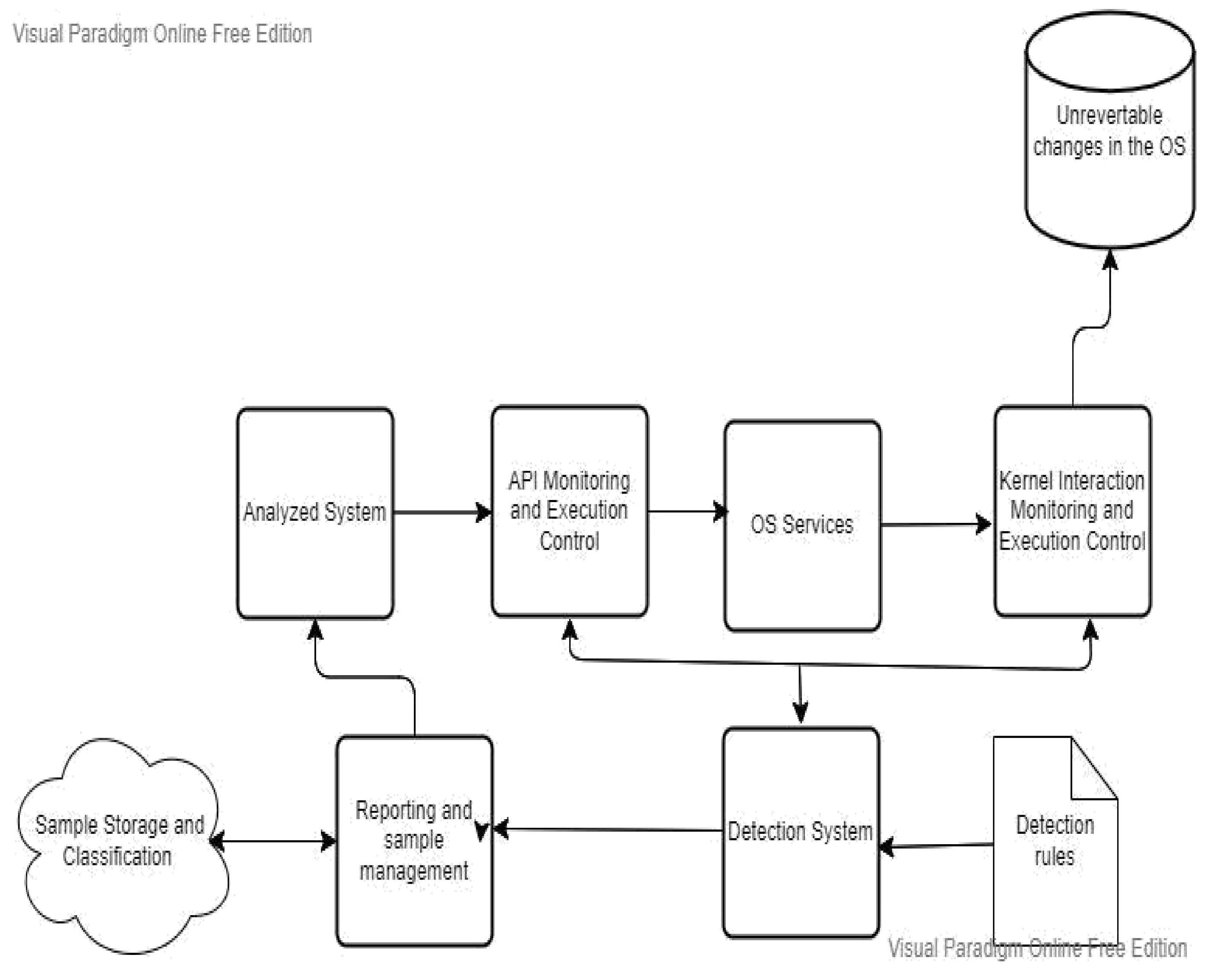
The proposed system is built upon dynamic analysis technologies, specifically malware analysis approaches, which serve as its foundation. Initially, the focus is on dynamic malware analysis methods, establishing a honeypot laboratory consisting of three Dionaea honeypots to collect multiple samples. Subsequently, a case study examines a single piece of ".exe" malware, utilising Important.xls or Important.doc files as examples. The acquired materials undergo evaluation in a secure Remnux sandbox laboratory, isolated from the university network, to prevent the spread of malware. Before launching the infection, a baseline profile of the machine is obtained using VMware’s snapshot capability. Four tools—Process Monitor, Process Hacker, Capture BAT, and Regshot—are configured and executed to capture system behaviour at different stages. Comparison between the infected device and the baseline snapshot is conducted using the same tools. The ProcDot analysis tool also visually represents all events occurring post-malware execution. Screen readers like Jaws and ZoomText are employed to assess readability, examining if the malware can be easily recognized as plain text. Figure 1 presents a phased approach illustrating the dynamic malware analysis methodology.
Malware Analysis Tools
Kali Linux is a Debian-based system created for digital forensics and penetration testing. The majority of the software Kali utilises comes from the Debian repository. Over 600 penetration-testing apps come preloaded on Kali Linux.
3.6. Honeypot
A "honeypot" is a deliberately vulnerable system used as an early detection trap for attacks. It gathers information on attack techniques, the source of the attack, and the attacker’s intentions while also diverting attention from natural systems. Honeypots are categorised into low-interaction and high-interaction types. Low-interaction honeypots aim to protect the system by minimising attacker interaction, but they gather limited information. Businesses commonly use them to safeguard their systems from external threats. In our case, we focus on obtaining malware samples, thus employing honeypots with limited interaction. On the other hand, high-interaction honeypots aim to gather extensive information about attackers, allowing for complete system access or tampering. This approach is typically employed when studying new attack strategies.
3.7. Why Dynamic Analysis Was Chosen
The chosen methodology for this study employs dynamic analysis to identify malware practices, providing deeper insights than static analysis [30]. However, static analysis is initially used in the first stage to scan the malware [31]. The research considered a choice between a systematic approach and an MMALE (Multi-Methodology Approach to Linux Exploits) methodological approach but opted against the latter as it is specific to Linux testing and not applicable to other operating systems. Static analysis, also known as "code behaviour" and dynamic analysis, are two standard methods for malware analysis. Static analysis examines the content of a file structure to identify threats but may miss hidden code, files, and packages that can only be detected during runtime [32,33]. It lacks a comprehensive understanding of malware behaviour and compromises system security. Dynamic analysis combines static analysis with running the code to search for malware. During static analysis, files are examined for malware intent or system damage, including DLL files, macros, and suspicious characters [32]. The dynamic analysis provides a deeper insight into the behaviour of the running malware, revealing how it was created and the potential damage it can cause [34,35]. A dynamic approach is crucial because cybercriminals are adept at evading static analysis methods and can hide files that only manifest at runtime, altering the code’s behaviour [34,35]. The study employs dynamic analysis within a Docker container and a sandbox environment to test the code and malware in a controlled and safe manner [36,37]. This approach prevents the spread of infected malware and safeguards the test environments. Both static and dynamic analysis methods are valuable in understanding malware behaviour. The static analysis traces the history of malicious files without running the virus, providing insights into their behaviour [36,37]. Dynamic analysis allows for analysing malware samples in a controlled environment, capturing their impact and potential damage [37].
3.8. Limitations of Dynamic Analysis
The limitation of dynamic analysis is that hybrid analysis has recently been introduced and can be used with online cloud platforms such as Azure and Amazon. The hybrid method uses static and dynamic analysis, augmenting the effectiveness with increased Indicators of Compromise (IOCs). IOCs use static analysis on memory dumps to extract concealed files and code for examination, even if such scrutiny is unnecessary. In contrast, dynamic approaches can skip this step. Moreover, the dynamic analysis presents challenges for cyber-security analysts when dealing with advanced hackers, who often employ sandboxes. Additionally, the dynamic approach consumes more time scrutinising malware, making it time-consuming. Conversely, the hybrid method examines malware signatures or code by amalgamating them with pattern matching, uncovering anomalies while excluding certain stages within the dynamic approach that are imperative for execution, such as breakpoints within the code. This methodology has been successfully employed in mobile technology, specifically within the Android operating system and iPhones, enabling the detection of malware, considering the heavy reliance of most people on mobile devices today.

Table 1.
Static Vs Dynamic Analysis.
| Static Analysis | Dynamic Analysis |
|---|---|
| Examines file and binary/hex values without running the code for viruses | Code must be run with a controlled environment |
| Uses a signature-based approach | Uses behavior patterns to detect viruses |
| File fingerprinting and reverse analyzing memory, headers, and packets | Intrusion traces, memory and registry changes, system, and network calls |
| Not great with complex code and can clash with other malware programs | Effective against all types of malwares because it uses extraction and controlled environment testing to assess impact, dangers, and risks |
One of the main reasons for selecting dynamic analysis in this project was to demonstrate the practical execution of malware for educational objectives. By observing its impact on a system at each stage within a controlled environment, dynamic analysis offers insights that static analysis alone cannot provide. Although time constraints prevented hybrid analysis, the hybrid malware methodology presents an optimal avenue for future projects, as it leverages mobile technology, cloud services, and wired technologies, aligning with modern approaches
Figure 2.
High interaction structure.
Process Hacker helps to identify tasks as task managers would, but has advanced capabilities that task managers would not pick up, like viruses, and features that can help determine if the program you just ran has a hidden process behind it, which could be used as an attack to get information and make your device vulnerable. It can monitor all processes, IPs, and ports [38]. This program can help with network, process, CPU, and real-time monitoring to show if the process is safe. This is an excellent tool if you are unsure of the files you have just received.
3.9. Features of Process Hackers
- A detailed system history and activity overview can process data into graphs and statistics. This can allow you to track down resources and hidden processes quickly.
- If you want to delete a file but cannot, then use this program to find out what process is used, and it will give you detailed information.
- Check to see if any programs have active network connections, as you may have run a program, but some undetected links have appeared.
- Get real-time information on disk access.
- You can view detailed stack traces with kernel mode, WOW64, and .NET support.
- Go beyond services. MSC: create, edit, and control services.
- It is open-source and does not require installation.
Process Monitor is a tool that works with Microsoft Windows and can show real-time file system registry and process/thread monitors, helping to keep your device safe. Most hackers will try to inflate the registry, as most anti-viruses today will not pick this up as they are primarily used to scan the system and the C drive. If you do not have third-party tools, your computer will most likely get affected if hackers try to attack the registry, where all data is saved for a computer to work like a register, and they can compromise it. Combined with Filemon and Regmon filtering, it can pick up user names, IDS information, and complete stack information, which can help developers see why the device is slow or what data is being processed and why it is taking too long. Another advantage of Process Monitor is that it will output all this information to a simulation log for event tracking to prevent malware, and this tool helps to pick up malware quickly [39]. Benefits below.
- More data was captured for operation input and output parameters.
- The capture of thread stacks for each operation makes it possible, in many cases, to identify the root cause of an operation.
- Reliable capture of process details, including image path, command line, user, and session ID
- Filters can be set for any data field, including fields not configured as columns.
- The advanced logging architecture can handle millions of events and gigabytes of log data.
- The process tree tool shows the relationship of all processes referenced in a trace.
- The native log format saves all data for loading into another Process Monitor instance.
- Process tooltip for easy viewing of process image information
- Detail tool, which allows easy access to formatted data that doesn’t fit in the column
- Cancellable search
- Help optimise your device for faster logging of all operations.
HXD is a hero-decimal editor that can pick up a file type and check if the file is what it says it is. With the a.doc file extension, we can tell it is a Microsoft Word document. However, with this tool, you can place the file directly by dragging it to the HXD icon to check, as sometimes there could be macros, code, and even some RTF-rich text to trick us into opening it so malware can run. Some document files may contain files that are applications waiting to be installed so they can access your data. This tool can show the raw hexadecimal data, which computer experts and security analysts can read; however, it can also show the document file types, ASCII values, and representation of the file and its layout standard. The strings and numbers encoded in the document can help to identify a file and what behaviour it may have, as well as its impact. These documents are frequently included. RTF and other file types can be easily spotted. Still, today, hackers have become more sophisticated and embed various jargon codes to manipulate the reader, so they open it to try to put them off their guard. This is a highly recommended tool that was used [35].
Fake-Net is a tool that can be used with dynamic analysis for malware assessment. The open-source tool can be used on both Windows and Linux operating systems. The tool detects network traffic when analysing malware by setting up a simulated network service to gather malware analysis. It is used to see if the malware or file has any links behind the scenes that it has opened and if it is trying to download harmful files or send information about your device.
4. Results
4.1. Questionnaires
A questionnaire was used to help reach many people and collect the same information in the same way. It was an inexpensive way of gathering data from many people, allowing individuals to maintain their privacy and provide facts. The questions were presented consistently to all the respondents without bias because they happened to be the most effective and appropriate for this project—the questionnaire aimed to understand existing systems and organisations’ views on the current cyber security attacks.
4.2. Results for Questionaire
A group of 10 organisations were used to fill out the questionnaire; fortunately, 90% of all the samples agreed to develop such a modern technique. Few organisations that support VI, people who are blind, and people with disabilities were especially interested in this field, where HCI impacted creating a simple and effective user-friendly design for people with sight loss so they could interact with their peers without any difficulties. The questions were designed to help gather information about organisations’ perspectives on the transition to modern security. Only one organisation disagrees with the system due to the following reasons:
- The organisation no longer carries activities online, which may result in administration issues.
- Cloud modernisation involves employing new IT staff infrastructure, wh
Figure 3.
Level of acceptance of modern techniques.
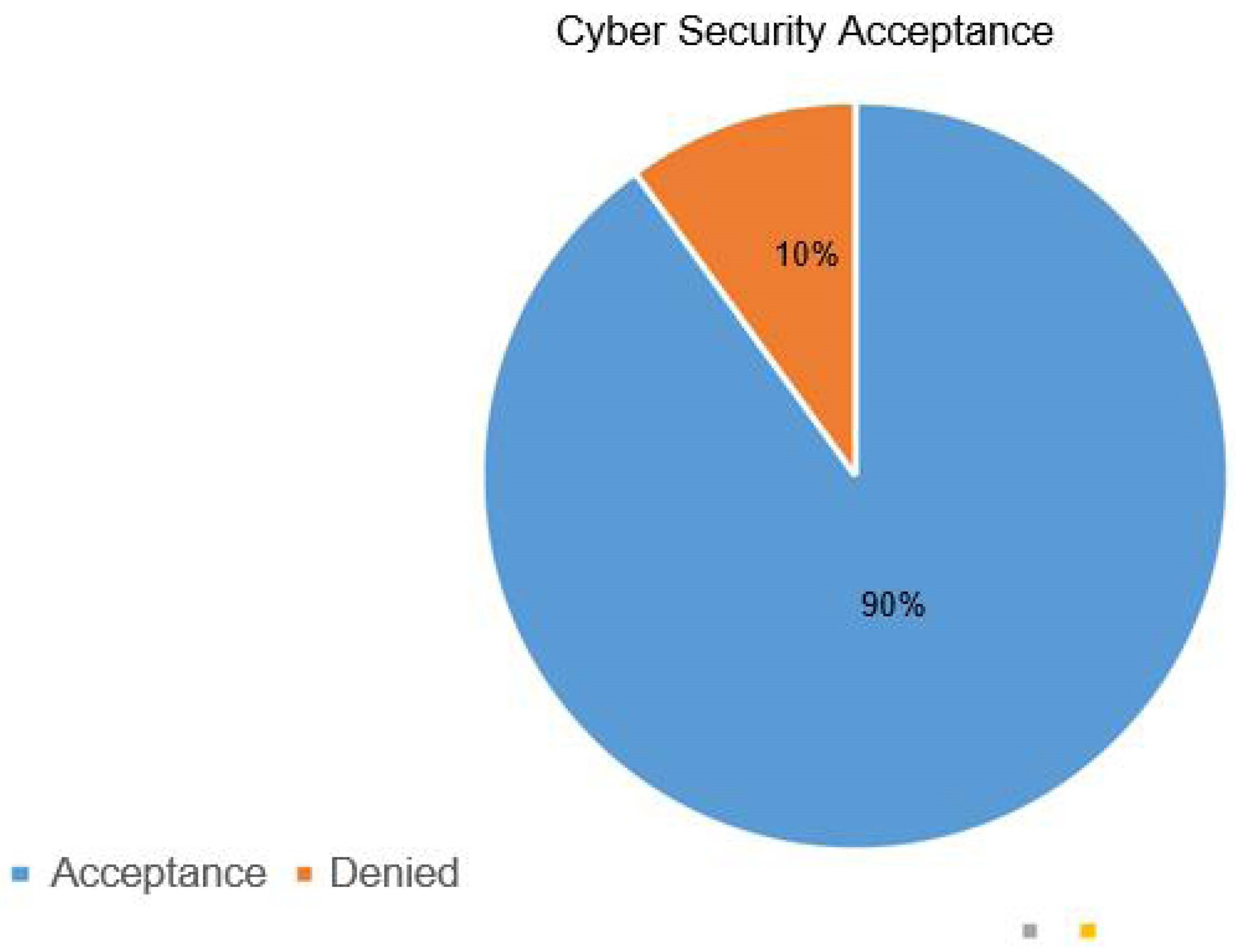
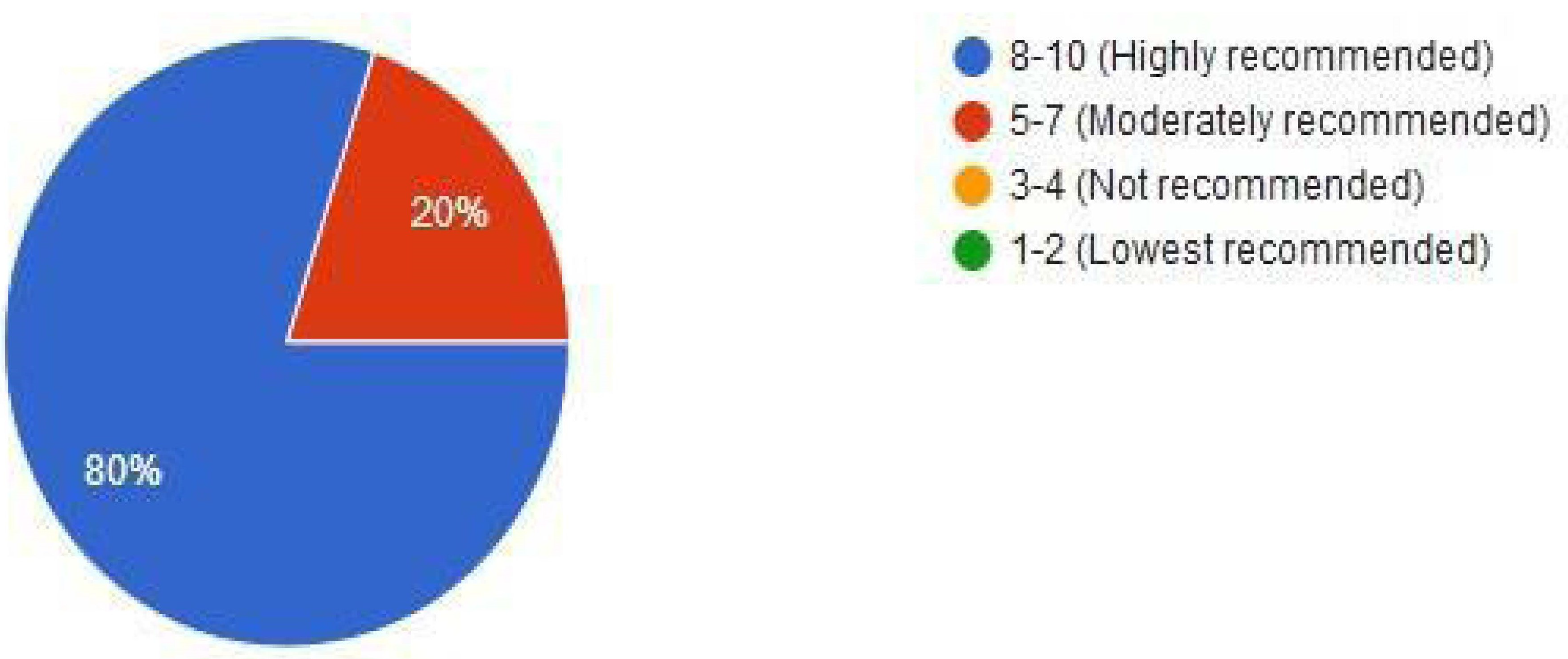
Figure 4.
Level of recommendation for modern cybersecurity system.
A copy of the questionnaire can be seen in appendix C. The results carried out from the questionnaire, working for some organisations while keeping staff names and personal details anonymous, all agreed that a lot had been considered when designing interfaces with new services and functions to help people with VI difficulties; however, there was still a vast improvement to be considered as not all the features and services launched helped screen readers pick up the alt-tags, labels, colours, themes used and images on the screen. Some screen readers, such as Thunder, the free open source reader, and Windows Narrator, would get stuck on designs that had a compact spacing or kept reading the exact text repeatedly because they were too close together and not separated with al-tags and panels. Because there was always a delay in the response from the screen reader, it was difficult for people who couldn’t see which option to select. Design today has become a vast topic, and companies have tried their best to make it simple; however, they include too many features that make the system overly complex, and some tools that are not needed do not work when integrated with accessibility. Some staff stated they are now working extra hard via network platforms like LinkedIn and with organisations to focus on HCI and accessibility, as they said that there was no real change where users could change the font style, size, or even the background and text colours on the form, which would help not only VI users but people who had dyslexia to interact with the system and learn.
According to studies, most people find it easier to focus on a yellow-gold background with clear black fonts because it helps the optic nerve and the cornea in the eye differentiate between lightening to help and adjust with the room lightening to make it clear on screen as having a high contrast white will not only damage the eye but also have effects on the brain causing strain on the nerves not to relax driving the user to have more eye-strain and headaches causing them not to focus on the screen.
4.3. Interviews
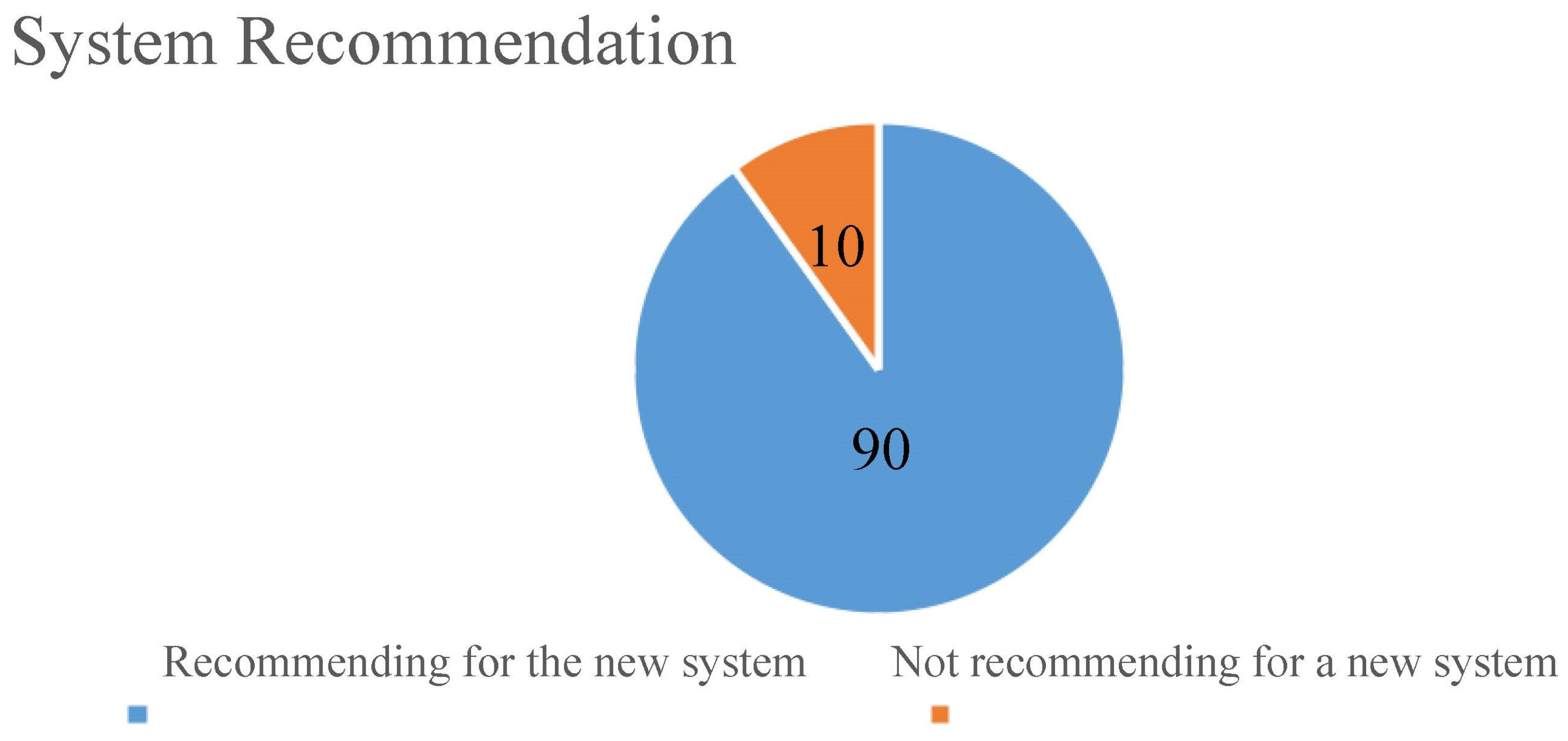
A sample of 10 stakeholders was interviewed: multiple organisations, students, older people, and general shoppers. The recommendation for a new system during the interview was recorded in a table, as shown below.
Table 2.
Recommendation for a new system table.
| Number of respondents | Recommending a new system | Not recommended for a new system |
|---|---|---|
| 10 | 9 | 1 |
Percentage of those who recommend a new system.
9/10*100=90%
Percentage of those who did not recommend a new system.
1/10*100 = 10%
Figure 5.
Pie chart for the recommendation of a new system.
4.4. Interview Results
After explaining the system to multiple organisations, students, older people, and general shoppers as a sample I had taken, I realised that all the organisations were using the system, as they said that the system would help them secure their systems while performing their duties.
The interviews show that most people agreed that the newly developed system would be essential to their VI employees. At the same time, only a few disagreed because most freshly developed systems are complex to adapt.
From the interview, it was known that most people had some knowledge of malware and what it could do but were unaware of its nature and how it could damage a device. Not enough training was given to overcome this, and 95% of people were uncomfortable identifying malware because of a lack of training. It was suggested that any leaflets or interactive videos advising them about the critical importance of safety would help them to stay safe, as spending too much time on devices because of technology did not help as they were good at their jobs. However, they felt that their ISP providers and the company IT team would be monitoring promptly to assist. Most people were not aware of updating their devices as the information given by their organisations told them it would be done for them. Instead of shutting down, they would put their devices on standby, resulting in updates waiting to be installed and causing the system to slow down and be insecure.
4.5. Result Summary
After conducting interviews and surveys with over 5,000 people from various organisations, students, older people, and general shoppers, a clear goal with a set of requirements was developed, and 90% of the respondents agreed that this would benefit not only them but the entire industry against threat protection while giving them more control so they could change the interface and play a vital role in the framework. When we interacted, it was clearly shown by some advanced users that they were concerned that most frameworks today do include bundles; however, most are not helpful, over-complicate the system, and are hard to use as there are no real instructions on how to set these up with the targeted cloud systems in place, causing settings to collide. Also, most frameworks today do not include a registry cleaner because most viruses and malware impact and make the registry vulnerable; however, you can scan the device, but there is no separate deep scan to check the registry itself for damages, invalid or modified keys, or other issues.
5. Discussion and Types of Attacks
Through the questions we asked during our research, we developed a cutting-edge malware analysis tool accessible to all users, regardless of whether or not they have visual impairments. Because it is a more accessible tool, the platform is becoming increasingly crucial for VI users who want to check their files for malicious software. Because of this, in turn, the power of this project will increase because it will record, catalogue, and categorise every malware sample sent to its system. Users who want to determine if a file is infected quickly take advantage of its quick analysis, accompanied by basic and high-level information regarding the type of malware found. Researchers can quickly scan their files thanks to the accessibility of the search function, which is also simple to use. While programs like TotalAV only offer a user interface for a typical user, our software gives people who have visual impairments extra area to work with so that they may change the various elements of the software.
Maintaining cyber security in an ever-changing threat landscape is difficult for any company. Traditional reactive tactics, which focused resources on defending systems against the most well-known attacks while leaving lesser-known dangers undefended, are no longer sufficient. A more proactive and flexible strategy is required to cope with shifting security dangers. To guard against known and unexpected risks, the National Institute of Standards and Technology (NIST) suggests using continuous monitoring and real-time assessments as part of a risk assessment framework.
5.1. Limitations
- Challenges in obtaining information: During fact-finding, not everyone was willing to disclose some crucial information, and even some were not confident enough while giving their responses.
- Problems with web systems where CVE identification takes longer to obtain vulnerabilities
- Only cloud businesses are supported. The analysis of cyber security is suitable for those doing their businesses online.
- The time available for a multi-purpose project was limited since it needed deep analysis and implementation.
5.2. Recommendations – Cybersecurity Awareness
According to our poll, most respondents believe that unskilled staff provide their company with the most significant security danger. This is not to claim that users, whether trained or not, are foolish, irresponsible, thoughtless, or reckless; instead, criminals and attackers employ this vector of attack vector social engineering to get victims to click on links or open attachments that infect their computers. Advanced attackers conduct extensive research on their targets to develop the most realistic-looking emails with which their victims would most likely interact. Most companies provide cybersecurity training to new workers during their onboarding process. However, far too frequently, cybersecurity is discussed for the first and only time. Since cybersecurity is a dynamic issue, employees must often be updated on the newest cybercriminal methods. It takes time to develop a suspicion of the unexpected and understand the warning indications of a phishing email. This is something that security pros frequently overlook. According to a recent poll, just 5% of businesses have a well-developed cybersecurity awareness program. Programs take time to develop, require the backing of senior leaders and require full-time staffing.
Employees will only learn if the information is compelling and relevant; hence, communication skills should be rewarded over security abilities. Finally, if a culture shift is to be achieved, the training must continue with regular updates. Many firms prefer to perform phishing attacks on their employees to evaluate how practical their cyber security awareness training has been for them. They also identify certain employees who may be more vulnerable to phishing and target corrective training. Anyone may be fooled into reading a well-crafted phishing email. Still, businesses must guarantee that their staff can spot suspicious emails most of the time and that, if a mistake is made, the employee knows how to report the issue without fear of retaliation.
5.3. Hacking
According to [40], hacking is defined as getting illegal access or compromising systems to acquire access. While hacking may be considered a crime in some countries, information security specialists with hacking experience are needed to combat cyber threats in business, politics, social media, and national security. According to Gupta, there are three sorts of hackers [40]. The first sort of hacker is a "white hat," which protects systems from other hackers. They are licensed and mostly recognised for their security services. The second category is the unauthorised hacker, sometimes called a "black hat." This type of hacker is called a "malevolent hacker" since they act without authorisation. Depending on the benefits, they might be offensive or defensive.
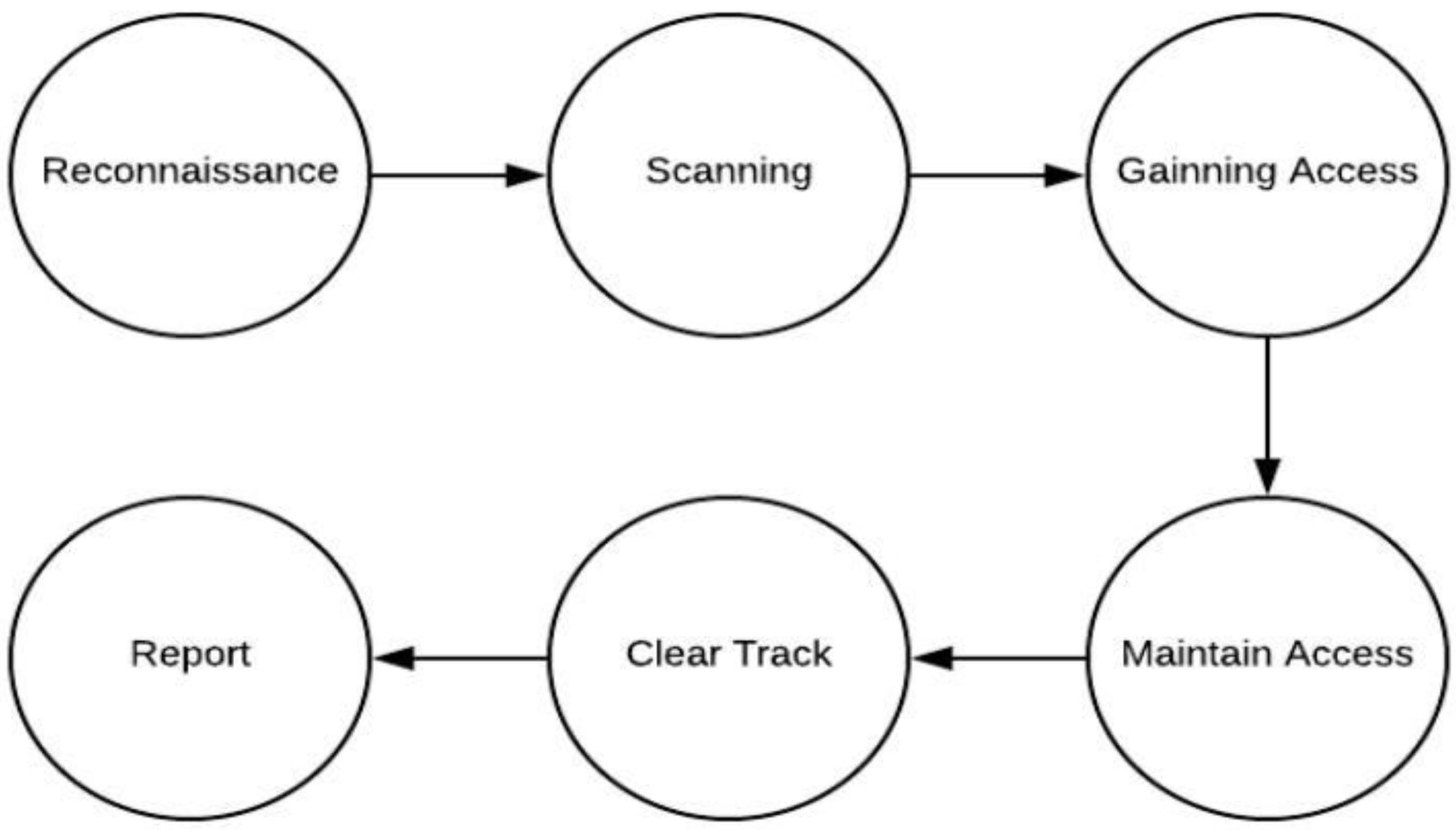
Reconnaissance, scanning, getting access, and maintaining access are the four primary steps of hacking [41]. In the first step, the hacker actively or passively seeks information on his victim. The attacker then scans or does numerous evaluations to get sensitive information about the victim. The attacker conducts the hack in the third phase, obtaining access. To gain access, the attacker takes advantage of the vulnerability and conducts an exploit. The attacker installs backdoors or Trojans to maintain access in the following phase. Finally, to prevent being discovered, they destroy logs and other information. The Lizard Squad is a black-hat hacking gang used as a case study in this research. The group’s origins and activities may be traced back to 2014, when it launched an attack on the Xbox and PlayStation game platforms, sharing hosting with them. The organisation also carried out several malicious attacks, including shutting down the Internet in North Korea, targeting the PlayStation network, and changing the logo on Destiny’s website [42].
Figure 6.
Steps involved in the attack.
5.4. Phishing Attack
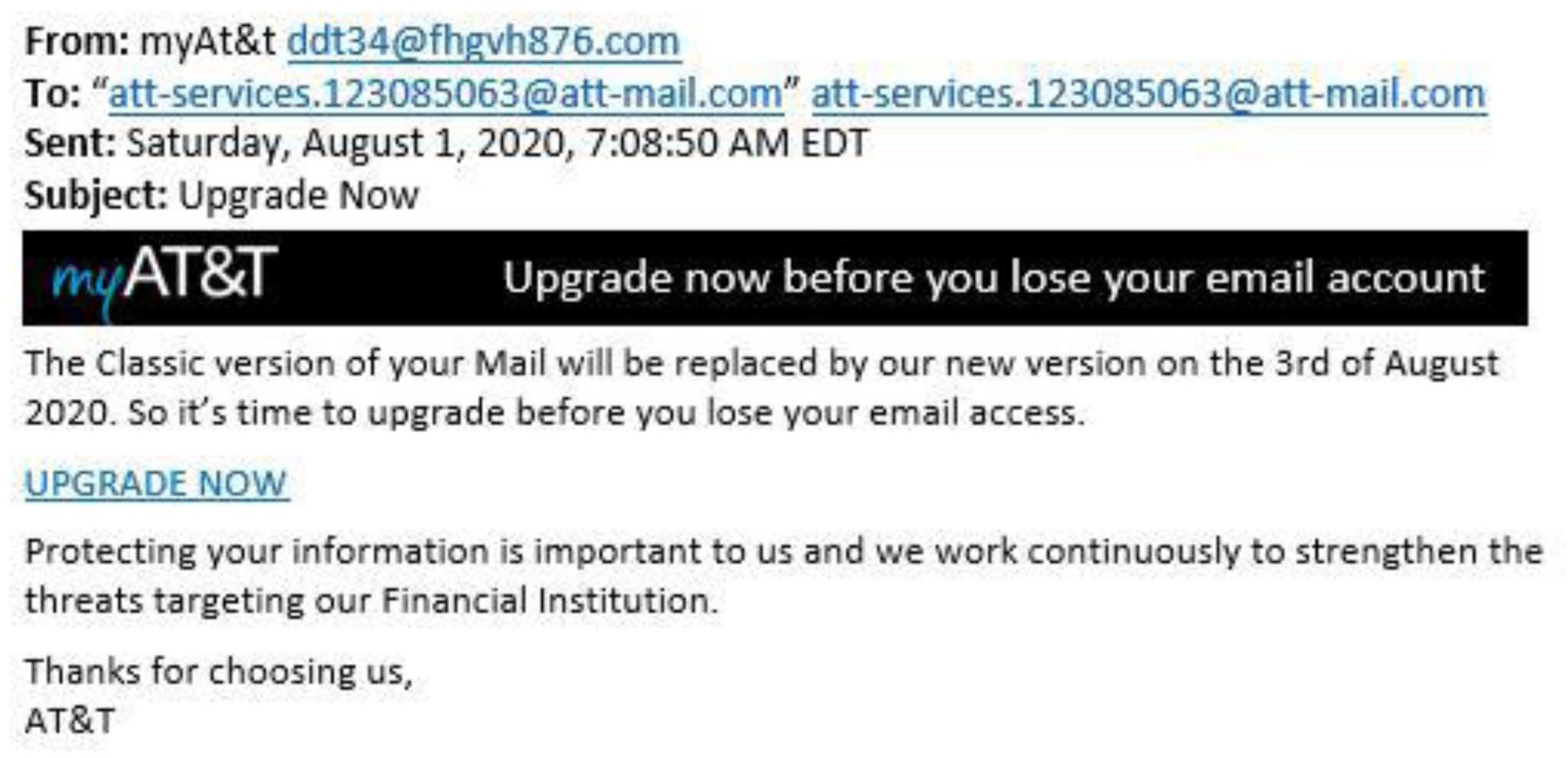
It refers to cases where criminals impersonate company representatives and target bank clients directly [43]. Previously, older communication technologies like telephones and postal letters were utilised to cheat and deceive individuals. Modern means such as email, text messaging, and social media discussions have mostly supplanted conventional techniques for committing cybercrime. Fraudsters can mimic genuine senders like bankers and get sensitive information such as usernames, passwords, and account numbers. In this type of cybercrime, fraudsters actively target receivers using bulk text messages, trying to dupe unsuspecting victims into disclosing their personal information. Cybercriminals may pose as salespeople for bargains that look too good. They may claim to give victims "investment" options, only to disappear with the victims’ money after a while.
According to the 2019 Verizon Data Breach Investigations Report, this type of computer fraud was implicated in roughly a third of all breaches. According to [44], the rise in phishing incidents is due to the well-modelled ideal tools that fraudsters and other offenders utilise, even without computer or software experience. In the run-up to the general election in 2016, phishing attempts were successful in obtaining vital credentials from Hillary Clinton’s campaign staff. Some University of Kansas employees reportedly lost their jobs the same year after giving phishers their paycheck deposit information. According to [41], the availability of phishing kits has allowed hackers to begin phishing assaults even if they have minimal expertise in the issue. These kits are available on the dark web, a murky and dangerous platform where criminal activities are frequently carried out.
Figure 7.
Example of a Phishing attack.
5.5. Five-Phase Attack
- While most businesses are aware of phishing, few are aware of the stages of an assault or the extent to which a cybercriminal would go to launch a phishing campaign.
- Step 1: Cybercriminals research sites where information is freely available, such as LinkedIn, to spoof a company’s data and identify which personnel to target.
- Step 2: The crooks then register a domain name near the company’s official domain.
- Step 3: The selected recipients receive a spoof email that looks real but contains harmful embedded links. These will take you to a fake website where you will be asked for login and personal information, or a virus will be installed.
- Step 4: The receiver believes the email is genuine, so they click on a malicious link and communicate with the thieves. The phishing trap has been set.
5.6. Attempts at Denial of ServicE
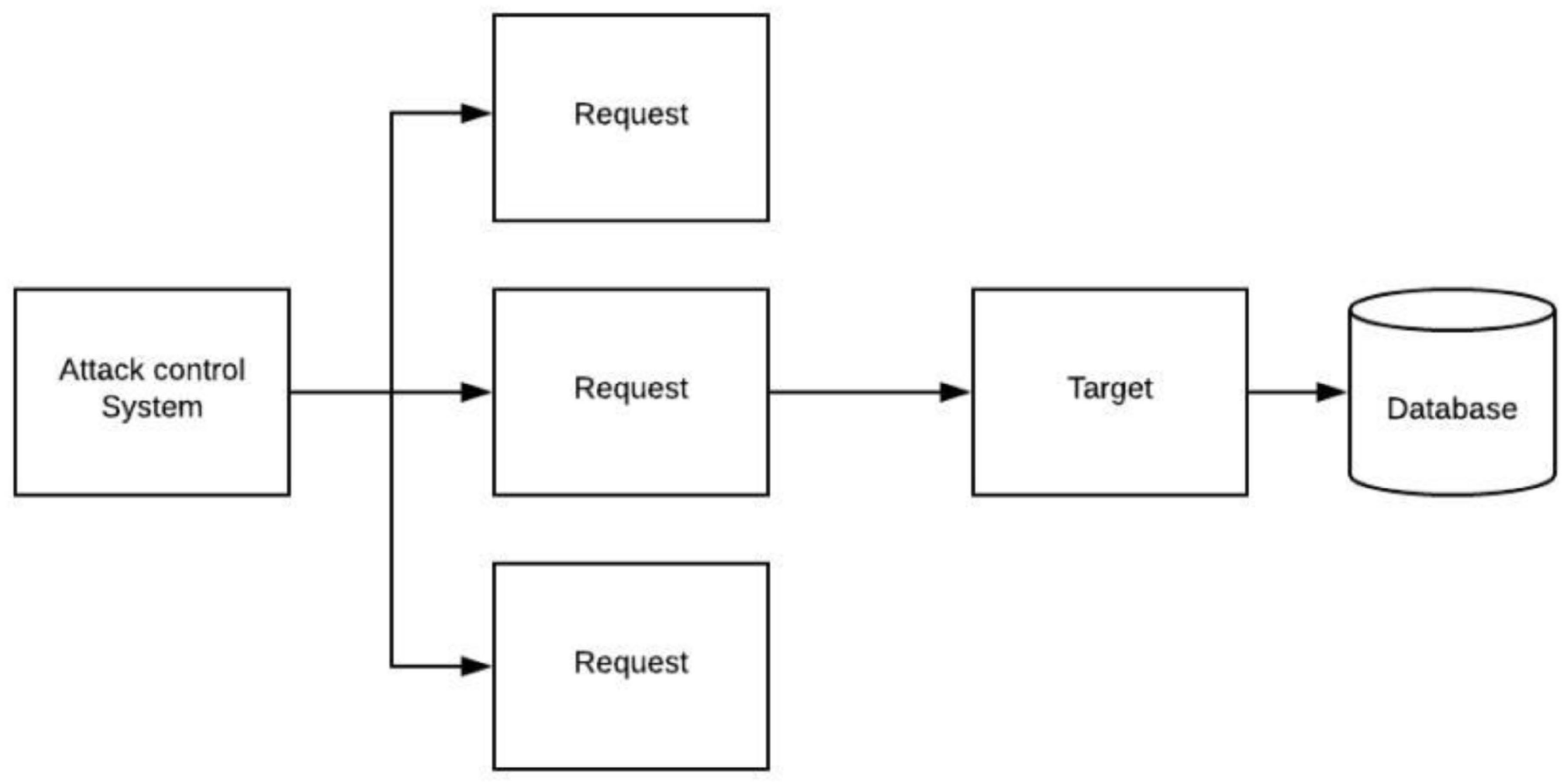
In these attacks, a large bandwidth is delivered to a host network, leaving it unavailable to ordinary users. As a result of these assaults, people cannot connect to a network or a computer. As a result, these attacks employ a network of computers to transfer data to the victim’s computer, preventing it from sending or receiving normal internet traffic. Firms that rely on the Internet to function have been demonstrated to be vulnerable to such assaults. During a DoS attack, an attacker sends several requests to a network server simultaneously, flooding it with traffic [43]. These requests are falsified and include fabricated return addresses, which fool the victims’ computer systems when they try to authenticate the requestors. The system becomes overworked at this time and cannot perform typical tasks. Smurf Attacks and SYN floods are the most common types of DOS attacks.
5.7. HTTP Flood
HTTP flood is a DDoS attack in which the attacker uses seemingly valid HTTP GET or POST requests to attack a web server or application. HTTP flood assaults are volumetric attacks that frequently employ a botnet "zombie army," a collection of Internet-connected machines that have all been maliciously taken over, generally with the help of malware such as Trojan Horses.
5.8. Ways to Protect Against DDoS Attack
- Don’t make the mistake of thinking that only large-scale, volumetric attacks are an issue.
- Don’t rely on traffic monitoring or thresholds to keep track of your traffic.
- Make your structure as sturdy as possible.
- Make your Internet of Things (IoT) devices more secure.
- Keep an eye on the traffic flow.
- Make use of a content delivery network (CDN).
- Utilisation of additional bandwidth
Figure 8.
DDOS ATTACK.
5.9. Viruses, Trojans, and Worms
A trojan is a mythological figure from Greek mythology. The Greeks attempted to take Troy, but the city’s walls proved impassable. They disguised their best soldiers as a Trojan horse, deceiving their opponents into allowing the soldiers to enter their fortifications. In computer jargon, a Trojan is software installed unintentionally on a victim’s system. It gives the criminal remote access to the victim’s PC [45]. A virus is a computer infection that attaches to programs or data and spreads from computer to computer. Computer viruses, like human viruses, come in various degrees of severity and can harm software, hardware, and documents. Once infected apps are executed or opened on victims’ computers, they become vulnerable to the virus. Warm, which refers to a subset of the virus that may spread from one computer to another without the assistance of a person, is equally hazardous. Worms are incredibly harmful because they may reproduce and cause havoc.
6. System Design
We take a comprehensive discussion of the feasibility analysis, which applies to the practical assessment of the proposed project. Additionally, an in-depth exploration of the system requirements and design is presented. The system requirements include both functional and non-functional aspects crucial for the system’s successful implementation. Then, the system design is carefully developed based on the system’s features and operations, involving elements such as the user interface and UML diagrams. Particularly, user-centric design is emphasised, ensuring the system is user-friendly and interactive, enhancing the overall user experience. Full requirement specifications and UML diagrams can be seen in Appendix C.
6.1. Technical Feasibility
Due to the growing use of computers, the technology used in their development was compatible with all computer systems.
6.2. Operational Feasibility
The server’s sufficient storage and processing capabilities ensured the system had good operational capabilities. According to many organizations and individuals, they were more comfortable working with the software to protect themselves against malware since it was more interactive, as they could change the colour scheme and font size and make things bold.
6.3. Economic Feasibility
The evaluation covers the financial aspect of the project. It deals with the returns on project investments and determines if the project deserves its resources. Besides the cost of the resources used in the development, the system proved to save income that would have been spent on training employees on how to protect and detect malware, as there is a section where they can learn by watching interactive cartoon videos about malware and using the sandbox to test files first hand, which lets users interact with the product more and let them be in control.
6.4. Requirements Analysis
A requirement is simply a high-level, abstract statement of a service that a system should provide or a constraint on a system. Requirements analysis is the process of developing software specifications intended to communicate the system needs of the VI users to the system developers. Software system requirements are classified as functional or non-functional requirements.
6.5. Functional Requirements
It relates to a process the system has to perform. This described the core functionalities of the system. According to the research design used to create the system and from the results of the questionnaires and interviews, it was clear that the primary inputs of the system were to ensure a simple, user-friendly design with increased functionality and allow changes to it to suit people’s environments. Complete requirements specification can be seen in Appendix B.
The main inputs of the system were seen as:
- A straightforward user interface allows changes to the text size.
- Allowing changes to the text’s font style
- Allowing changes to the colour scheme used
- Providing the option to view results as static graphics or plain text
- allowing results to be captured for future usage
- Some training material to show how to keep safe and what malware is
- Allowing scanning of particular folders instead of a quick or full scan of the device
- Images should have associated alt-tags so screen readers can inform users of what is on the screen.
6.6. Non-Functional Requirements
- Ease of use: The application is easy to use for all types of users.
- Understandability: The user-friendly interface makes the system simple for new users to grasp.
- The system will work 24 hours a day, making it convenient for any user to access it anytime.
- Reliability: The system ensures minimum time to failure, low probability of unavailability, and a low failure occurrence rate.
- Portability: The system enables new and VI users to learn anywhere and anytime
6.7. Secondary Research to Look at Some Existing Anti-Viruses and Their HCI and UI
After reviewing primary and secondary research and examining some of the anti-viruses used today, such as AVG, Avira, ESET, Total AV, and Trend Micro, it becomes evident that these antivirus frameworks shared a consistent design template. These antivirus solutions offer bundled features, including real-time protection, virus blocking, VPN integration, and scanning capabilities. However, navigating these interfaces as a keyboard user often proves challenging due to compact designs, excessive use of colours and texts that screen readers repeat, and complex side menus that are difficult for keyboard navigation.
Total AV: For instance, the interface presents a richness of information that poses difficulties for keyboard users to pinpoint specific elements. The absence of text separators and proper image recognition by screen readers weigh down user navigation, yet the design carefully considers clarity and conciseness.
Avira: Similarly, Avira’s interface interacts well with side menus, allowing easy text recognition by screen readers without delays. However, the overuse of images and colours challenges the practical ability of screen readers.
Trend Micro: Trend Micro emerges as a talented malware framework, excelling in identifying and blocking malicious sites. Although its interface may appear compact, its division into panels greatly assists screen readers in capturing text, buttons, and labels. Trend Micro’s screen reader compatibility goes beyond others, ensuring optimal text comprehension.
AVG: AVG offers a clean, uncomplicated interface, although screen readers struggle to identify images. In particular, scan results are presented in plain text, ensuring readability for screen readers.
The analysis of these antivirus programs highlights their concerted efforts to optimise their designs for simplicity and user-friendliness. Yet, insufficient functions, such as alt-tags for image descriptions, delay screen readers’ effectiveness. AVG, Avira, and Trend Micro stand out among these solutions, demonstrating creditable user interface design efforts. The constraint aspect of user customisations—like font size adjustments and colour contrast alterations—is often lacking in these programs, leading to usability challenges in varying lighting conditions.
Furthermore, these antivirus solutions often lack full user instructions, creating a struggle for user guidance and understanding. Consequently, based on these evaluations, the study transitioned towards creating an improved software architecture that matches the constraints of visually impaired users and other stakeholders. The derived understandings from questionnaires, interviews, and analyses emphasise the necessity for a user-friendly and adaptable design catering to diverse environmental settings. This research lays the groundwork for an enhanced software system architecture, addressing visually impaired users’ specific needs and promoting design simplicity and functional growth.
7. Implementation
Python was initially chosen for this project development as it is recognized as a high-level, object-oriented programming language, distinct from C#, which operates at a lower level in object-oriented functionality. Python distinguishes itself with robust built-in dynamic data, facilitating the creation of swift and dynamic applications. Its strength lies in a clear syntax resembling English, enhancing the ease with which coders can write, read, and modify code. In contrast, languages like C# take the creation of methods and variables along with additional documentation and comments, adding complexity to the learning curve. Furthermore, as viruses become increasingly sophisticated, the Phyton compiler can understand the complexity of these viruses because it has an enhanced framework of libraries such as Pxclamav; a few anti-viruses have been created in Phyton like ClamAV and a few viruses have been created using Phyton therefore, it was great to choose this programming language because if viruses have been created using this programming language then it will be best to outline them and ensure they are captured. Plus, as it is close to the English language, it makes learning and refining the code easier.
Upon thorough review of wireframes, UML diagrams, and extensive research, Python and C# emerged as the optimal programming languages for the project. While C# boasts excellent APIs, a robust framework, and stability, Python is valued for its speed, extensive APIs, and libraries, often used in creating viruses and ransomware programs. Python’s clarity in code, readability, and abundance of built-in methods, libraries, and frameworks, tied with online support, offer advantages such as creating code and objects through drag-and-drop features and streamlining development. The alternative would be to use C#, chosen because of interface designs.
The decision to opt for Python was initially revisited due to interface challenges that hindered seamless integration with APIs and resulted in system crashes. Consequently, C# was considered an alternative, despite its relatively slower performance and the need for additional software, due to its compatibility with the desired user-friendly interface. The dynamic landscape of programming languages, developing from traditional choices like C and C++, reflects the industry’s shift towards modern languages such as Python, C#, PHP, and Ruby, driven by their ease of use, efficient libraries, and time-saving frameworks.
7.1. Interface Design
The user interface was the project’s focal point, ensuring the interface was complete without any complexity between the user and the system. Initial efforts were spent in implementing this interaction using Python. However, despite rigorous troubleshooting actions, persistent challenges forced a shift to C#. Subsequently, a new prototype was developed by carefully following a series of instructional videos on YouTube. The need for a reliable and effective solution drove the decision to transition to C#. Extensive time and resources were allocated to troubleshoot the challenges encountered in the Python implementation. However, to ensure progress and efficiency, the project embraced C# as the programming language for the new prototype. As much time was spent with extensive research, GitHub guides, and research, the effective user interface crashed with the integrated libraries and framework.
Guided by instructional videos, specifically those titled "Simple Antivirus / Md5 Scanner Delphi Xe6 (Episode 1), 2017" and "C# Code Examples | Basic Antivirus [Source code], 2018," the development process unfolded. The recreated design closely adheres to these instructional resources’ visual and functional aspects. After closely following the videos, adaptations and modifications were made to the code to align it with the project’s requirements.
The adoption of C# not only addresses the challenges faced in the previous attempt with Python but also makes the most of the benefits of a proven framework, stability, and compatibility with the planned design parameters. This strategic transition reflects a responsibility to deliver a robust and user-friendly interface for the antivirus system, setting the project on a trajectory toward successful implementation.
The outlined requirements appeared feasible within the allotted time frame, with the acknowledgement of potential limitations in certain functionalities, notably the firewall, due to health and time constraints. The interface construction, facilitated by Python Thinker, initially progressed smoothly. However, challenges emerged when attempting to operationalize the scanners, leading to frequent framework crashes and program restarts. Extensive exploration of GitHub and utilising diverse resources, including APIs and libraries, resolved these issues, resulting in partial functionality of the scanners. Yet, the execution turned from the initial intention, manifesting as a console application instead of integrated into the framework’s graphical interface.
Figure 9.
User Interface.
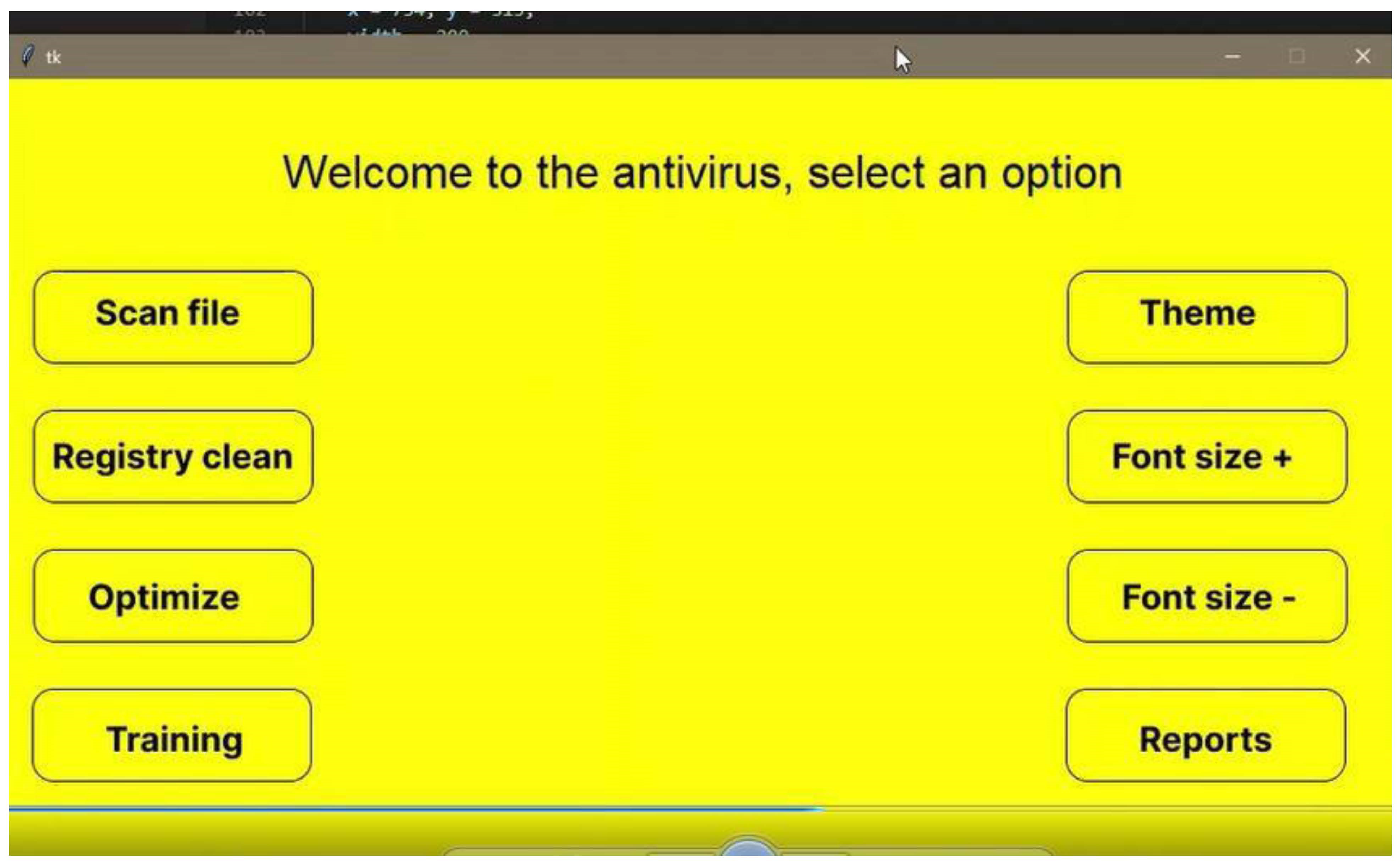
Amidst these challenges, a notable achievement was successfully establishing a sandbox environment within Python for malware testing. While this proved effective for educational purposes, particularly in understanding malware behaviour, its usability for visually impaired (VI) users posed challenges. Screen readers and magnifiers could interpret the straightforward interface with alt-tags and the absence of images. Still, VI users required additional assistance from either vision support or ascribed to comprehend ongoing activities. The provided figure illustrates the accessible and screen reader-friendly interface crafted using Python.Top of Form
The outlined requirements appeared feasible within the allotted time frame, with the acknowledgement of potential limitations in certain functionalities, notably the firewall, due to health and time constraints. The interface construction, facilitated by Python Thinker, initially progressed smoothly. However, challenges emerged when attempting to operationalize the scanners, leading to frequent framework crashes and program restarts. Extensive exploration of GitHub and utilising diverse resources, including APIs and libraries, resolved these issues, resulting in partial functionality of the scanners. Yet, the execution turned from the initial intention, manifesting as a console application instead of integrated into the framework’s graphical interface.
Amidst these challenges, a notable achievement was successfully establishing a sandbox environment within Python for malware testing. While this proved effective for educational purposes, particularly in understanding malware behaviour, its usability for visually impaired (VI) users posed challenges. Screen readers and magnifiers could interpret the straightforward interface with alt-tags and the absence of images. Still, VI users required additional assistance from either vision support or ascribed to comprehend ongoing activities. The provided figure illustrates the accessible and screen reader-friendly interface crafted using Python.
However, despite rigorous efforts to integrate the malware scanner with various APIs and libraries, the system consistently experienced crashes, as evident in the attached videos, which can be seen on my YouTube channel. The scanner’s malfunction and subsequent crashes proved persistent despite research and attempts with different variants. This challenging phase provided a valuable opportunity to learn Python programming, contributing to a broader understanding of this widely utilized language.
Figure 10.
Code for Interface.
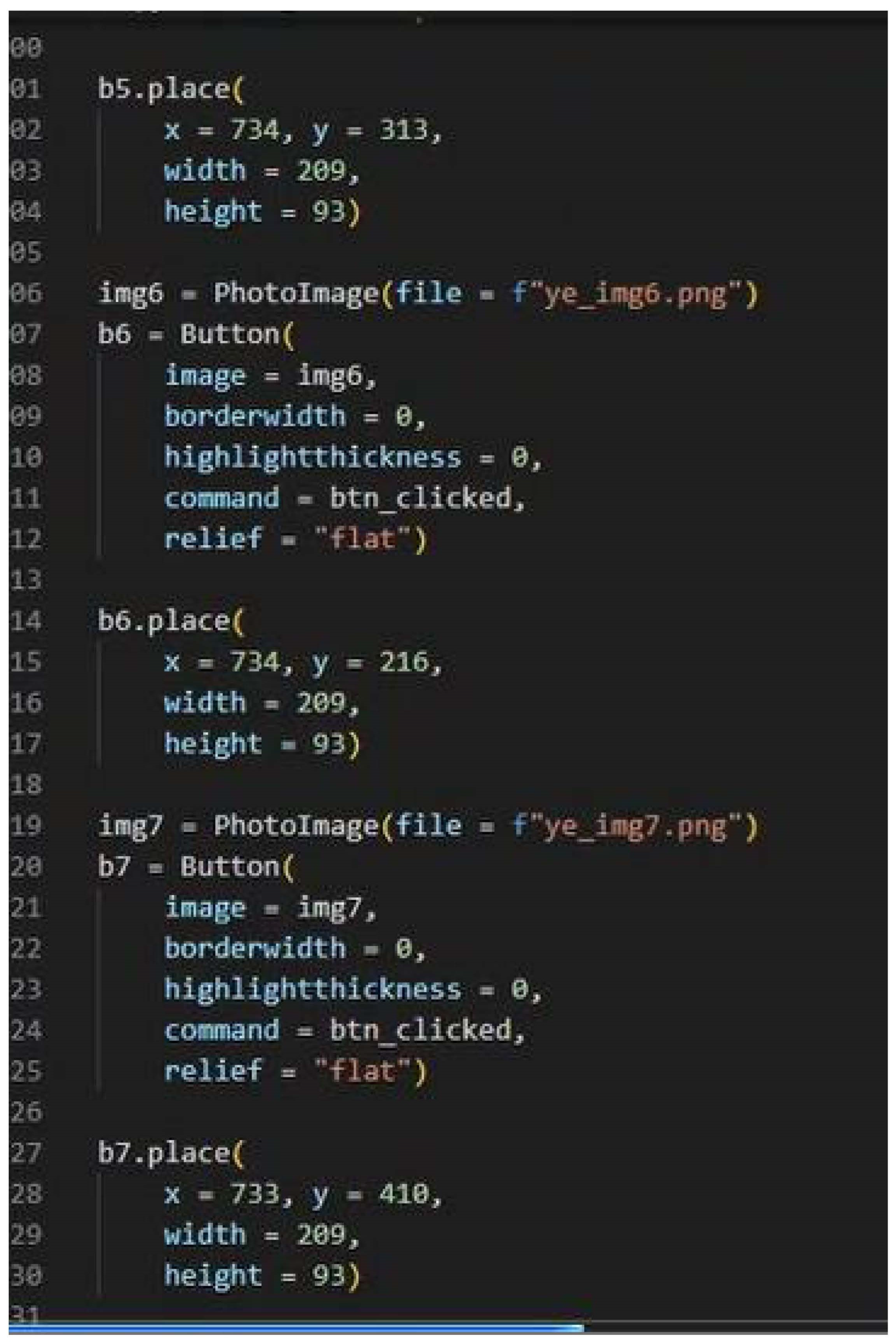
On the contrary, the implemented sandbox within the controlled lab environment demonstrated significant success, as showcased in the video. The comprehensive process illustrated in the video sets the impactful nature of malware and offers insights into identification and response strategies. This educational resource empowers users, including those with limited knowledge, to experiment within a secure, controlled environment, assessing the safety of running specific files.
The video documentation shows malware testing on a Windows 10 machine using Remnux, with an additional virtual lab setup utilizing Dionaea and Remnux for testing. The controlled environment incorporates fake DNS servers, a VPN, and essential tools embedded in Ubuntu Linux, such as Wireshark, facilitating comprehensive testing scenarios.
Transitioning to C# proved to be a vital step in the development process. The scanner started functioning as intended, allowing for the step-by-step implementation of the designed wireframes. Guided by instructional videos from YouTube (Simple Antivirus /Md5 Scanner Delphi Xe6 (Episode 1), 2017; C# Code Examples | Basic Antivirus [Source code], 2018; C# Code Examples | Basic Antivirus [Source code], 2018), the wireframes were adapted to fit the C# environment. The process involved thorough research and troubleshooting, mainly when dealing with code originally intended for VB.NET. Additional videos (C# Beginners Tutorial - 115 - MD5 and SHA1, 2011; How to make a simple Anti-Virus in C#, 2012; C# Code Examples | Basic Antivirus [Source code], 2018; How to create an Advanced Anti-Virus Software in VB.NET [Free Source Code], 2019) were consulted to guide the development, resulting in a similar interface to that of Screen Protector 2019. The interface was expanded and modified with advanced enhancements to allow a simple user interface, creating a comprehensive anti-virus solution incorporating MD5 and SHA1 hashes. The code used for the implementation can be seen in the Appendix.
7.2. Implementation of the Honeypot
The setup and configuration of the Honeypot Network platform, featuring the Dionaea honeypot for collecting malware samples. While an instructional video was generated, it encountered issues creating log reports. However, a successful demonstration was conducted using a Windows machine with Remnux to showcase the practical usage of the tools. Please see my YouTube channel for this.
The Modern Honeypot Network, as described by Anomali, offers a web interface and central server for gathering and configuring data. Various scripts, including Snort, Cowrie, Dionaea, and Glastopf, are employed within the honeypot technologies.
Dionaea Honeypot, by Markus Kotter during the Honeynet project’s Summer of Code 2009, serves as the successor. The honeypot provides attackers with emulated services that mimic vulnerability, featuring security flaws like those found in the Microsoft Windows SMB service. Upon being attacked, Dionaea accepts the shell code, simulating a successful breach by offering a shell or other responses based on the attack profile. The primary objective is to capture the malicious code.
For the honeypot infrastructure, four virtual servers, each running the latest version of Ubuntu TLS x64 with globally accessible public IPs, were deployed. Hosted by Digital Ocean, a prominent cloud computing company, these servers include one dedicated to the MHN administration server, while the others function as Dionaea honeypots to capture malware samples. The strategic placement of honeypots spans Singapore, London, and New York City, enhancing the global coverage and effectiveness of the network, as illustrated in Figure 11 below.
Configuring Dionaea to maintain discreetness and preventing detection or exposure by potential hackers becomes crucial. Following the installation of the Dionaea honeypot, a comprehensive port scan is conducted using NMAP. This examination identifies open ports and determines the reported versions, a vital step in understanding the system’s vulnerabilities from an external perspective.
Figure 11.
Modern honeypot network topology.
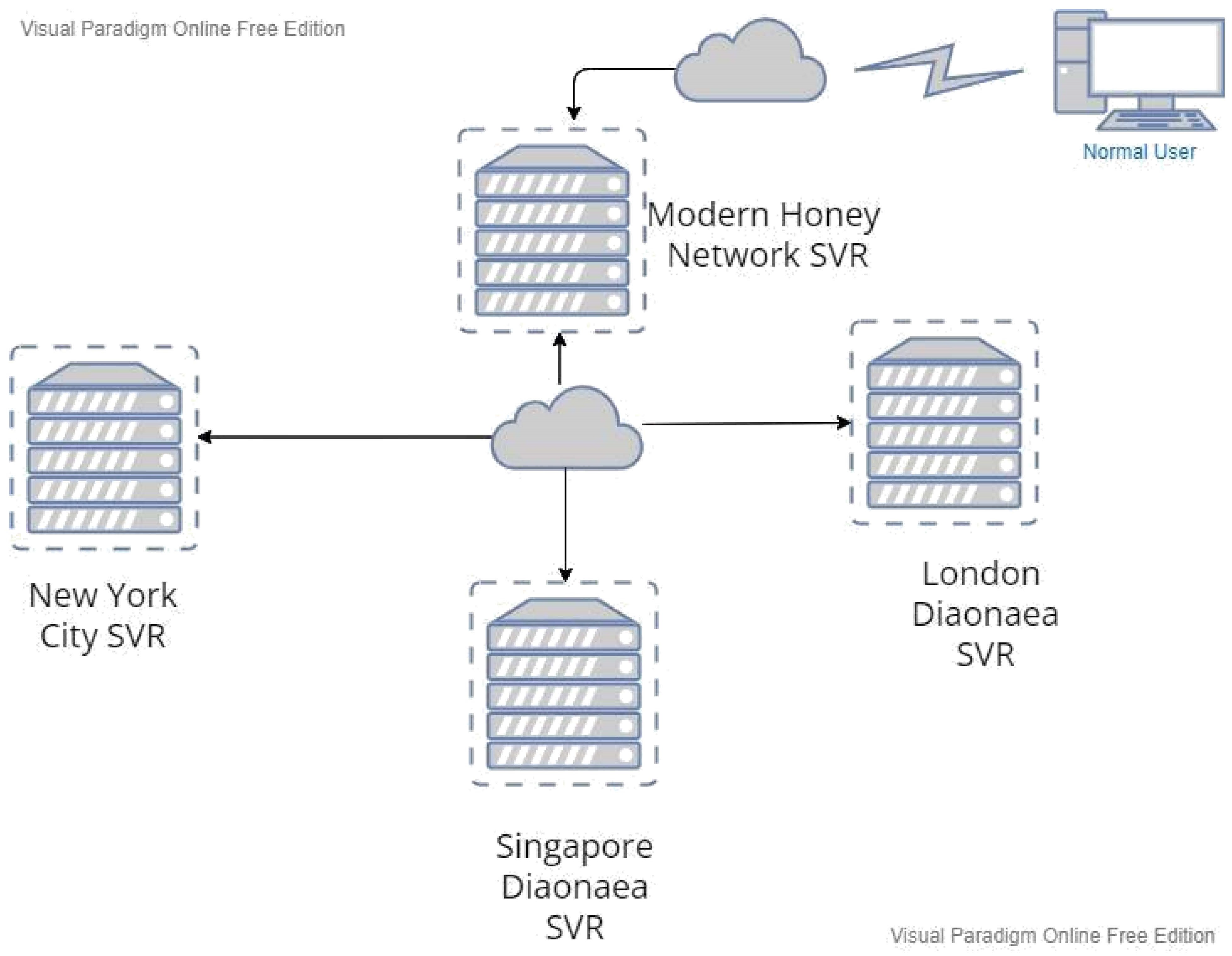
Table 3.
NMAP SCAN RESULTS BEFORE MODIFYING THE SETTINGS.
| Port | Protocol | State | Service | Version |
|---|---|---|---|---|
| 21 | TCP | open | FTP | Dionaea honeypot ftpd |
| 80 | TCP | open | HTTP | ? |
| 135 | TCP | open | MSRP | ? |
| 443 | TCP | open | HTTP | ? |
| 445 | TCP | open | ms-ds | Dionaea honeypot smbd |
| 1443 | TCP | open | ms-SQL-s | Dionaea honeypot MS-SQL server |
| 3306 | TCP | open | MySQL | MYSQL 5.0.54 |
| 5061/5060 | TCP/tcp+udp | open | SSL/sip | SIP endpoint; Status: 200 OK |
| 69 | UDP | open | TFTP | ? |
Figure 12.
A screenshot of NMAP results.
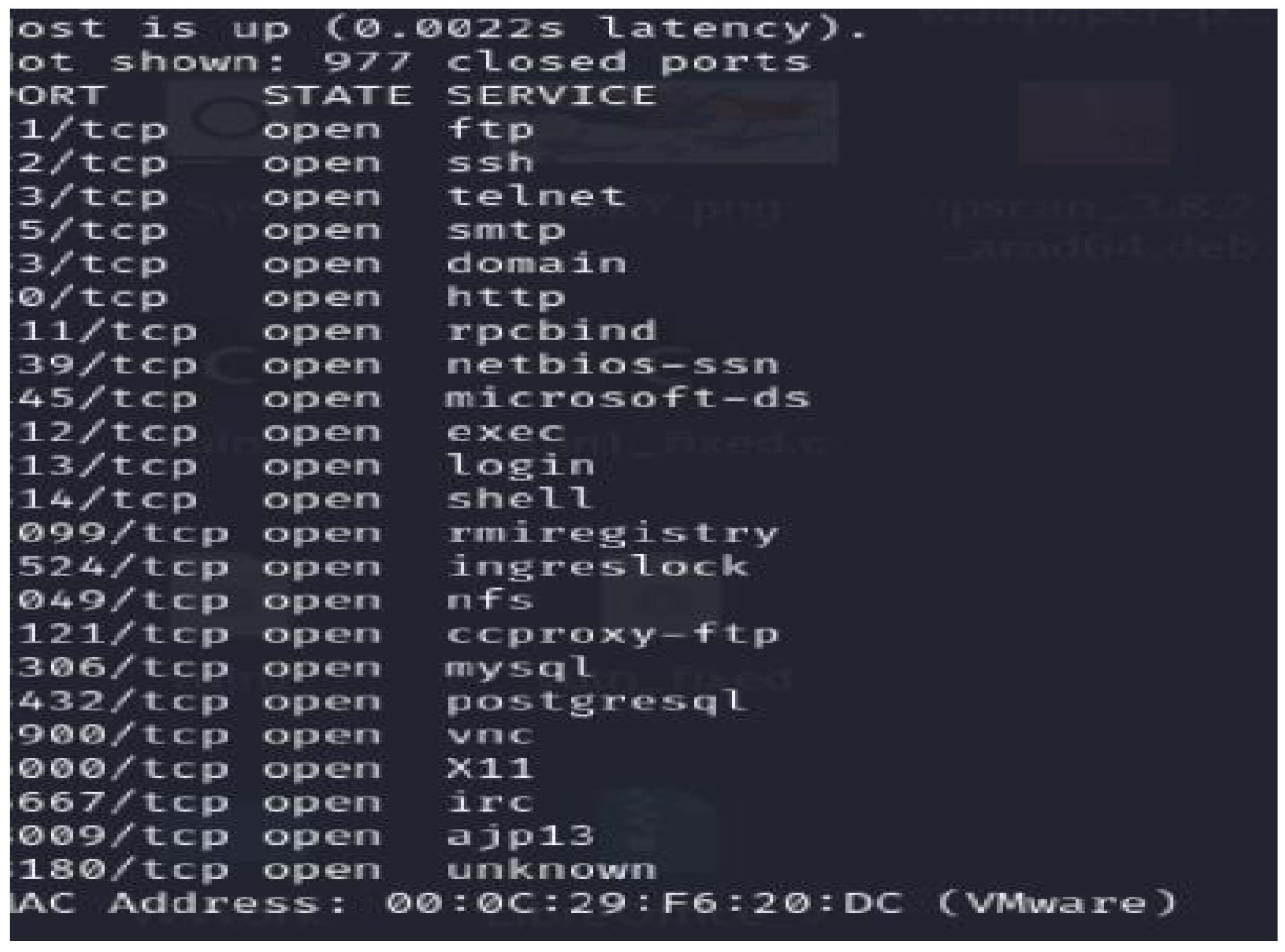
The virtual machine encountered stability issues post-file loading and root access attempts. A screenshot capturing the moment of malware attempting to gain root access through penetration testing tools has been obtained. Please refer to the visual documentation below. Additionally, a supplementary video showcases alternative methods, utilizing the Remnux sandbox in union with Windows. This provides insights into identifying malware safely within a Docker environment, emphasizing the efficacy of sandboxing techniques
Figure 13.
A screenshot of the error.
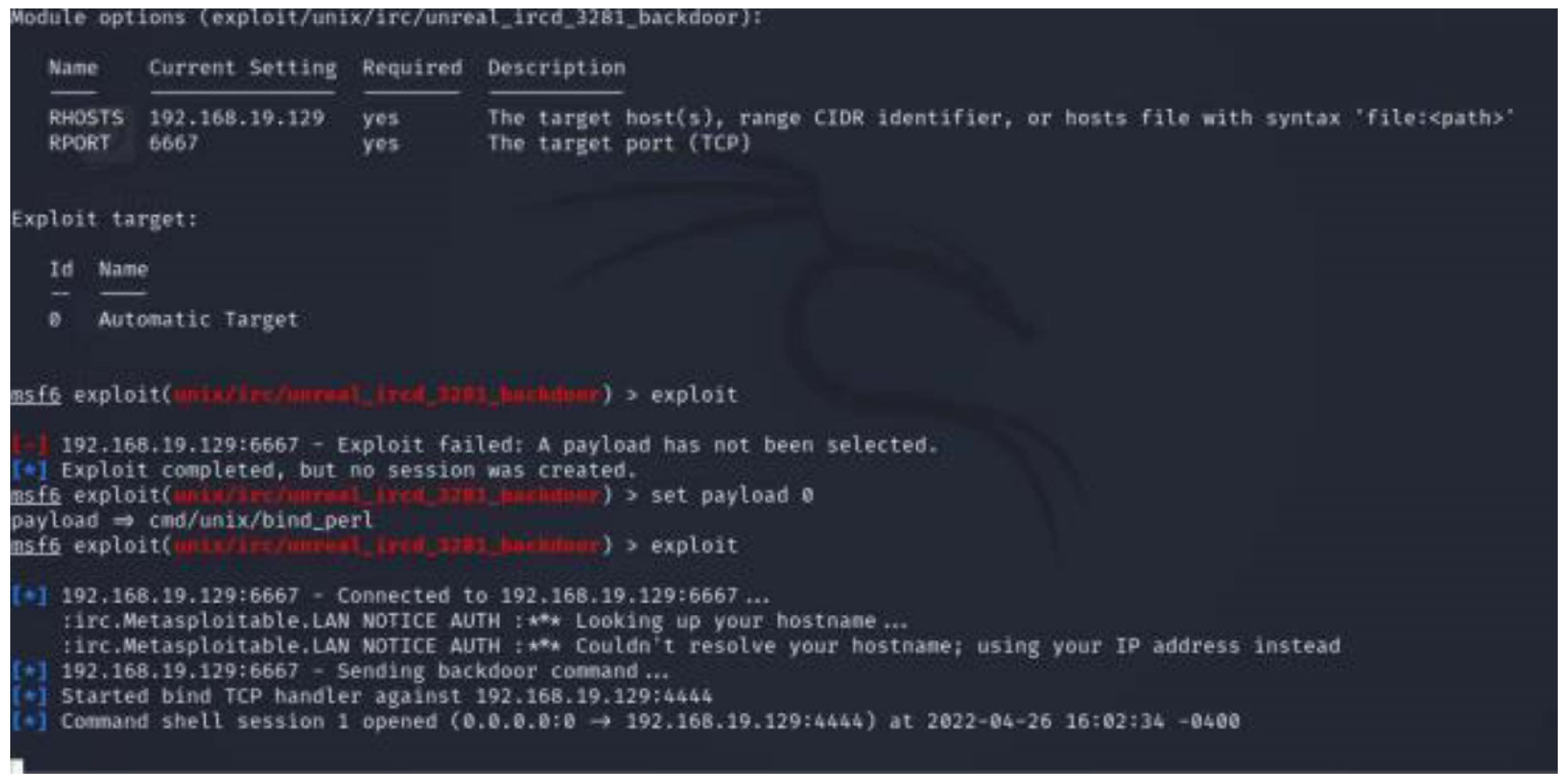
The outcomes of the NMAP scan are outlined in the table, marked with "?" when NMAP could not ascertain the version. The FTP, SMBD, and SQL server port versions were incredibly successfully identified and attributed to Dionaea. It is crucial to acknowledge that a skilled attacker, upon detecting a honeypot within the network, might alter their objectives or approach accordingly. This highlights the importance of maintaining a dynamic and adaptable security infrastructure.
We change the Dionaea server configuration files to avoid detection by scanning programs. For example, to replace the FTP banner with a Dionaea-specific welcome message, we alter the python file located in "/usr/lib/Dionaea/python/Dionaea/ftp.py" to change the welcome message of Dionaea from self. Reply (WELCOME MSG, "Welcome to the FTP service") to self. Reply (WELCOME MSG, "ProFTPD 1.3.6 Server"). Similarly, to change the Microsoft-ds (SMB) service, we edit the smbfields.py file located in "/usr/lib/dionaea/python/dionaea/smb/include/smbfields.py" by changing the OemDomainName and ServerName values to be a development server so it will attract attackers. Finally, we changed the service identified as Microsoft SQL Server database on port 1433 by changing the r value.VersionToken. TokenType = 0x00 to be 0xAA on the mssql.py file located under "/usr/lib/dionaea/python/dionaea/MySQL
7.3. Implementation of Honeypot Using Ubuntu
Figure 14.
Code used in Ubuntu.
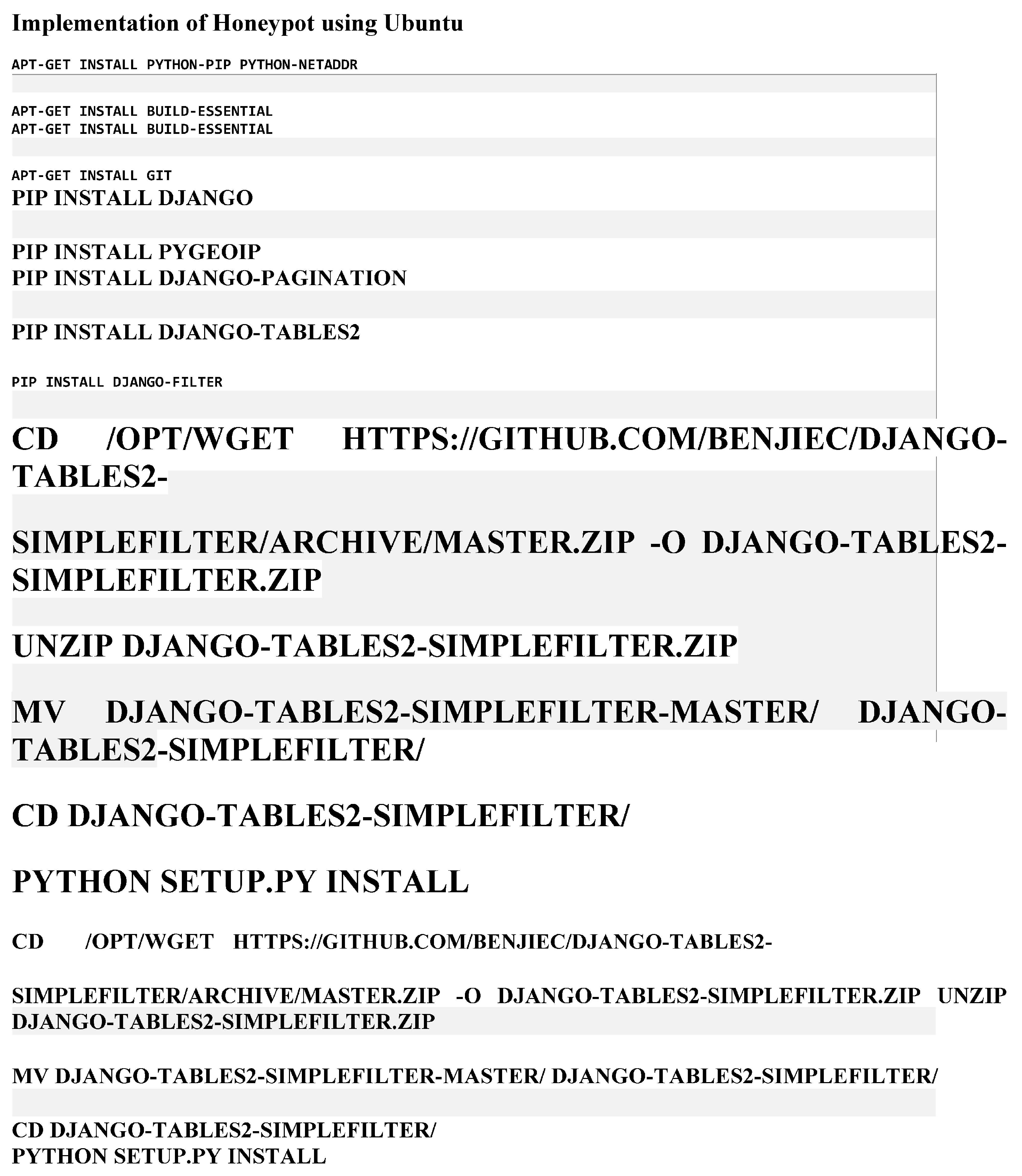
Figure 15.
Output.
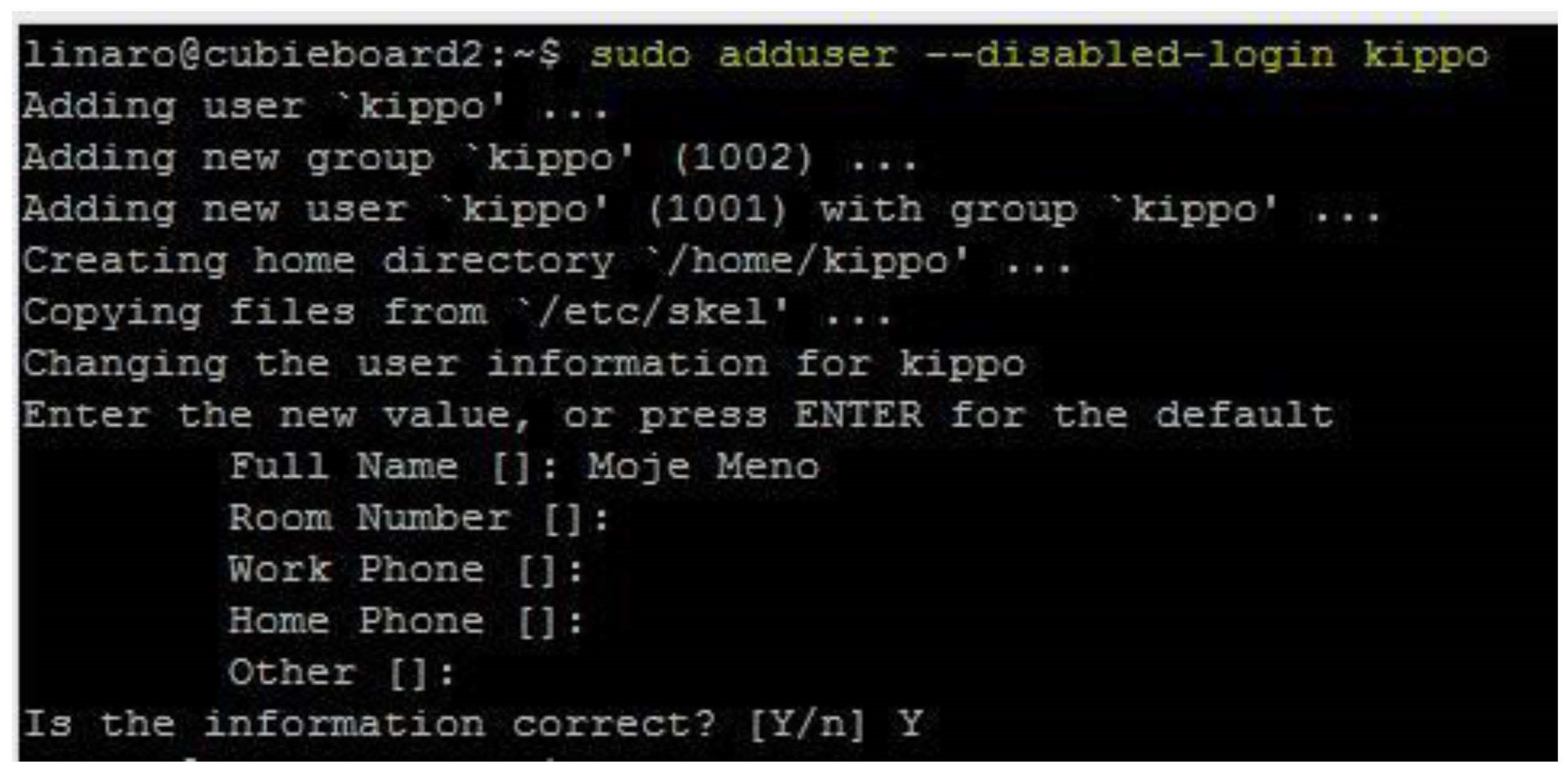
8. Testing
A careful testing approach was adopted to inspect essential software components and their subcomponents and modules, crucial aspects like font size, colour codes, and various functionalities such as computer scanning and cleaning. Each module underwent individual testing to determine its accurate performance in alignment with the specified requirements. Mainly, components like font size were rigorously tested to validate their ability to enlarge text within the software interface appropriately. This systematic testing methodology ensured the thorough verification of each module’s functionality and compliance with the intended specifications.
Table 4.
Unit testing table.
| Test | Test Area | Expected Results | Actual Results |
|---|---|---|---|
| Unit Testing | Test individual software components and modules of the system, e.g., font size and computer | Every module has the capability of running independently and giving the expected output, i.e., font size enlarges the components of the application | The modules and components worked appropriately and were able to give the correct output |
Table 5.
Integration testing.
| Test | Test Area | Expected Results | Actual Results |
|---|---|---|---|
| Integration Test | Modules, Components, Subcomponents, Relationships | Different components and subcomponents in the expected way, i.e., Font family and Font size | The modules were able to work together and produce the expected results |
During the comprehensive system testing phase, the system underwent rigorous evaluation to ensure its alignment with the functional and system requirements specifications. This whole testing approach aimed to validate that the integrated system functions meet the specified criteria outlined in the requirements documentation. This thorough examination involved all facets of the system’s operation, ensuring it met individual module specifications.
Table 6.
System testing table.
| Test | Test Area | Expected Results | Actual Results |
|---|---|---|---|
| System testing | Entire system | The system meets all the objectives that were listed, i.e., portability and easy to use by i.e., VI users | The system was able to meet all the objectives that had been proposed easy to use and good training |
Table 7.
Acceptance table.
| Test | Test Area | Expected Results | Actual Results |
|---|---|---|---|
| Acceptence testing | System’s acceptability and usability | Every user, including those with visual disabilities, can navigate the system with effort | User with lowest level of education was able to use the system with no assistance |
9. Conclusions and Recommendations
Safeguarding cybersecurity in its everlasting dynamics and evolving threat poses an ongoing challenge for organisations. Typical approaches, concentrating resources on defending systems against widely recognised attacks and potentially leaving lesser-known threats, have become insufficient. In this context, a practical and adaptable strategy becomes necessary to keep pace with the advanced security environment. The National Institute of Standards and Technology (NIST) supports adopting continuous monitoring and real-time assessments within a risk assessment framework to effectively shield against known and unforeseen risks. This approach represents a paradigm shift from immediate measures, emphasising a general and aware stand to promptly identify and respond to initial threats.
According to our survey, most respondents identify unskilled staff as the primary security threat to their company. It is crucial to clarify that this statement does not imply that users, regardless of their training, are fundamentally foolish, irresponsible, thoughtless, or reckless. Instead, criminals and attackers strategically exploit this attack path, utilizing social engineering tactics to manipulate victims into clicking on harmful links or opening infected attachments without thinking or pressuring them to time constraints. An example of this is the victim could be urged to click on a link or send money because their job could be at stake, or the business could lose their agreed deal, making people react the way they do. Today, most hackers will use a psychological approach.
Most companies incorporate cybersecurity training into the onboarding process for new employees; however, the issue often lies in the fact that cybersecurity is frequently a one-time discussion. To address the dynamic nature of cybersecurity threats, employees must receive regular updates on the latest cybercriminal methods. Developing an awareness of unexpected threats and recognizing the warning signs of phishing emails is a skill that takes time to develop, an aspect often overlooked by security professionals.
It’s significant that only a tiny fraction of businesses, approximately 5% according to recent polls, have a well-established cybersecurity awareness program. Developing effective programs requires time, the support of senior leaders, and dedicated staffing. The success of these programs was a turning point in making information powerful and relevant to employees, prioritizing communication skills over technical security abilities.
To adopt a cultural shift towards improved cybersecurity awareness, training should be an ongoing process with regular updates. Many organizations choose to simulate phishing attacks on their employees to assess the effectiveness of their cybersecurity awareness training. This practice helps identify vulnerable employees and allows for targeted, helpful training. The goal is to equip all staff members with the skills to recognize suspicious emails and, in the event of an error, ensure they know how to report the issue without fear of retaliation.
The project tackled the widespread threat of malware, a persistent challenge for internet users. Traditional anti-malware programs relying on static signatures proved limited, particularly in fast addressing zero-day attacks. The program turned towards dynamic malware analysis, aiming to capture fresh samples and assess their behaviour post-execution.
Established a lab setup to acquire malware samples and implemented a dynamic analysis approach. Two samples, an ".exe" and a Word file, underwent thorough scrutiny, unveiling a baseline deviation essential for creating dynamic signatures. The results of the studies offer valuable insights for malware analysts and incident response protocols whilst providing a simple user interface for users to interact primarily with those who use accessibility software.
Despite encountering scanning and API integration challenges, the project successfully created a user-friendly interface for font style, contrast, and size customisation. This interface, designed with accessibility in mind, acquired positive feedback during user testing, especially from visually impaired and elderly users. The educational component, featuring embedded videos, proved effective in teaching users about cybersecurity in an interactive manner as it showed real-life stories of experts on the subject who have fallen for security threats.
While the honeypot setup encountered some issues with crashing, an alternative approach using malware with Remix alongside a Windows VM demonstrated malware behaviour effectively. The project’s main objectives, focusing on simplicity, accessibility, and education, were achieved, contributing to improved security knowledge. The framework designed is prepared to aid users, especially those with limited knowledge or visual impairments, in navigating a secure and user-friendly digital environment independently.
Reflecting on the project, lessons were drawn regarding the importance of time management and not overly fixating on a single aspect. Some ambitious project goals were met, with features like scanning, a simple interface, and training successfully implemented. Future work could explore additional features like registry scanning and establishing multiple scanning options into a single tool, addressing user preferences for flexibility and efficiency.
9.1. Limitations
Throughout the fact-finding process, some individuals hesitated to disclose critical information, and in certain instances, respondents lacked confidence in their responses.
There were challenges with web systems, resulting in delays in obtaining information about vulnerabilities, particularly in identifying Common Vulnerabilities and Exposures (CVE).
The cyber security analysis is specifically relevant to entities conducting their operations online. This scope may not be universally applicable, as it primarily caters to businesses utilising cloud services with an active internet connection.
Time Constraints for a Comprehensive Project:
The multi-faceted project, requiring in-depth analysis and implementation, faced constraints due to the limited timeframe. This constraint affected the extent of the project’s scope and depth of study that could be undertaken.
9.2. Future Work
The developed design holds significant promise in enhancing the capabilities and independence of individuals, especially those with visual impairments. Future work is carried out to expand the functionality and influence machine learning and other advanced coding techniques through AI and collaborations with manufacturers. This approach aims to empower individuals, raising safer and more independent work environments, whether at home, school, work or elsewhere.
The current Graphical User Interface (GUI) is characterized by simplicity, making it accessible to a diverse user base. Further refinements can be explored to offer to individuals with hearing impairments, and additional features such as optimization, registry cleaning, and tune-up functionalities could be incorporated. The goal is to create an all-in-one tool that eliminates the need for users to download multiple applications for different security purposes and to have more control with ease of access.
The GUI considered a potential template for Human-Computer Interaction (HCI), holds the potential to aid those with visual impairments in accessing systems. Future developments may include expanding the feature set and incorporating services accommodating a broader audience. The target of learning machine learning and advanced cryptography reflects a commitment to continuous improvement, intending to enhance the framework’s efficiency and security.
While the current framework is straightforward and aligns with the preference for simplicity among users, there’s recognition of the need for additional features such as advanced scanning, deep machine learning, and robust data structures. Collaborations with manufacturers and ongoing self-learning endeavours are envisioned to drive these innovations. In conclusion, as shown by the prototype, the journey toward evolving cyber-security frameworks is ongoing, focusing on simplicity, accessibility, and continuous innovation.
Data Availability Statement
The videos and presentation files are on my YouTube channel and LinkedIn. Source (https://www.youtube.com/channel/UCUK3pfeR0q5Gvl06l_RbNgQ)
Acknowledgments
I like to thank my mum Kaniz Akhtar for her support despite her limited knowledge of technology for her dedication, motivation and support despite her critical illness of suffering from cancer).
Conflicts of Interest
The authors declare no conflict of interest.
Abbreviations
The following abbreviations are used in this manuscript:
| TP | True Positive |
| TN | True Negative |
| FP | False Positive |
| FN | False Negative |
Appendix A.
Appendix A.1. UMl Diagrams and Mocks Up the System
Upon analysis of primary and secondary research, a distinct understanding of user preferences and requirements came to light. This judgment facilitated crafting UML diagrams with wireframes that clearly captured user needs. A careful requirement specification diagram was structured in sequence, presenting both functional and non-functional requirements. This was complemented by including a use case diagram and a class diagram. This complete approach justified the viability of the explained requirements and affirmed their feasibility for implementation. This systematic progression perfectly aligns user expectations and the intended project path, underscoring the dedication to user-centric design and technically realistic objectives.
Commencing with a standardised template design view, our approach prioritises user customisation and the ability to modify colour schemes, text elements, and font sizes and enable zoom functionalities. This initial stage effortlessly changes into the antivirus framework’s principal homepage, wherein users can opt between diverse antivirus functionalities. These hold the registry cleaner feature, access to educational videos, or a provision to exit the program.
When selecting the antivirus functionality, users access a range of scanning options. This contains scanning individual files, specific folders within their computer system, or a full system-wide scan. This functionality extends into an advanced property designed to check the designated file, drive, or folder carefully. The results are presented graphically and in plaintext format, facilitating user understanding. Vital actions such as result retention, risk mitigation, the removal of detected errors and viruses, and program closure are integrated. An essential part resides in the user’s choice to revert changes in case of accidental system malfunctions due to unauthorised registry key deletions or modifications.
Figure A.1.1.
Requirement specification.
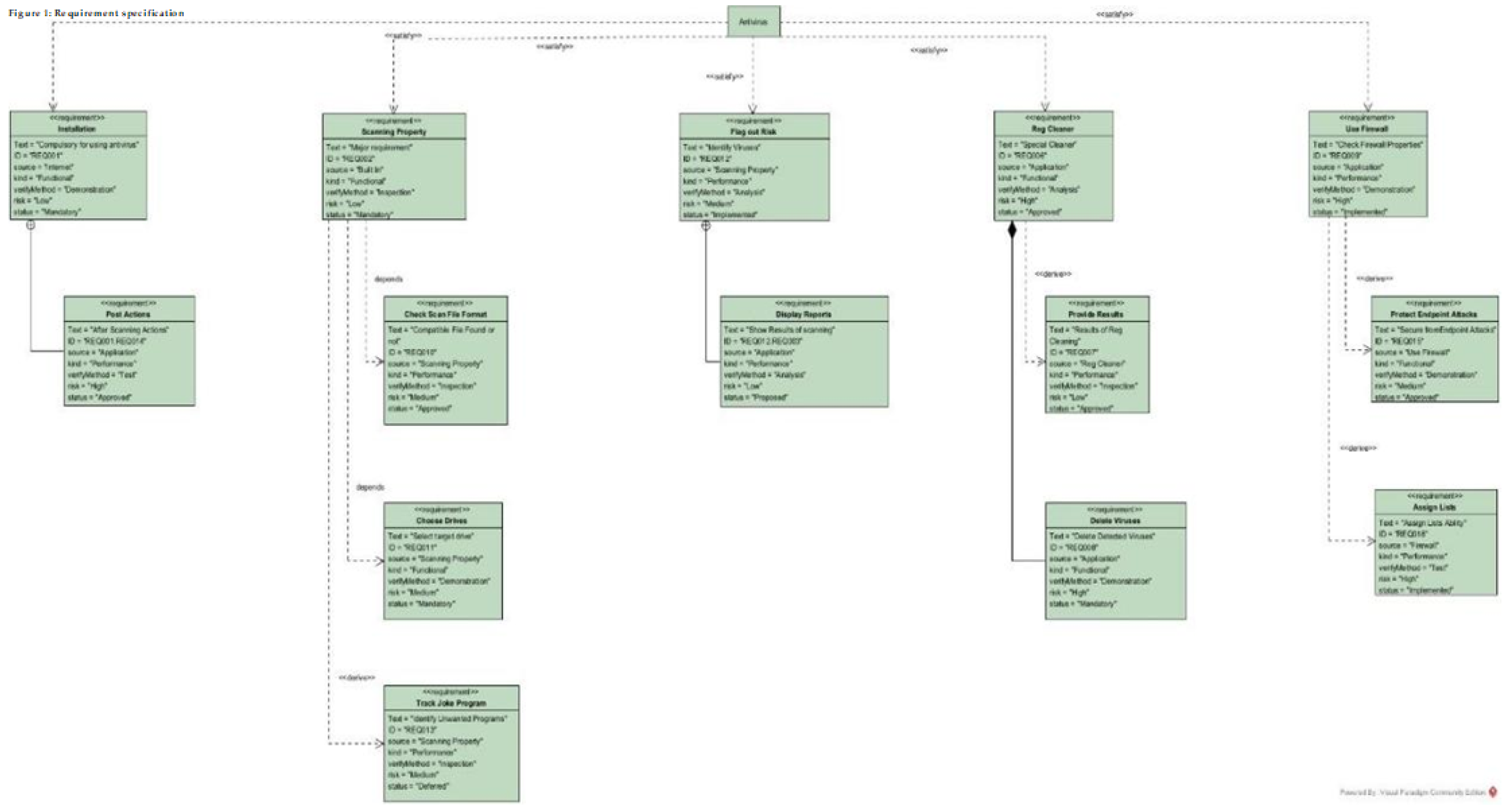
An administrative section is instructed for settings involving new device assets or retiring outdated ones. Administrators possess full control, allowing them to modify and fine-tune settings, verify device configurations, execute terminations, and integrate new devices based on system provisions. The administrator interface is additionally equipped to track user-initiated modifications and event logs to observe unexpected errors’ and identify root causes. The administrator’s purview extends to firewall regulations’ augmentation, across-the-board the introduction of new rules, crafting access regulations to safeguard the organisation, permitting specific software installations, arranging access to designated websites, or implementing website blocks to curtail distractions, such as those originating from social media platforms.
Figure A.1.2.
User use case.
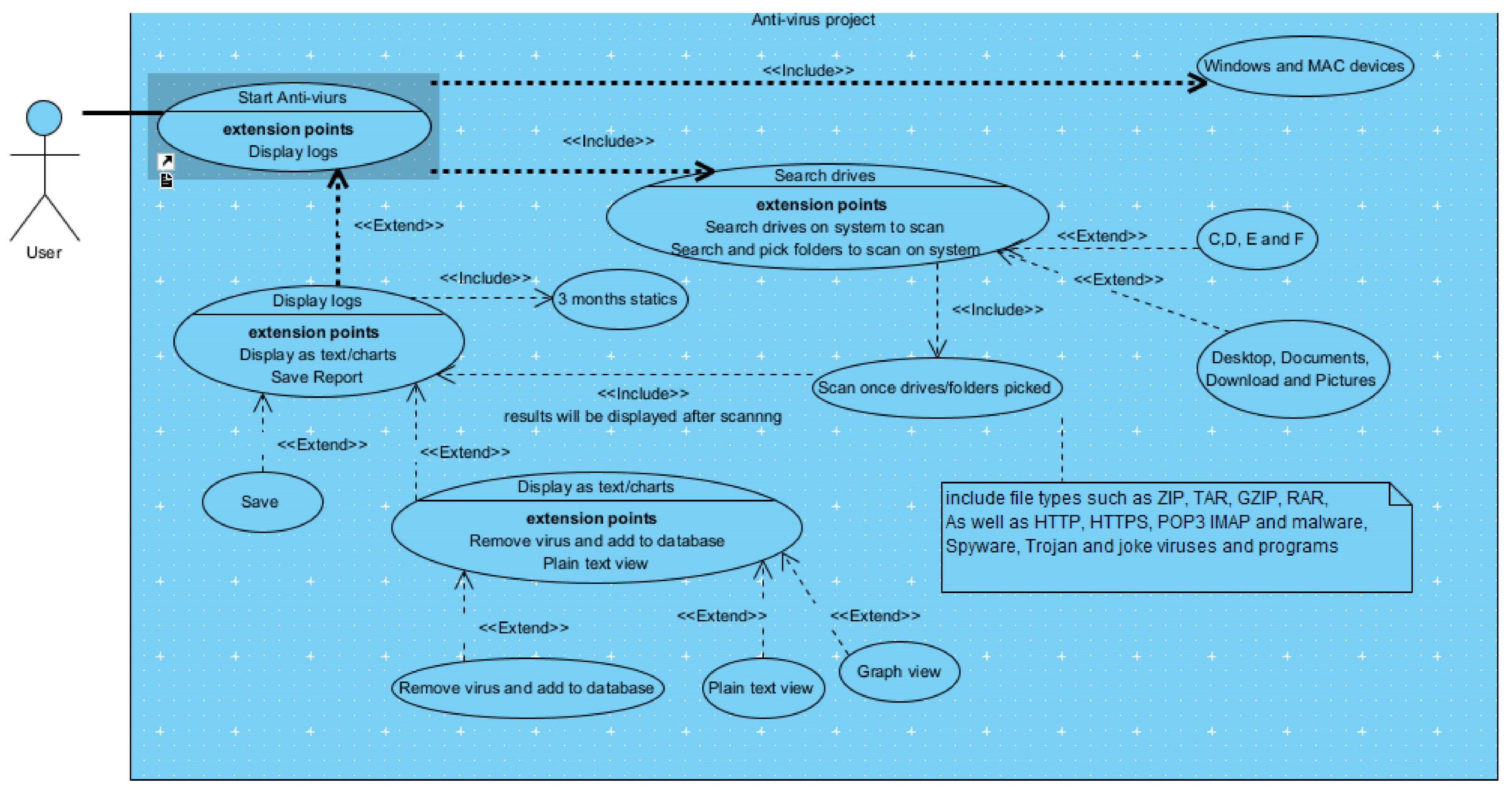
Figure A.1.3.
Reg cleaner use case.
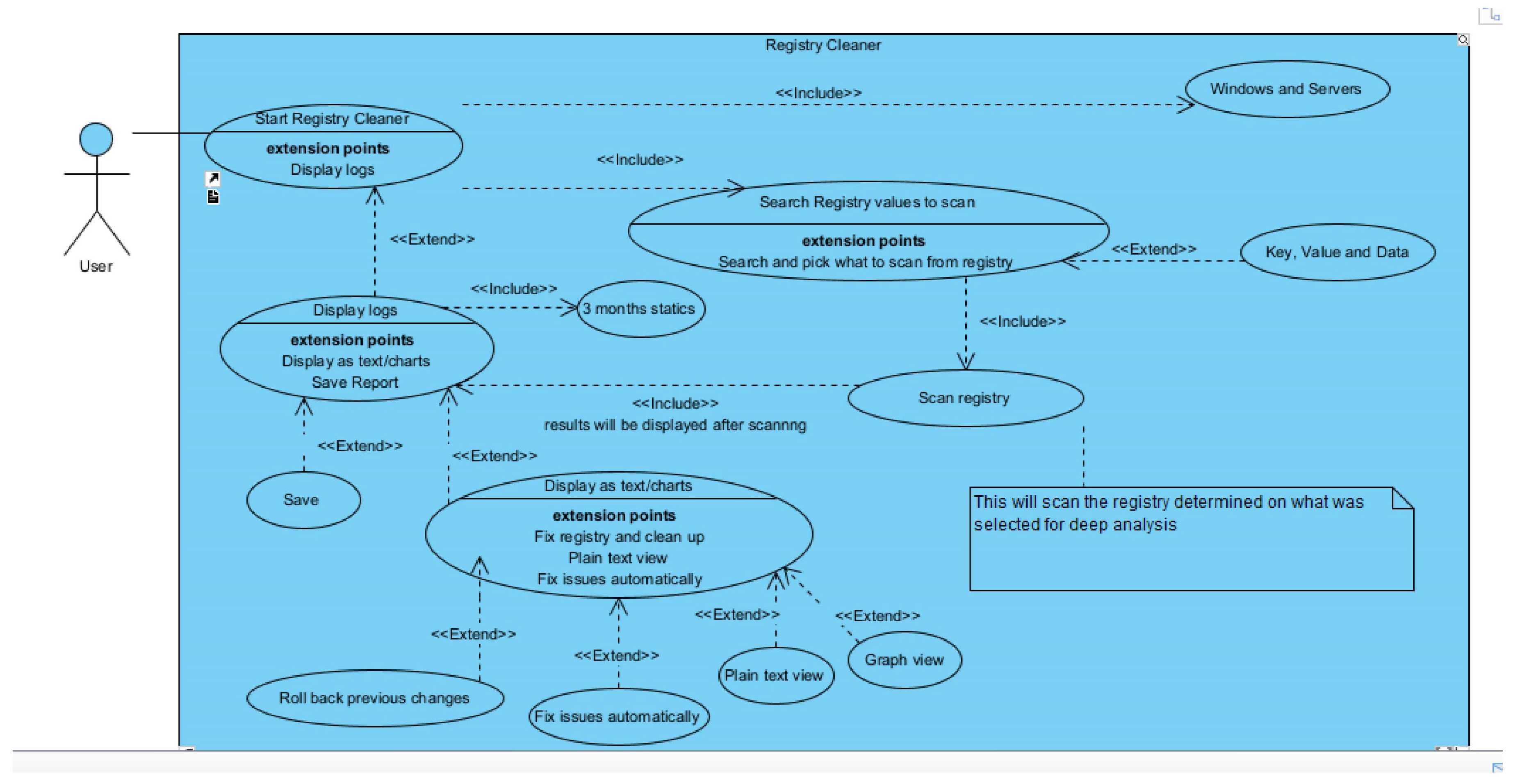
Figure A.1.4.
VPN use case.
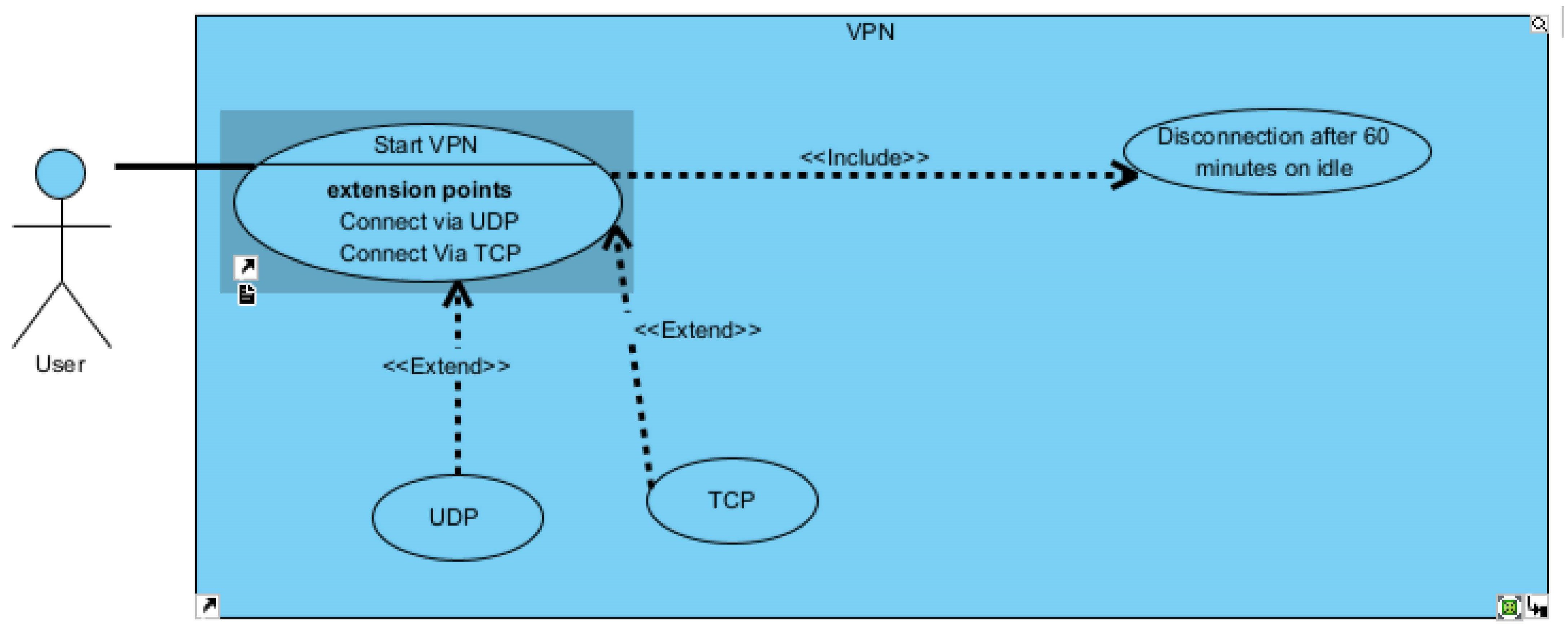
He uses a case to explain the functionality of each property, offering a complete understanding. For instance, upon selecting the antivirus option, the user can choose between scanning a file, a drive, or a folder, with the following actions subject to their selection. A system-wide scan entails the complete examination of the entire C drive, although going through all the system files can be time-consuming. The course of action during scanning is based on the specific issues detected, which may incorporate malware, joke programs, or critical errors. The report systematically presents these findings, with potentially hazardous elements flagged. Additional errors or viruses, if any, are shown to the user through plain text and graphical representations, aligning with their preferred viewing mode. The user is further allowed to revert changes, uphold the scan report, and commence the removal of identified viruses for resolution.
Selecting the Registry Cleaner option initiates a systematic scan of the device registry. The scan results are presented in graphical or plain text format, per the user’s discretion. Should errors be detected, the user is quickly alerted and allowed to rectify these issues.
The firewall functionality allows users to turn it on or off, with default activation ensuring an additional layer of protection, complementing the built-in Windows firewall. Access rules, precisely configured by administrators, govern a spectrum of recommended settings, across-the-board permissions for program installations, website access restrictions (including gaming, social media, and sites with explicit content), and stringent controls against file sharing with external entities and unauthorized third-party app downloads. Firewall updates, mandatory for systems older than seven days, are facilitated via a change plan. Crucially, the firewall carefully restricts open ports, including SSH and FTP, to only those essential, exclusively enabling traffic through the company’s VPN. Such modifications are permissible through the admin portal, subject to stringent two-factor authentication (2FA) security protocols. Standard users are stopped from altering these settings, ensuring adherence to robust security regulations. Despite the firewall’s rollback feature, stringent access controls are enforced to pre-empt accidental modifications that could compromise device security.
Figure A.1.5.
Admin use case.
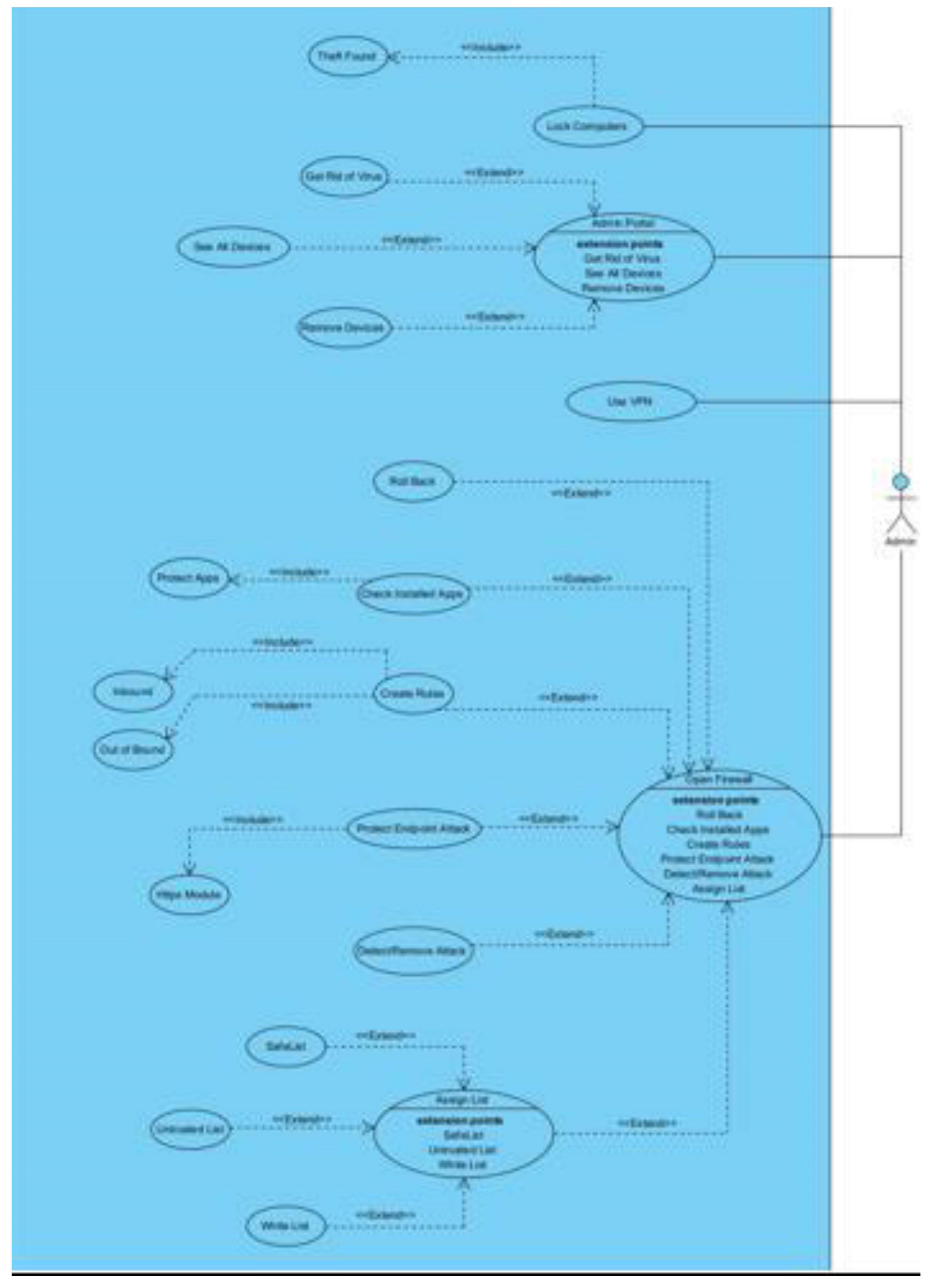
Lastly, users gain access to educational training resources, including interactive videos that forward learning. These videos offer insights into the consequences of untreated viruses and malware and the potential outcomes of successful cyberattacks. Users can also experiment safely within a secure Docker environment, engaging with sandbox testing for a firsthand understanding of potential risks and threats.
This framework highlights our commitment to user-centric design and robust security measures, ensuring a comprehensive and secure user experience.
Appendix A.2. Class Diagram
The class diagram is a general system representation, illustrating its interconnected components and their interactions. This diagram presents a representation of inputs, outputs, and critical variables. Variables are designated, with the utilization of "string" for character data, "bool" for accurate/false attributes, and "integer" for numeric values. These notations offer invaluable insights into the implementation process, facilitating the creation of the system: class diagram and diagram to explain the flow of the framework, underlining its operations and potential.
Wireframes were created and presented to the project team for evaluation. While the initial design acquired positive feedback, valuable input was provided to refine further and enhance the user experience. Specifically, the team preferred a more streamlined visual approach, emphasizing simplicity and clarity.
Furthermore, the new framework’s homepage was suggested to incorporate essential device details. This addition serves a dual purpose, aiding users in identifying their specific Windows device and facilitating organizations’ remote assistance efforts. Including such information provides guidance for users who may require control over software installation or updates. This development addresses the common challenge of users not knowing how to locate their computer’s name for remote access.
Figures A.2.6 -A.2.11 - Illustrations of the wireframes
Figure A.2.6.
Class diagram.
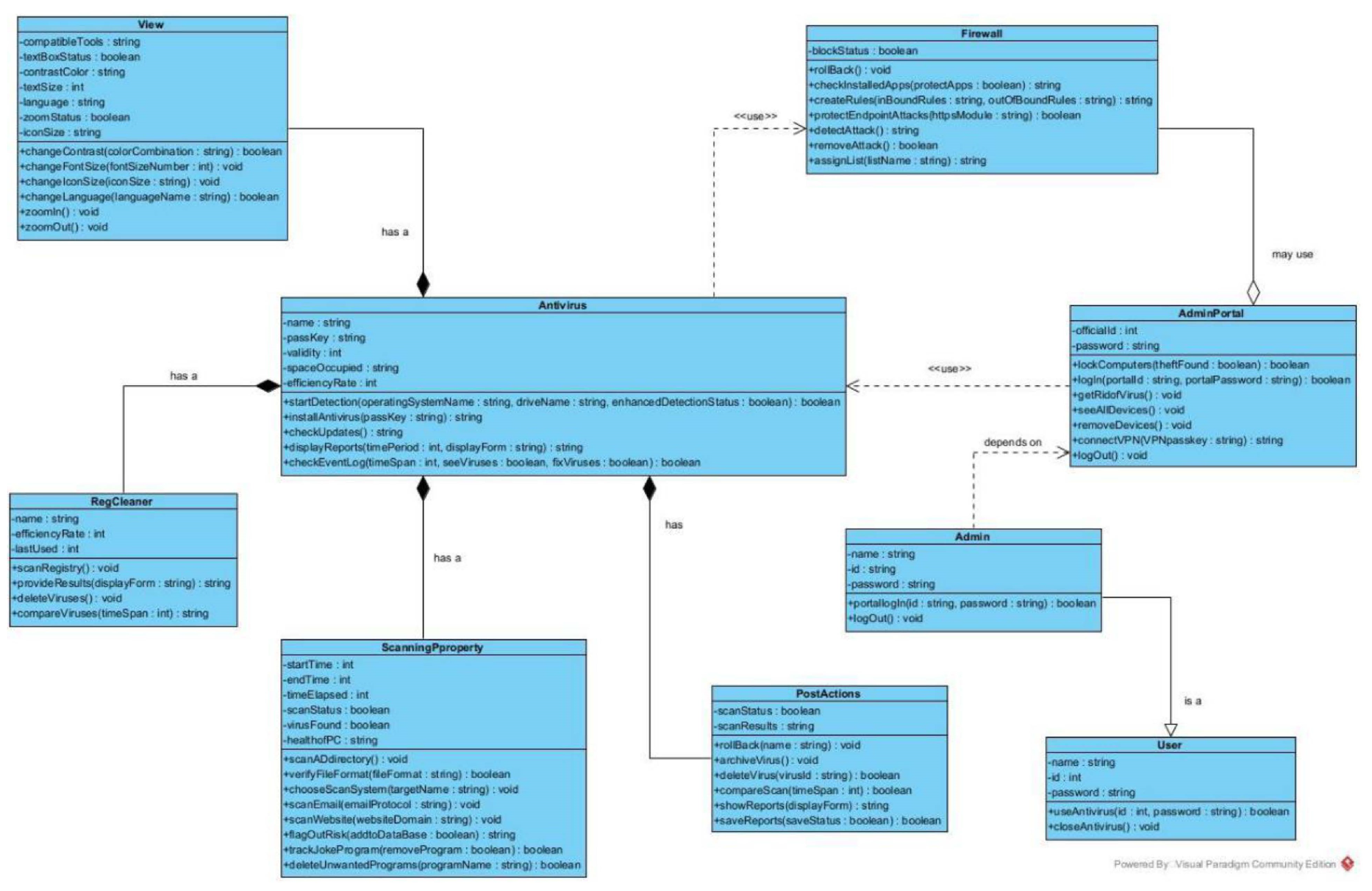
The initial design of the homepage featured imagery, which, while visually appealing for potential GUI interface implementation in the future, was deemed less suitable for optimal screen reader accessibility. Considering this, it was agreed upon to streamline the design, reducing the dependence on images to ensure compatibility with screen reader technology.
Additionally, incorporating text formatting elements such as bold, underlining, italics, and the ability to adjust font size and style, in conjunction with positioning the logo on the left, saved compromise and was considered a favourable approach. Furthermore, the proposal to include a side panel with direct links to various forms was well-received, as it promises to enhance user navigation and accessibility.
These alterations demonstrate our commitment to user inclusivity and responsiveness to evolving design needs, ensuring the framework’s compliance with diverse user interfaces while maintaining robust accessibility standards.
Figure A.2.7.
home screen.
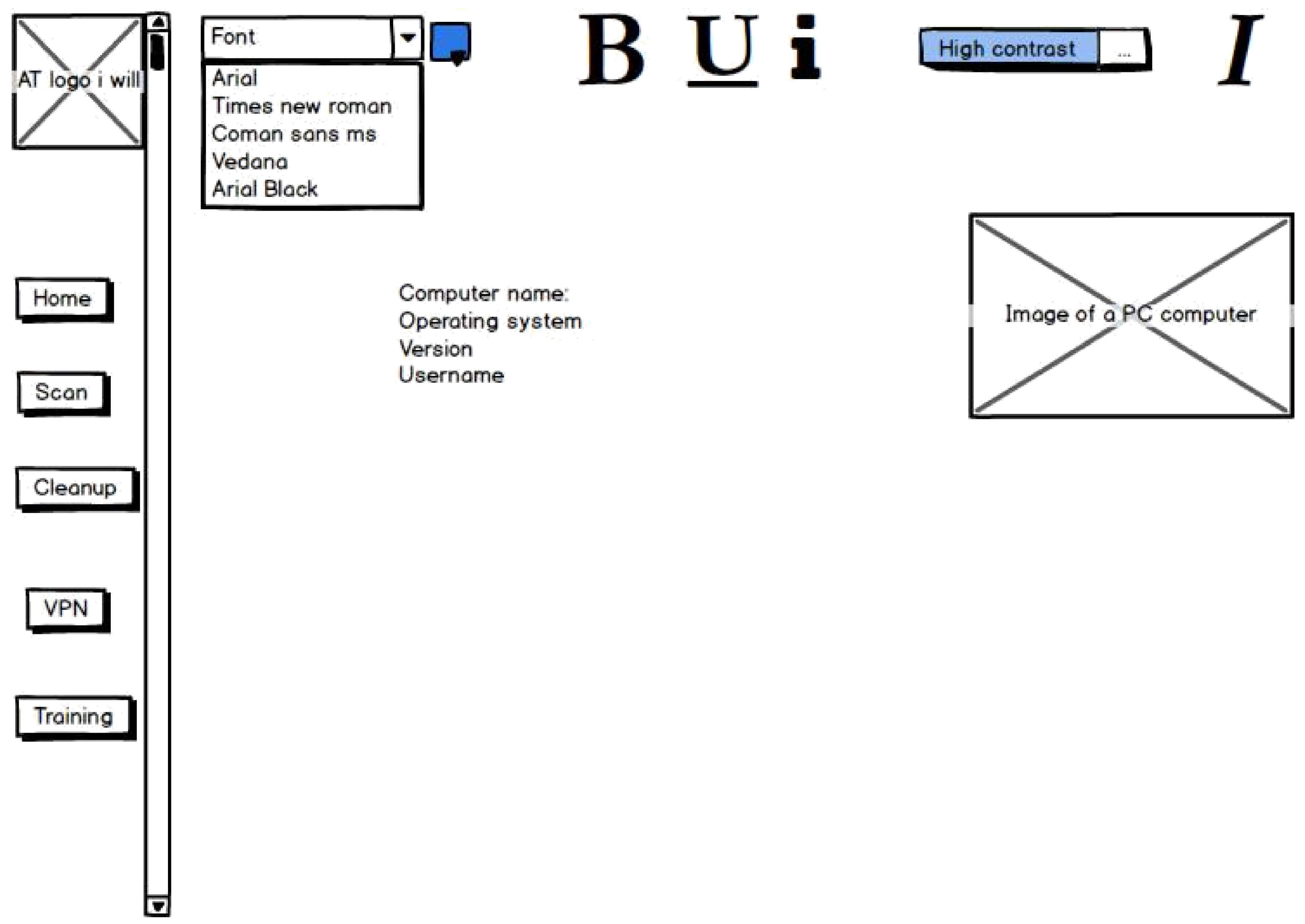
The homepage’s revised design will feature essential device information and a "Quick Scan" button, remaining to a regulated template thoughtfully equipped with alt-tags for image descriptions. The user feedback on this design has been overwhelmingly positive, praising its simplicity, effectiveness, and reduced imagery and colours.
A dedicated "Scan" page will allow users to initiate scans, choosing between a full system scan or scanning specific folders. The scan results will be presented in an understandable list format, detailing the checked items and highlighting any detected infections. Users will be equipped with the necessary tools to remove identified diseases, ensuring the security and integrity of their systems. This user-centric approach aligns with our commitment to user-friendliness and robust security measures.
The "Cleanup" feature gives users a straightforward interface comprising two user-friendly buttons: one for removing Windows Explorer temporary files and the other for clearing temporary files from the C drive. This design approach ensures ease of use and efficiency. The intended outcome of these actions is to effectively free up valuable hard disk space, reduce memory usage, and enhance device performance, ultimately contributing to a smoother user experience.
Figure A.2.8.
scan screen.
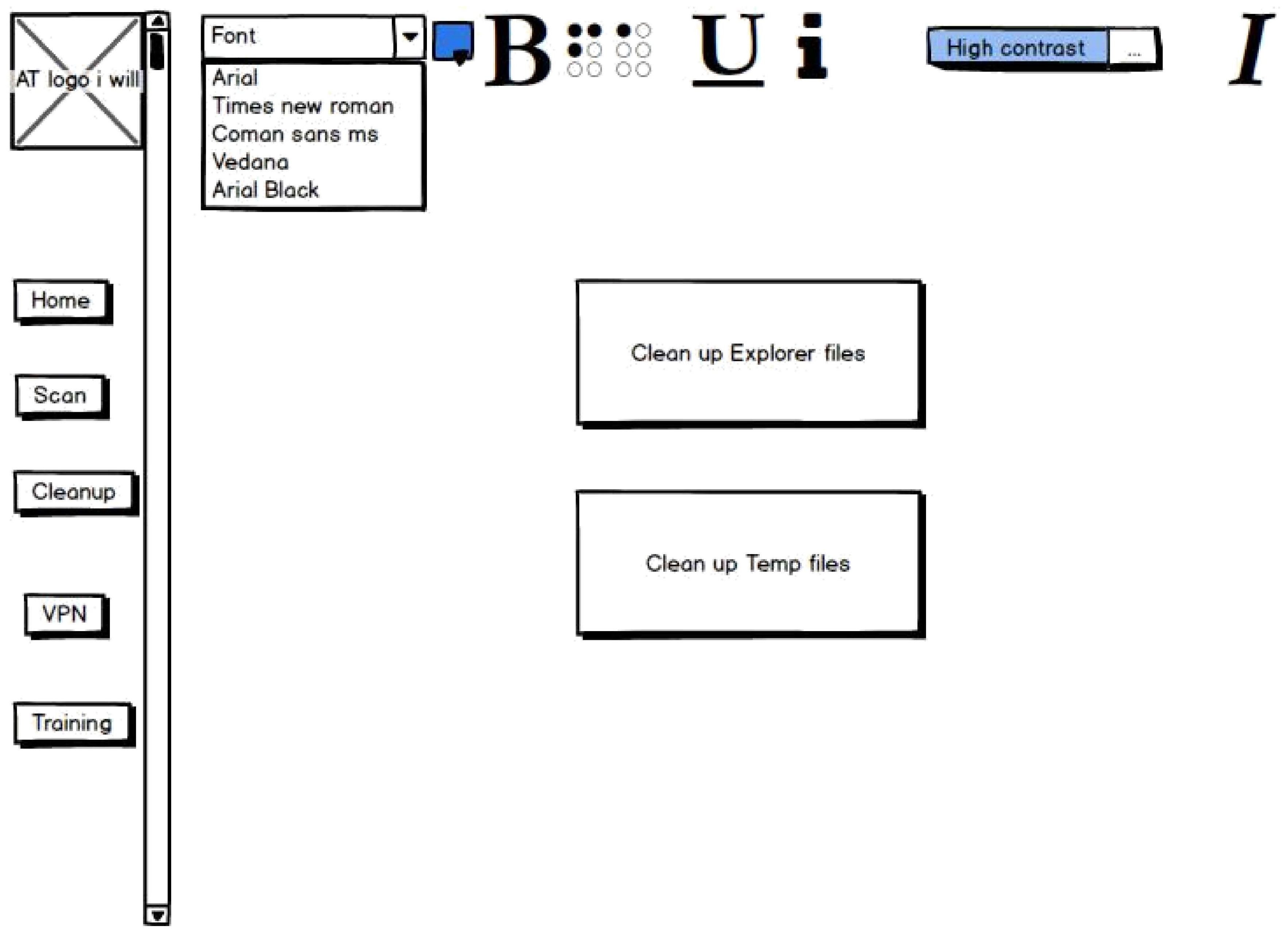
Figure A.2.9.
cleanup tools.
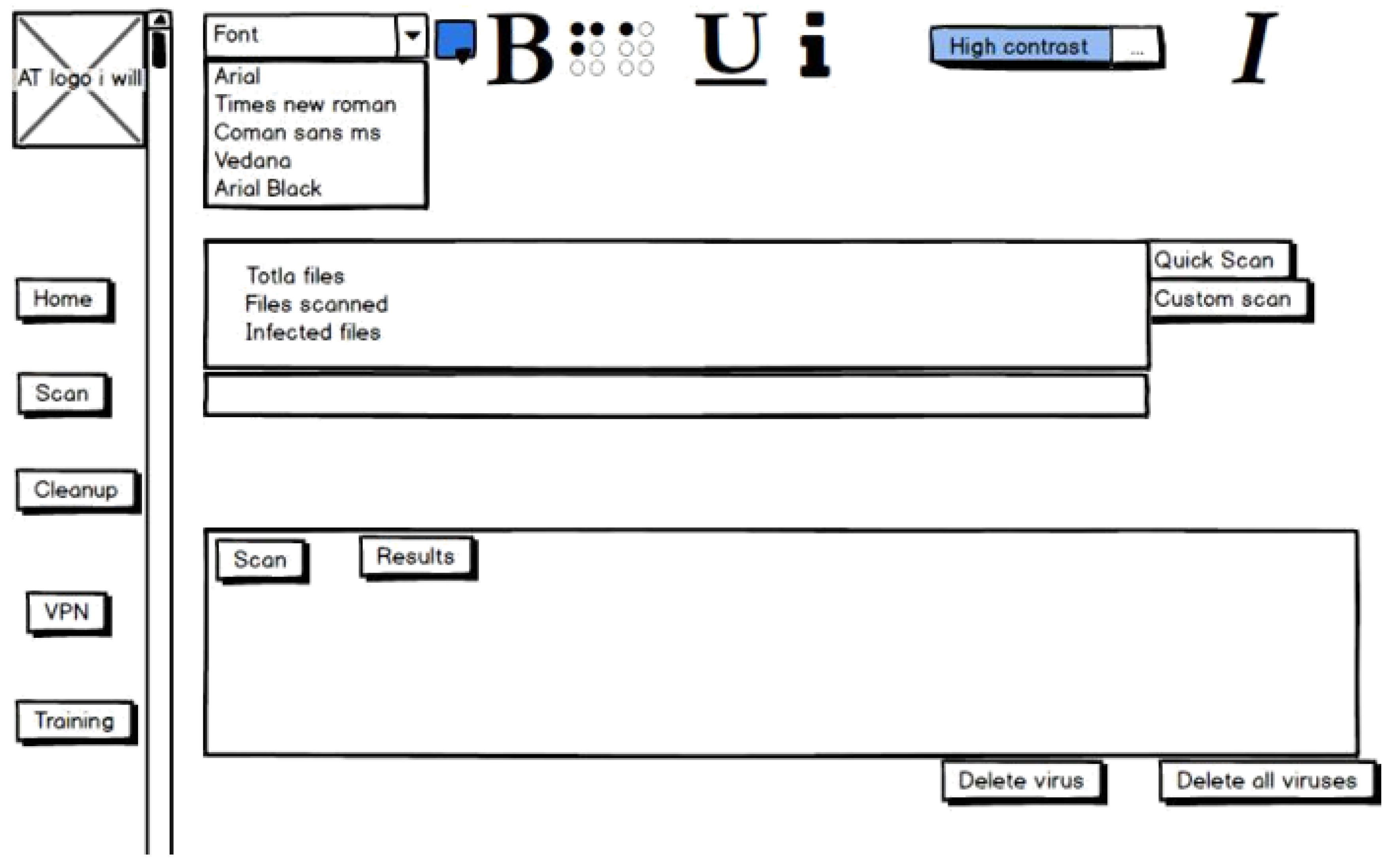
The Virtual Private Network (VPN) feature facilitates user connection through UDP and TCP protocols. This functionality follows the standardized template, allowing users to customize text attributes, including text size, style, and bold formatting, and modify the form’s colour scheme. Users are presented with the choice of yellow, high-contrast, or the default colour scheme. This user-centric approach empowers individuals to tailor their VPN experience to their preferences, ensuring flexibility and accessibility.
Figure A.2.10.
VPN.
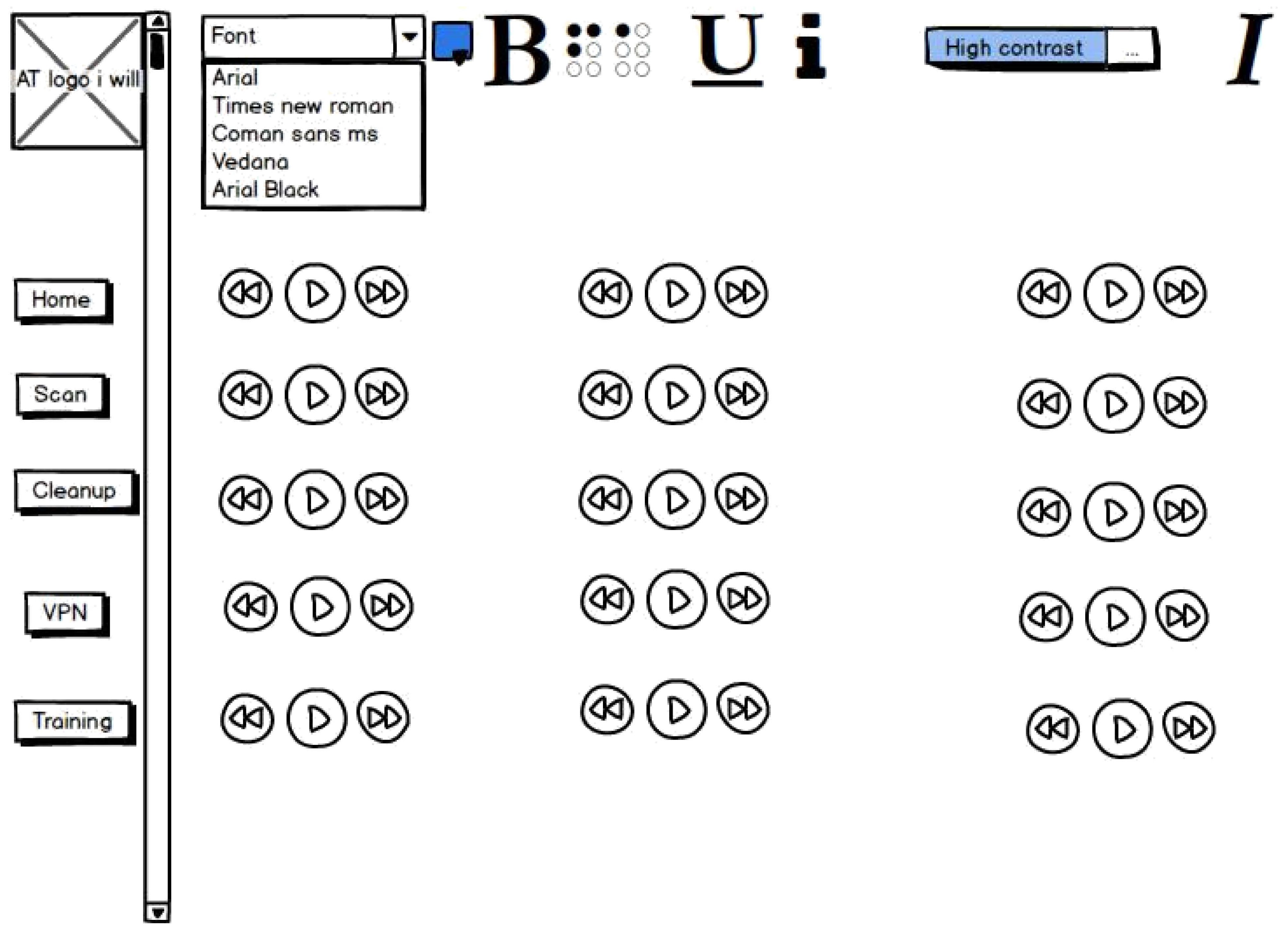
The final page contains comprehensive training videos from real-life cyber-attacks, featuring embedded videos from a reliable third-party provider. These instructional videos are integrated, enabling users to access them. When selected, the videos open and play in full-screen mode, ensuring an outstanding learning experience. On Windows systems, the built-in Windows Media Player is the default player, while these videos are also playable on a MAC OSX system. This approach prioritizes user convenience and accessibility, facilitating practical training and learning within the framework.
Figure A.2.11.
Educational Videos.
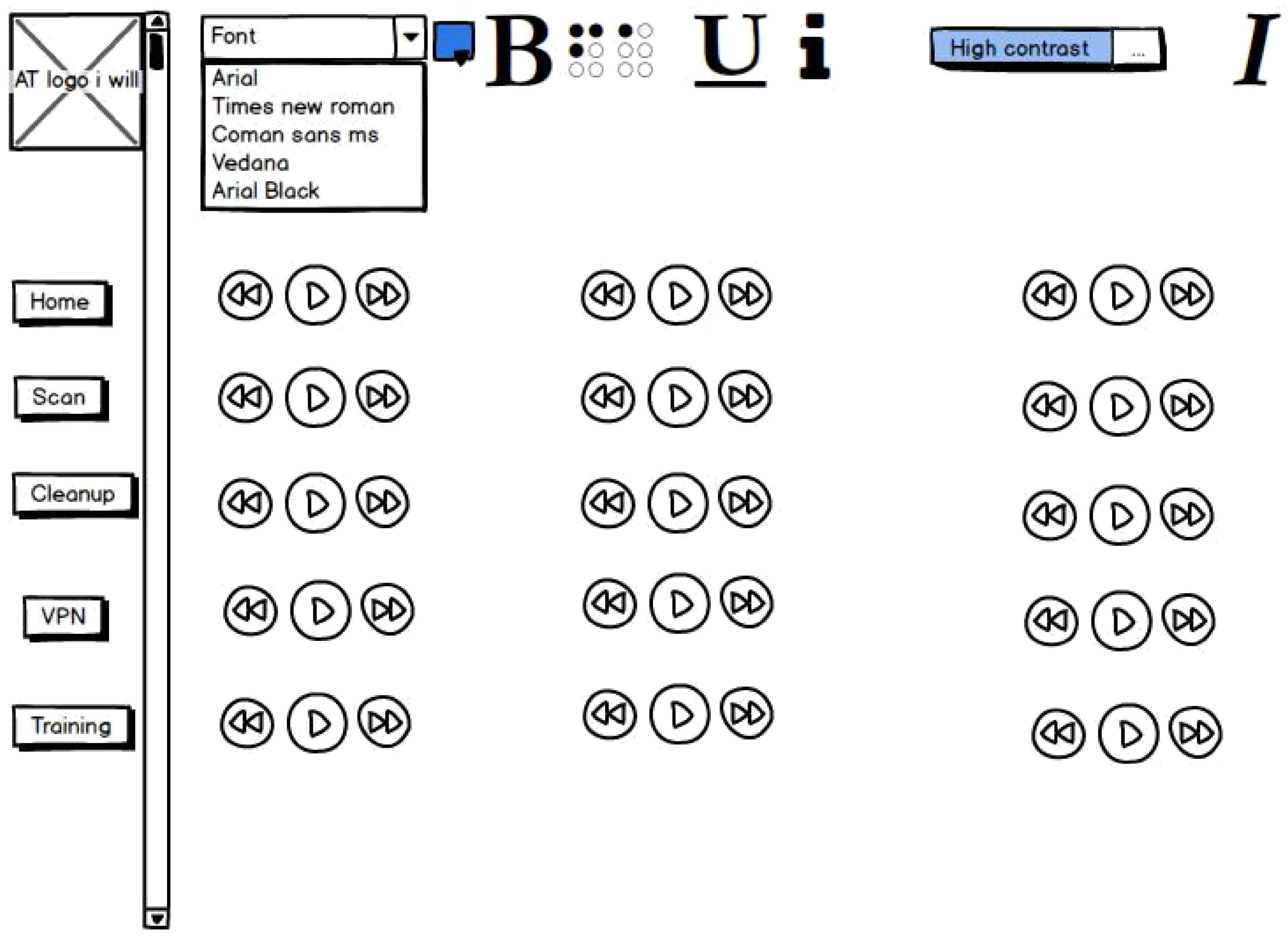
Appendix B. Full Specification
Table A1.
Full Specifications.
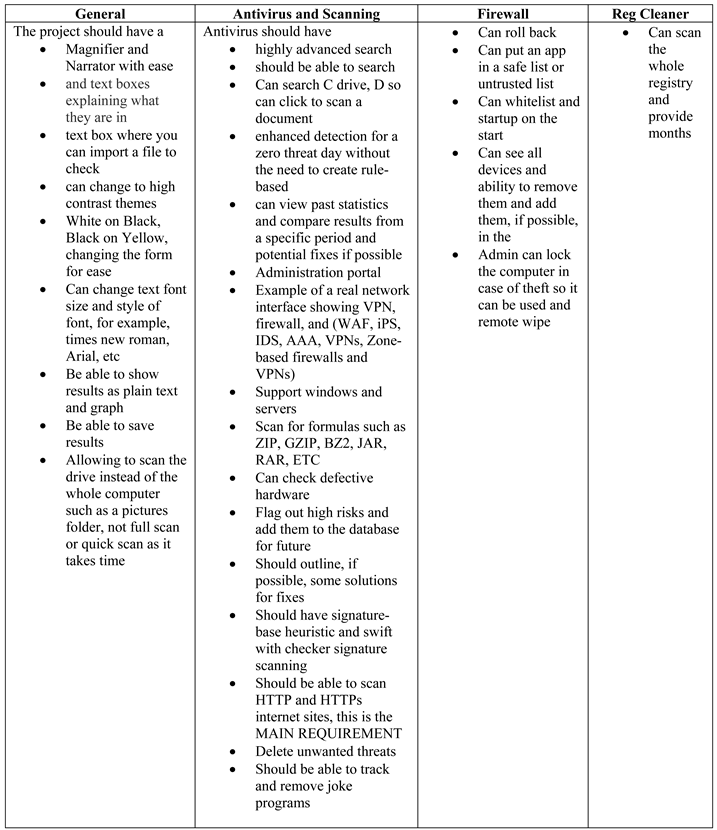 |
Appendix C. Implementation Code and Testing
Figure C.1.
interface.
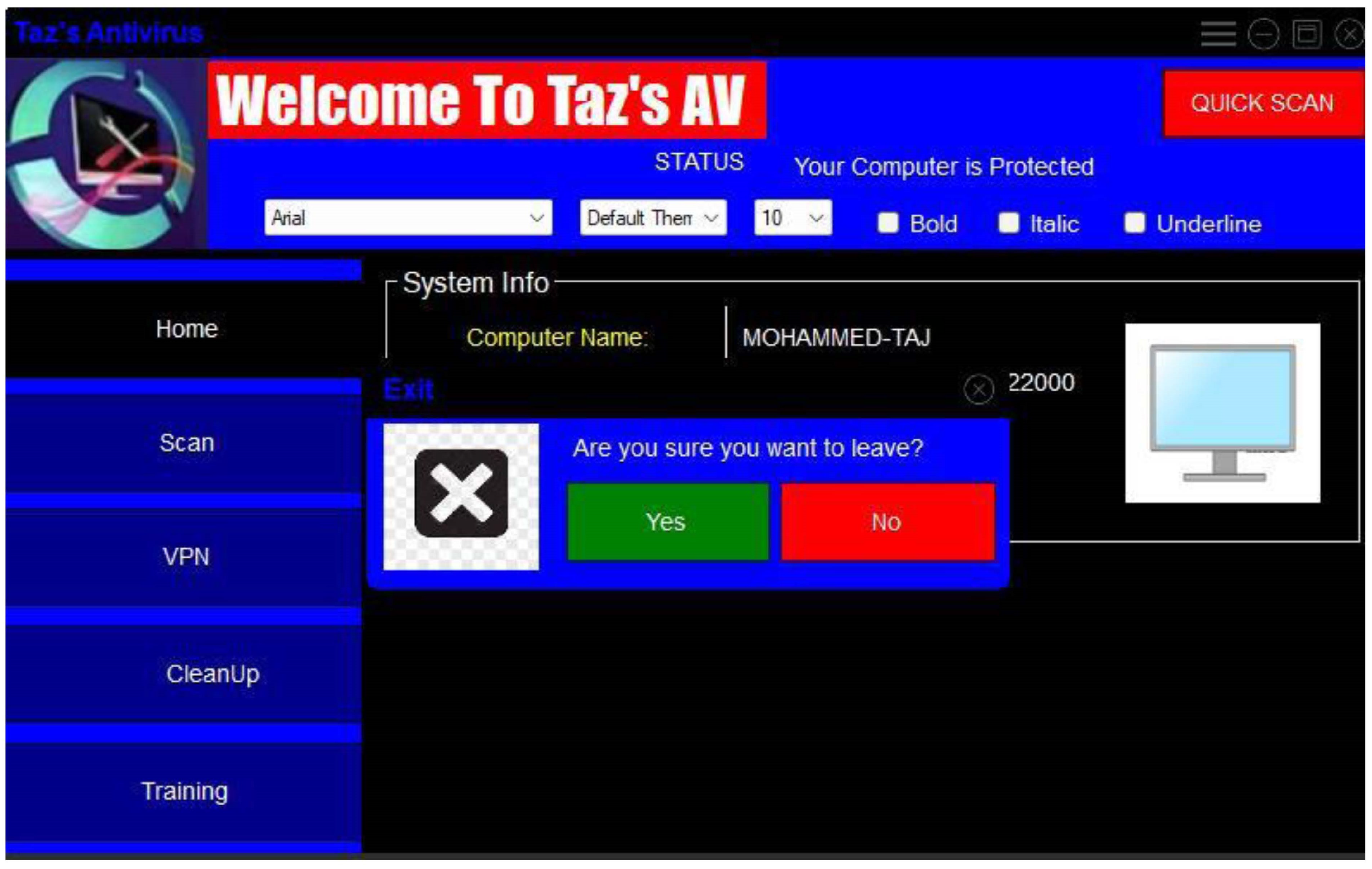
Figure C.2.
Bold.
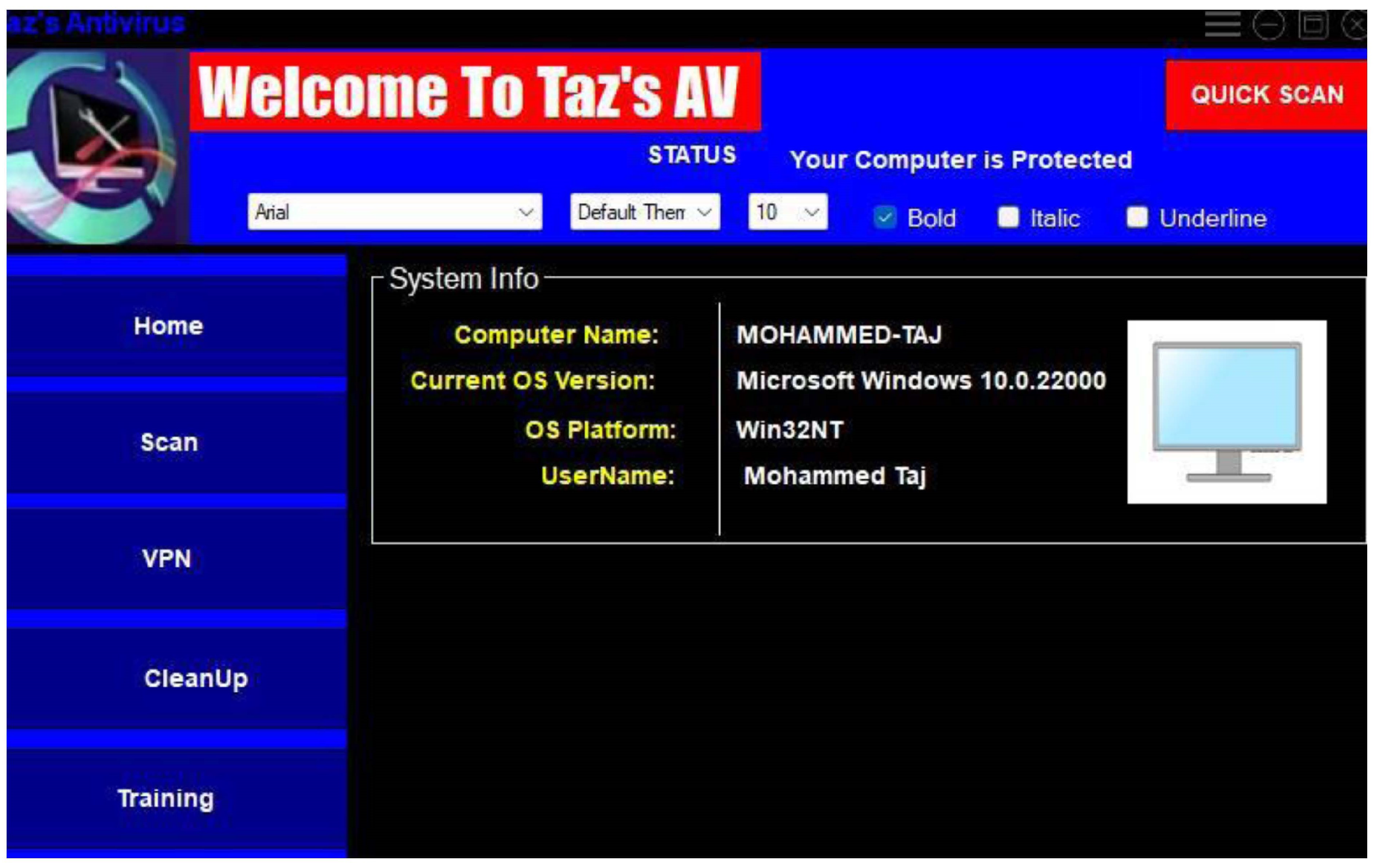
Figure C.3.
Italics.
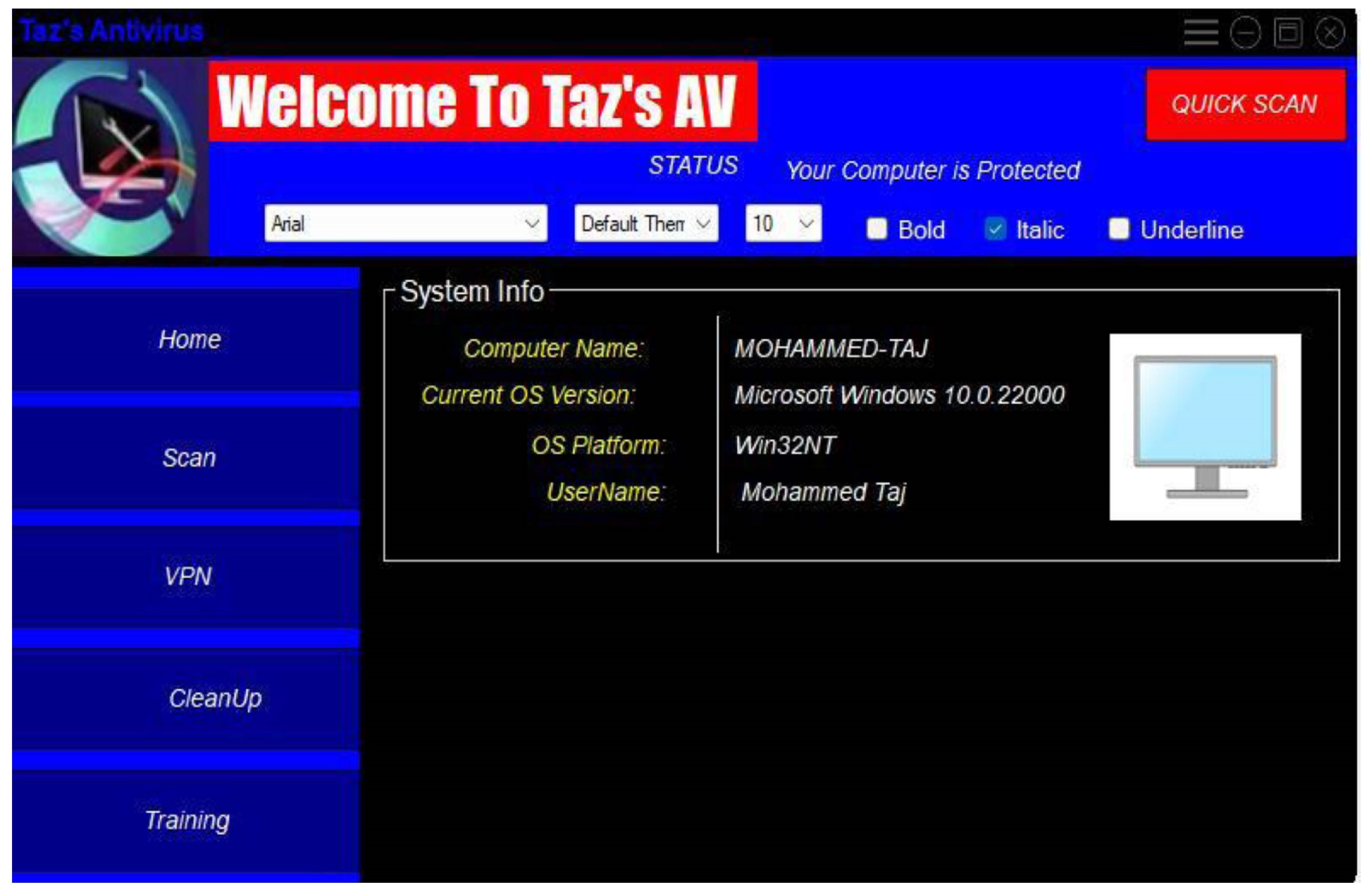
Figure C.4.
Underline.
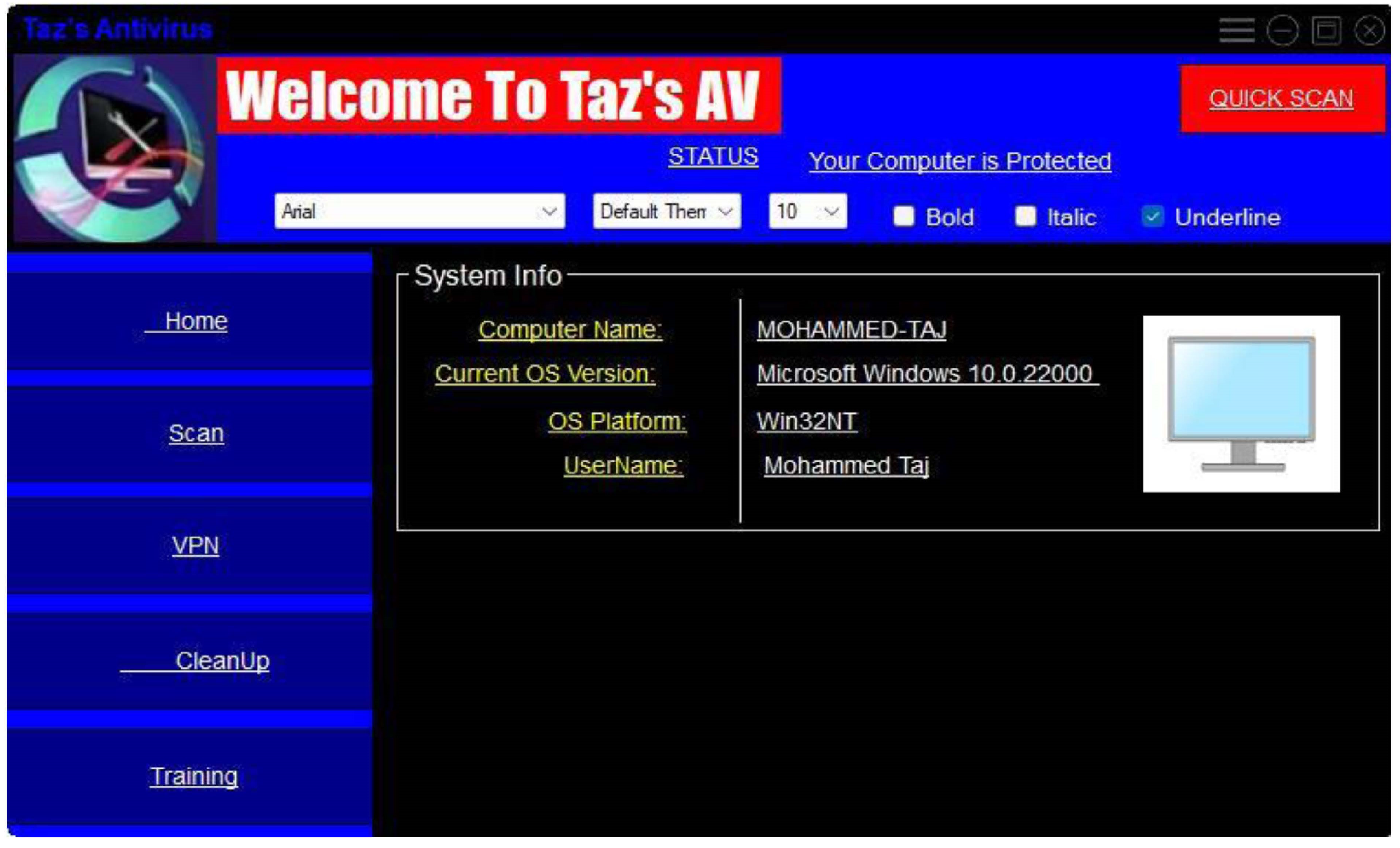
Figure C.5.
Quick Scan.
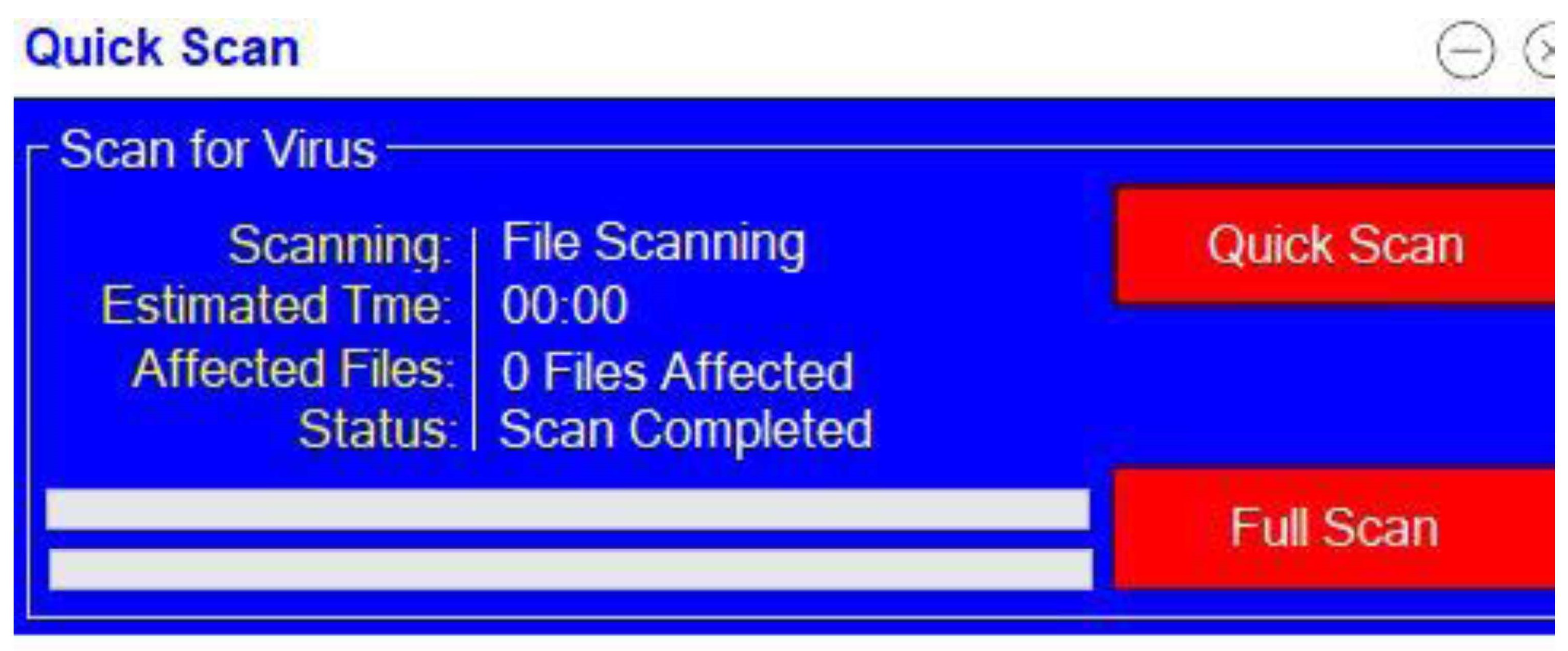
Figure C.6.
Quick Scan Working.
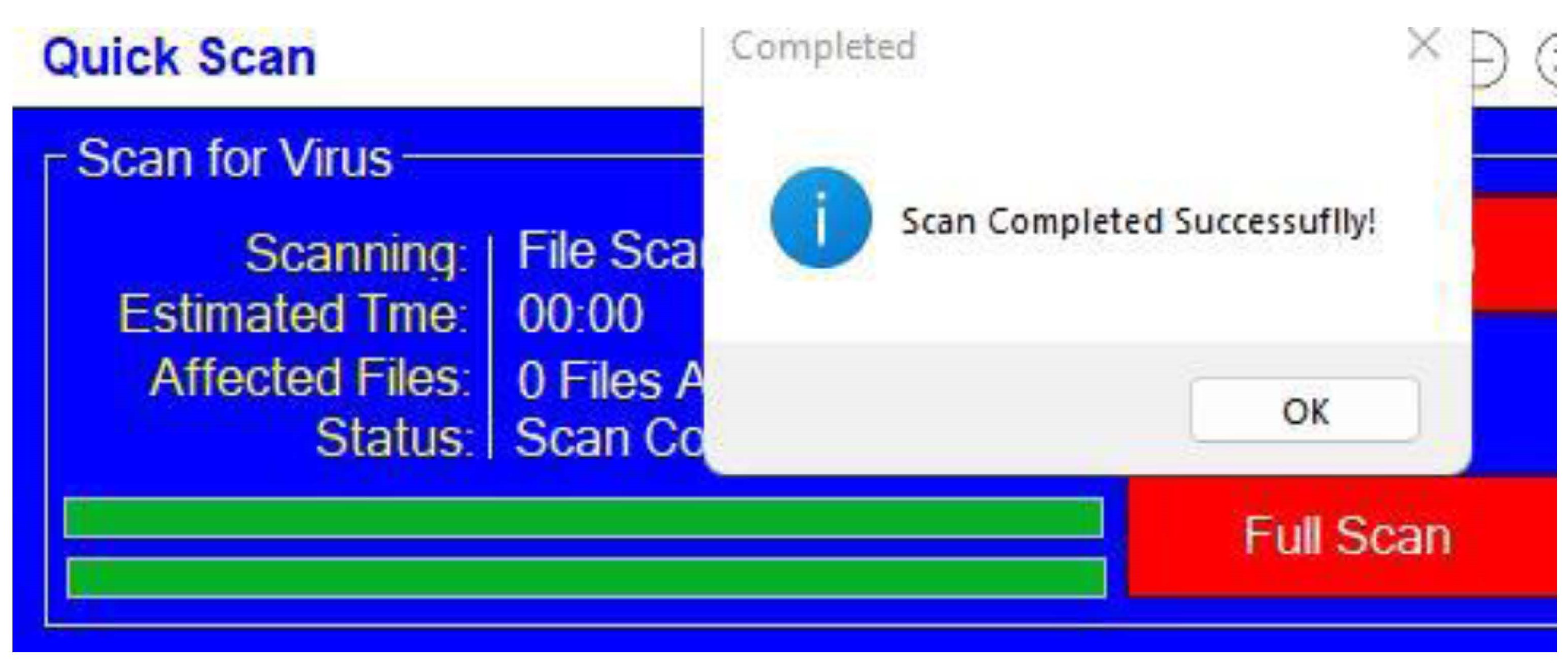
Figure C.7.
Quick scan results.
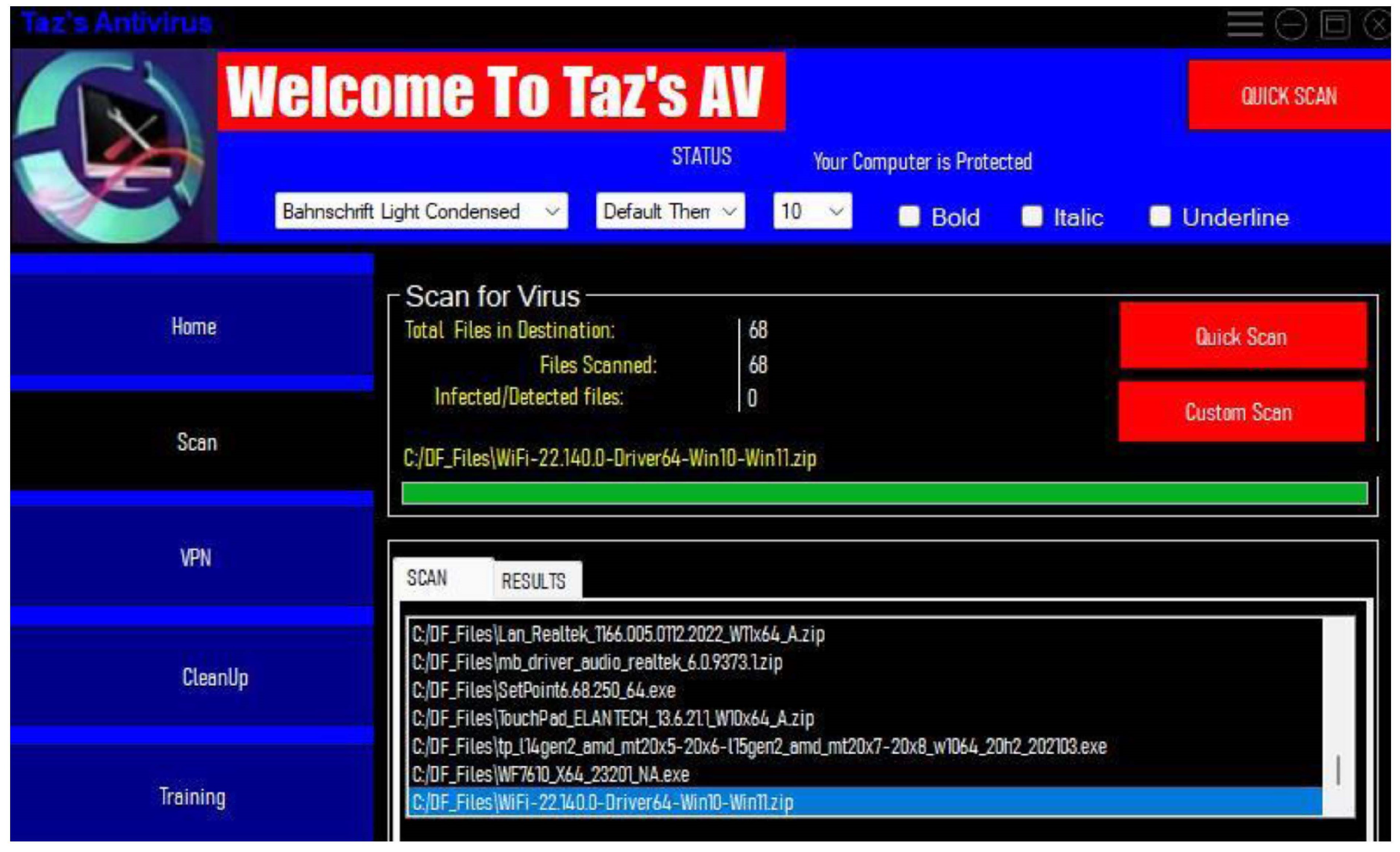
Figure C.8.
Search for errors.
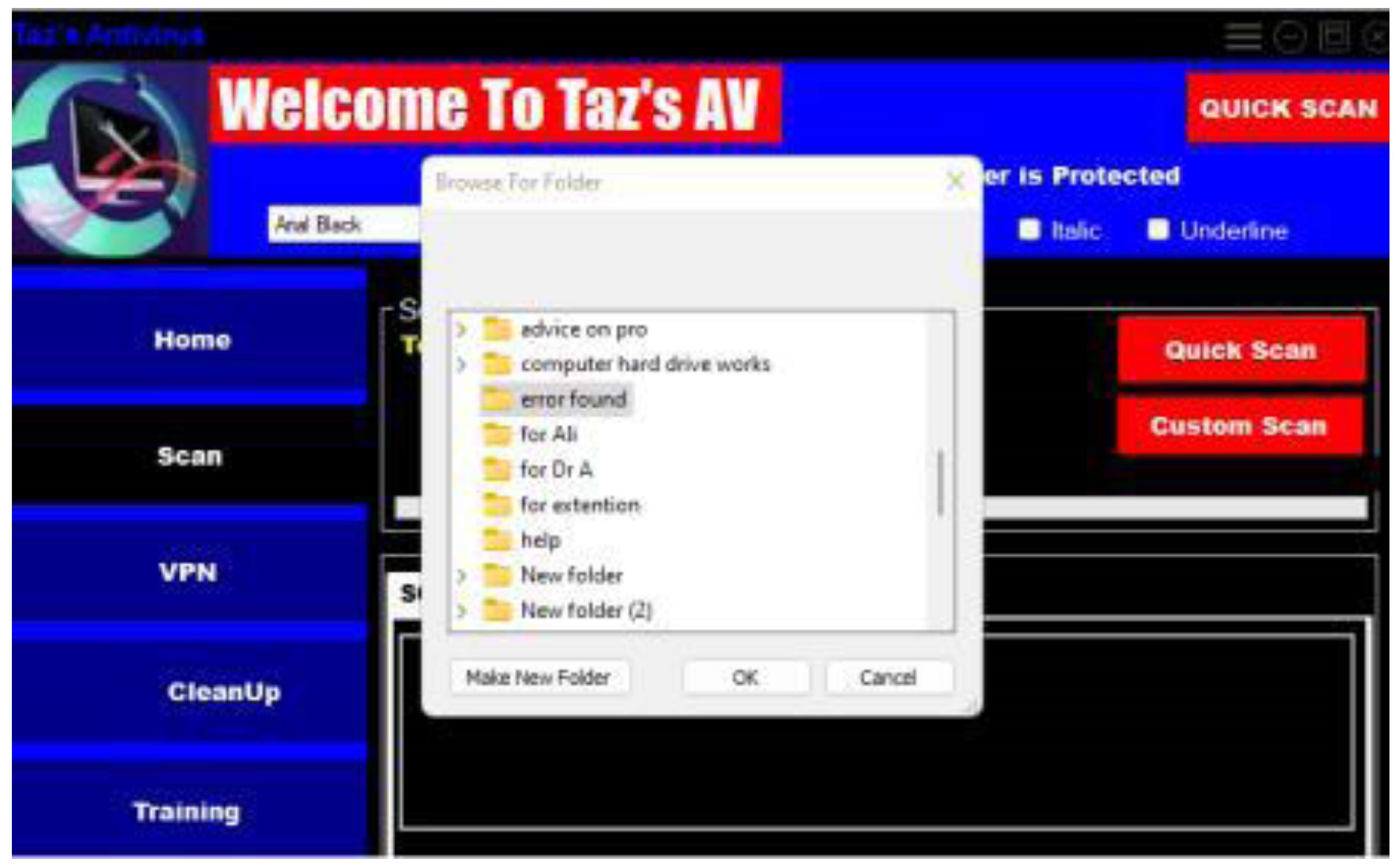
Figure C.9.
Testing for Virus.
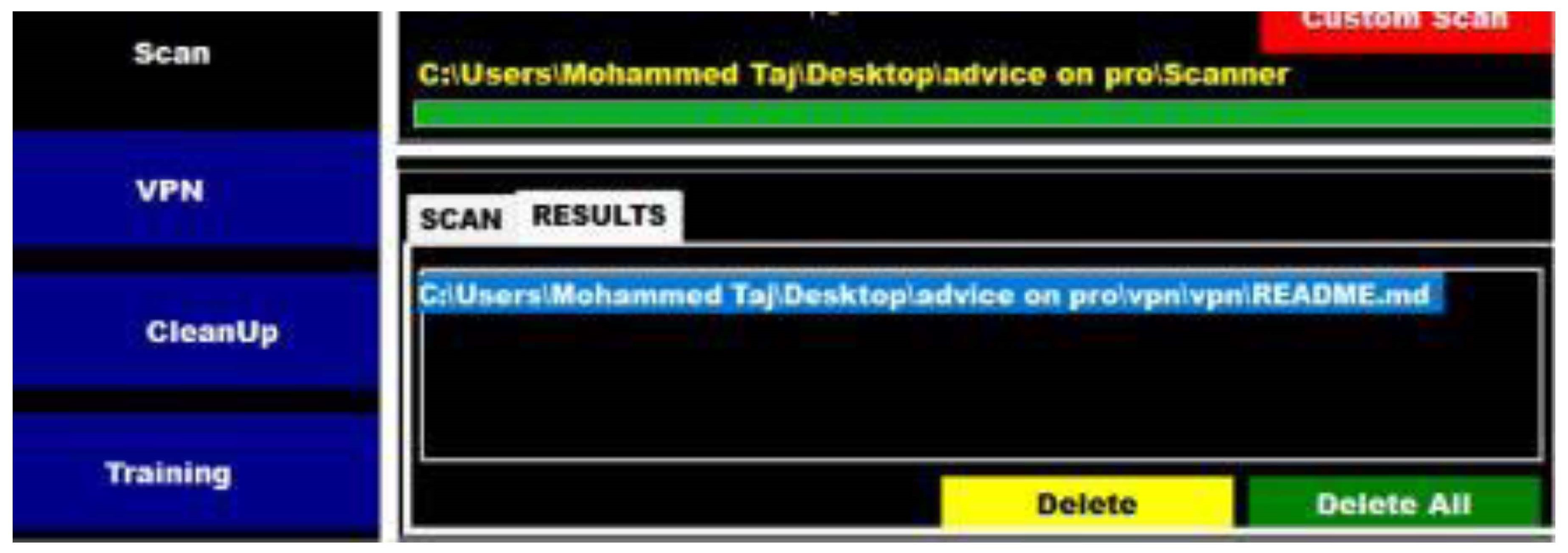
Figure C.10.
Delete Virus.
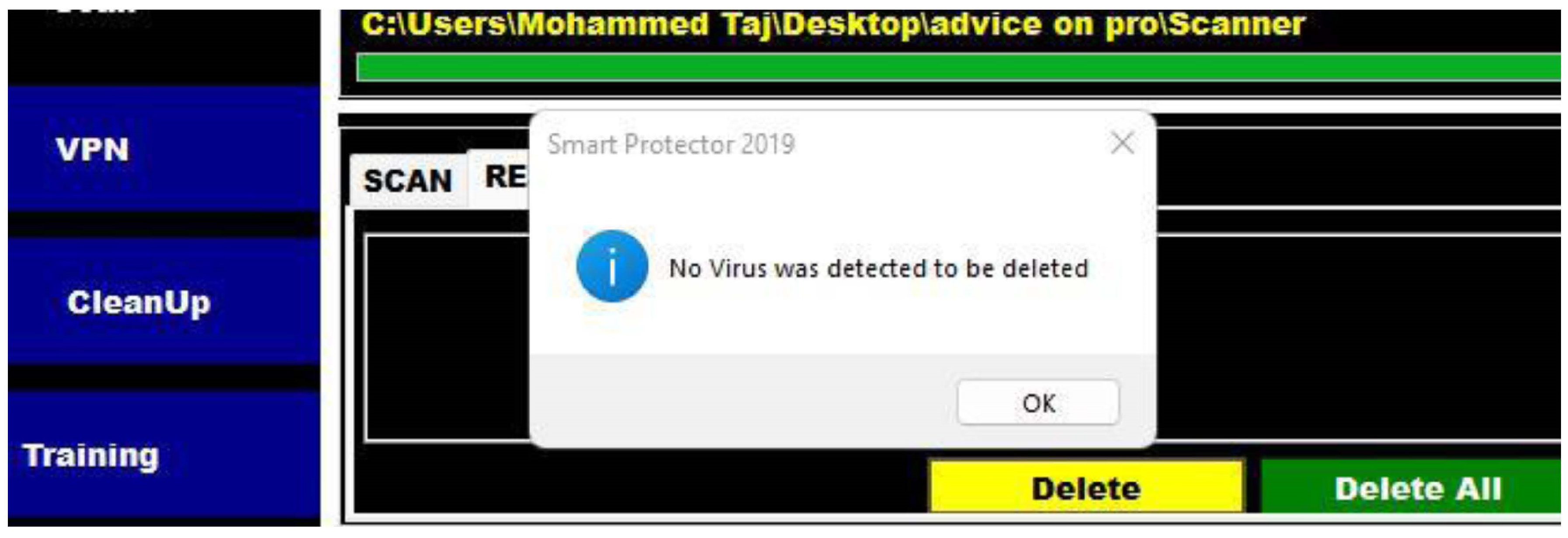
Figure C.11.
VPN Connection.
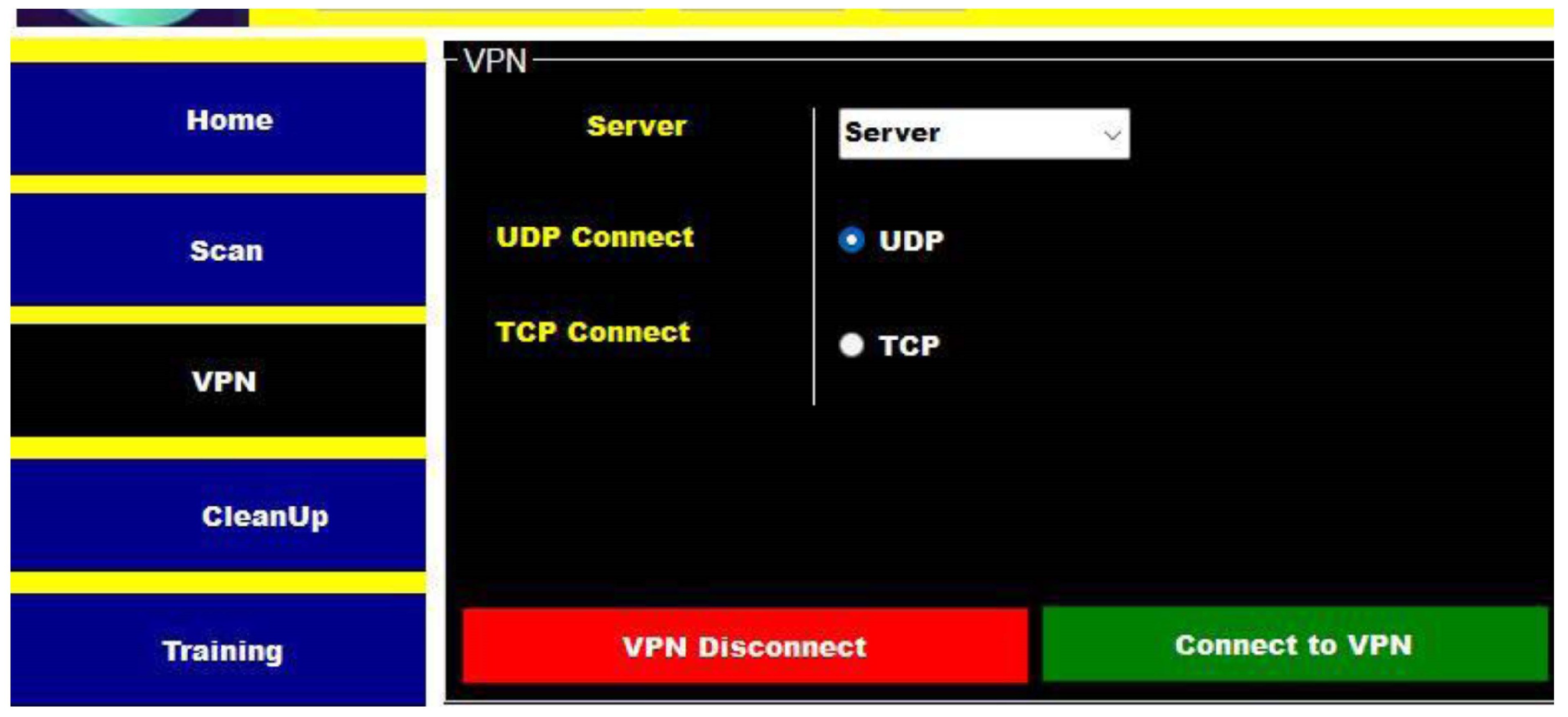
Figure C.12.
Connection.
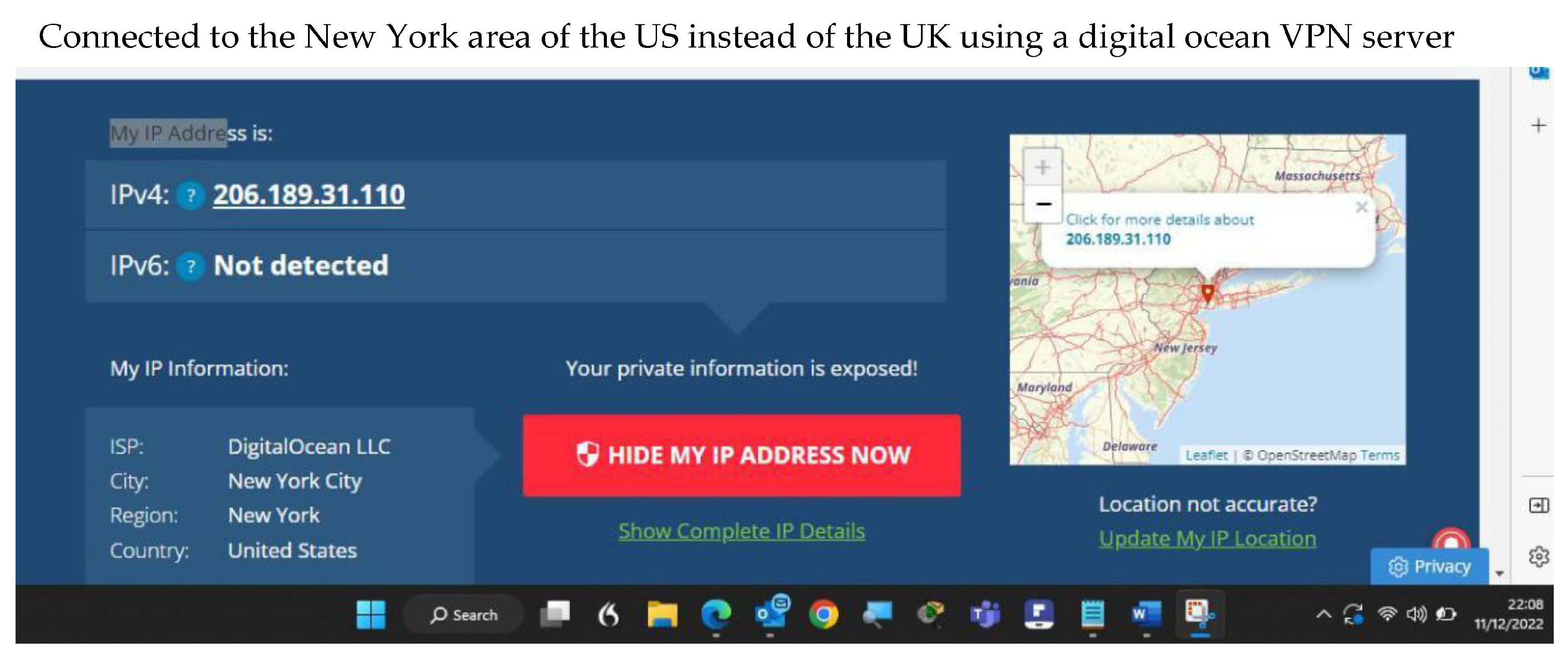
Figure C.13.
Disconnect from VPN.
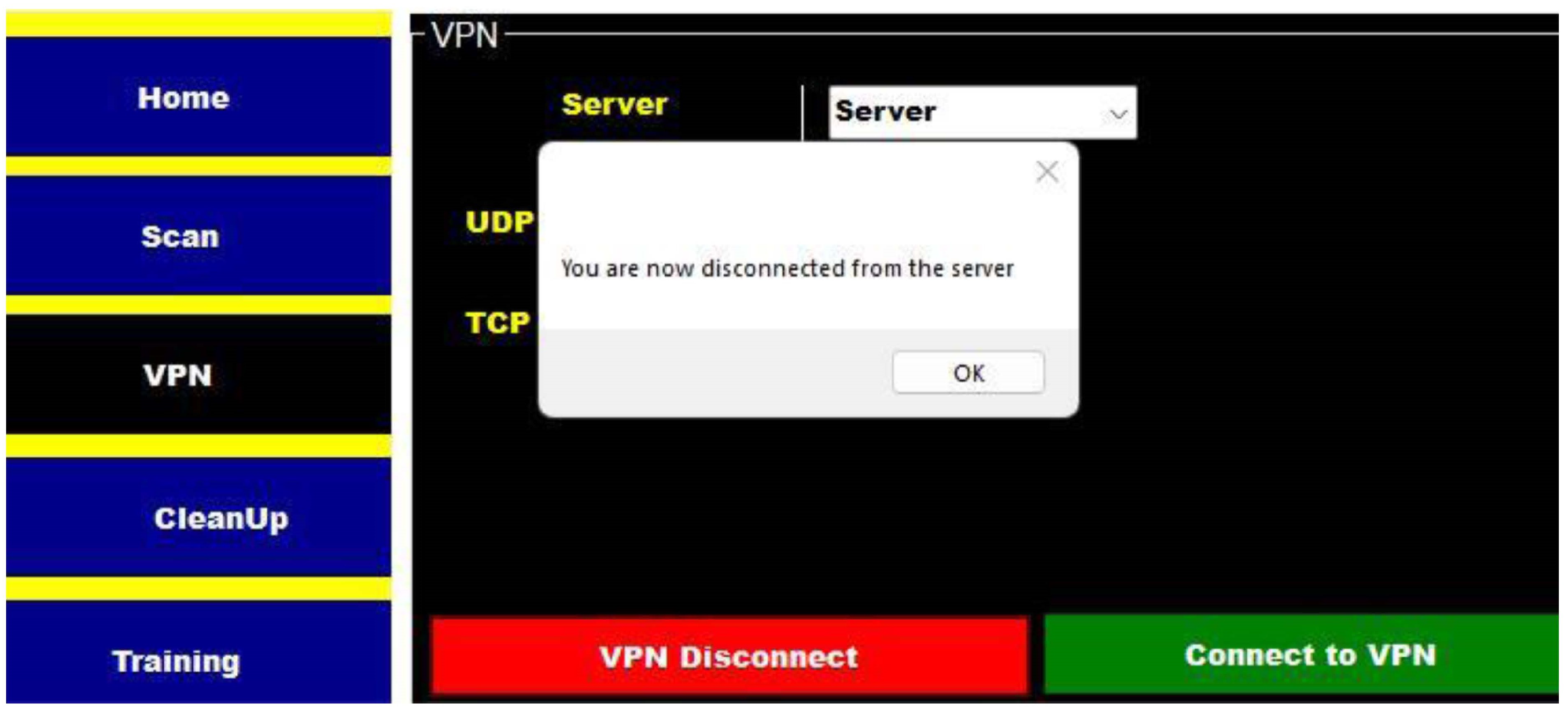
Figure C.14.
Clean up windows explorer files.
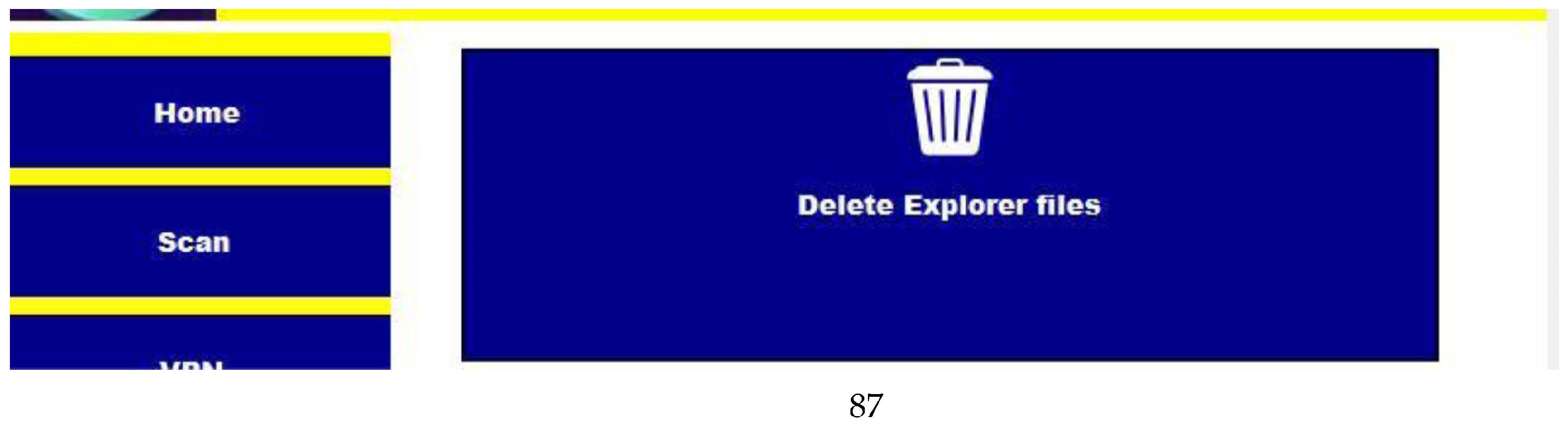
Figure C.15.
Delete temp files.
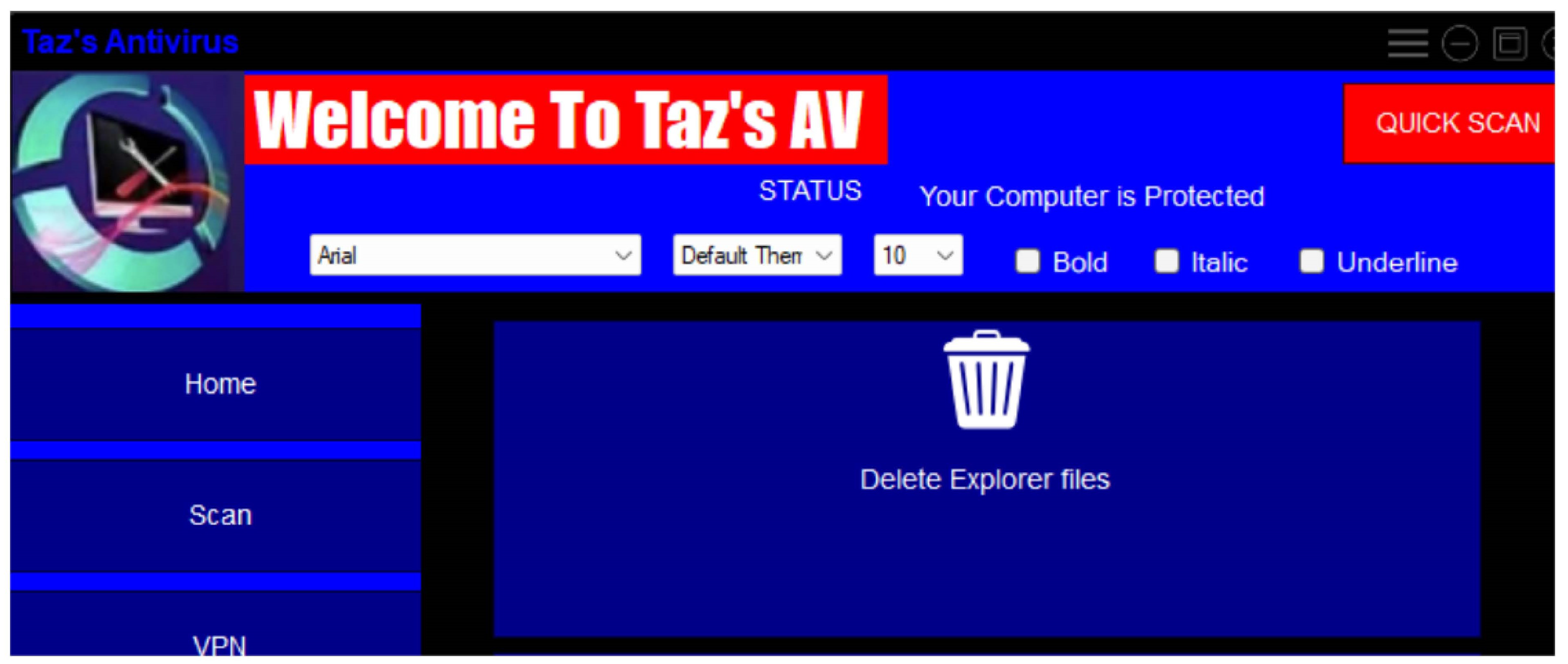
Figure C.16.
Temp files deleted.
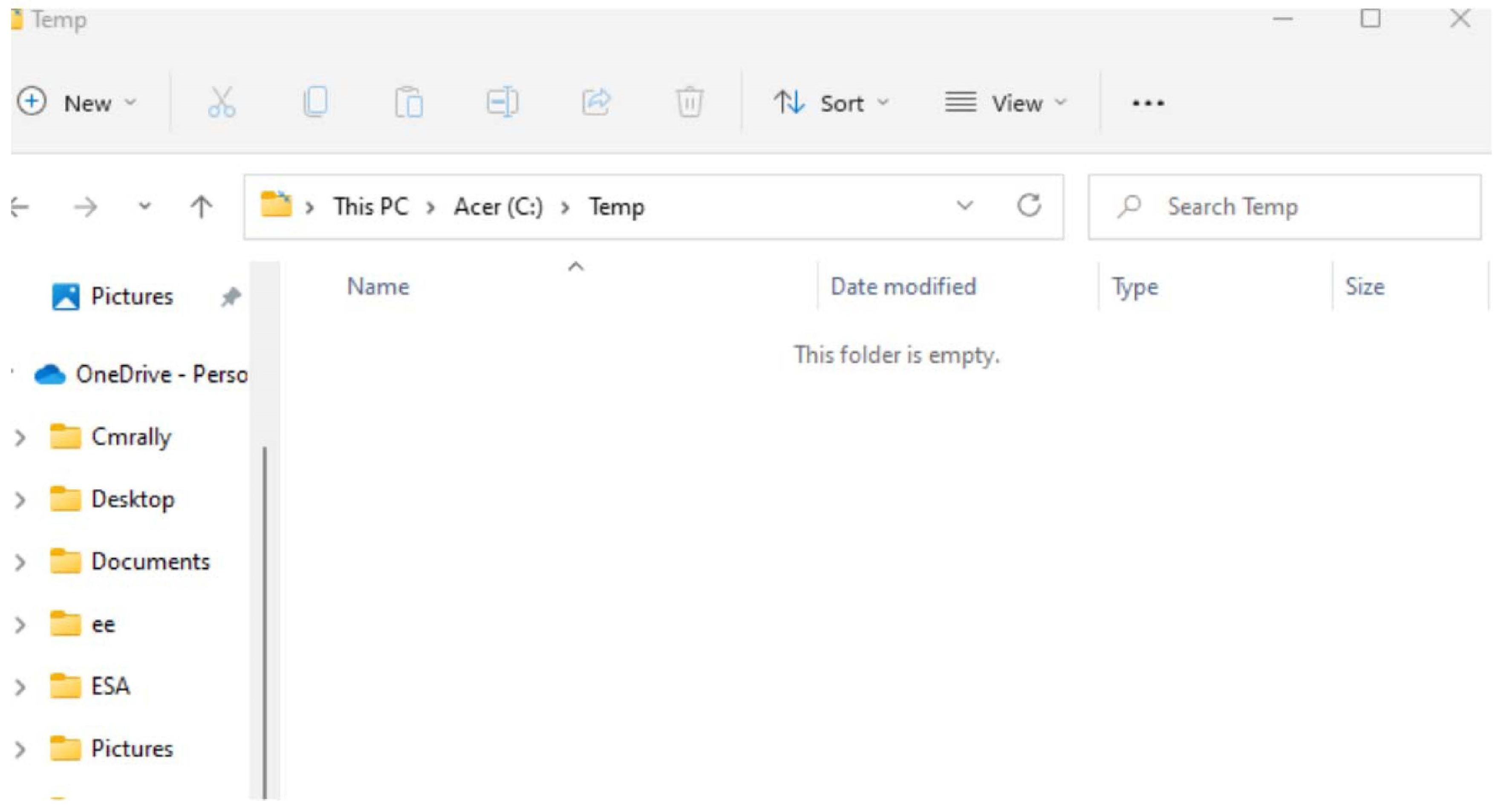
Appendix C.1. Implementation -Some Code Used
Some screen dumps of code were used to scan files with timers, which were amended and helped by stack overflow and YouTube.For scanning, the following code was used using SHA1 and MD5 mostly as MD5 is out of date SHA1 hashes were used with certs and signatures to scan files.
Figure C.3.1.
Font MD5 code.
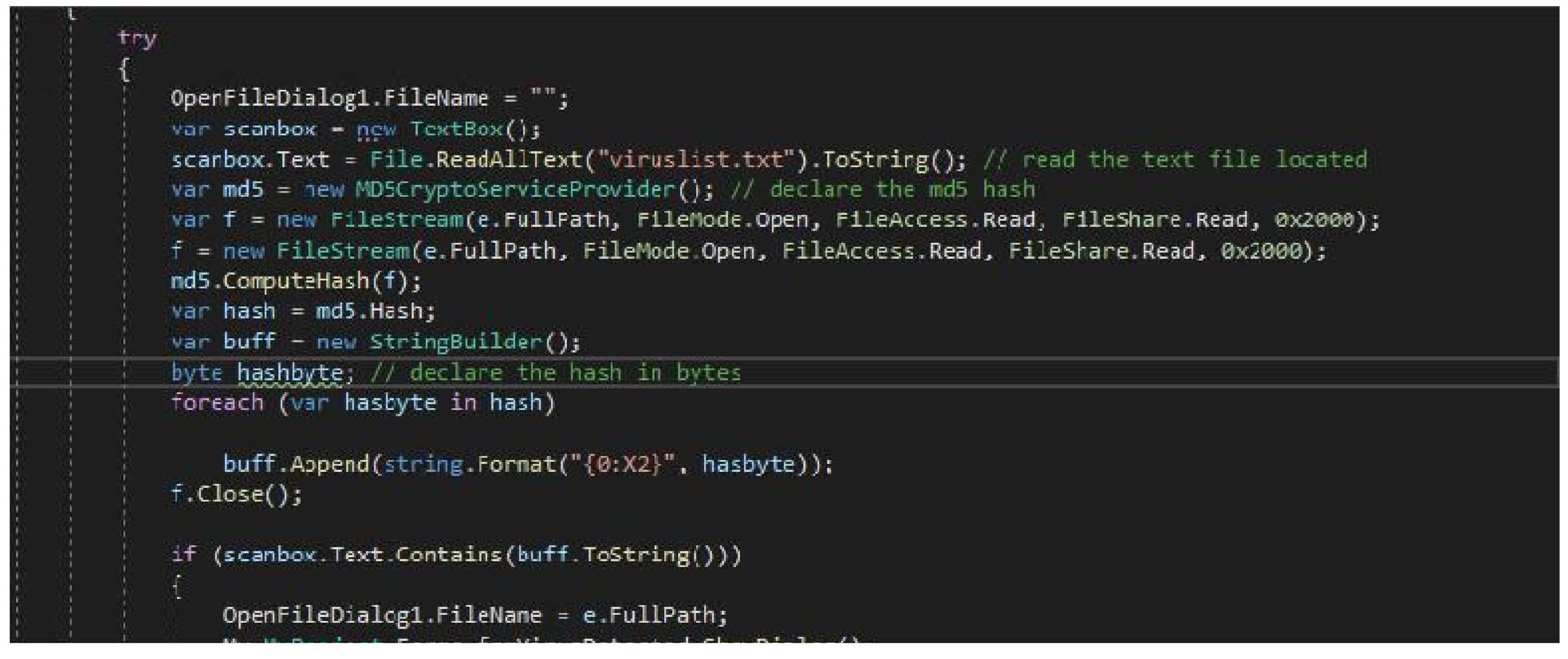
Figure C.3.2.
Code used to get system info.
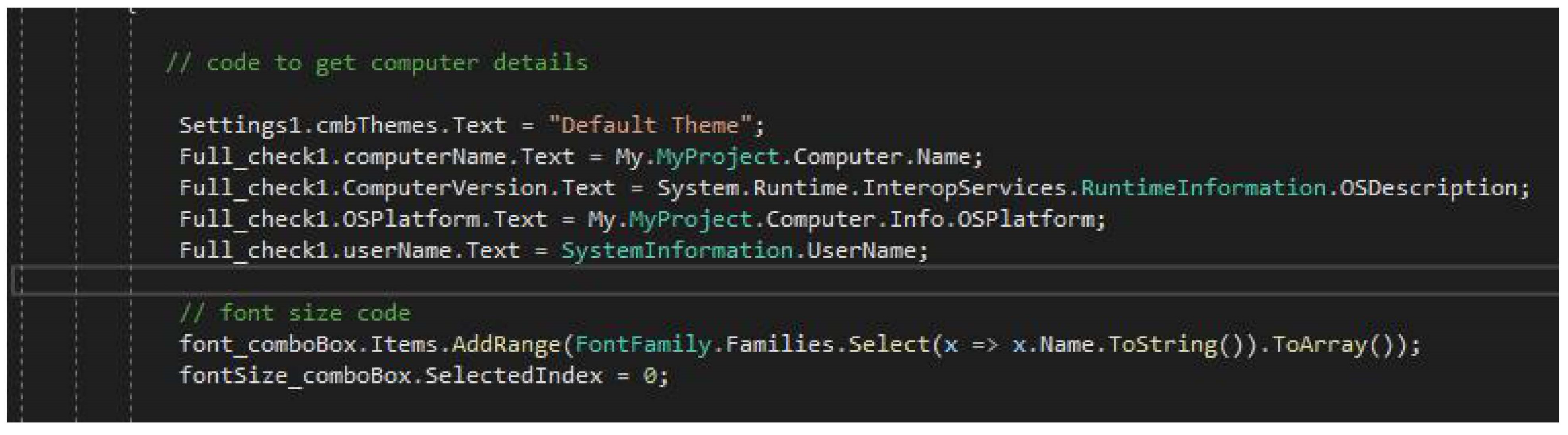
Figure C.3.3.
Code used for font.
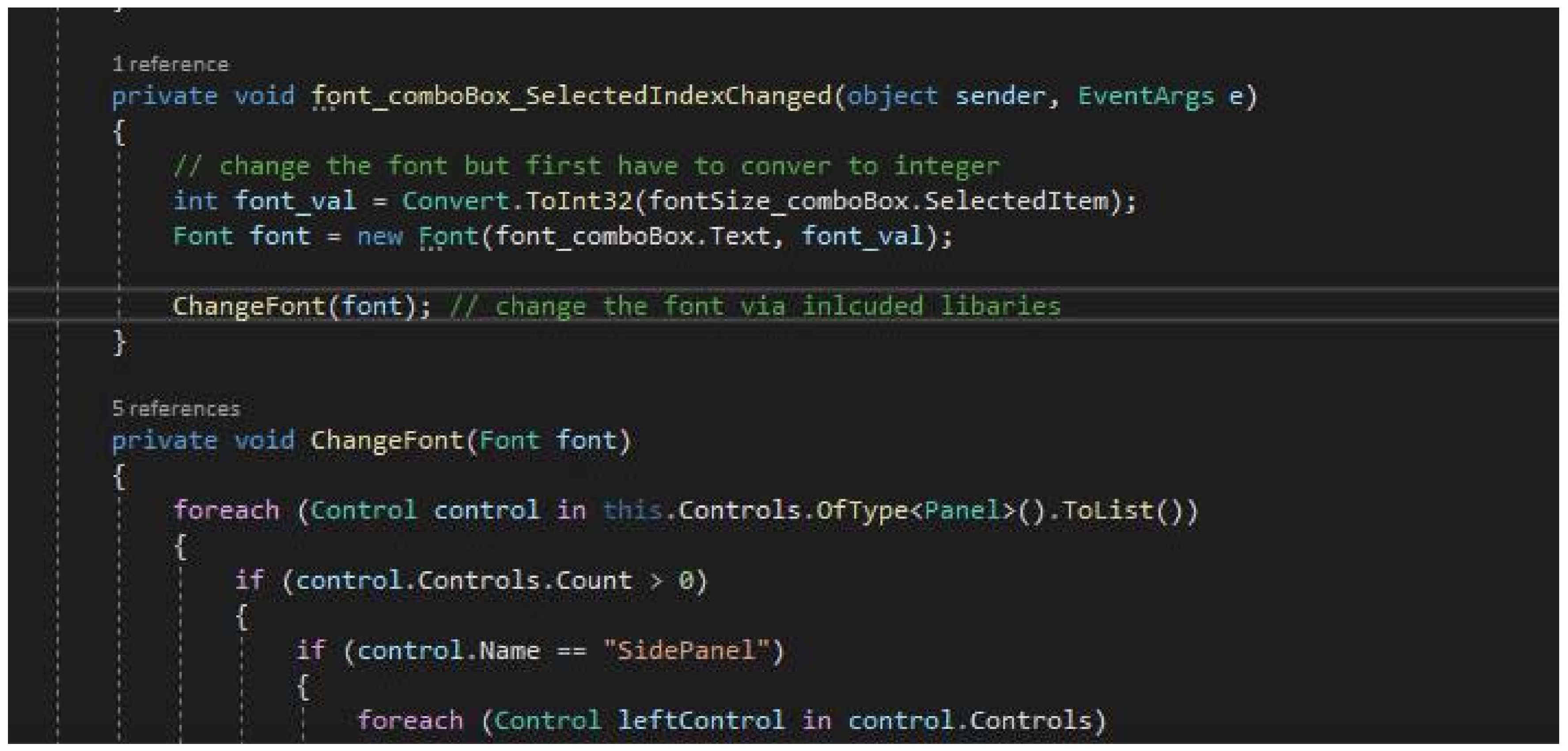
Figure C.3.4.
Colour scheme code.
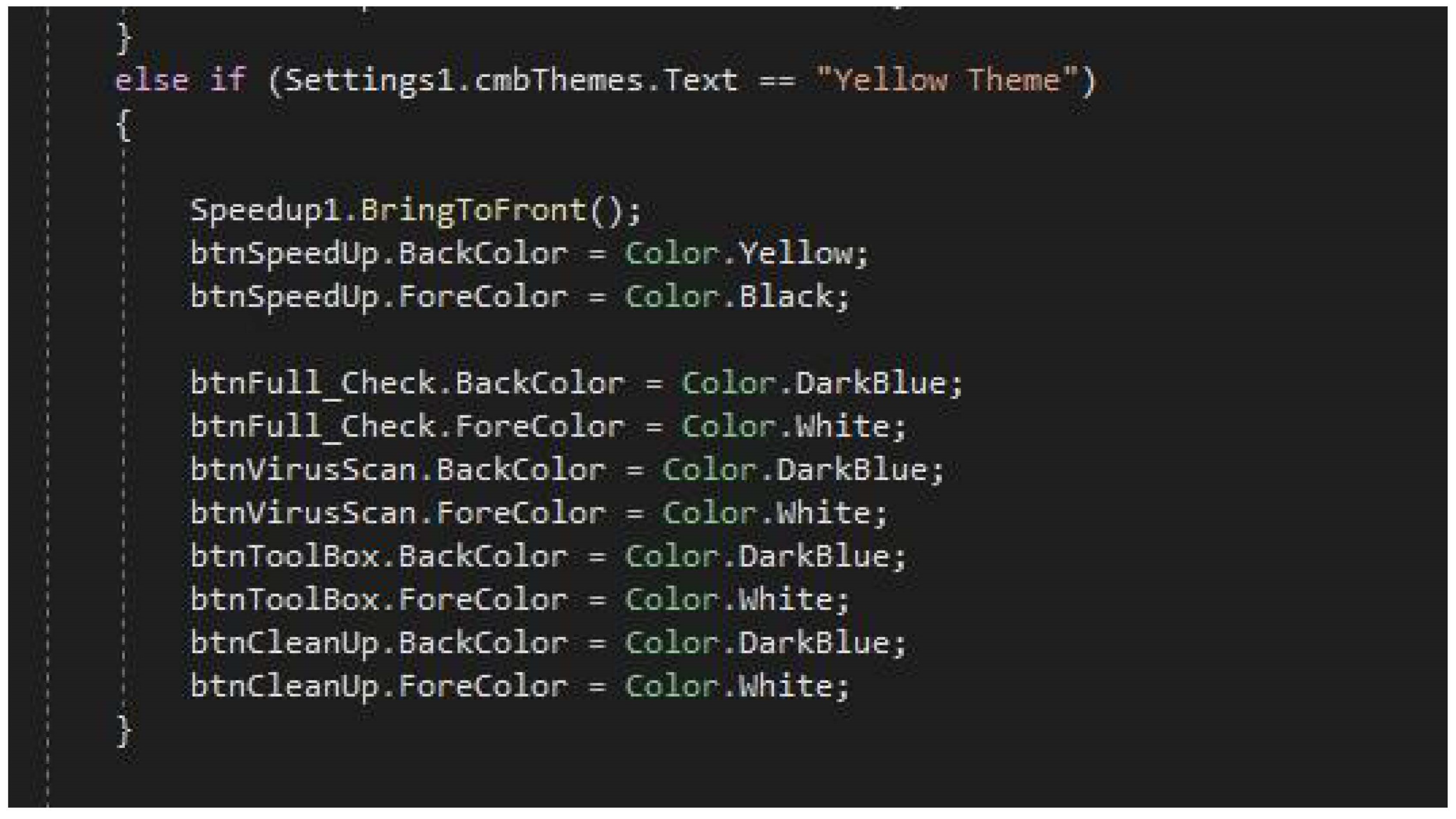
Figure C.3.5.
VPN console code set up.
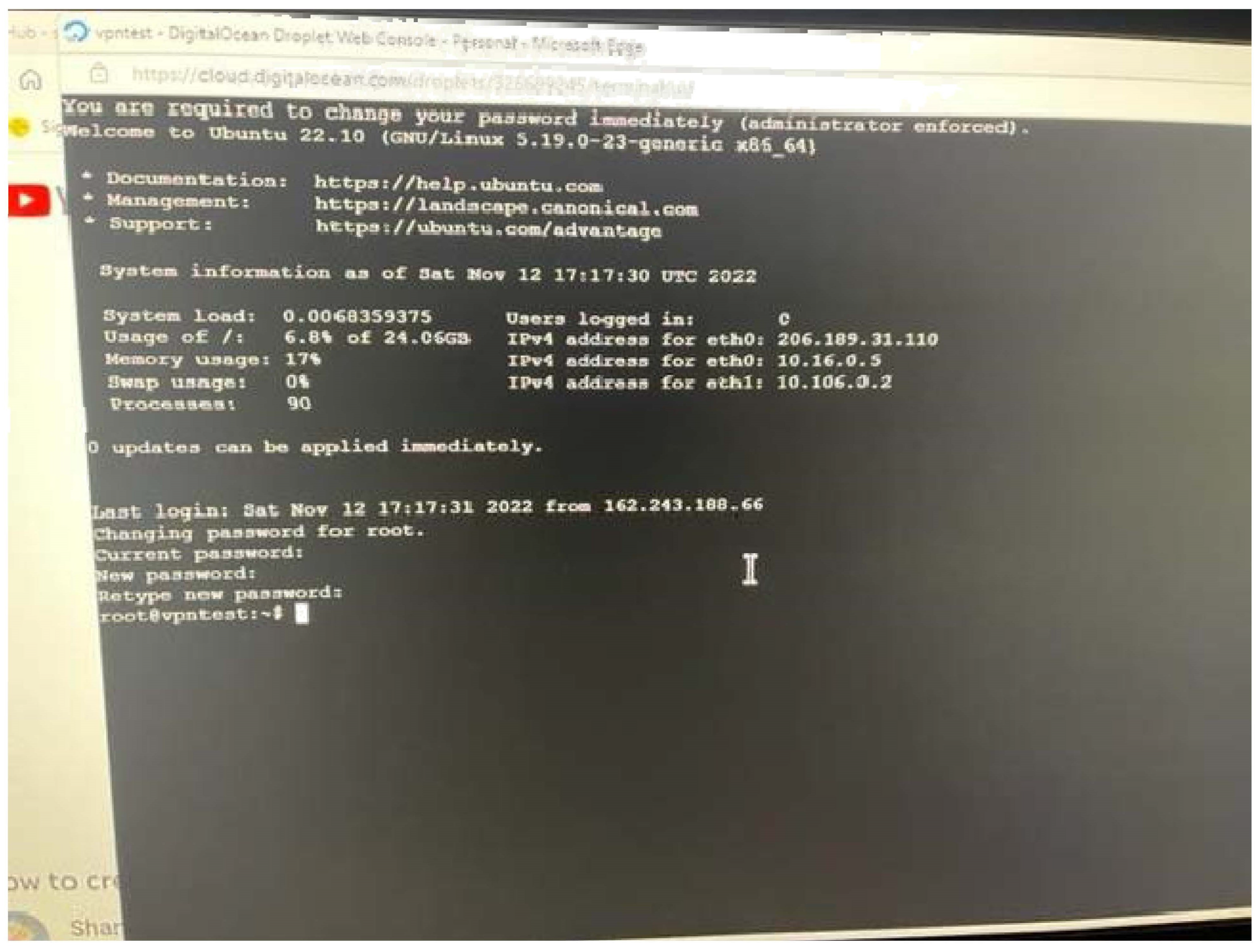
Figure C.3.6.
VPN console code set up via SSH–going through the setup.
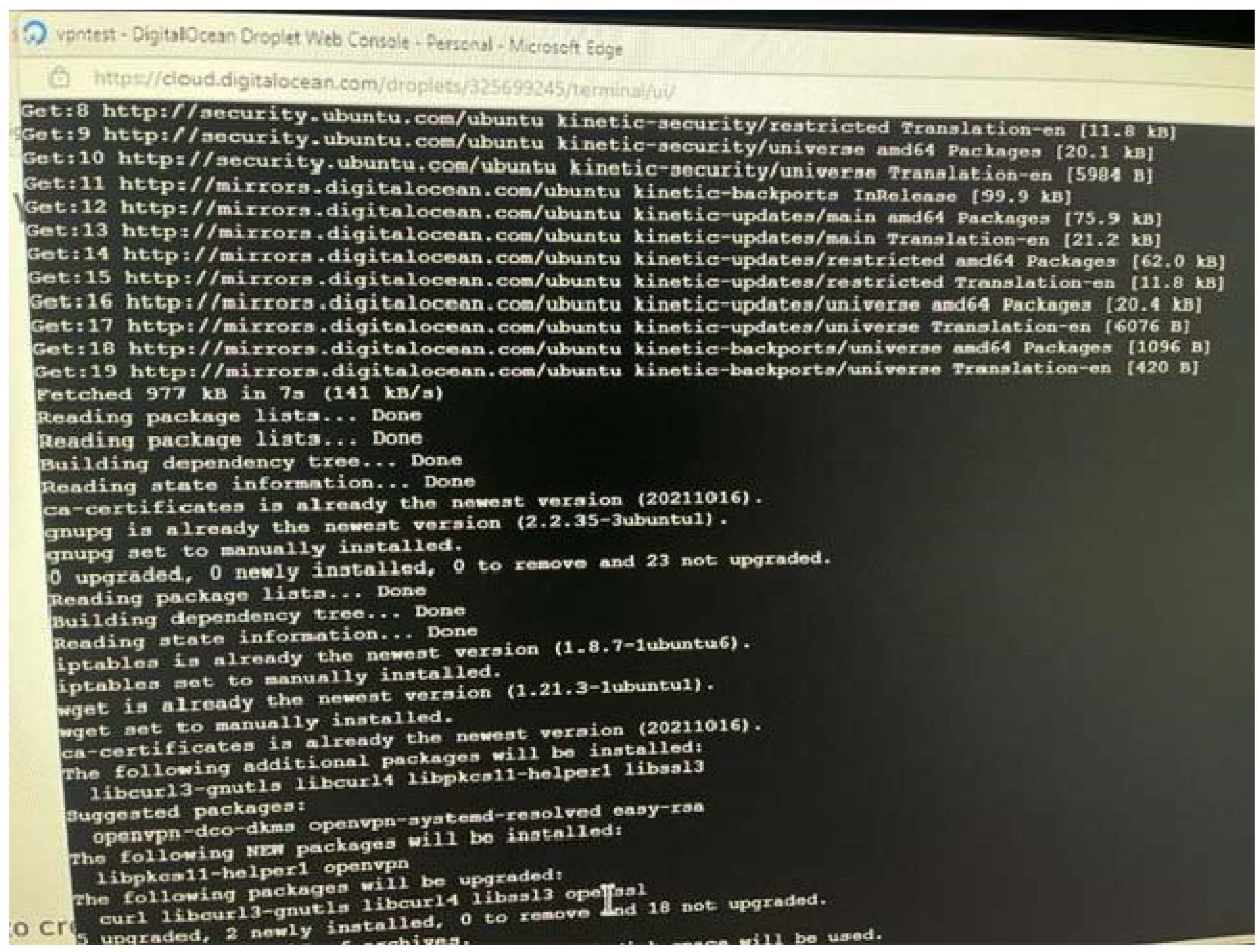
Figure C.3.7.
Using Filezila to configure FTP for VPN for TCP and UDP ports.
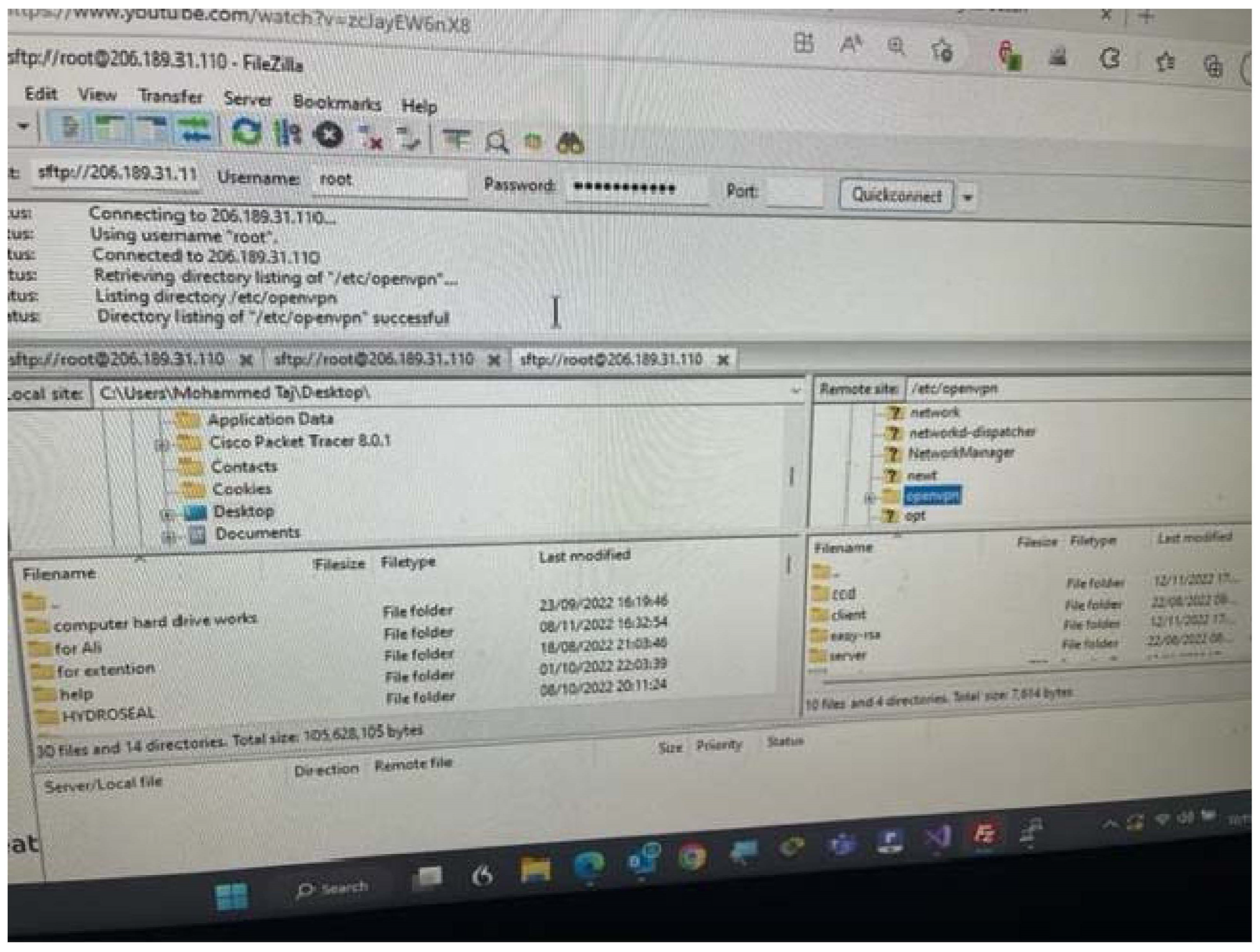
Figure C.3.8.
TCP listening port setup.
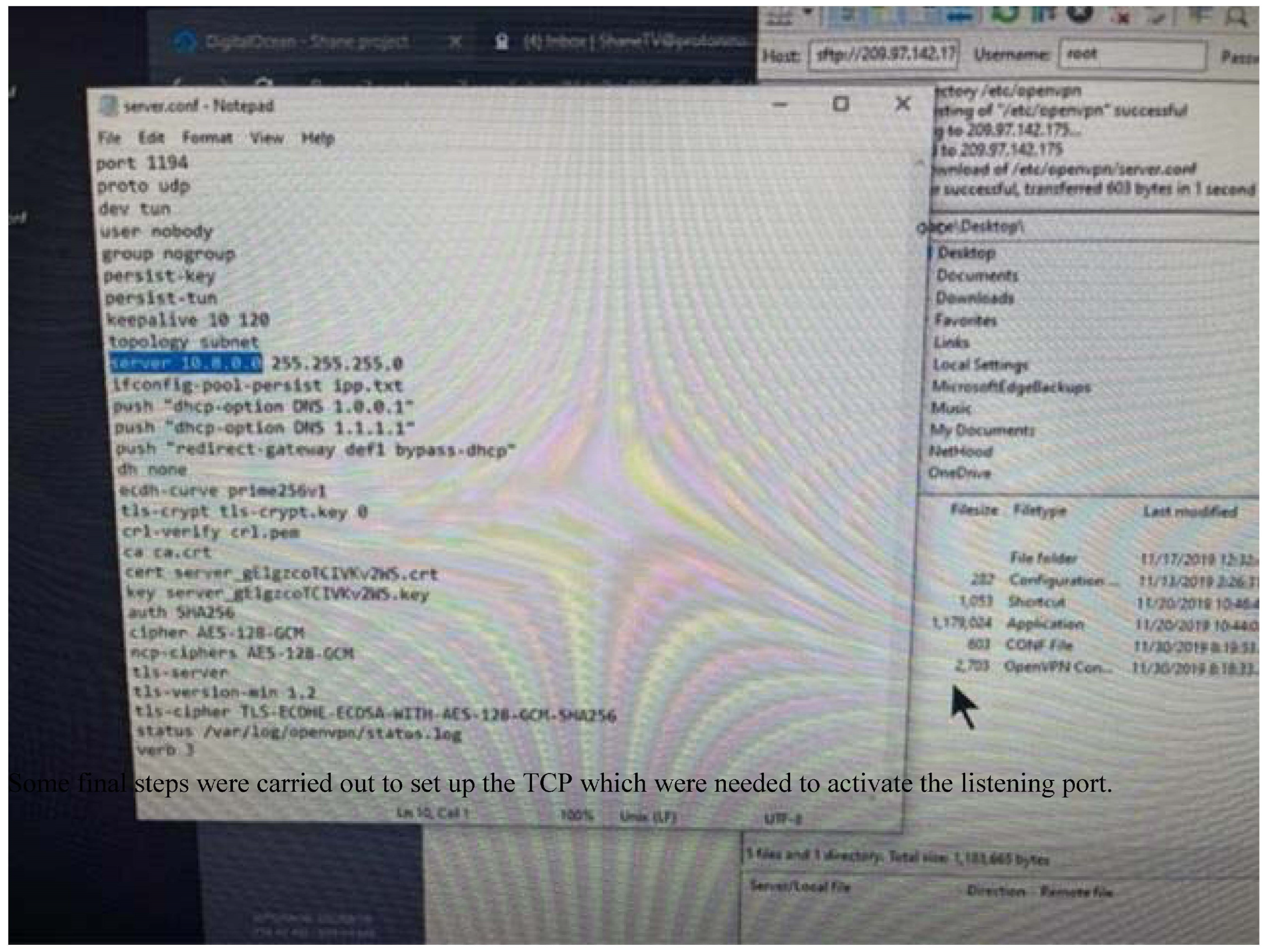
Figure C.3.9.
Adding server 2 for UDP and TCP.
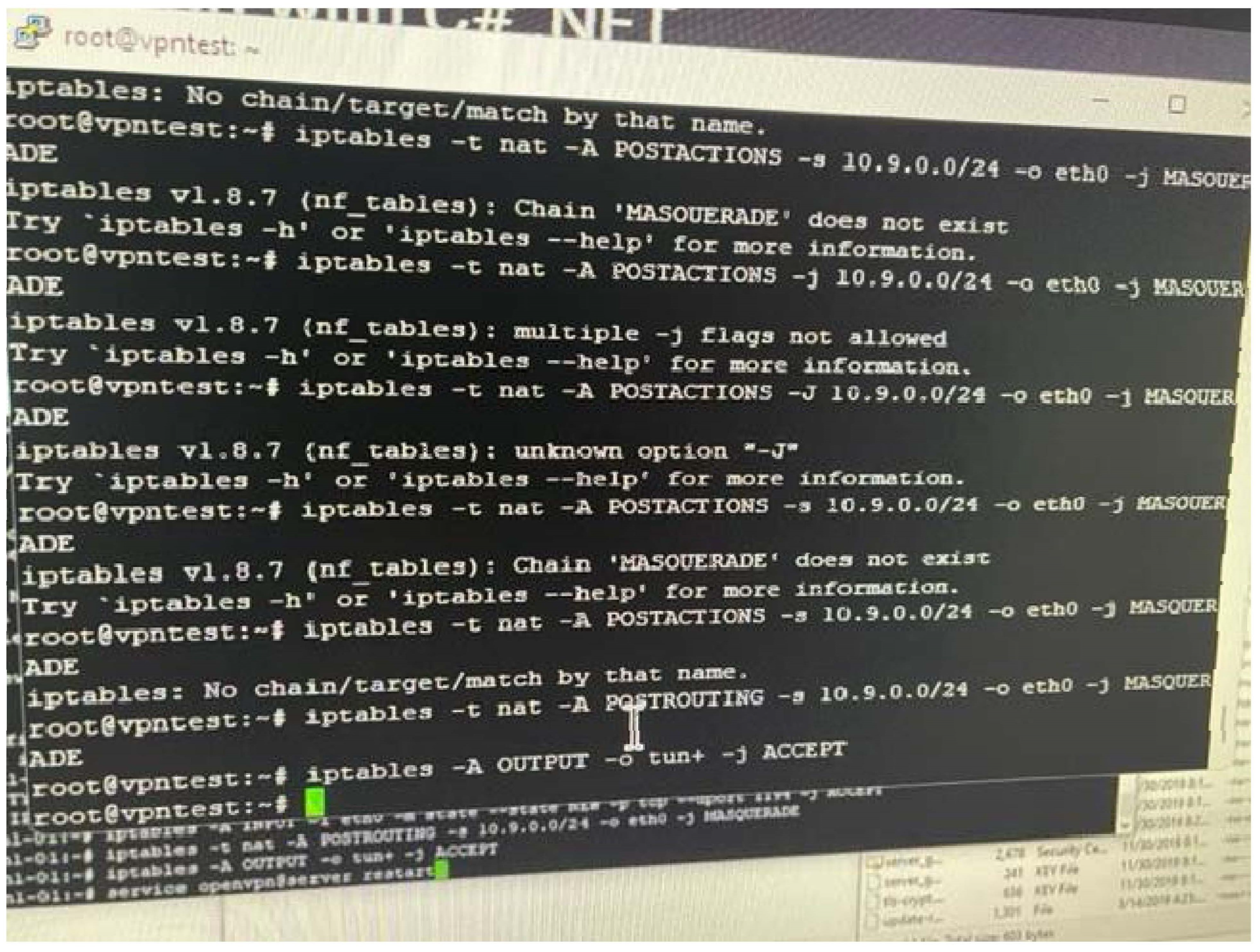
Figure C.3.10.
Edit files to add UDP and TCP for server 1 and 2.
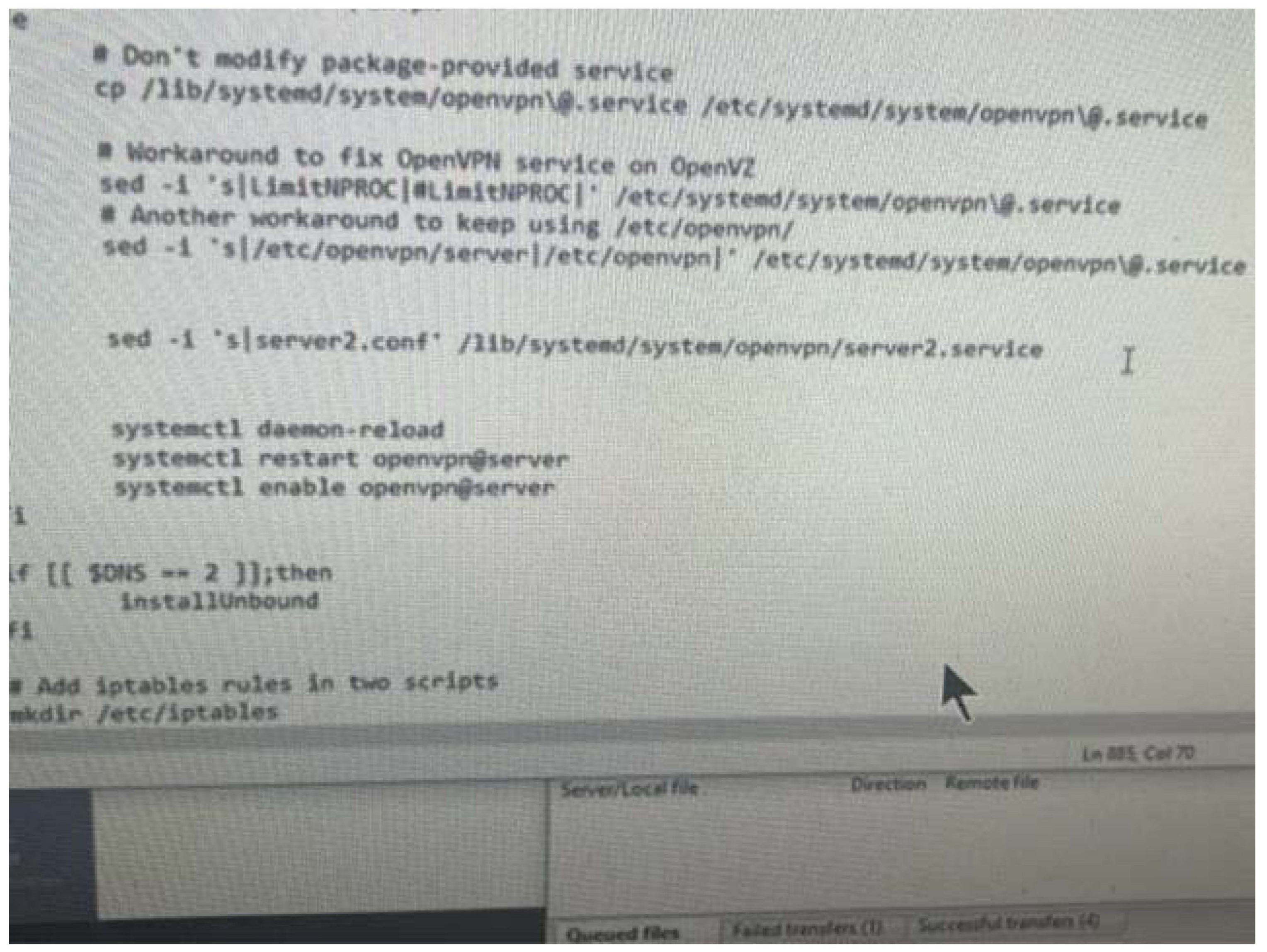
Figure C.3.11.
testing output for files to check enabled connections.
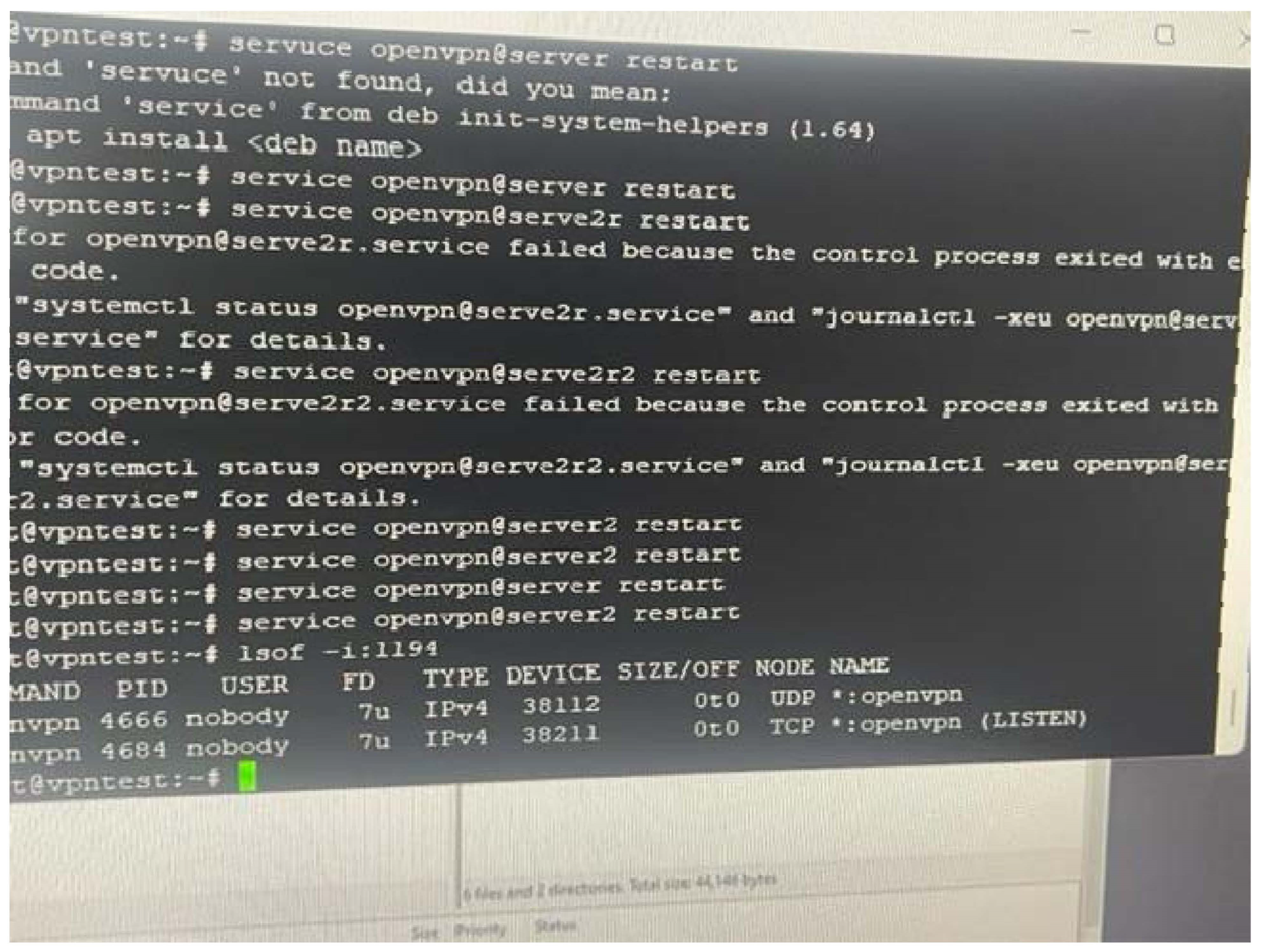
Figure C.3.12.
Code used for VPN in C#.
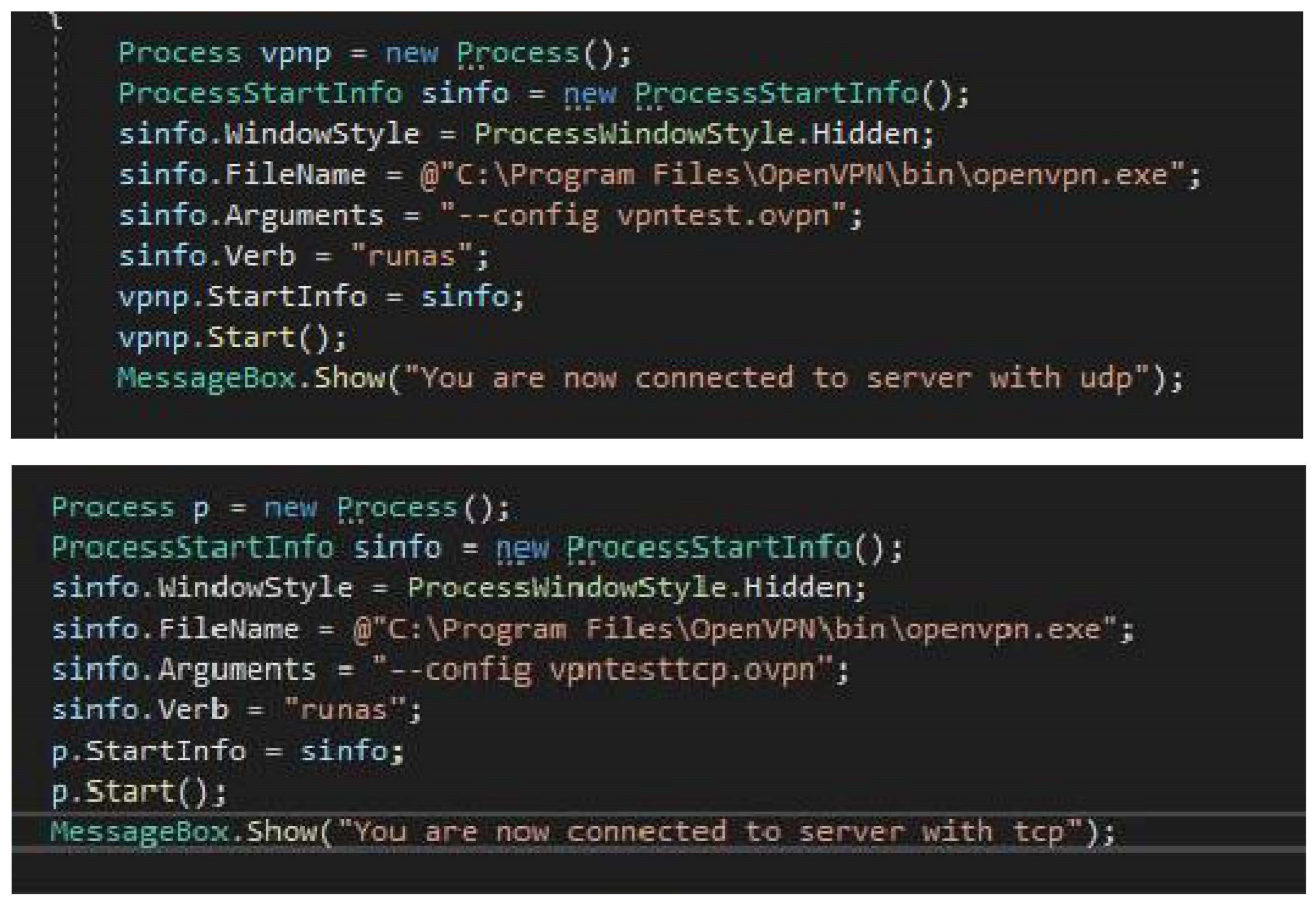
Figure C.3.13.
delete File explorer files.
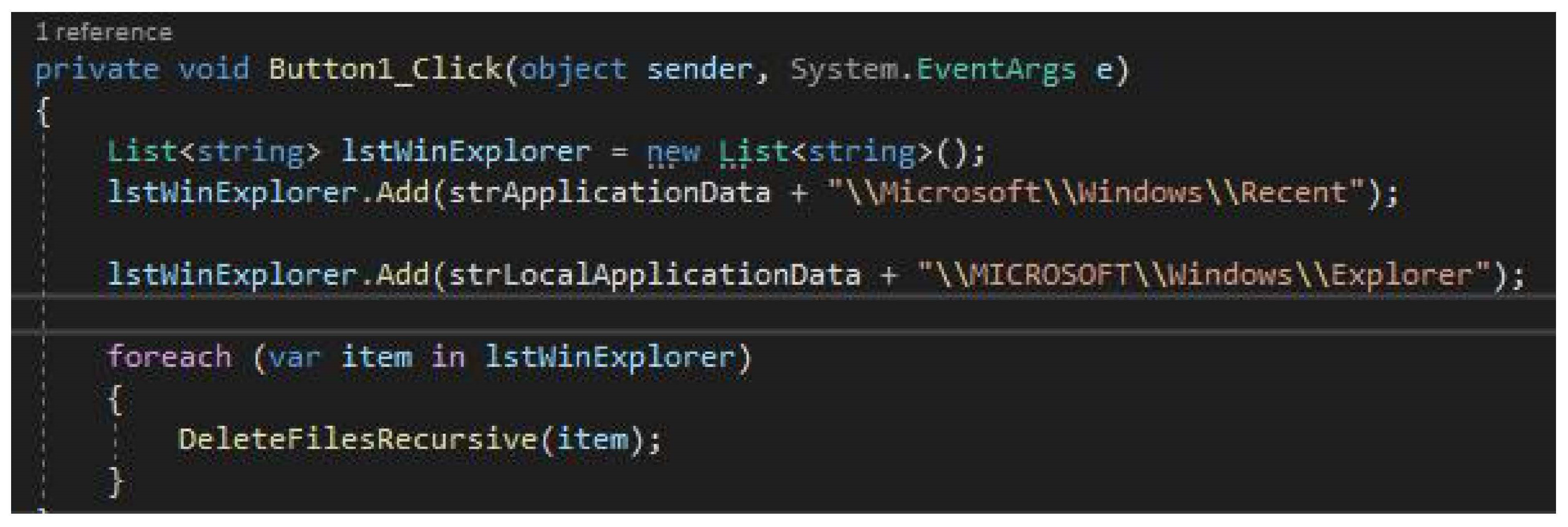
Figure C.3.14.
delete Temp files.
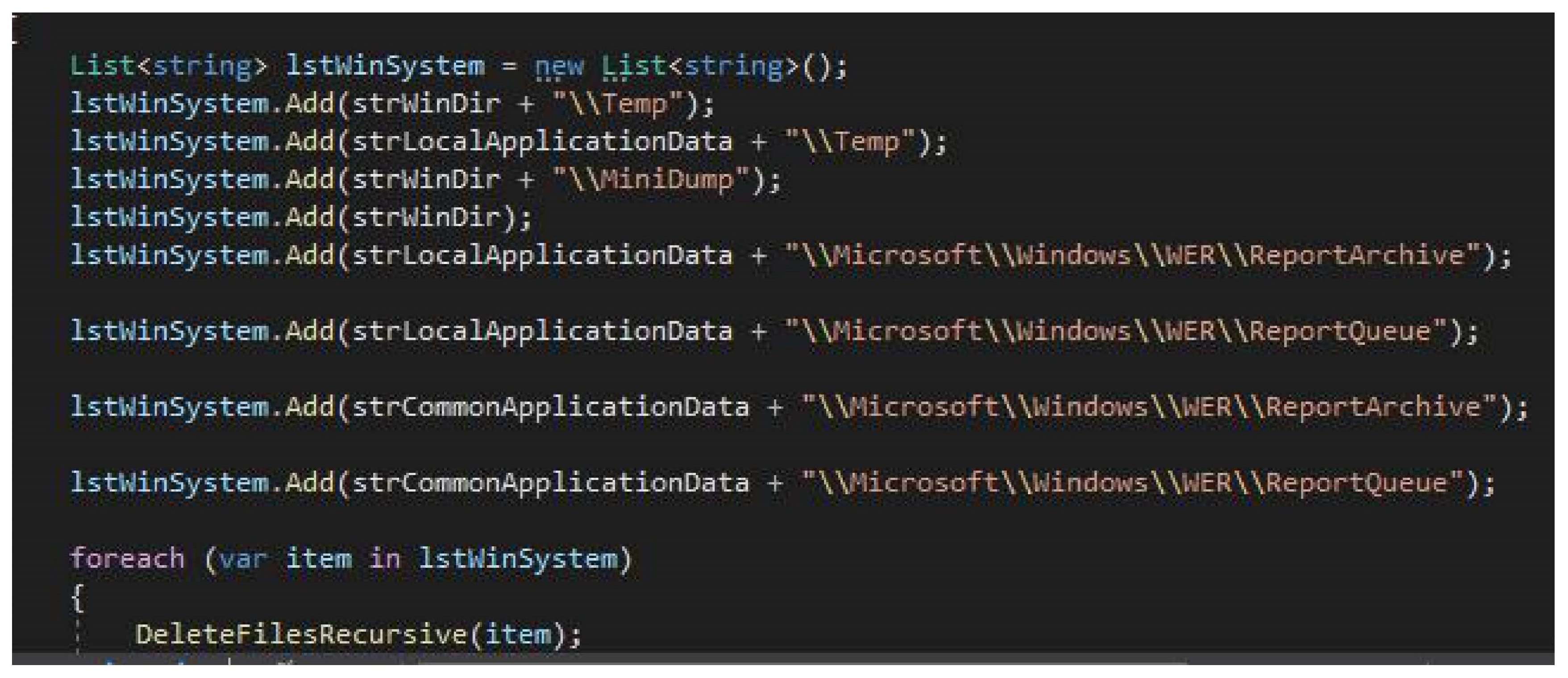
Appendix D. Questionnaire Circulated
Kindly help us by filling out the following concerning the new malware protection program developed. Feel free to answer all because it will help in designing the requirements of the consumer. Your participation will be highly appreciated. This questionnaire was used in focus groups to record answers anonymously as no names were taken despite, I may have worked with a few people in the industry.
- Do you have access to the internet?
- If yes, how secure are your data while on the internet?
- How would you rate the current anti-virus? (Use the range: 1(poor), 5(medium), 10(best))
- Have you ever encountered a malware threat? If yes, what was the impact?
- Do you appreciate the launch of a new antivirus program to boost your security with a simple interface which, is easy to use?
-
What would you like to be able to change in your program? Tick where appropriate Font sizeStyleTheme backgroundPlain textGraph stylesInteractive videos for trainingBe able to test malware in a safer environmentShown physical impact of malwareOther please specify
- Suppose the program needs a subscription to use some features, would you still use it if you only paid for what you used for instead of paying for everything like VPN, Reg cleaner etc?
- How important is this new program to your security?
- Overall, please describe your knowledge and training awareness when identifying malware.
- How often would you say your organisation has spent time in recent years to explain or guide on security awareness training? For example, only when I started my job or every few months.
- How comfortable are you with your current anti-virus and how easy is it to use (1 poor and 10 best)
- Would you like a new simple antivirus with a clear- friendly interface which is easy to use and manage?
- Are you aware of the risks that malware and its impacts?
- If you use an accessibility program such as Jaws, Thunder, or ZoomText how easy would you say it is easy to navigate and use your current antivirus program? 1 is poor 10 is the best.
Your feedback will be highly appreciated. Thank you for your time in this survey. All answers are anonymous and will not be stored in any way however, results will be used for general data analysis to create a new simple malware framework interface.
References
- Lezzi, M.; Lazoi, M.; Corallo, A. Cybersecurity for Industry 4.0 in the current literature: A reference framework. Comput. Ind. 2018, 103, 97–110. [CrossRef]
- Corallo, A.; Lazoi, M.; Lezzi, M.; Luperto, A. Cybersecurity awareness in the context of the Industrial Internet of Things: A systematic literature review. Comput. Ind. 2022, 137. [CrossRef]
- Chaudhary, M.; Bansal, D. Open source intelligence extraction for terrorism-related information: A review. WIREs Data Min. Knowl. Discov. 2022, 12. [CrossRef]
- Dasgupta, S.; Piplai, A.; Kotal, A.; Joshi, A. A Comparative Study of Deep Learning based Named Entity Recognition Algorithms for Cybersecurity. 2020 IEEE International Conference on Big Data (Big Data). 2020; pp. 2596–2604.
- Ulven, J.B.; Wangen, G. A Systematic Review of Cybersecurity Risks in Higher Education. Futur. Internet 2021, 13, 39. [CrossRef]
- Matvienko, Y.; Pisarev, V.; Eleonsky, S. Quantification of low-cycle fatigue damage accumulation in stress concentration area by local strain evolution. Procedia Struct. Integr. 2022, 41, 192–198. [CrossRef]
- Tariq, U.; Ahmed, I.; Bashir, A.K.; Shaukat, K. A Critical Cybersecurity Analysis and Future Research Directions for the Internet of Things: A Comprehensive Review. Sensors 2023, 23, 4117. [CrossRef]
- Coventry, L.; Branley, D. Cybersecurity in healthcare: A narrative review of trends, threats and ways forward. Maturitas 2018, 113, 48–52. [CrossRef]
- Jeong, C.Y.; Lee, S.-Y.T.; Lim, J.-H. Information security breaches and IT security investments: Impacts on competitors. Inf. Manag. 2019, 56, 681–695. [CrossRef]
- Lavrov, E.A.; Volosiuk, A.A.; Pasko, N.B.; Gonchar, V.P.; Kozhevnikov, G.K. Computer Simulation of Discrete Human-Machine Interaction for Providing Reliability and Cybersecurity of Critical Systems. 2018 Third International Conference on Human Factors in Complex Technical Systems and Environments (ERGO). July 2018; pp. 67–70.
- Dino, M.J.S.; Davidson, P.M.; Dion, K.W.; Szanton, S.L.; Ong, I.L. Nursing and human-computer interaction in healthcare robots for older people: An integrative review. Int. J. Nurs. Stud. Adv. 2022, 4, 100072. [CrossRef]
- Ellis, B.J.; Boyce, W.T. Differential susceptibility to the environment: Toward an understanding of sensitivity to developmental experiences and context. Dev. Psychopathol. 2011, 23, 1–5. [CrossRef]
- Ahmed, T.; Hoyle, R.; Connelly, K.; Crandall, D.; Kapadia, A. Privacy Concerns and Behaviors of People with Visual Impairments. CHI '15: CHI Conference on Human Factors in Computing Systems. Association for Computing Machinery: New York, NY, USA, April 18, 2015; pp. 3523–3532.
- Angin, P.; Bhargava, BK. Real-time mobile-cloud computing for context-aware blind navigation. International Journal of Next-Generation Computing, 2011 Jul 1;2(2), 405-14. Angin, P.; Bhargava, BK. Real-time mobile-cloud computing for context-aware blind navigation. International Journal of Next-Generation Computing, 2011 Jul 1;2(2), 405-14.
- Oswal, S.K.; Oswal, L.M. Ideating for Co-Designing with Blind and Visually Impaired Users: In Proceedings of the HCI International 2021 - Late Breaking Posters; Stephanidis, C. , Antona, M., Ntoa, S., Eds. Springer International Publishing: Cham, 2021; pp. 47–55.
- Bujacz, M.; Skulimowski, P.; Strumillo, P. Naviton—A Prototype Mobility Aid for Auditory Presentation of Three-Dimensional Scenes to the Visually Impaired. JAES 2012, 60, 696–708.
- Caraiman, S.; Morar, A.; Owczarek, M.; Burlacu, A.; Rzeszotarski, D.; Botezatu, N.; Herghelegiu, P.; Moldoveanu, F.; Strumillo, P.; Moldoveanu, A. Computer Vision for the Visually Impaired: the Sound of Vision System. 2017 IEEE International Conference on Computer Vision Workshop (ICCVW). Visually Impaired: The Sound of Vision System; 2017; pp. 1480–1489.
- Karastoyanov, D.; Chikurtev, D.; Gyoshev, S.; Chikurteva, A.; Stoimenov, N. Advanced ICT for Access of Visual Impaired People to Computers, Knowledge, Education and Culture. 2020 18th International Conference on Emerging eLearning Technologies and Applications (ICETA). 2020; pp. 290–295.
- Cattaneo, Z.; Vecchi, T. Blind Vision: The Neuroscience of Visual Impairment; MIT Press, 2011; ISBN 978-0-262-29459-1. Cattaneo, Z.; Vecchi, T. Blind Vision: The Neuroscience of Visual Impairment; MIT Press, 2011; ISBN 978-0-262-29459-1.
- Finke, C.; Zimmermann, H.; Pache, F.; Oertel, F.C.; Chavarro, V.S.; Kramarenko, Y.; Bellmann-Strobl, J.; Ruprecht, K.; Brandt, A.U.; Paul, F. Association of Visual Impairment in Neuromyelitis Optica Spectrum Disorder With Visual Network Reorganization. JAMA Neurol. 2018, 75, 296–303. [CrossRef]
- Khan, S.K.; Shiwakoti, N.; Stasinopoulos, P.; Chen, Y. Cyber-attacks in the next-generation cars, mitigation techniques, anticipated readiness and future directions. Accid. Anal. Prev. 2020, 148, 105837. [CrossRef]
- Lee, Y.H.; Medioni, G. RGB-D camera based wearable navigation system for the visually impaired. Comput. Vis. Image Underst. 2016, 149, 3–20. [CrossRef]
- Ramadhan, A.J. Wearable Smart System for Visually Impaired People. Sensors 2018, 18, 843. [CrossRef]
- Supalo, C.A.; Isaacson, M.D.; Lombardi, M.V. Making Hands-On Science Learning Accessible for Students Who Are Blind or Have Low Vision. J. Chem. Educ. 2013, 91, 195–199. [CrossRef]
- Nazemi, A. A Method to Provide Accessibility for Visual Components to Vision Impaired. International Journal of Recent Trends in Human Computer Interaction 2013, 4, 54–69.
- Neto, L.B.; Grijalva, F.; Maike, V.R.M.L.; Martini, L.C.; Florencio, D.; Baranauskas, M.C.C.; Rocha, A.; Goldenstein, S. A Kinect-Based Wearable Face Recognition System to Aid Visually Impaired Users. IEEE Trans. Human-Machine Syst. 2016, 47, 1–13. [CrossRef]
- Reed, P.; Giles, A.; White, S.; A Osborne, L. Actual and perceived speedy diagnoses are associated with mothers’ unresolved reactions to a diagnosis of autism spectrum disorder for a child. Autism 2019, 23, 1843–1852. [CrossRef]
- Bhatia, D. A Comprehensive Review on the Cyber Security Methods in Indian Organisation. Int. J. Adv. Soft Comput. its Appl. 2022, 14, 103–124. [CrossRef]
- Chowdhury, N.; Gkioulos, V. Cyber security training for critical infrastructure protection: A literature review. Comput. Sci. Rev. 2021, 40. [CrossRef]
- Varga, P.; Plosz, S.; Soos, G.; Hegedus, C. Security threats and issues in automation IoT. In Proceedings of the 2017 IEEE 13th International Workshop on Factory Communication Systems (WFCS), Trondheim, Norway, 31 May–2 June 2017; pp. 1–6.
- Chandrakala, T.; NirmalaSugirthaRajini, S.; Selvam, K.; Dharmarajan, K. An Investigation for detecting cyber security to overcome cyber attacks using machine learning methods. NEUROQUANTOLOGY. 2022 Nov; 20(15), 3581-91. Chandrakala, T.; NirmalaSugirthaRajini, S.; Selvam, K.; Dharmarajan, K. An Investigation for detecting cyber security to overcome cyber attacks using machine learning methods. NEUROQUANTOLOGY. 2022 Nov; 20(15), 3581-91.
- Gajrani, J.; Laxmi, V.; Tripathi, M.; Gaur, M.S.; Zemmari, A.; Mosbah, M.; Conti, M. Chapter Three - Effectiveness of State-of-the-Art Dynamic Analysis Techniques in Identifying Diverse Android Malware and Future Enhancements. In Advances in Computers; Hurson, A.R., Ed.; Elsevier, 2020; Vol. 119, pp. 73–120. Gajrani, J.; Laxmi, V.; Tripathi, M.; Gaur, M.S.; Zemmari, A.; Mosbah, M.; Conti, M. Chapter Three - Effectiveness of State-of-the-Art Dynamic Analysis Techniques in Identifying Diverse Android Malware and Future Enhancements. In Advances in Computers; Hurson, A.R., Ed.; Elsevier, 2020; Vol. 119, pp. 73–120.
- de Vicente Mohino, J.J.; Bermejo-Higuera, J.; Bermejo Higuera, J.R.; Sicilia, J.A.; Sánchez Rubio, M.; Martínez Herraiz, J.-J. MMALE a Methodology for Malware Analysis in Linux Environments. 2021. de Vicente Mohino, J.J.; Bermejo-Higuera, J.; Bermejo Higuera, J.R.; Sicilia, J.A.; Sánchez Rubio, M.; Martínez Herraiz, J.-J. MMALE a Methodology for Malware Analysis in Linux Environments. 2021.
- Anon. 2017. (accessed on 16 January 2024).
- Anon. 2022. A model - Search. [online] Available at: Bing Search [Accessed ]. 15 December; Anon. 2022. A model - Search. [online] Available at: Bing Search [Accessed 15 December 2022].
- Hansen, J.; Radhakrishnan, V.; Arehart, K. Speech Enhancement Based on Generalized Minimum Mean Square Error Estimators and Masking Properties of the Auditory System. IEEE Trans. Audio, Speech Lang. Process. 2006, 14, 2049–2063. [CrossRef]
- Keikhosrokiani, P.; Mustaffa, N.; Zakaria, N.; Abdullah, R. Assessment of a medical information system: the mediating role of use and user satisfaction on the success of human interaction with the mobile healthcare system (iHeart). Cogn. Technol. Work. 2019, 22, 281–305. [CrossRef]
- Cremer, F.; Sheehan, B.; Fortmann, M.; Kia, A.N.; Mullins, M.; Murphy, F.; Materne, S. Cyber risk and cybersecurity: a systematic review of data availability. Geneva Pap. Risk Insur. - Issues Pr. 2022, 47, 698–736. [CrossRef]
- Ahsan, M.; Nygard, K.E.; Gomes, R.; Chowdhury, M.; Rifat, N.; Connolly, J.F. Cybersecurity Threats and Their Mitigation Approaches Using Machine Learning—A Review. J. Cybersecur. Priv. 2022, 2, 527–555. [CrossRef]
- Gupta, S. Ethical hacking terminologies. Ethical Hacking Learning the Basics, 2019, Online ISBN 978-1-4842-4348-0. Gupta, S. Ethical hacking terminologies. Ethical Hacking Learning the Basics, 2019, Online ISBN 978-1-4842-4348-0. .
- Grispos, G. Cybercriminals. In Encyclopedia of Security and Emergency Management; Shapiro, L.R., Maras, M.-H., Eds.; Springer International Publishing: Cham, 2019; ISBN 978-3-319-69891-5. Grispos, G. Criminals: Cybercriminals. In Encyclopedia of Security and Emergency Management; Shapiro, L.R., Maras, M.-H., Eds.; Springer International Publishing: Cham, 2019; pp. 1–7 ISBN 978-3-319-69891-5.
- Grimes, R.A. Hacking the Hacker: Learn From the Experts Who Take Down Hackers; John Wiley & Sons, 2017; ISBN 978-1-119-39621-5. Grimes, R.A. Hacking the Hacker: Learn From the Experts Who Take Down Hackers; John Wiley & Sons, 2017; ISBN 978-1-119-39621-5.
- Doyle, C. Cybercrime: An Overview of the Federal Computer Fraud and Abuse Statute and Related Federal Criminal Laws; DIANE Publishing, 2011; ISBN 978-1-4379-4498-3. Doyle, C. Cybercrime: An Overview of the Federal Computer Fraud and Abuse Statute and Related Federal Criminal Laws; DIANE Publishing, 2011; ISBN 978-1-4379-4498-3.
- Casey, E. Digital Evidence and Computer Crime: Forensic Science, Computers, and the Internet; Academic Press, 2011; ISBN 978-0-08-092148-8. Casey, E. Digital Evidence and Computer Crime: Forensic Science, Computers, and the Internet; Academic Press, 2011; ISBN 978-0-08-092148-8.
- Shea, J.M. Combating Computer Viruses; Gareth Stevens Publishing LLLP, 2012; ISBN 978-1-4339-7215-7. Shea, J.M. Combating Computer Viruses; Gareth Stevens Publishing LLLP, 2012; ISBN 978-1-4339-7215-7.
Figure 1.
presents a phased approach for dynamic malware analysis methodology.
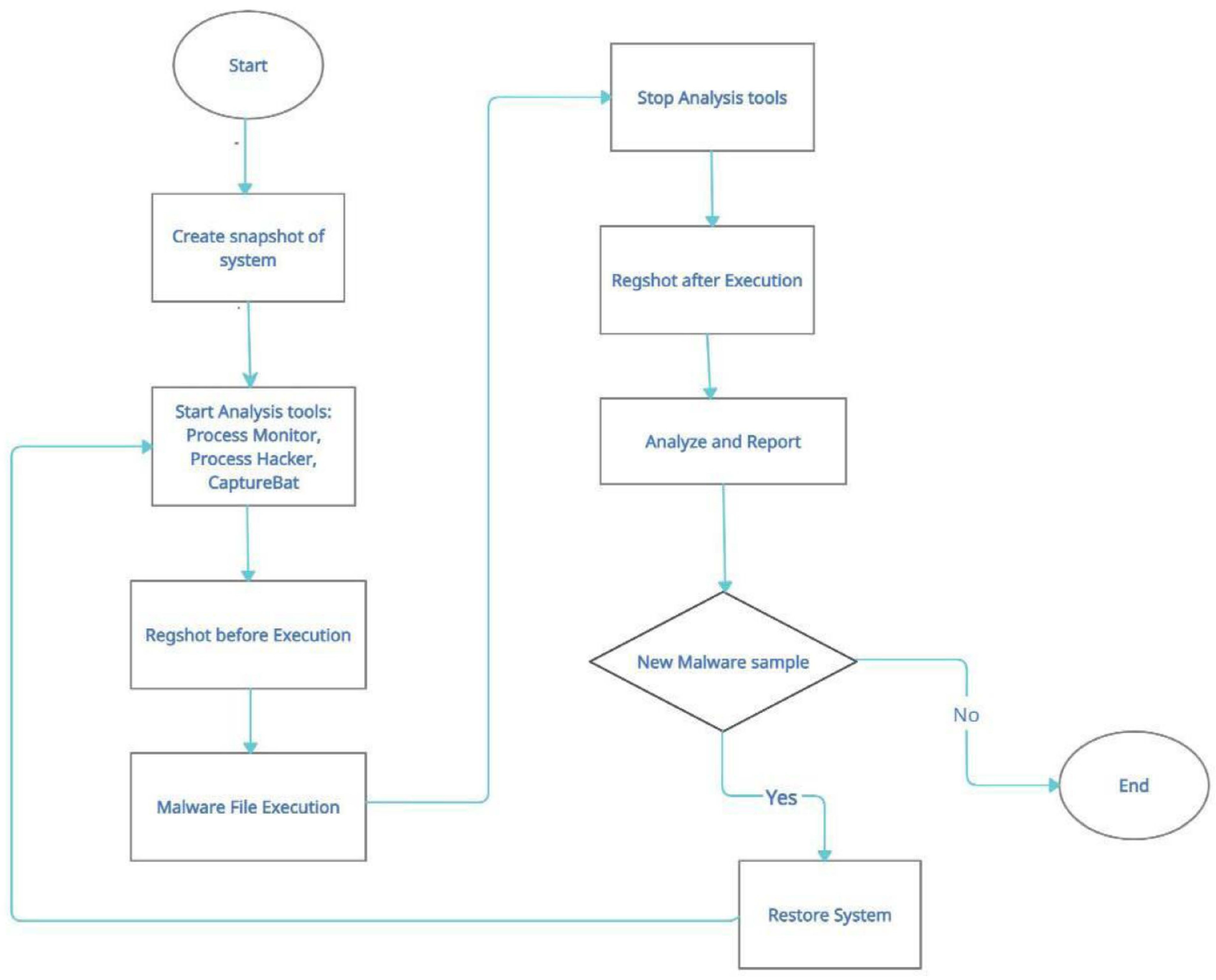
Disclaimer/Publisher’s Note: The statements, opinions and data contained in all publications are solely those of the individual author(s) and contributor(s) and not of MDPI and/or the editor(s). MDPI and/or the editor(s) disclaim responsibility for any injury to people or property resulting from any ideas, methods, instructions or products referred to in the content. |
© 2025 by the authors. Licensee MDPI, Basel, Switzerland. This article is an open access article distributed under the terms and conditions of the Creative Commons Attribution (CC BY) license (http://creativecommons.org/licenses/by/4.0/).
Copyright: This open access article is published under a Creative Commons CC BY 4.0 license, which permit the free download, distribution, and reuse, provided that the author and preprint are cited in any reuse.


