




This year marks a monumental milestone: the 10th anniversary of Preprints.org. This celebration is not just about our platform’s growth—it is a celebration of the global research community that has made our mission possible.
To highlight the story we have written together, we are thrilled to announce the launch of your personal report with Preprints.org.
What’s in Your Personal Report?
Every great discovery starts with sharing. Your personalized report provides a comprehensive look back at your scholarly output and engagement on Preprints.org over the years. After you generate your report, you will be able to explore:
- Your Research Journey: A timeline of your milestones, from your first posted preprint to your most recently shared discoveries.
- Your Global Engagement: An overview of your research reach, highlighting how your work has resonated and created broader impact within the academic community.
- Building Community Together: A look at comments contributed and received, curated reading lists, and editorial or screening activities.
- Honors Hub: A special showcase recognizing your outstanding dedication, featuring your achievements in initiatives like the Most Popular Preprints Award and World Book Day Reading Lists Events.
Whether you are a frequent author, a dedicated reader, an Advisory Board member, or a Screener, your report is a testament to your unwavering support for open science.
How to Generate Your Report
We invite you to look back on a decade of shared discovery. Generating your personalized report takes just one click:
- Head over to our official 10th Anniversary Page.
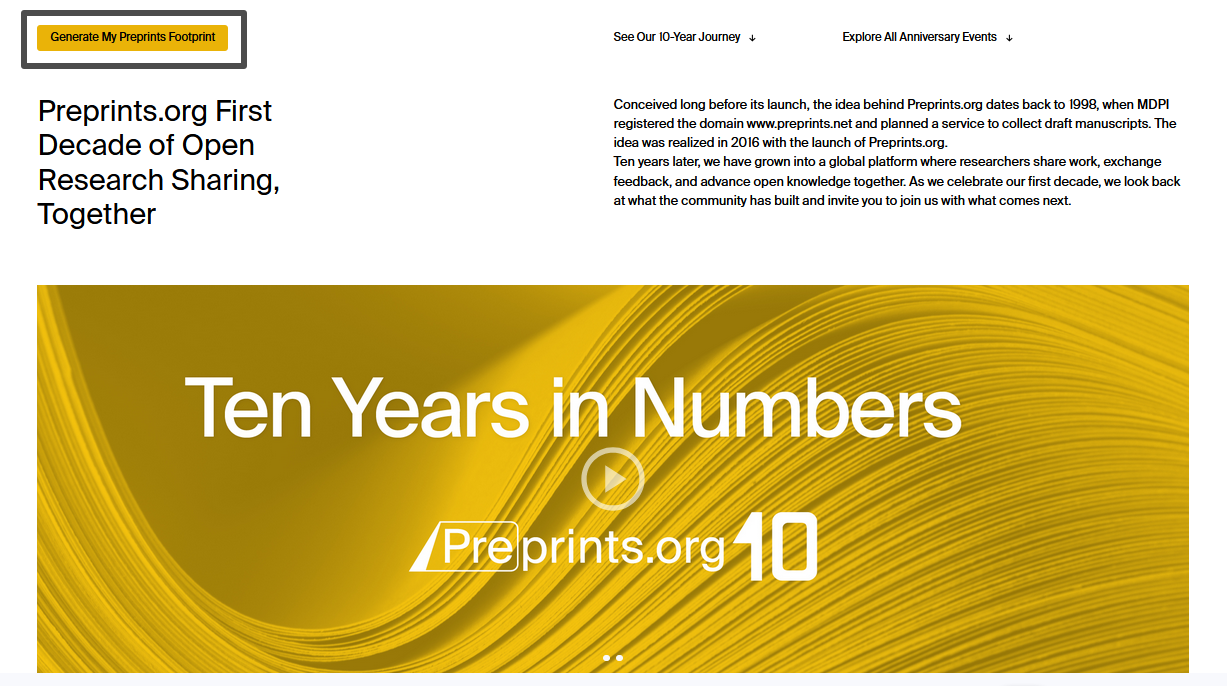
- Locate and click the “Generate My Preprints Footprint” button in the top left corner of the page.
- Instantly view your personalized data and milestones!
- Don’t forget to share it with your colleagues and networks on social media.
Thank you for making our first ten years so impactful. We look forward to sharing a new decade of discovery with you.
