

Submitted:
29 January 2024
Posted:
30 January 2024
Read the latest preprint version here
Abstract
Alzheimer's disease (AD) is the first cause of dementia worldwide and represents a public health challenge. Current diagnostic methods still rely on extended interviews and paper tests. We aim to create a novel, quick cognitive-screening tool on a numerical tablet. This program, built and edited with Unity®, runs on Android® for the Samsung Galaxy Tab S7 FE®. Composed of seven tasks inspired by the Mini-Mental Status Examination and the Montréal Cognitive Assessment, it browses several cognitive functions. The architectural design of this tablet application is distinguished by its multifaceted capabilities, encompassing not only seamless offline functionality but also a mechanism to ensure the singularity of data amalgamated from diverse sites. Additionally, a paramount emphasis is placed on safeguarding the confidentiality of patient information in the healthcare domain. Furthermore, the application empowers individual site managers by allowing them to access and peruse specific datasets, thereby enhancing their operational efficacy and decision-making processes. We performed a usability assessment among 24 healthy patients with a final F-SUS score of "excellent". Participants perceived the tool as simple to use and achieved the test in a mean time of 142 seconds, confirming that a short assessment on a numerical tablet is possible.
Keywords:
numerical tablet
; screening
; Alzheimer's disease
; usability
1. Introduction
Alzheimer’s disease (AD) is the first cause of neurodegenerative decline, affecting millions of people worldwide [1] with a considerable cost for countries. In AD, patients progressively lose their cognitive abilities, and behavioral troubles can occur. Without any current and efficient treatment, loss of memory and autonomy become an essential burden for caregivers and families. AD management is a global and public challenge for health systems that face a constantly increasing prevalence in aging populations.
Precocious screening of cognitive decline leads to better and early support for patients and their families. Unfortunately, general practitioners (GPs) do not always have enough time to perform initial cognitive explorations. They address their patients at specialized centers whose appointments can be long, delaying diagnostic but also symptomatic and social measures. These labeled memory consultations are primarily available in hospitals, and the diagnostic process still relies on paper tests that involve an exterior examiner.
Numerous tests exist to assess cognition (global or precise evaluation), but the Mini–Mental Status Examination (MMSE) [2] and the Montréal Cognitive Assessment (MoCA) [3] are widely used in primary screening, and most professionals know them. Both tests share several questions and explore approximately the same cognitive functions, even though MoCA evaluates frontal deficits more precisely. They both browse several cognitive functions quickly and can be repeated through the medical following of patients. More recently, the MoCA seems to have a higher sensitivity (Se) than the MMSE in differentiating healthy subjects from demented patients, whereas MMSE still performs a higher specificity (Sp) [4]. Nevertheless, there are good correlations between the two tests [5,6].
Besides these classical evaluations, several authors have developed new screening tools on numerical tablets showing good correlations with usual tests but without exceeding the experimentation stage [7]. Many applications are also available on commercial platforms such as Apple iTunes or Google Play Store [8], allowing an autonomous screening for patients. With the better accessibility of new technologies, most patients use a tablet or a smartphone, and the usability of numerical tablets has been globally demonstrated among large populations [9]. Using these novel opportunities, patients or GPs could benefit from an earlier evaluation before getting a specialized consultation.
Physicians need these innovative tools to evaluate cognitive functions to facilitate primary screening. Digital tablet assessment should be short, reliable, and understandable for patients with cognitive tasks reproducing classical questions from usual paper tests.
2. Materials and Methods
We constructed our program using Unity® (v.2021.3.11) for Android® (tablet). Three scenes compose AlzVR: the welcome menu, playing scene, and F-SUS questionnaire.
2.1. Welcome Menu
When launching the application, there are three possibilities (Figure 1):
- Supervised experience (“Expérience encadrée” ): medical questionnaire and cognitive assessment;
- Quick experience (“Expérience rapide” ): cognitive assessment only;
- Results (“Résultats”): results visualization.
The game consists of 3 main scenes:
- The “Menu” scene includes the main menu, medical questionnaires, and results consultation;
- The “InGame” scene contains the tutorial and all the user’s tasks;
- The “ Survey “ scene collects user feedback, which the administrator can only consult.
2.2. Medical Questionnaire
The supervised experience includes a primary medical questionnaire (Figure 2) to collect socio-demographic items (name, age, type of residence) and medical background (diagnostic, previous cognitive tests, treatments, and sensory loss).
2.3. Anonymization
After the last validation of the medical questionnaire, the program generates an automatic anonymized number composed of date and hour until seconds without integrating the name’s initials. A typical anonymous number looks like YYYYMMDDHHMMSS. This process safeguards the confidentiality of patient information (personal information) and allows a further blinded analysis. In “quick experience”, an “A” precedes all anonymized numbers, such as A-YYYYMMDDHHMMSS. In “supervised experience”, the letter of an eventual medical center can be automatically added before the number.
2.4. Playing Scene
2.4.1. Experiences Architecture
The main module of the “InGame” scene, the GameManager, references the list of nine tasks to be performed. Although each task has a different objective, each has textual and audio instruction and then proposes none, one or several answers in the form of images or text. So, the “JExperience” parent class groups all the attributes and methods common to all the tasks. However, the specific features of each task have necessitated the creation of new classes (“JExpMonoChoice”, “JExpChoiceTown”, “JExpImages”) inherited from “JExperience” (Figure 3).
2.4.2. General Aspect
The visual aspect should be simple without any cognitive surcharge. All scenes appear in a uniform blue background.
In all experiences, the user must select answers by touching one or several buttons. These buttons are big, allowing for an easy touch. A maximum of 8 buttons are on the screen, ensuring good visibility.
2.4.3. Answer Modality
Since the user selects all the answers, a confirmation screen appears with a button “Yes” (“Oui”) and “No” (“Non”). This step avoids inattentive answers and validates the choice (Figure 4). A “Yes” leads to the next question, and “No” allows a new chance to answer.
Each exercise lasts 30 seconds maximum. The next question automatically occurs if the user does not answer within the time (TimeOut). The choice of a “No” in the confirmation step reinitializes the time, but only three attempts are allowed.
In every case (success or failure), a message “Well done!” (“Bravo!”) congratulates the user (Figure 5). This message provides a cheerful ambiance and can reduce further false results of stress or fear.
2.4.4. Training Task
Before beginning the cognitive questionnaire, two tasks occur (touching shapes on the screen) to ensure a good understanding of the tablet’s functioning by the user (Figure 6). A failure in the training tasks leads to the assessment’s stopping, and the test cannot continue.
2.4.5. Cognitive Questionnaire
If the training tasks succeed, the cognitive assessment begins and comprises seven tasks from the MMSE and the MoCA. We wanted a varied assessment, so we selected questions from multiple cognitive fields presented in Table 1.
The first task is the «three words» test. Firstly, orally delivered by the program, the user must select the images on the screen corresponding to the three previously heard words (Figure 7). There is an immediate and delayed recall.
The clock recognition (Figure 8) task is inspired by the clock drawing test [12], which presents three different clocks and requires one to select the one representing a given hour (for example, “Select the clock indicating 12h15”).
Then come two spatial orientation tasks: selecting the French flag (Figure 9) and the town among several choices (Figure 10).
Temporal orientation tasks are relatively similar by selecting the current season (Figure 11) and year (Figure 12). Considering varying dates for season changes, we left a 48-hour margin for the answer.
The abstraction task consists of filling in a logic suit of fruits with four proposed answers (Figure 13).
2.5. Results Menu
The results’ menu allows a simple visualization of the patient’s score after the cognitive questionnaire (Figure 14). A password protects this section and only uses an anonymized number (ID patient). Three possibilities exist: “X” (failure), “V” (success), and “?” (Timeout).
2.6. F-SUS Questionnaire
After the cognitive tasks, we implemented the French translation of the System Usability Scale (Figure 15) [13], and the F-SUS questionnaire [14]. It evaluates global satisfaction through ten questions and five degrees of response from 1 (strongly disagree) to 5 (strongly agree). F-SUS results do not appear in the results menu and are directly stored.
2.7. Data Storage
All data are exported and stored in CSV format, allowing easy exploitation. We planned separate storage for personal information from other results (experiences and F-SUS). Thus, a blinded analysis is possible using only results files containing anonymized data (Figure 16).
2.8. Usability Assessment
2.8.1. Study Population
We carried out an experimental, qualitative study in IBISC Laboratory (University of Évry-Paris Saclay, Department of Sciences and Technologies) among healthy volunteers (staff and students) to assess the program usability using ISO 9241-11 norm [15] and the Nielsen method [16]. The tablet was a Samsung Galaxy Tab S7 FE® (screen of 315.0 mm, 2560x1600) running on Android 11 (user interface One UI 3.1).
The inclusion criteria were age > 18 years old, French language understanding, and the exclusion criteria were age < 18 years old, no understanding of the French language, and visual or hearing loss with no equipment.
2.8.2. Stages
Participants successively and anonymously achieved several stages:
- Pre-questionnaire: fill in an online questionnaire to collect socio-demographic data (age, profession, sex) and numerical habits (smartphone and tablets);
- Quick experience;
- F-SUS questionnaire;
- Post-questionnaire: online questionnaire to collect free comments about the program.
2.8.3. Data Collection and Exploitation
During the tests, we collected the following parameters: answer (success, fail), number of trials, and response time (ms).
We chose the total F-SUS score calculated on the author’s recommendation [13,14] as the primary endpoint to assess usability with a goal of 85.5 %, considered “excellent”.
All data were blinded, collected, and analyzed using the anonymized numbers of participants.
3. Results
3.1. Population
3.2. Success Rate
Cognitive tasks were completed by 100% of participants. We observed a success rate for the questions of 97.4 % (187 correct answers out of 192). The two tests that presented failures were the clock task (2 failures) and the season (3 failures).
3.3. Time of Completion
The average test administration time (excluding training tasks) was 141.47 (± 18.77) seconds, and details of task completion times are presented in Table 3.
3.4. F-SUS Questionnaire
Ninety-six percent of participants completed the F-SUS questionnaire (one person left the application before completing it), and the results for each question are presented in Table A2.
The overall score on the F-SUS questionnaire was 89.24%, considered as “excellent.”
3.5. General Remarks
In the post-questionnaire, we collected general opinions about the computer program. Users overwhelmingly found the program to be easy to use. The negative remarks reported are the lack of fluidity of the oral instructions and the tests judged too simple. User reviews are shown in Figure 17.
4. Discussion
Several authors studied numerical tablet possibilities to assess cognitive decline and perform training tasks in healthy and cognitively impaired patients [17,18]. Facing an increasing prevalence of patients in the future decades [1] with a more and more precise diagnostic (biological, functional…) [19], there is a need to get simple, quick, and performing tools to help practitioners in cognitive decline screening.
Numerous paper tests assess cognition for a global screening or precisely evaluate a specific cognitive function [20].
During our conception, we chose to inspire from two primary used and recommended tests [21,22] to create our cognitive tasks: MMSE, MoCA, and the clock drawing test (CDT) (integrated into the MoCA). Among these tests, we selected several tasks transposable on a numerical tablet. In the context of a lack of practitioners and aiming to get an easily accessible screening, the program is conceived to be realized autonomously with no exterior examiner. Thus, the program orally delivers all questions, and we have limited written instructions.
Targeting an elderly population, we chose the Samsung Galaxy Tab S7 FE® because of its large screen and reasonable resolution.
Completion time should be short, and the mean time observed in our study (142 seconds) is a good result. However, the mean age of our healthy population (41.88 years) is relatively under the age of AD patients (> 60 years) [23], which can explain this result.
We are satisfied because we have reached our usability goal with a global score (89.24%), surpassing the initial objective of 85.5% and close to 90.9% (« best imaginable »).
The participants globally perceived the test as easy to use, corresponding to F-SUS scores (questions 3, 5, 7, and 8). It is a positive evaluation because participants did not know cognitive tests and thus discovered them for the first time. However, the questions were negatively perceived as « too simple » or « too slow ». Indeed, it can appear simple or slow for healthy volunteers, but tasks target people with potential cognitive decline and no daily numerical tablet use. Nevertheless, our population poorly used tablets, with less than 50% of people using them yearly (Table A1).
We noted errors in the clock recognition task, probably due to the needle shapes signaled in complimentary remarks (Figure 17). The original clock drawing test [12] must be drawn on paper. Thus, transposing it on a numerical tablet would have needed a stylet use and external review. To maintain autonomous functioning, we proposed a clock recognition test among three choices: good hour (10h30), « symmetrical clock » (05h50), and complex clock. Recent constatations showed that students had more and more difficulties reading traditional clocks [24], and our two failed users were 24 years old. These difficulties appear in the mean task time of realization (Table 3); indeed, it is the task with the most significant difference between the minimal and maximal time of realization. Although technical limitations may exist, digital clock drawing tests have shown reliable results in differentiating healthy subjects from demented patients [25]. CDT is also hugely used in daily practice and belongs to quick screening tools such as Codex [26] or Minicog [27]. Season errors may be explained by the recent season changes (summer/autumn) before the beginning of the study (Sept 27). We also found an extensive range in task time realization.
5. Conclusions
We have developed a new quick digital cognitive screening tool with good usability among a healthy population. The application could also be transposed onto smartphones to enhance its diffusion and utilization. This preliminary study belongs to the global study COGNUM-AlzVR, which aims to evaluate the efficiency and relevance of two numerical programs on tablets for cognitive assessment in AD patients. The Committee for the Protection of People of Ile de France approved the multicentric project in 2022, and the study began in April 2023 (NCT06032611).
Author Contributions
Conceptualization, F.M., G.L., J.D., F.D. and S.O.; methodology, F.M., G.L., J.D. and F.D.; software, G.L, J.D. and F.D.; validation, F.M. and G.L.; formal analysis, F.M.; investigation, F.M., G.L. and F.D.; resources, G.L. and F.D.; data curation, G.L.; writing—original draft preparation, F.M. and F.D.; writing—review and editing, F.M., G.L., F.D. and S.O.; visualization, F.M. and G.L.; supervision, G.L. and S.O.; project administration, G.L. and S.O.; funding acquisition, none. All authors have read and agreed to the published version of the manuscript.
Funding
This research received no external funding
Institutional Review Board Statement
This work has been carried out in accordance with the Declaration of Helsinki of the World Medical Association, revised in 2013 for experiments involving humans. Data exploitation was anonymous using an automatic number of participation generated from the date and hour of completion. The local University Paris-Saclay ethics committee approved all documents and protocols on 2022/07/07 (file 433).
Informed Consent Statement
Informed consent was obtained from all subjects involved in the study. Participation was free with no remuneration.
Data Availability Statement
The anonymized data supporting this study’s findings are available on simple request from the corresponding author, S.O. The original data are not publicly available due to their containing information that could compromise the privacy of research participants.
Acknowledgments
The authors thank all participants and the Génopole (Evry-Courcouronnes, France) for their partnership with IBISC Laboratory.
Conflicts of Interest
The authors declare no conflict of interest and have no known competing financial or personal relationships that could be viewed as influencing the work reported in this paper. This work did not receive any grant from funding agencies in the public, commercial, or not-for-profit sectors.
Appendix A

Table A1.
Numerical habits.
| Question* | ||
|---|---|---|
| Have you ever used a smartphone? (%) | 100 | |
| If yes, for how many years? m(sd) | 12.37 (4.8) | |
| If yes, during 2022, how often? (%) | 100 | Everyday |
| Have you ever used a numerical tablet? (%) | 96 | Yes |
| 4 | No | |
| If yes, for how many years? m(sd) | 8.25 (3.13) | |
| If yes, during 2022, how often? (%) | 21.7 | Everyday |
| 13.1 | Once/week | |
| 17.4 | Once/month | |
| 47.8 | Once/year | |
* m = mean; sd = standard deviation.
Table A2.
F-SUS questionnaire results.
| Question | Result* m(sd) |
|---|---|
| I think that I would like to use this system frequently. | 2.70 (1.46) |
| I found the system unnecessarily complex. | 1.52 (0.71) |
| I thought the system was easy to use. | 4.91 (0.28) |
| I think that I would need the support of a technical person to be able to use this system. | 1 (0) |
| I found the various functions in this system were well integrated. | 4.65 (0.87) |
| I thought there was too much inconsistency in this system. | 1.43 (0.97) |
| I would imagine that most people would learn to use this system very quickly. | 4.96 (0.20) |
| I found the system very cumbersome to use. | 1.65 (1.34) |
| I felt very confident using the system. | 4.83 (0.38) |
| I needed to learn a lot of things before I could get going with this system | 1.74 (1.42) |
* m = mean; sd = standard deviation.
References
- International AD, Guerchet M, Prince M, Prina M. Numbers of people with dementia worldwide: An update to the estimates in the World Alzheimer Report 2015. 2020 Nov 30 [cited 2022 Jul 25]; Available from: https://www.alzint.org/resource/numbers-of-people-with-dementia-worldwide/.
- Folstein MF, Folstein SE, McHugh PR. ‘Mini-mental state’. A practical method for grading the cognitive state of patients for the clinician. J Psychiatr Res. 1975 Nov;12(3):189–98.
- Nasreddine ZS, Phillips NA, Bédirian V, Charbonneau S, Whitehead V, Collin I, et al. The Montreal Cognitive Assessment, MoCA: a brief screening tool for mild cognitive impairment. J Am Geriatr Soc. 2005 Apr;53(4):695–9. [CrossRef]
- Ciesielska N, Sokołowski R, Mazur E, Podhorecka M, Polak-Szabela A, Kędziora-Kornatowska K. Is the Montreal Cognitive Assessment (MoCA) test better suited than the Mini-Mental State Examination (MMSE) in mild cognitive impairment (MCI) detection among people aged over 60? Meta-analysis. Psychiatr Pol. 2016 Oct 31;50(5):1039–52. [CrossRef]
- Bergeron D, Flynn K, Verret L, Poulin S, Bouchard RW, Bocti C, et al. Multicenter Validation of an MMSE-MoCA Conversion Table. J Am Geriatr Soc. 2017 May;65(5):1067–72.
- Chua SIL, Tan NC, Wong WT, Allen Jr JC, Quah JHM, Malhotra R, et al. Virtual Reality for Screening of Cognitive Function in Older Persons: Comparative Study. J Med Internet Res. 2019 Aug 1;21(8):e14821.
- Chan JYC, Yau STY, Kwok TCY, Tsoi KKF. Diagnostic performance of digital cognitive tests for the identification of MCI and dementia: A systematic review. Ageing Res Rev. 2021 Dec 1;72:101506. [CrossRef]
- Thabtah F, Peebles D, Retzler J, Hathurusingha C. Dementia medical screening using mobile applications: A systematic review with a new mapping model. J Biomed Inform. 2020 Nov;111. [CrossRef]
- Kortum P, Sorber M. Measuring the Usability of Mobile Applications for Phones and Tablets. Int J Human–Computer Interact. 2015 Aug 3;31(8):518–29. [CrossRef]
- Maronnat F, Seguin M, Djemal K. Cognitive tasks modelization and description in VR environment for Alzheimer’s disease state identification. In: 2020 Tenth International Conference on Image Processing Theory, Tools and Applications (IPTA). 2020. p. 1–7.
- Maronnat F, Davesne F, Otmane S. Cognitive assessment in virtual environments: How to choose the Natural User Interfaces? Laval Virtual VRIC ConVRgence Proc 2022 [Internet]. 2022;1(1). Available from: https://hal.archives-ouvertes.fr/hal-03622384.
- Sunderland T, Hill JL, Mellow AM, Lawlor BA, Gundersheimer J, Newhouse PA, et al. Clock drawing in Alzheimer’s disease. A novel measure of dementia severity. J Am Geriatr Soc. 1989 Aug;37(8):725–9.
- Brooke J. SUS: A ‘Quick and Dirty’ Usability Scale. In: Usability Evaluation In Industry. CRC Press; 1996. p. 189–94.
- Gronier G, Baudet A. Psychometric Evaluation of the F-SUS: Creation and Validation of the French Version of the System Usability Scale. Int J Human–Computer Interact. 2021 Oct 2;37(16):1571–82. [CrossRef]
- 14:00-17:00. ISO 9241-11:2018 [Internet]. ISO. [cited 2023 Feb 25]. Available from: https://www.iso.org/standard/63500.html.
- Valentin A, Lemarchand C. La construction des échantillons dans la conception ergonomique de produits logiciels pour le grand public. Quel quantitatif pour les études qualitatives ? Trav Hum. 2010;73(3):261–90.
- Koo BM, Vizer LM. Mobile Technology for Cognitive Assessment of Older Adults: A Scoping Review. Innov Aging. 2019 Jan;3(1):igy038. [CrossRef]
- Wilson SA, Byrne P, Rodgers SE, Maden M. A Systematic Review of Smartphone and Tablet Use by Older Adults With and Without Cognitive Impairment. Innov Aging. 2022;6(2):igac002. [CrossRef]
- Dubois B, Villain N, Frisoni GB, Rabinovici GD, Sabbagh M, Cappa S, et al. Clinical diagnosis of Alzheimer’s disease: recommendations of the International Working Group. Lancet Neurol. 2021 Jun;20(6):484–96.
- De Roeck EE, De Deyn PP, Dierckx E, Engelborghs S. Brief cognitive screening instruments for early detection of Alzheimer’s disease: a systematic review. Alzheimers Res Ther. 2019 Feb 28;11(1):21. [CrossRef]
- Janssen J, Koekkoek PS, Moll van Charante EP, Jaap Kappelle L, Biessels GJ, Rutten GEHM. How to choose the most appropriate cognitive test to evaluate cognitive complaints in primary care. BMC Fam Pract. 2017 Dec 16;18:101. [CrossRef]
- Pinto TCC, Machado L, Bulgacov TM, Rodrigues-Júnior AL, Costa MLG, Ximenes RCC, et al. Is the Montreal Cognitive Assessment (MoCA) screening superior to the Mini-Mental State Examination (MMSE) in the detection of mild cognitive impairment (MCI) and Alzheimer’s Disease (AD) in the elderly? Int Psychogeriatr. 2019 Apr;31(4):491–504.
- What Are the Signs of Alzheimer’s Disease? [Internet]. National Institute on Aging. [cited 2023 Mar 6]. Available from: https://www.nia.nih.gov/health/what-are-signs-alzheimers-disease.
- Young can ‘only read digital clocks’. BBC News [Internet]. 2018 Apr 24 [cited 2023 Mar 6]; Available from: https://www.bbc.com/news/education-43882847.
- Müller S, Herde L, Preische O, Zeller A, Heymann P, Robens S, et al. Diagnostic value of digital clock drawing test in comparison with CERAD neuropsychological battery total score for discrimination of patients in the early course of Alzheimer’s disease from healthy individuals. Sci Rep. 2019 Mar 5;9(1):3543. [CrossRef]
- Belmin J, Pariel-Madjlessi S, Surun P, Bentot C, Feteanu D, Lefebvre des Noettes V, et al. The cognitive disorders examination (Codex) is a reliable 3-minute test for detection of dementia in the elderly (validation study on 323 subjects). Presse Medicale Paris Fr 1983. 2007 Sep;36(9 Pt 1):1183–90. [CrossRef]
- Borson S, Scanlan JM, Chen P, Ganguli M. The Mini-Cog as a screen for dementia: validation in a population-based sample. J Am Geriatr Soc. 2003 Oct;51(10):1451–4. [CrossRef]
Figure 1.
Welcome menu view.
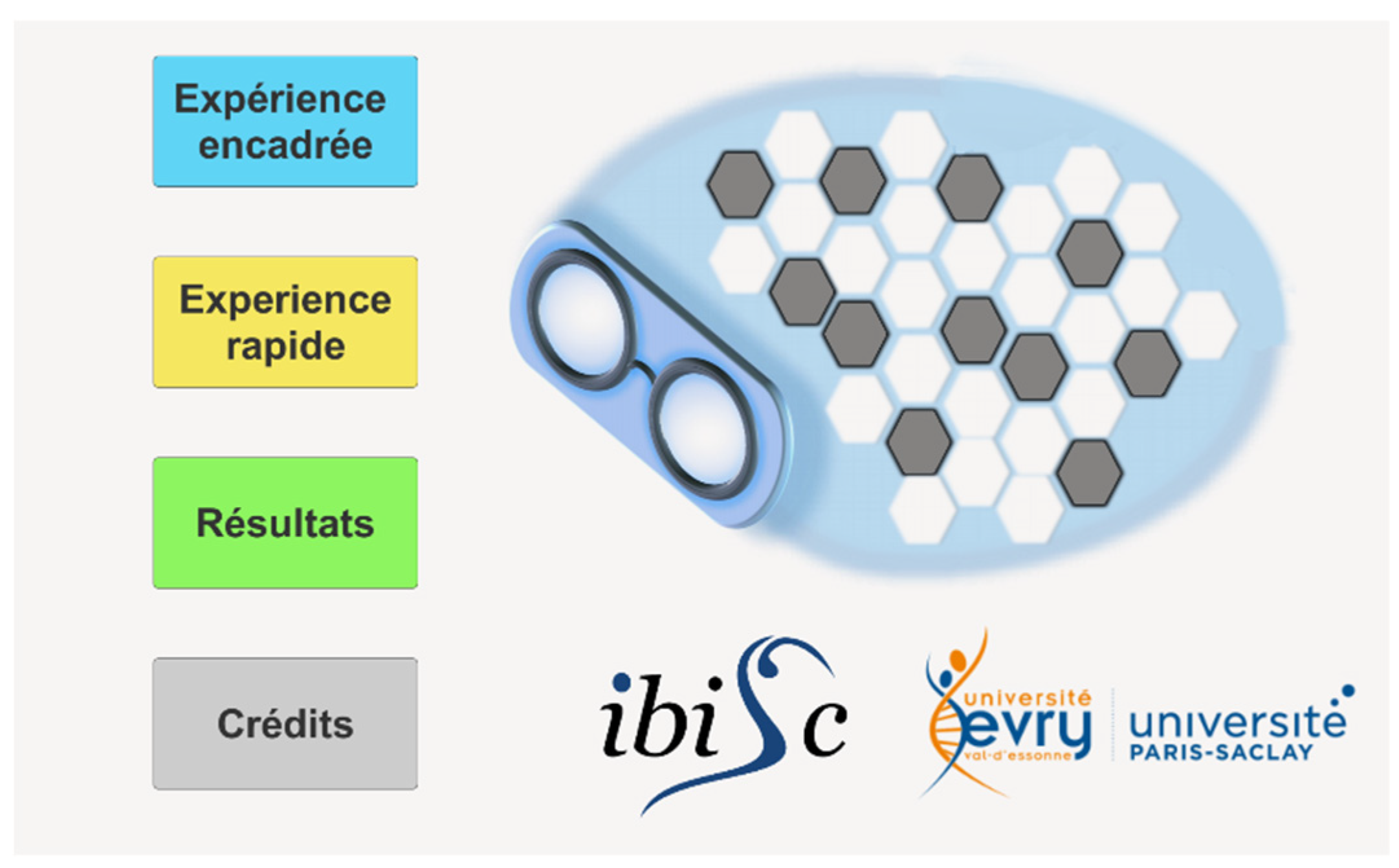
Figure 2.
Medical Questionnaire.
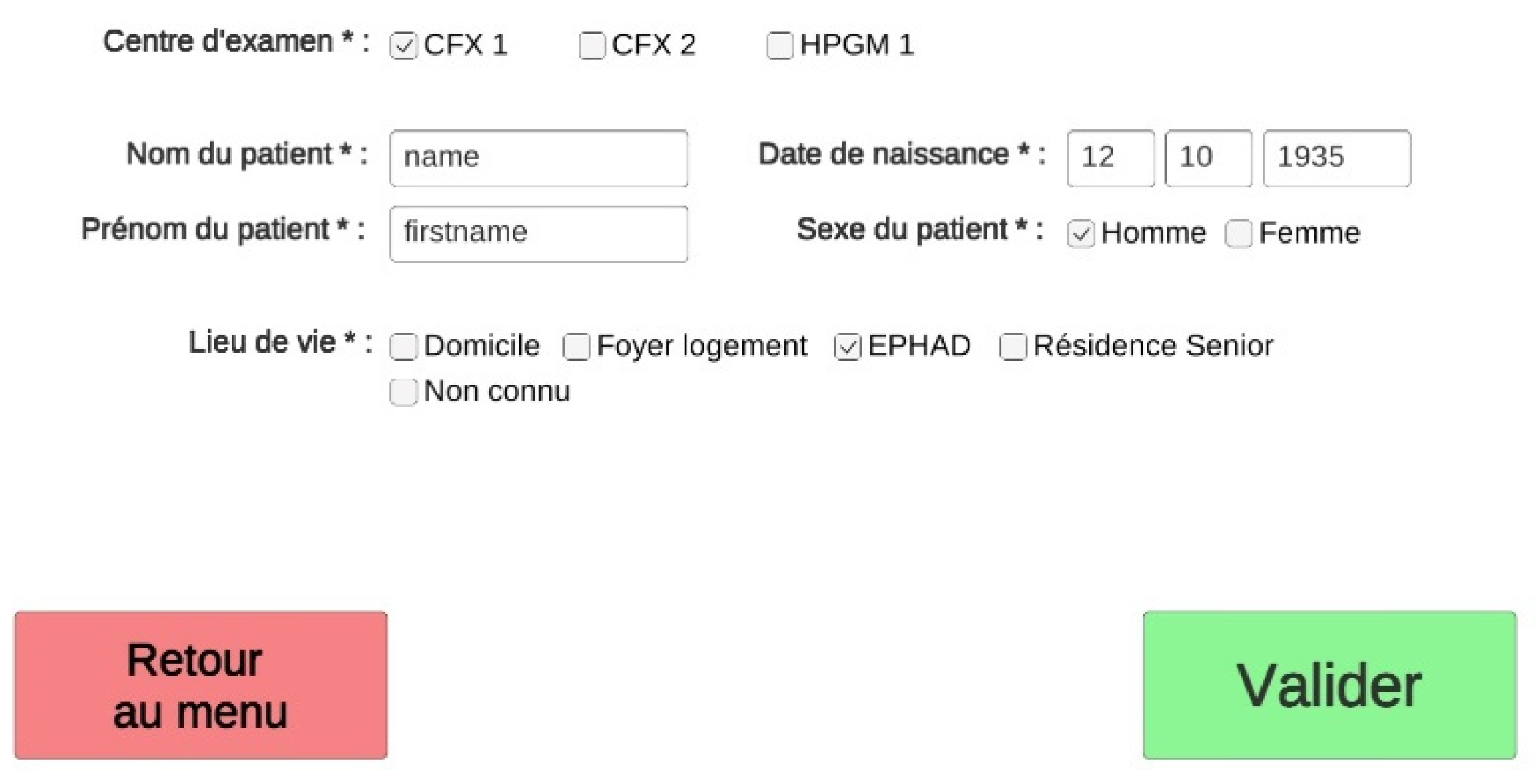
Figure 3.
Main classes’ diagram.
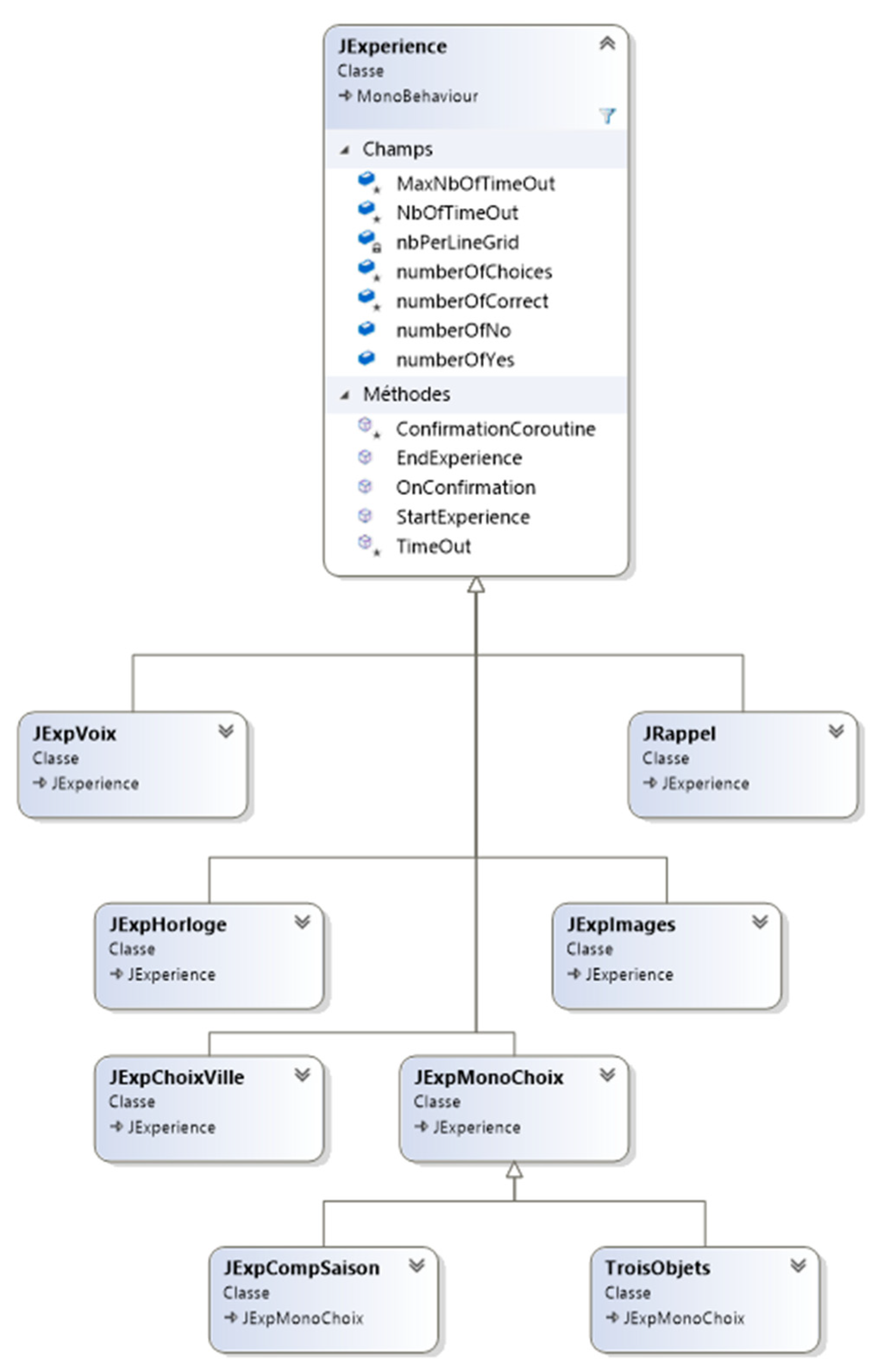
Figure 4.
Answer modalities.
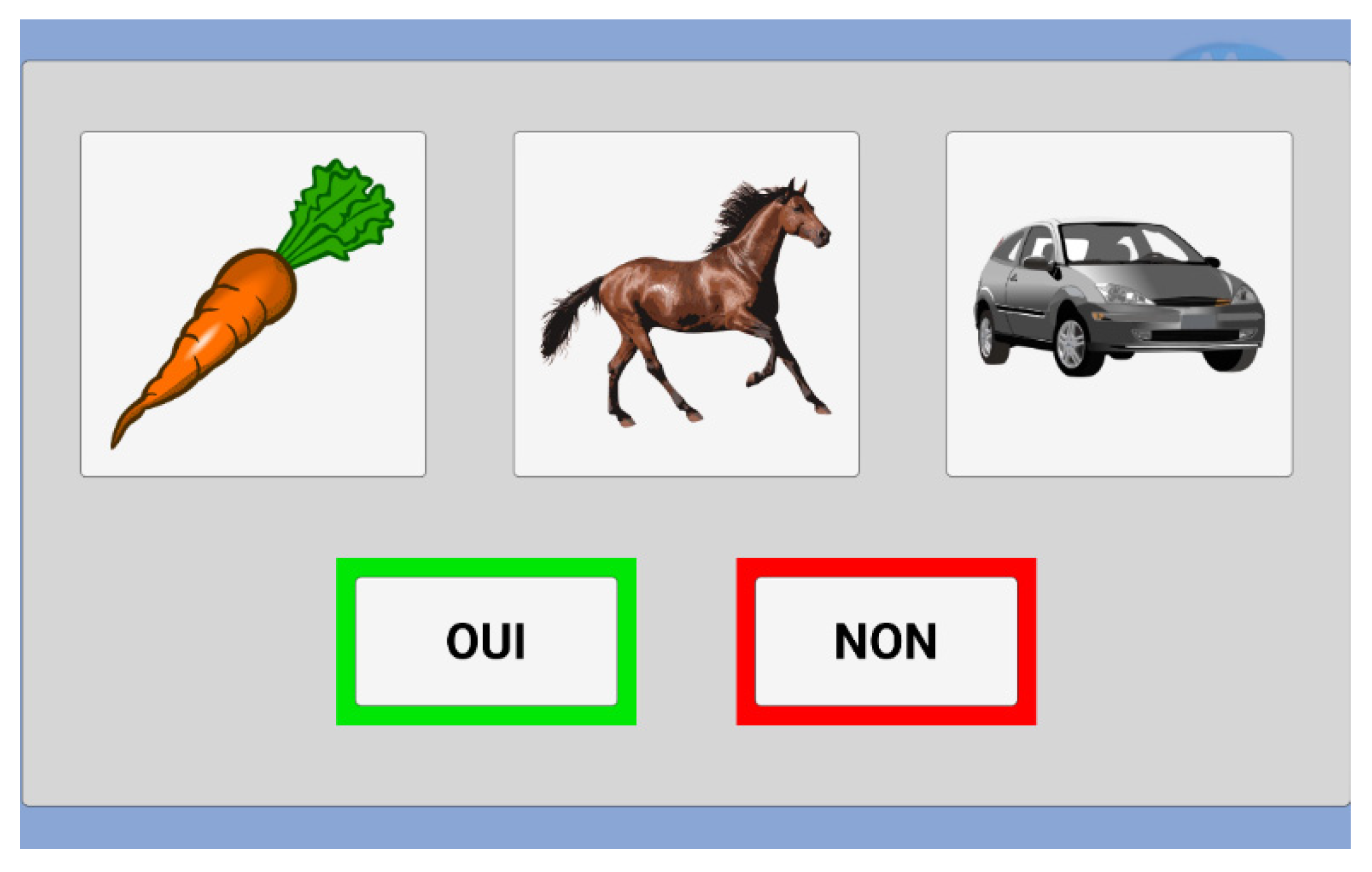
Figure 5.
Congratulations message.
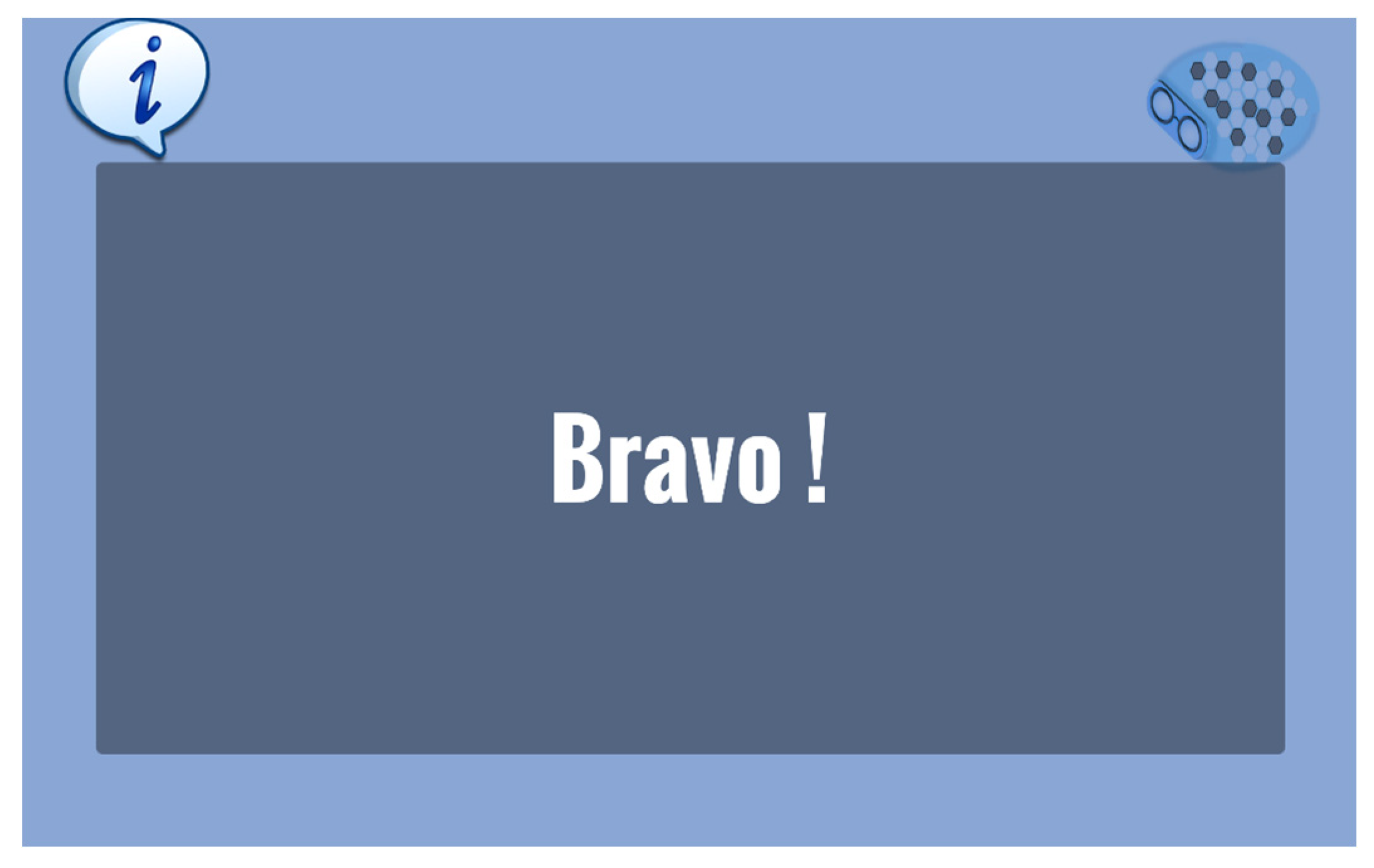
Figure 6.
Training task.
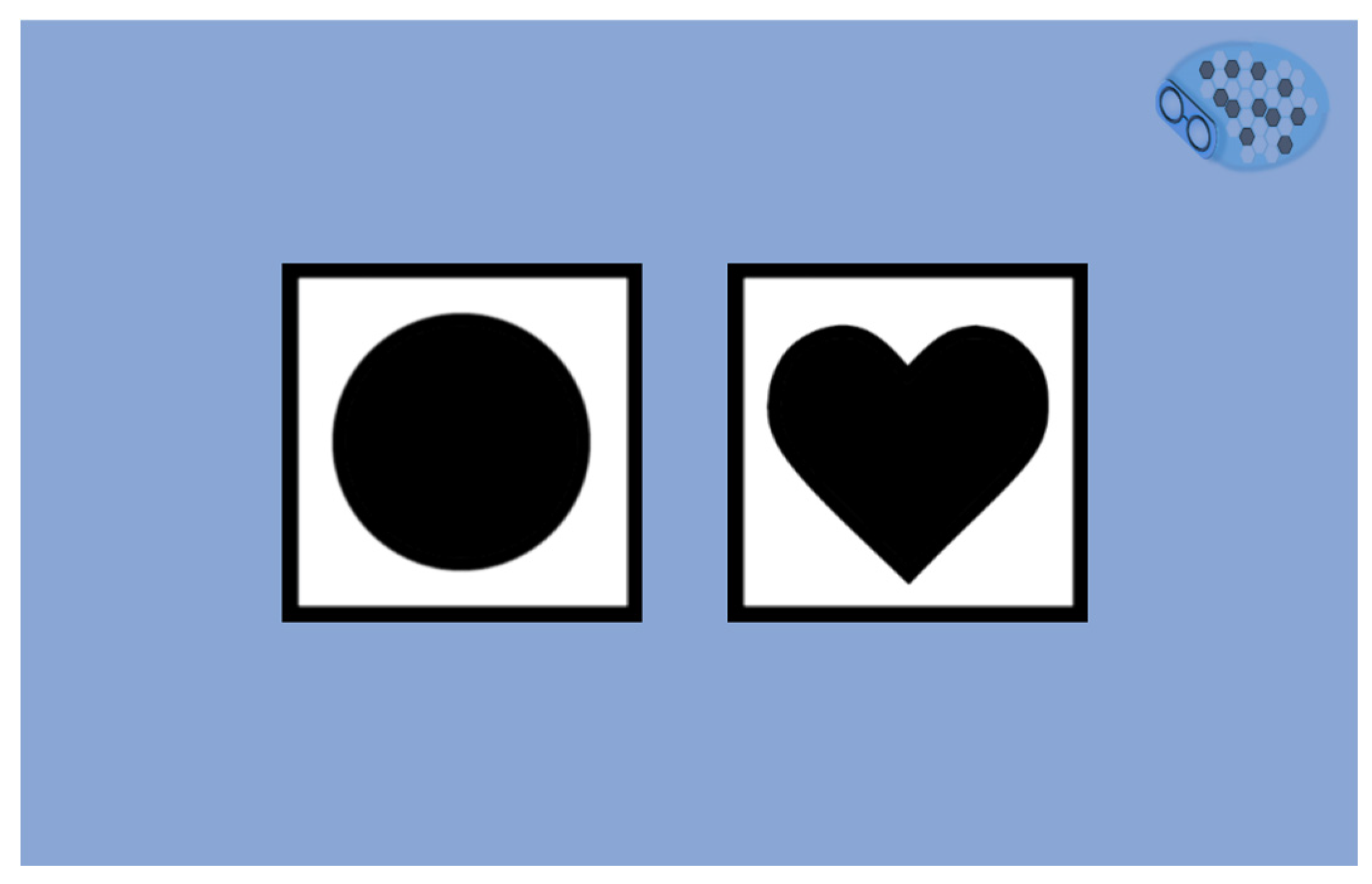
Figure 7.
Three words test.
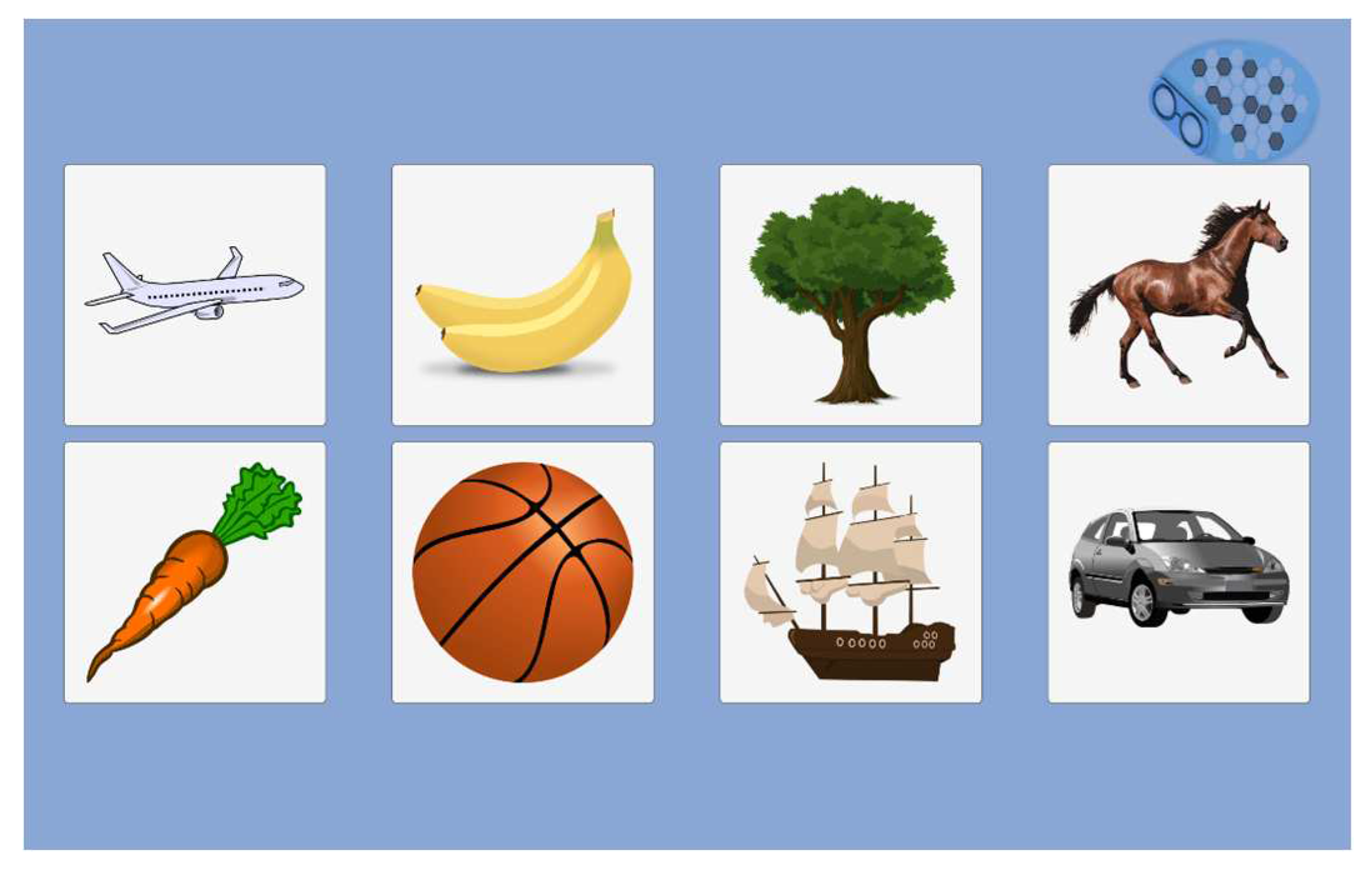
Figure 8.
Clock recognition test.
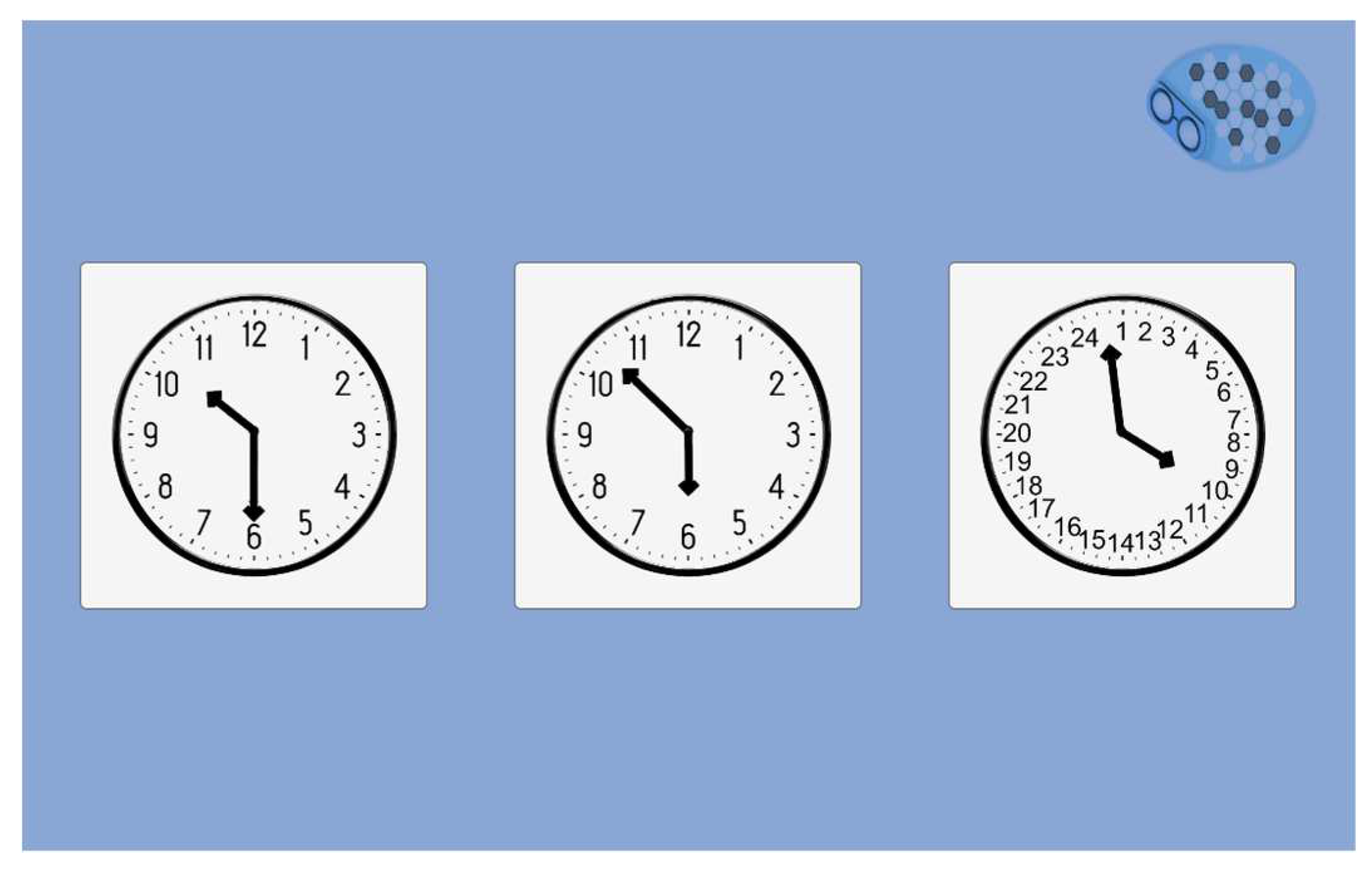
Figure 9.
Country test.
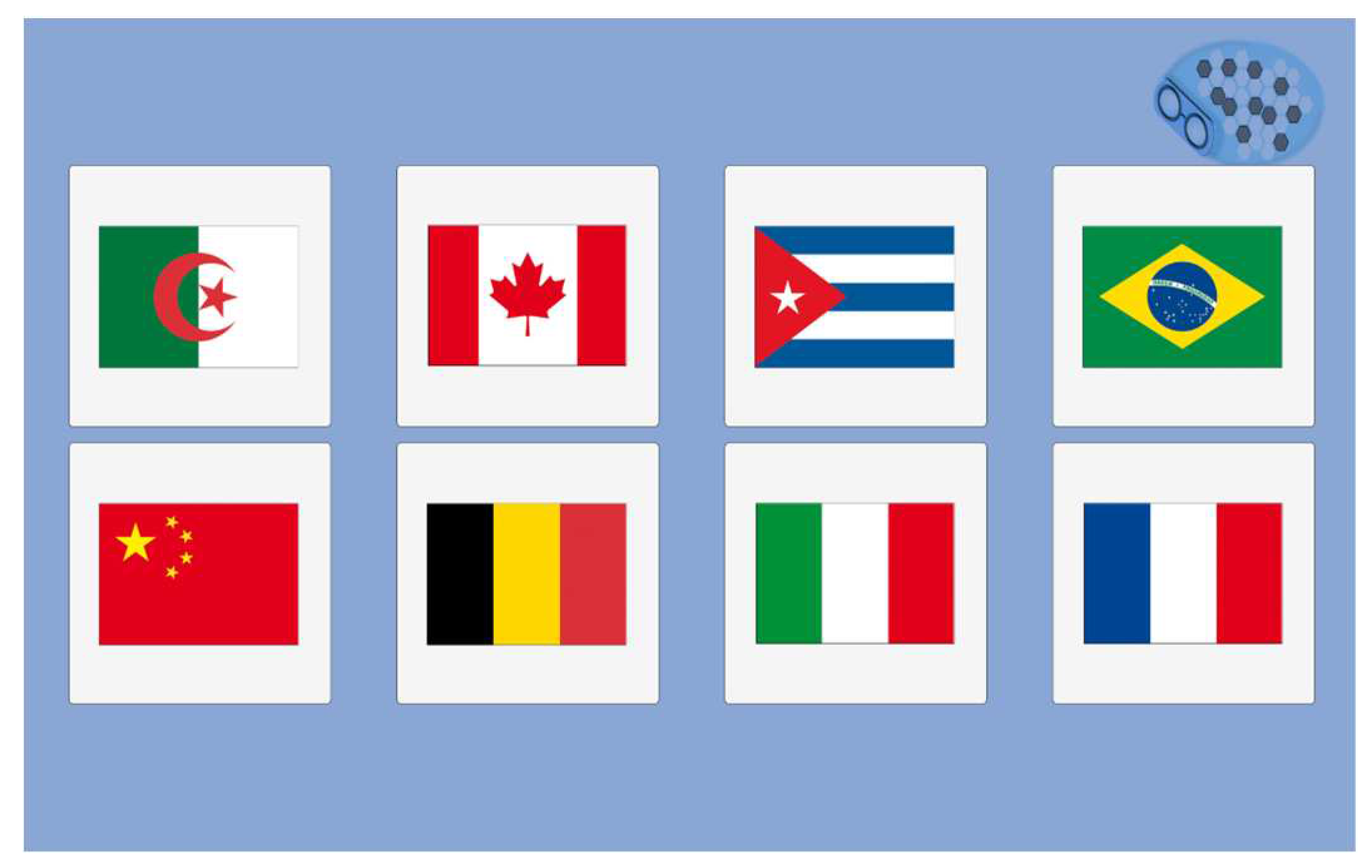
Figure 10.
Town test.
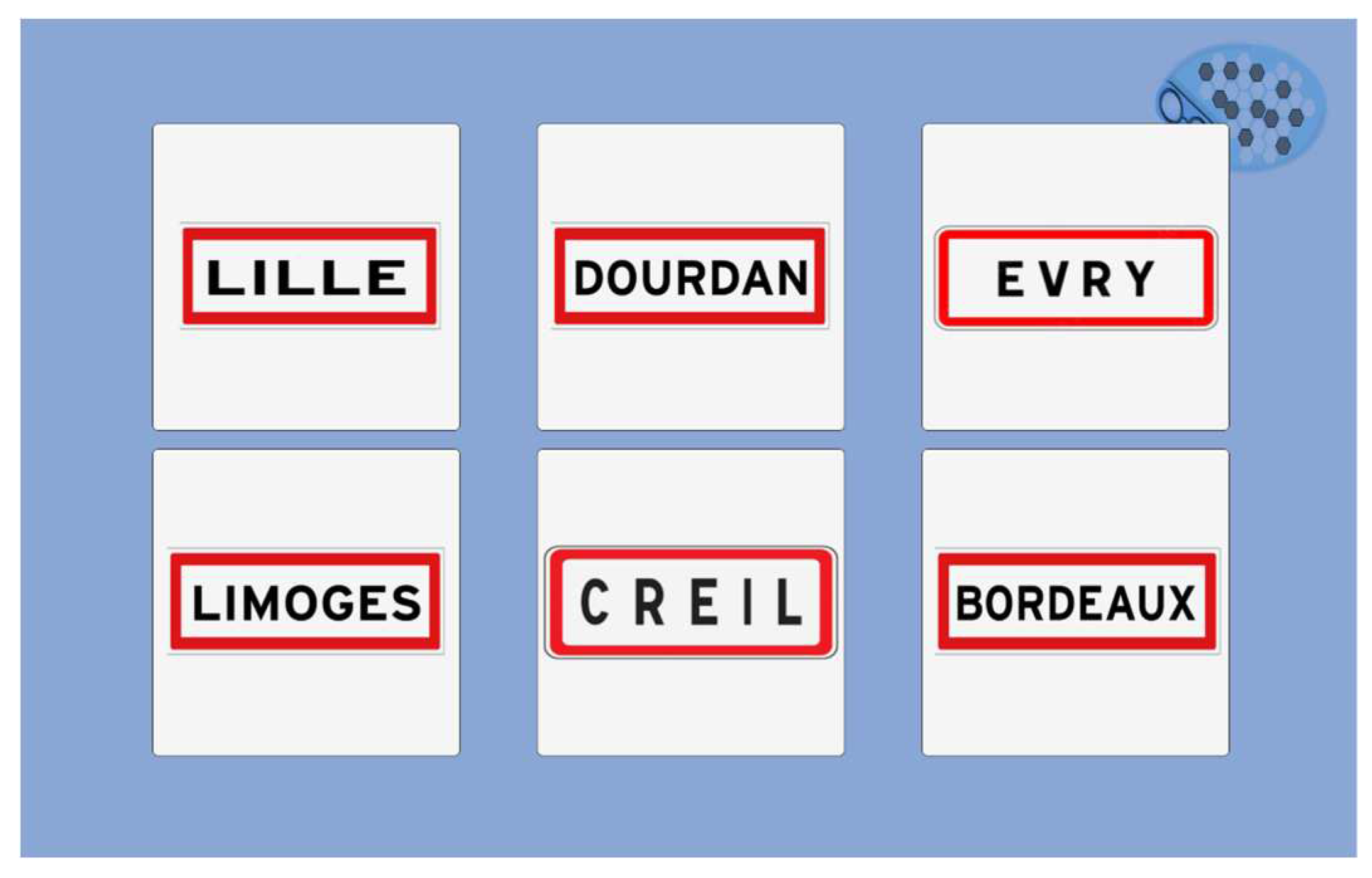
Figure 11.
Season test.
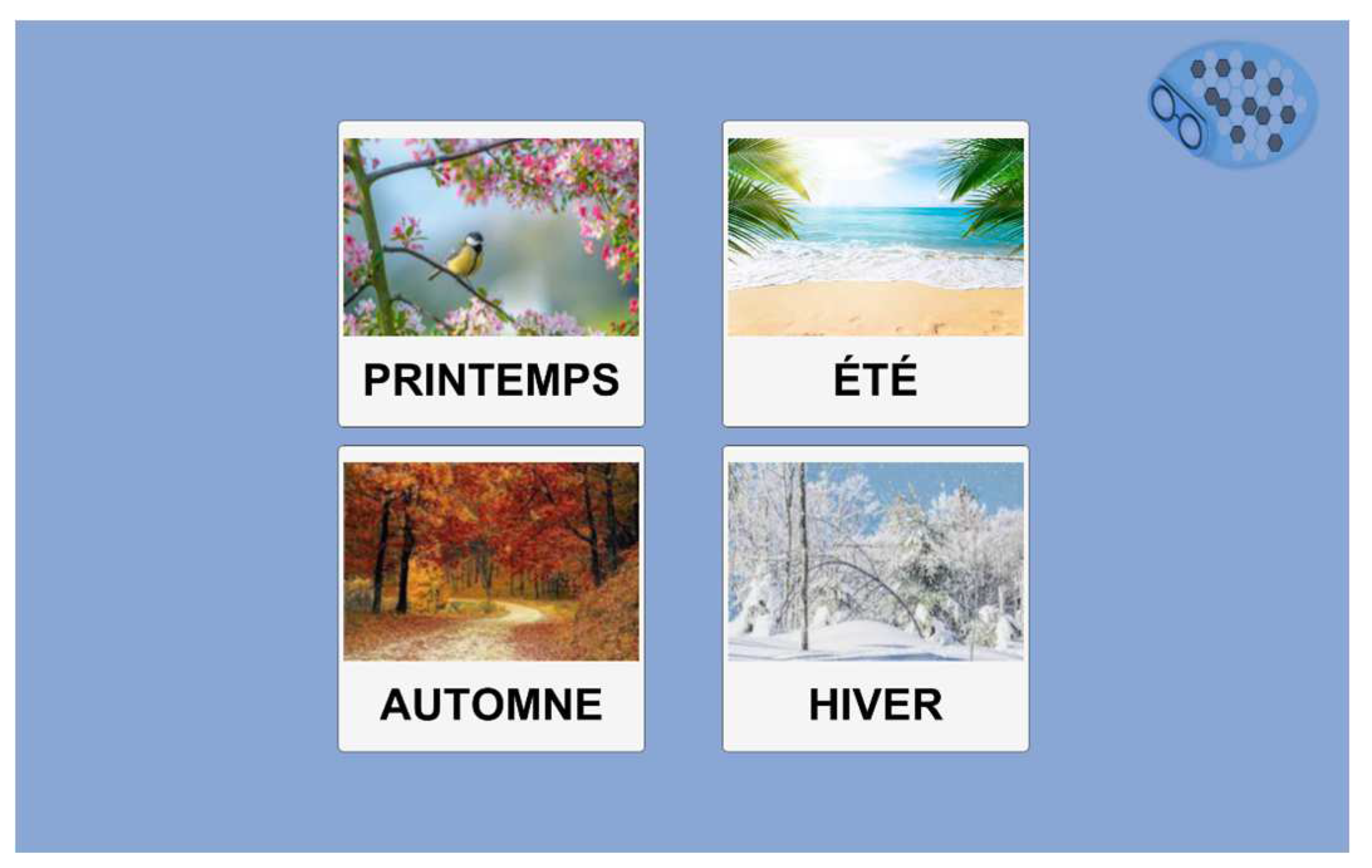
Figure 12.
Year test.
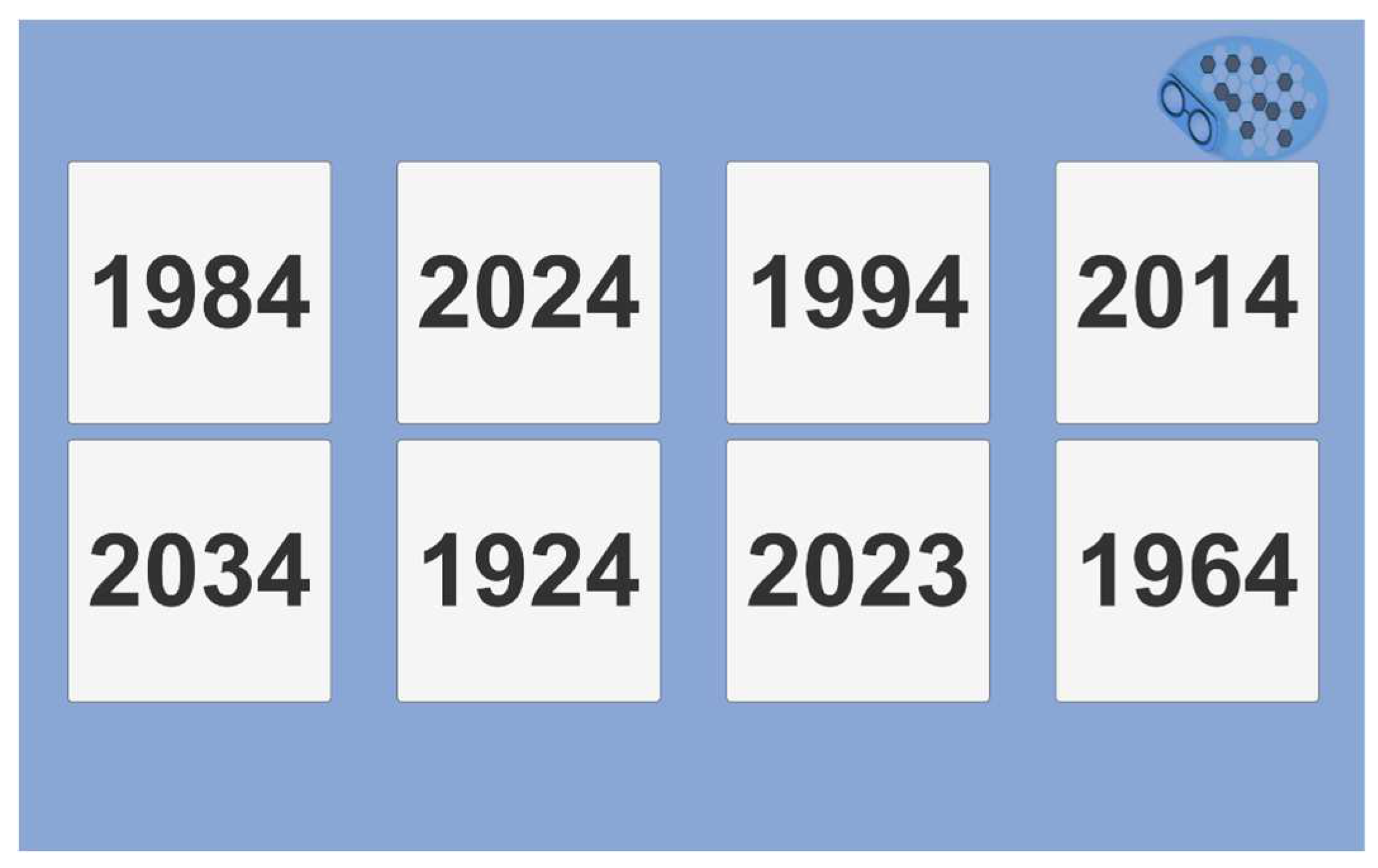
Figure 13.
Abstraction test.
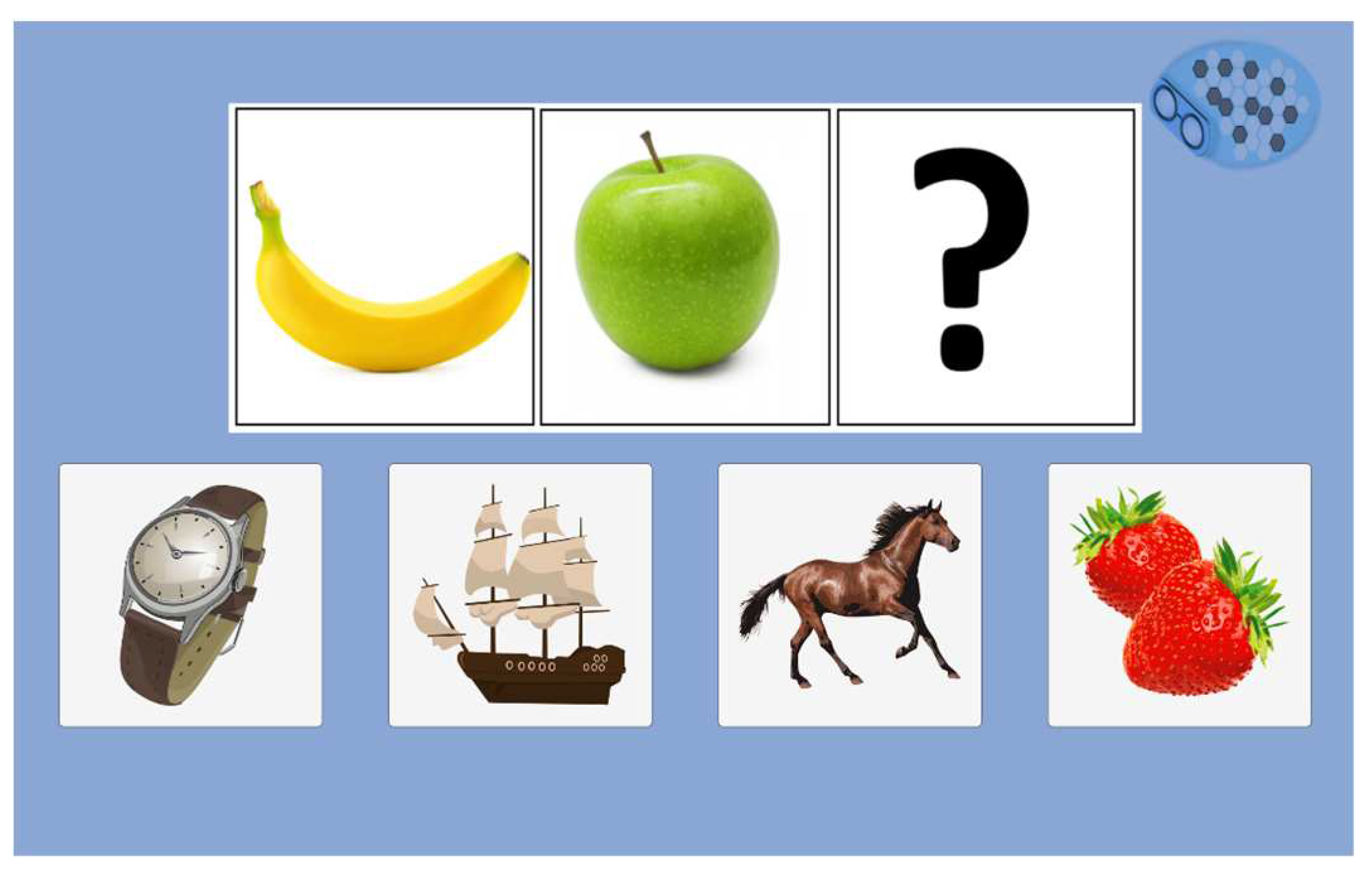
Figure 14.
Results menu view.
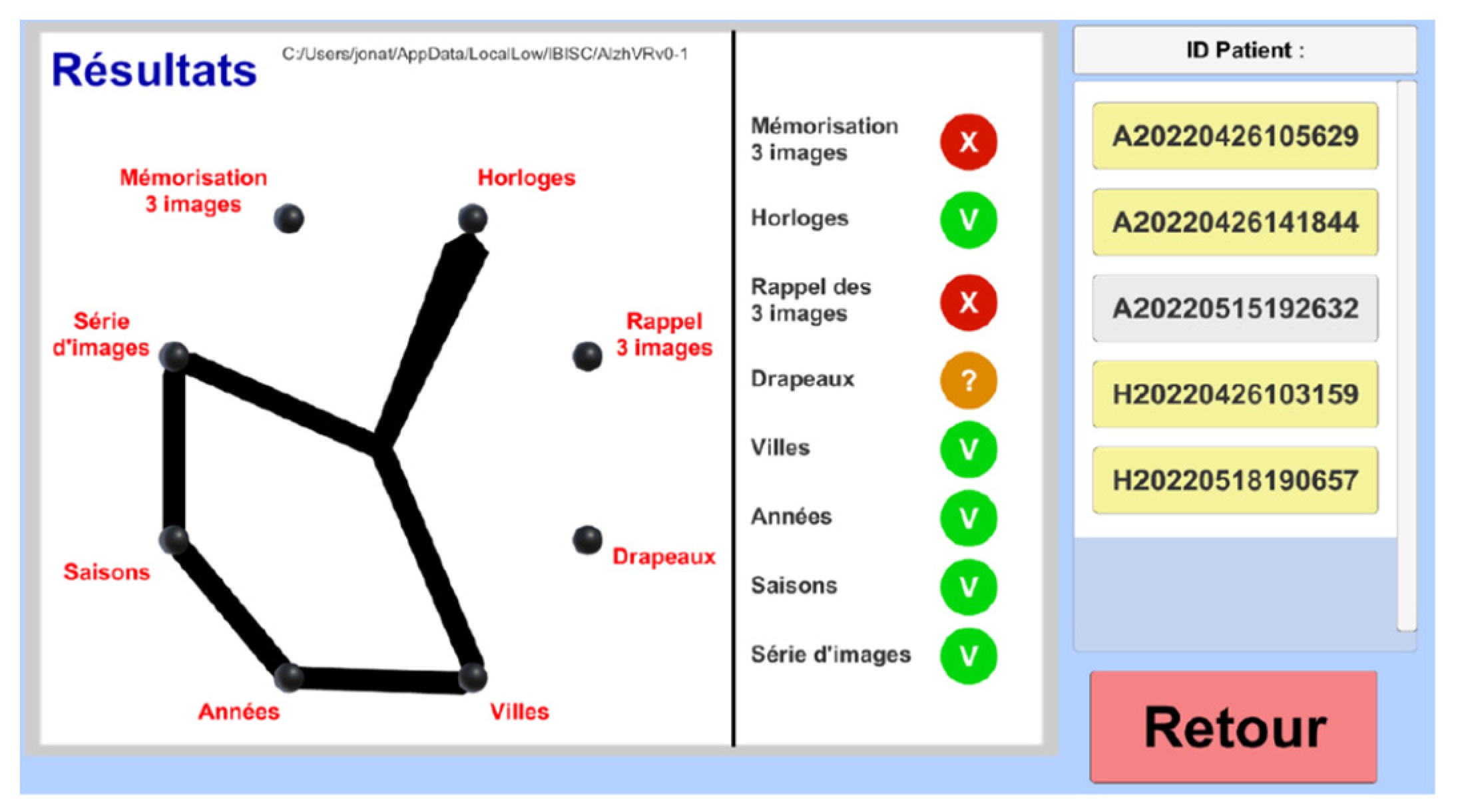
Figure 15.
F-SUS questionnaire view.
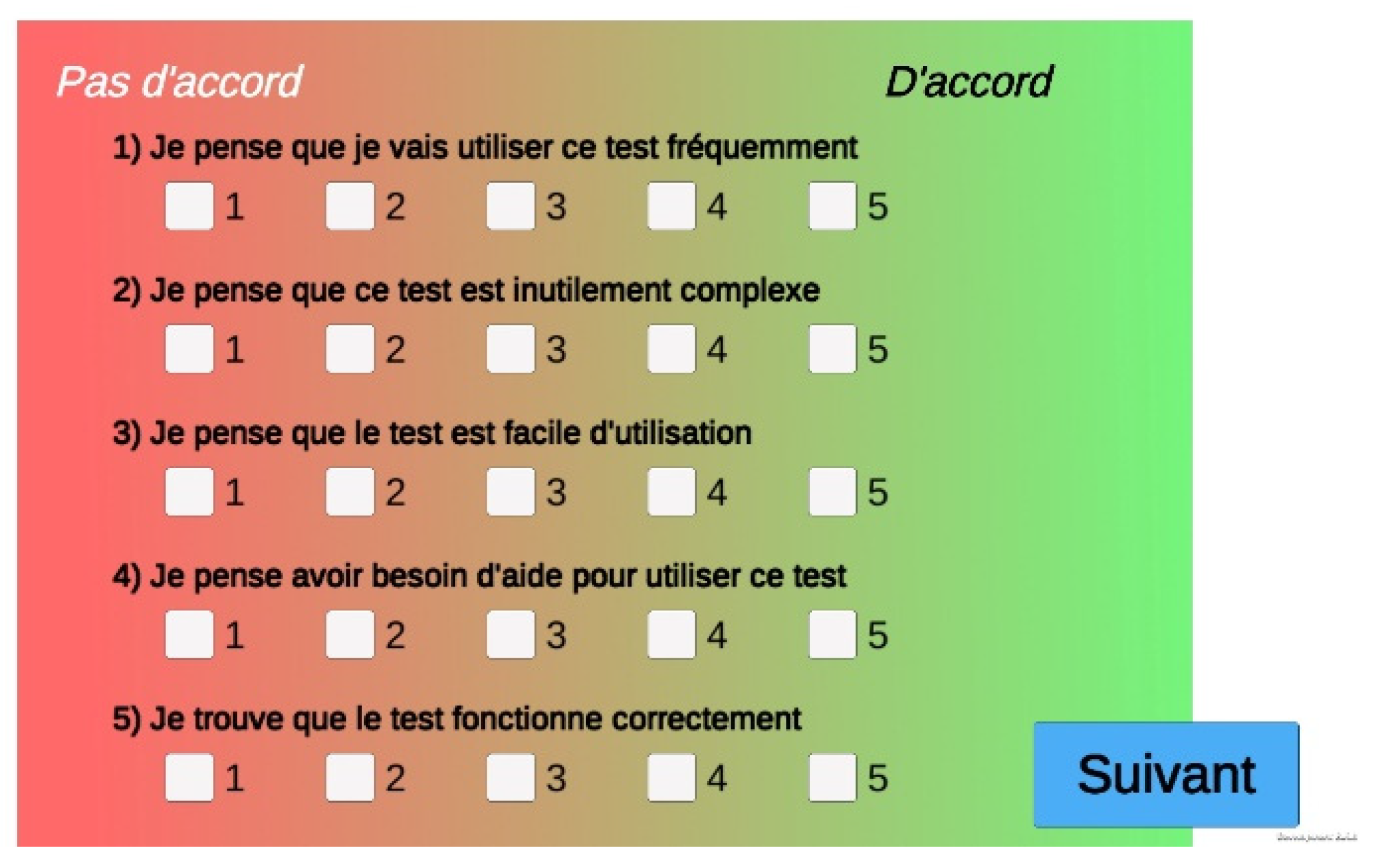
Figure 16.
Process of data storage and anonymization.
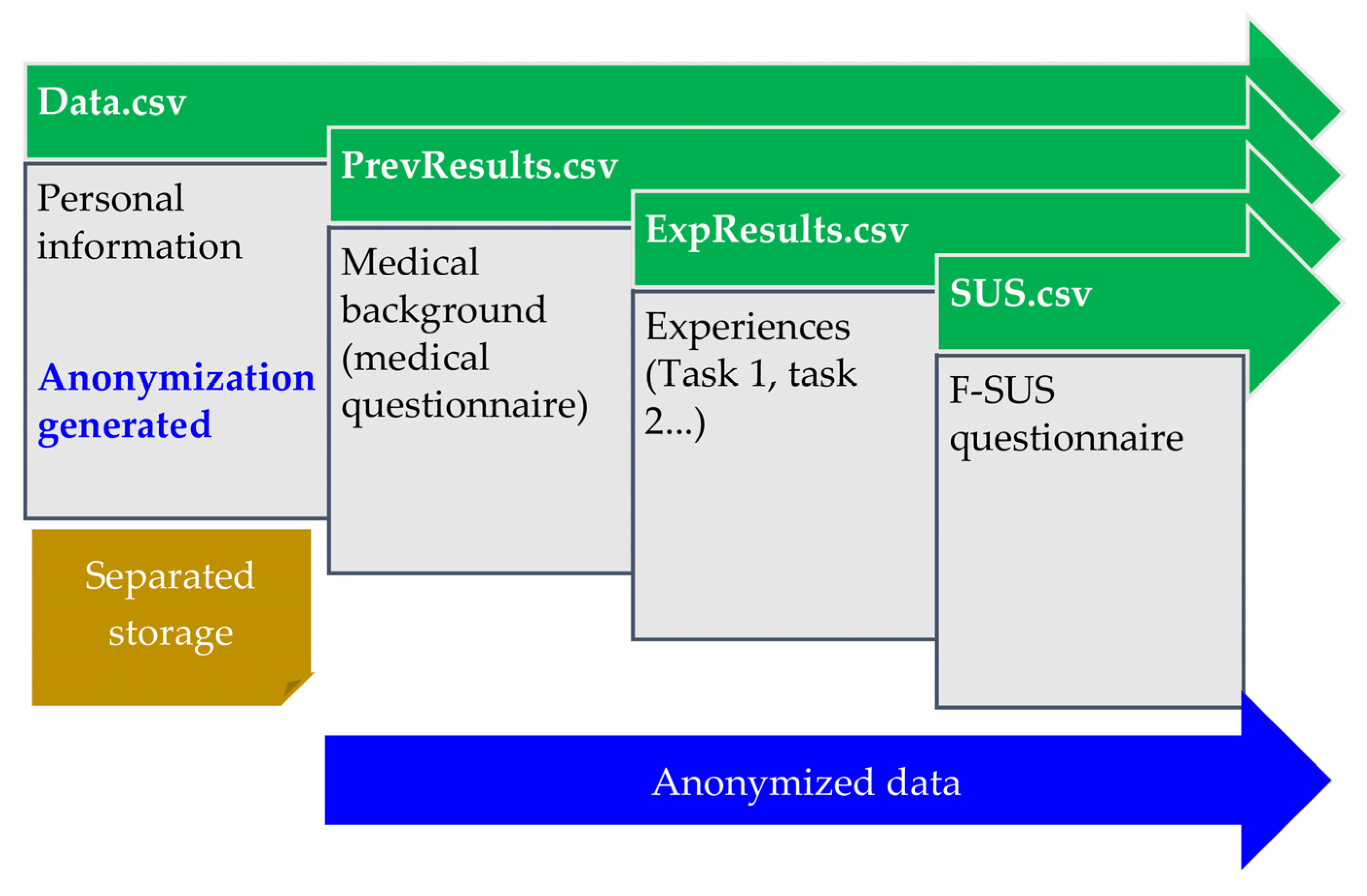
Figure 17.
Word cloud of user reviews.
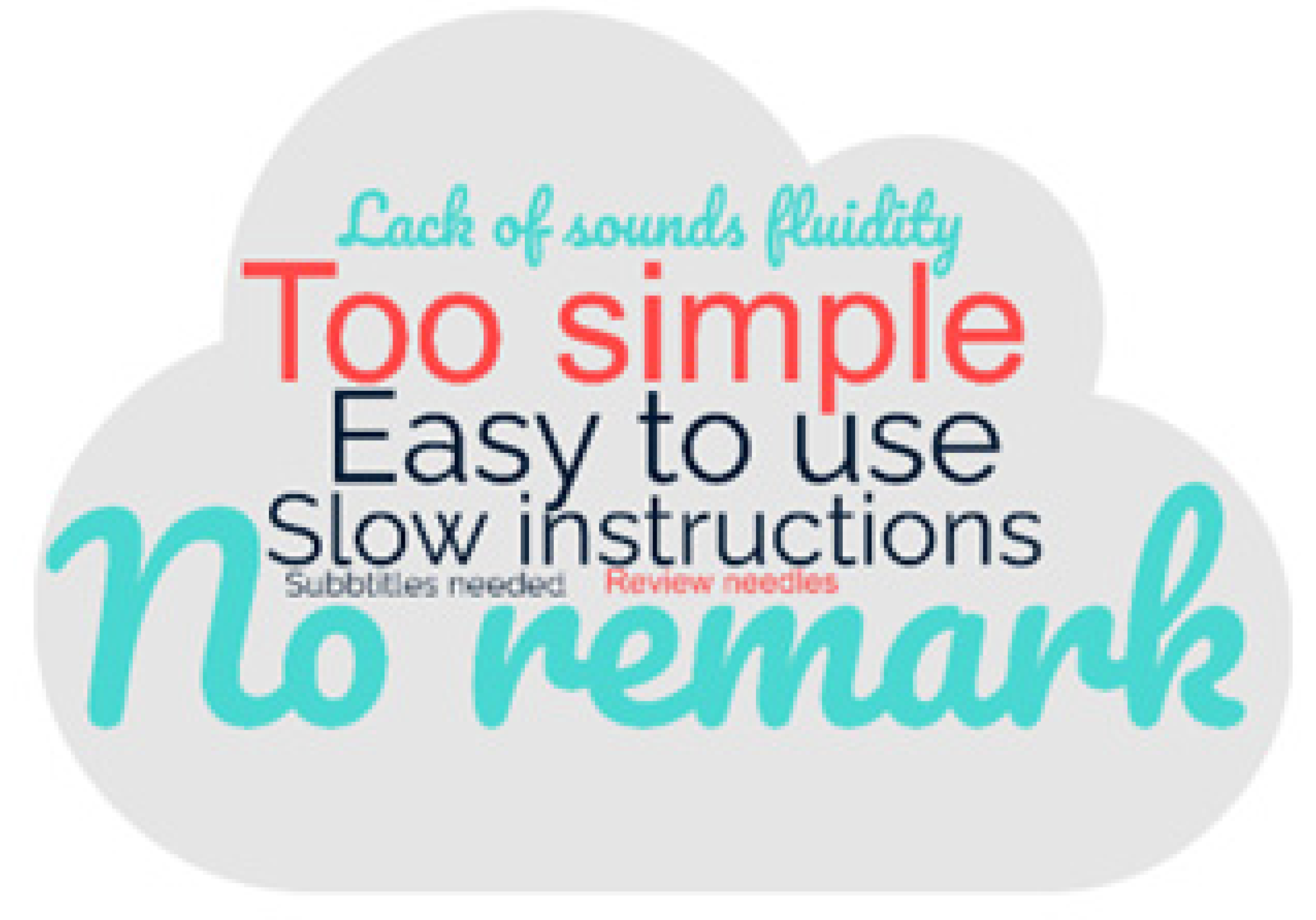
Table 1.
Numerical cognitive tasks.
| Paper Test | Cognitive Function Explored | Numerical Cognitive Task |
|---|---|---|
| MoCA, MMSE | Auditory memory and attention | Three words task (immediate recall) |
| MoCA | Memory and attention | Clock recognition |
| MoCA, MMSE | Auditory memory and attention | Three words tasks (delayed recall) |
| MoCA, MMSE | Spatial orientation | Flags |
| Town | ||
| MoCA, MMSE | Temporal orientation | Year |
| Season | ||
| MoCA | Abstraction | Abstraction |
Table 2.
Socio-demographic characteristics of the population.
| Population (n = 24) | ||
|---|---|---|
| Gender (F/M) | 10/14 | |
| Age* (years) m(sd) [min-max] |
41.88 (13.11) [23-66] |
|
| Profession | 2 | Student |
| 2 | Ingeneer | |
| 3 | Doctorant | |
| 3 | Technician | |
| 5 | Researcher | |
| 9 | Administrative | |
* m = mean; sd = standard deviation; min = minimum; max = maximum.
Table 3.
Tasks completion times.
| Completion Time* m(sd) [min-max] |
Cognitive Task |
|---|---|
| 31.98 (2.62) [25.16-38.60] |
Three words task (immediate recall) |
| 36.43 (5.49) [25.86-51.05] |
Clock recognition (2 series) |
| 17.41 (2.83) [11.04-22.65] |
Three words task (delayed recall) |
| 12.23 (1.87) [8.66-16.29] |
Flags |
| 10.91 (2.39) [6.95-16.45] |
Town |
| 10.41 (2.12) [6.38-14.68] |
Year |
| 11.73 (3.97) [6.75-23.68] |
Season |
| 10.39 (2.67) [6.23-15.19] |
Abstraction |
| 141.47 (18.77) [97.64-183.58] |
Total |
* m = mean; sd = standard deviation; min = minimum; max = maximum.
Disclaimer/Publisher’s Note: The statements, opinions and data contained in all publications are solely those of the individual author(s) and contributor(s) and not of MDPI and/or the editor(s). MDPI and/or the editor(s) disclaim responsibility for any injury to people or property resulting from any ideas, methods, instructions or products referred to in the content. |
© 2024 by the authors. Licensee MDPI, Basel, Switzerland. This article is an open access article distributed under the terms and conditions of the Creative Commons Attribution (CC BY) license (http://creativecommons.org/licenses/by/4.0/).
Copyright: This open access article is published under a Creative Commons CC BY 4.0 license, which permit the free download, distribution, and reuse, provided that the author and preprint are cited in any reuse.


